


JLevy02
Members
-
Joined
-
Last visited
-
I haven't tested those yet but you could pretty easily
-
this is the best description of the situation I've heard - thanks so much. When I go to eisy_ui, I can see programs but still can't edit or do the more advanced setup and mgmt of the admin console. So I guess will still use both until they get all the functionality ported over. Again - appreciate your help
-
ok. Today I have two logins: one for ISY portal and java admin console. Easily see where to change this. one for polygot and EISY admin console (which seems like the exact same java admin UI, just different URL path). I don't see anywhere to change this. I
-
ahhh! Thanks - that worked. What a strange bug. Related to this, when I login to https://eisy.local:8443/desc (or polygot), it's a different user/pw than my portal. How do I change this?
-
test and all worked. Thanks for the support. Feedback is it would be cool if those variables were added into the dropdown of variable options.
-
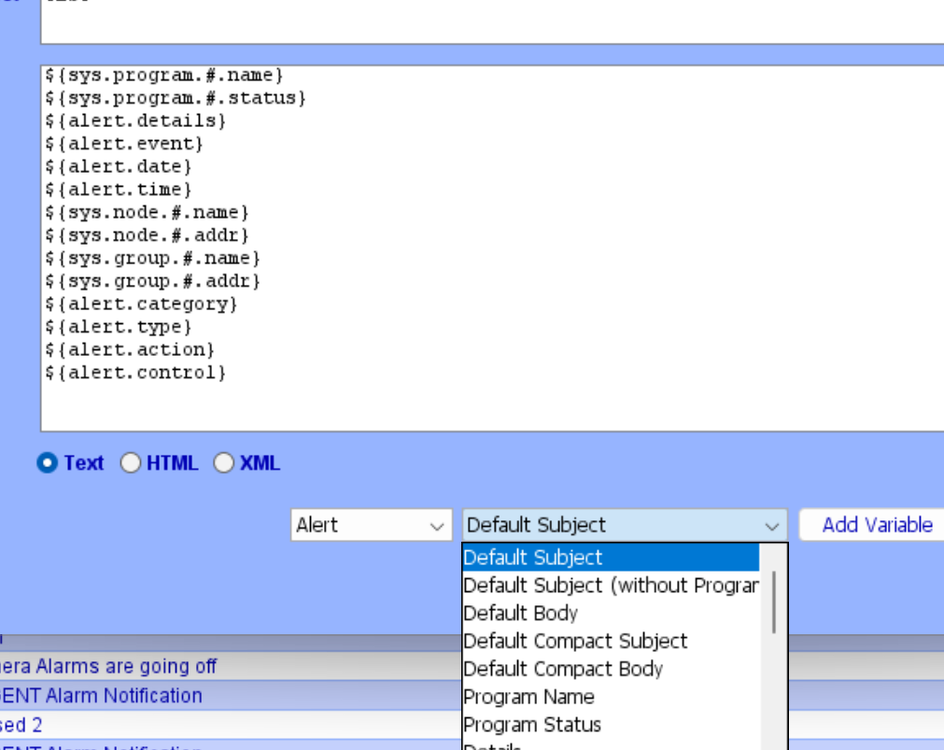
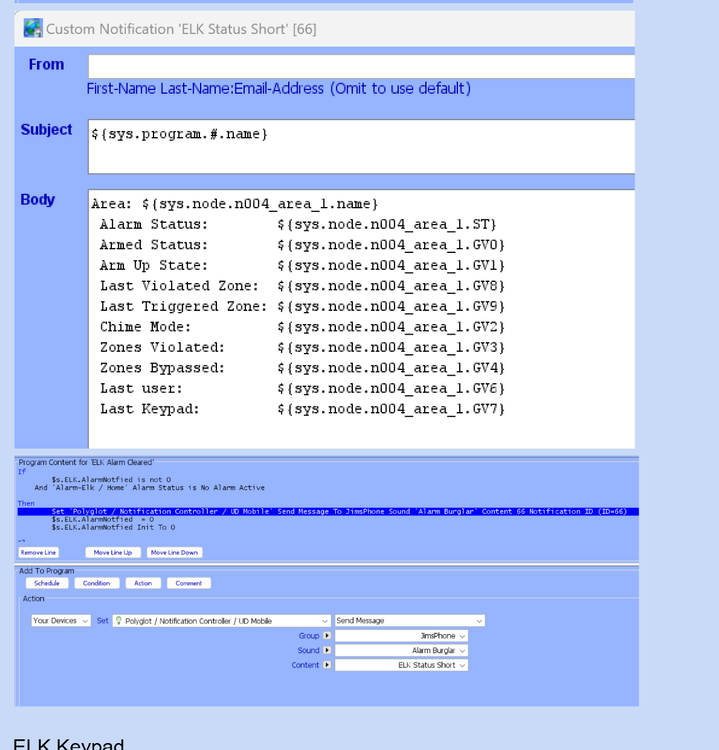
Oh! So you're saying I can just manually add in references even if they aren't in the dropdown? I thought UD only works for what is shown in the "variable" dropdown options - see screen shot. That was my confusion - I didn't know you could just type in "Alarm Status: ${sys.node.n001_area_1.ST}." if it wasn't listed in the variable options.
-
somewhat helpful - I see this in the guide but don't see how to add those variables in my setup. I only see the variables I posted above but not the ones in this screen shot. How do I get these in my list of variable options? They didn't seem to get added when I installed the elk plugin node.
-
that guide helped! Somehow I had the rest port set to 8199 but didn't need that. changed to 0 and the node showed up! Thanks
-
I had those settings all the time, before I ever bought this option. I thought this was supposed to add a node about the notification controller to the admin console that let's me do more advanced notifications, direct to pushover, more variable options, etc.
-
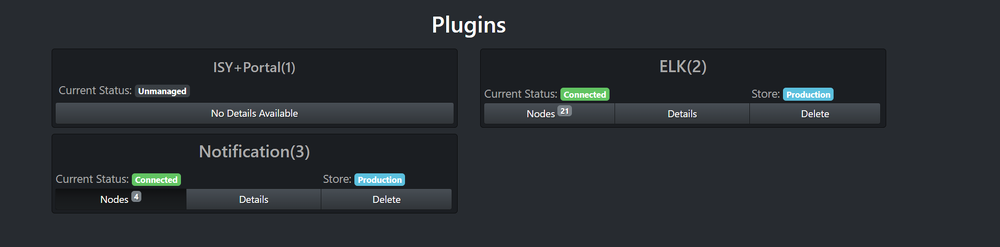
sorry I'm not being clear, I have notifications installed on slot 3. When I click details there are 4 "nodes" ( I don't know why). I've attached a screen shot of the nodes. On the config page, I've set the 'acknowledge', rest_port, and portal_api_key. I've also set the pushover service nodes based on keys from pushover. I've also set ISY service notes using same portal_api_key as above. I've rebooted everything a few times. Shouldn't a see a GUI in the client admin console to configure notifications? I don't. Polyglot V3.pdf
-
UD said 4 entries on the "purchased" apps was standard and fine.... OK. I still don't see anything in the actual java admin console despite follow-ing all the setup steps. Any tips on what to look for?
-
Good idea, thanks a done.
-
Hi - loving this plugin. I'm trying to have notifications with some smarts like telling me the user that disarmed the system or which zone was violated. I can detect these in program "if" statements such as: if 'alarm status' = entrance delay is active AND last triggered zone = front door. But instead of making a program for every zone, I'd prefer to just have one program and embed the zone in the notification. When I configure notifications, I see these options but none of them see to have last triggered zone or last user or similar. Any ideas on how to do this? ${alert.subject} ${alert.subject.nopgm} ${alert.body} ${alert.compactsubject} ${alert.compactbody} ${sys.program.#.name} ${sys.program.#.status} ${alert.details} ${alert.event} ${alert.date} ${alert.time} ${sys.node.#.name} ${sys.node.#.addr} ${sys.group.#.name} ${sys.group.#.addr} ${alert.category} ${alert.type} ${alert.action} ${alert.control}
-
Hi - new to the forum so excuse the novice question. I think I might have purchased twice - see screenshot? I'm not understanding why so many entires. I followed the setup steps but seeing this in my dashboard and still not getting anything to configure alerts in the java admin console. I entered portal key, app key, etc. Any ideas? Thanks for the help.

-
thanks. When I try https://eisy.local:8443/desc I just get an XML file and it doesn't open the admin


