


kmosmen
Members
-
Joined
-
Last visited
Everything posted by kmosmen
-
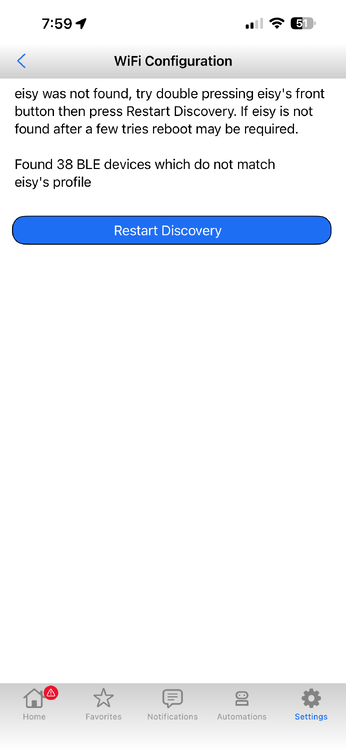
Thank you for the help, everyone. My backstory.... My PLM wasn't working so I ordered a new one. Got the system up and running. For Back Friday, I decided to upgrade my old Google Home router with an Orbi 770 system. My old Google router offered a 192.168.86.xx SSID. The new Orbi defaulted to a 10.0.0.xx SSID. I didn't know that when I swapped routers. (I disconnected the Google router and made the new Orbi have the same Network name and password - thinking the devices wouldn't know!). Many things connected but the EISY wouldn't connect. I then changed the SSID of the new router to the 192.168.86.xx. EISY was still connected via a wired connection - it gets an ip address from that connection but IoX Launcher will not connect. No user name / password option....just NOT FOUND popping up. I don't know how to ping the address on a Mac but I do run Parallel's for another work program. Maybe there? Nonetheless, I just checked and the IP address for the EISY remains.....192.168.86.XX and it hasn't changed. I did create a ticket but am getting very vague, SUPER SHORT instructions on how to fix this. I tried the 10 presses of the power button to factory reset since I have a good backup from 11/26/25. Completely at a loss here..... and super frustrated!!! Wishing I had the money to throw my Insteon out and get something with better now but my entire house is INSTEON! Ugh. Thank you!!!!! (Double pressing the power button does not broadcast a wifi network from the EISY. I have tried a million times...)
-
I have done both.... My router keeps giving EISY the same address.... I try adding that address to IoX Finder as well as eisy.local and neither work....yet the router has the EISY listed
-
Thank you Geddy but no luck! I cleared Java cache.... reinstalled IoX and tried to add my EISY with.... https://192.168.86.XXX:8443/desc and it didn't work... still not found.
-
So I have the same issue.... and just researched this topic now. I have an IP address for the EISY on my network but IoX gives the same error message that NOT FOUND. I did switch home routers from a Google Home mesh network to an Orbi 770 network....if that has anything to do with it. I enter the ip address I see for the EISY into IoX but it doesn't find the controller.... HELP! My entire system is down because of this damn thing. Thank you!!
