


KConover
Members
-
Joined
-
Last visited
Everything posted by KConover
-
Found a couple on eBay and ordered them.
-
Best to put at the panel?
-
Still working on this problem. HVAC guys say they can't find anything wrong, grounding looks good. Got a BIG selection of ferrite cores in different sizes and put them on every wire that might be connected to the heat pump. (Old house, they used existing wiring.) I will also say that the Trifield EM100 AC Line EMI Monitor that I got has been very helpful in checking after each step I took to deal with this problem. I don't even have to look at the screen, I can just hear the level of noise on the AC line. I guess it's time to consider adding a filter. I need some help understanding how a line filter could be used with absorbing Insteon signals. Are there band-pass filters specifically designed to deal with this type of problem? I've heard that some line filters will absorb Insteon/X10 signal frequencies and cause the AC line Insteon/X10 signalling to fail. Thanks to anyone who can provide information about such filters, even if it's just a pointer to something online.
-
Side note: I was doing some testing while I was alone at the house which is where I found the baseline level of 50 mV. Having all of the kitchen and entrance hallway lights got it up to 150 mV (all LED lights). Tried it with heating with gas and no change. But both heating and cooling with the heat pump both got it up to about 1900 mV. So it seems very most likely the heat pump/condenser that's causing massive AC line noise whether heating or cooling. Google AI search for the first time seemed to find good advice (mostly from Reddit): 1. Verify Grounding and Connections Check the system ground: Variable-speed HVAC systems require a solid, dedicated, low-resistance ground. A loose, corroded, or improper equipment ground at the disconnect box or the main electrical panel can allow electrical noise to bleed onto your home's wiring. Inspect the control board/transformer: Verify that the 24V common wire is properly landed and firmly secured. 2. Install a Line Filter / Choke Ferrite Chokes: If the noise is affecting audio equipment or causing buzzing on specific speakers, clip large, snap-on ferrite cores around the main power and communicating wire bundles (like the shielded RS-485 cables) directly inside the unit. EMI/RFI Line Filter: A professional electrician can install a heavy-duty electromagnetic interference (EMI) filter or power line conditioner on the dedicated HVAC circuit at the main breaker box. This acts as a wall that prevents high-frequency noise from traveling back into the rest of the house. 3. Review Communication Cables If the electrical noise manifests as data glitches, flickering lights, or disrupted internet/smart home equipment, check that the communication wiring from the Infinity Touch Control to the heat pump is shielded and separated from line-voltage (120V/240V) runs in the wall.
-
Well, to check to see if it's the blower, I cranked the heat up high to see what happened. When the blower switched on (with heat instead of AC), I got a couple of peaks of noise, so fast I couldn't tell how much in mV, but not much, startup noise most likely, and likely not long enough to interfere with repeated Insteon signals. Then, the noise stabilized at 40 mV. So I don't think it's the blower motor, it's something to do specifically with the AC. Very strange. I just talked with Mitch, the most tech-y person from the HVAC company that installed this Carrier Infinity system for us. He says it's likely the inverter in the condenser outside that's causing the problem. He says it's 240V single-phase, so maybe I (or better yet my electrician) could filter that line somehow. He says communications between the outside condenser and the inside furnace/blower unit is via a single 18 gauge line. Searching online for "240V single phase noise filter" gives a confusing mass of information and devices. Anyone have any advice about how to proceed?
-
I'd like to update this. Our baseline noise is at or below 50 mV. However, when the AC turns on (not the heat pump or gas furnace, the AC), the level is about 370 mV. That could explain why I didn't find the noise source during the winter, or when the AC wasn't actually running. Any suggestions on noise-filtering a Carrier hybrid gas/heat pump furnace/AC? (Model Carrier 59MN7C100C211122.)
-
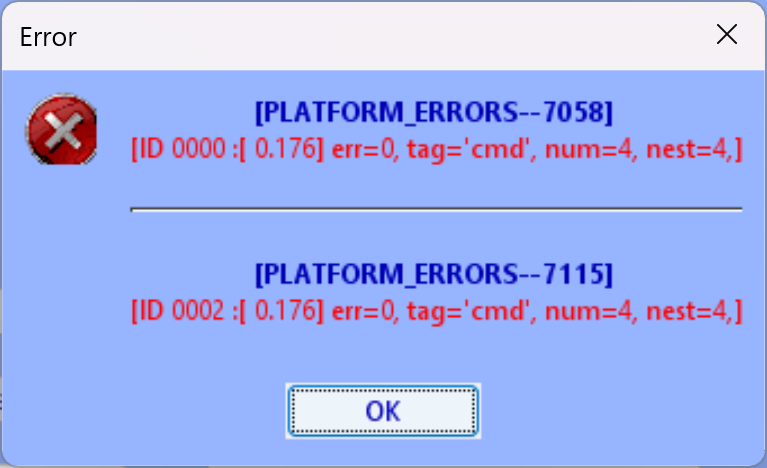
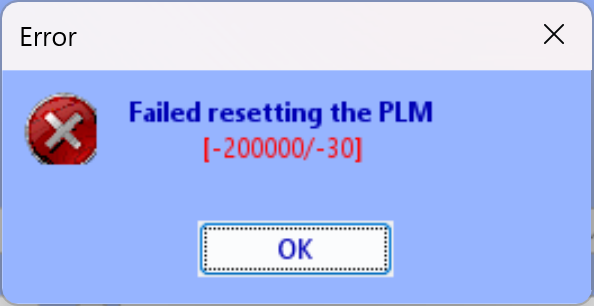
Instead of breakers, I first decided to unplug and put away all of our winter lights, in case one of them was the culprit. (They were plugged in long before the mass failure occurred, though.) Still couldn't "restore device" for one of the devices. Breakers next. For interest's sake, since the Insteon noise-detection device is no longer available, is there anything similar available? There are things you plug into a socket or fixture and then electronically "sniff" for them at the individual breakers at the main panel. I also wonder if we can assume that Insteon dimmer modules and switches won't pass 120 kHz noise from the lamp or whatever – but I am now concerned this is unfounded. I turned off all the breakers except for (a) the FiOS system unit and extender, (b) my computer (c) the AC outlet with my PLM (having an AC outlet tester with lights helped a lot with figuring out which breaker went to this, it wasn't labeled; on the other hand none of the breakers were labeled when we bought the house, so now it's labeled. And, turned on the breaker for Side Door Light and made sure it was on. Tried to Restore Device to it and: I have no clue what this means. I did get a lot of exercise running up and down two flights of stairs about 50-75 times, so that's a plus. The next time I tried to Write Updates to Device and Restore Device, absolutely nothing happened. Trying to turn the light on and off failed, as well. That might be because there was not enough wireless repeating going on to get the signal to that light. I ended up giving up and turning on all of the breakers again. Interestingly, I could no longer use IoX to turn off or on a light (Office Bookshelf Lights) that worked fine before. Each time: "Request Failed." Giving up for the evening. Very big house, used to be the home and architect's studio of one of Frank Lloyd Wright's last students. Lots of breakers on the panel. Ordered a "Dirty Electricity Meter by Trifield - Model EM100" for $143 from amazon to speed up the detective work. Even if it can't "listen" to individual breakers, I can plug it in at the breaker panel and turn them on and off whilst listening at the panel to see where the problem is coming from. Or indeed if that's the problem. (Tired out from all that running up and down two flights of steps.) Addendum: the dirty AC monitor has not arrived yet. However I just got four more Insteon FilterLincs and used them on suspect devices such as chargers. I then tried to Restore Devices and see what happened. I got a new and interesting failure (it is worth pointing out this is a brand-new USB PLM): I have no idea what happened there. Since I've done it so many times recently, here is my refined process for factory reset of a PLM and doing Restore Modem with IoX and an EISY: To update corrupted tables in a PLM (AKA PowerLine Modem; modified from posts on the Universal Devices wiki): ======= - Take the power plug out of the EISY to do a power-off cold reboot - Disconnect the data cable anywhere between the PLM and EISY - (reportedly not necessary to unplug the RJ-45 Ethernet cable if you use one to connect your EISY to the internet and/or local network but I unplugged mine anyway) - Take the PLM out of the AC outlet - Reboot (factory reset) the PLM: + Wait 10 seconds or more after taking the PLM out of the AC outlet + Press and hold the small black Set button + Plug PLM back into the AC outlet CONTINUING TO HOLD THE SET BUTTON + PLM will buzz; once it STOPS buzzing, hold the Set button for another 10 seconds, then release the Set button (if you can see the LED on your PLM, which I can't because the AC outlet is behind a heavy bookcase, you should see it blink red) and wait for a little high-pitched "budeep".that indicates a successful reboot - reconnect the data cable between the PLM and the EISY - plug the power connector back into the EISY - go away for ten minutes so the EISY can reboot - Go into IoX, wait for it to initialize as usual, then File > Restore Modem (that means the PLM AKA PowerLine Modem) - File > Restore Modem pops up a warning not to adjust any attached devices. This means the Restore Modem will not be able to restore any of the battery-powered keypads. I figures that rather than ignoring Restore Modem's caution about adjusting attached devices, I would deal with these later, by pressing a button on the keypad and then running up to my computer to Restore Device. I do have to click on IoX's complaints that it couldn't reach those devices as it tries them during Restore Modem, but I figure it's reasonable to defer these devices. My Trifield Meter EM100 came today. I plugged it into one of the phases at the panel, and could hear the EISY sending out instructions (very cool) and could monitor the background noise which was fine at 25-42 mV peak-to-leak on the phase I could plug into right next to the panel. On the other phase, at times, it was 70 mV peak-to-peak. I'll have to do some more work to figure out what's causing that. The documentation with the meter says that less than 50 mV peak-to-peak is low noise. So I have some more detective work to do, though this seems to be narrowing it down to new noise on one phase. I do wish my noise monitor would allow me to test individual breakers on the panel, though. At least I can now move my heavy bookcase now that I'm sure the problem is not with the PLM.
-
Did the Replace Modem function. Several times. Both before and after replacing the PLM with a new one. I looked for the Elk ESM online but it's no longer available. I found something on amazon that looks similar, thinking about getting one: https://www.amazon.com/Dirty-Electricity-Meter-Trifield-Analyzer/dp/B083PZ7JR3/r;; anyone have experience with this, or something similar that's still available?
-
Interestingly, one of the devices that couldn't be reached now can, after doing a factory reset on the PLM, and one that could, now can't. Using Ockham's (Occam's) Razor, it seems likely that some AC power supply in the house somewhere is now putting out a lot of noise, rather than the PLM or individual Insteon devices. Or, perhaps, one of my FilterLincs has been killed by the geomagnetic storm. I really wish I had gotten an Insteon Diagnostic Keypad (2993-222) back when they were available. I decided to get some FilterLincs to add to my large collection of them and put them on the few remaining suspect chargers and other devices, and if that doesn't work, start turning off breakers at the panel and then trying a Restore Device on one of recalcitrant devices.
-
I tried a device restore on every single one of the non-responding devices, both individually and via Restore Devices. I also did a second factory reset of the PLM, no change. For decades, I've had noise filters on all fans and other powerline noise generators, no changes there. All of the scenes linking the non-responding devices work fine, I just can't reach them through the PLM, and my programs for turning the outside lights on and off only work with the driveway lights, not the other lights on the outside of the house that are part of the same scene, a scene which works fine with local control from any one of several switches linked to this same scene. Sigh.
-
Ever since the January 19, 2026 G4 geomagnetic solar storm, IoX cannot connect with many of my Insteon devices. It could be that all of those were damaged by the solar storm, but I figured it was more likely damaged powerline modem (PLM). I replaced the PLM after browsing the wiki for advice on this, and used what I think is the approved procedure for replacing a PLM: A PDF posted on the forum says: Replace Modem (PLM) This operation is most useful when you need to replace a defective PLM and the EISY/POLISY is rebooted with a new PLM. When the communication links were established via the Link Management Menu, the PLM and INSTEON devices adds each device addresses it is linked to, in its own link table. The EISY/POLISY also reads and stores the PLM’s address at boot up. The EISY/POLISY stores all the configurations settings in the device tree. If you are replacing a PLM the EISY/POLISY will have the old PLM address link stored in it. Warning: Never replace your PLM while the EISY/POLISY is running because it will assume it is still connected with the old PLM. The EISY/POLISY will appear to work, but it will be writing the address of the old PLM into the device links, thus you will not see devices updates etc. If this menu option is selected, the EISY/POLISY goes through all INSTEON devices looking for old and new PLM address links. If an old PLM address link is found, it replaces them with the address of the new PLM and adds the corresponding device link to the new PLM. Here is what I did, after taking out the old PLM and ordering a brand new one from insteon.com: To update corrupted tables in a PLM (modified from posts on the wiki): - Take the power plug out of the EISY to do a power-off cold reboot - Disconnect the data cable between the PLM and EISY (NOT necessary to unplug the RJ-45 ethernet cable if you use one to connect your EISY to the internet or local network - Take PLM out of the AC power outlet (this does NOT by itself reboot the PLM AKA reset the PLM tables) - New reboot the PLM, AKA factory reset: - [hold the set button in on the PLM while plugging it in and continue to hold until the PLM stops buzzing, then all links are cleared. (Steve Lee, Insteon Support) Nope, this didn't work for me] - Reset the PLM: "To reset PowerLinc Modem to its original factory settings, unplug from wall outlet and wait 10 seconds. Press and hold Set button; while continuing to press and hold, plug back in. A long beep will sound; continue holding Set button until beep stops, then release. After several seconds, status LED will turn on to indicate reset is complete] - Connect the PLM to the EISY/POLISY with the data cable - Plug the power cord back into the EISY - Go to Admin Console and wait for system initialization to complete - [ignored probably irrelevant information about waiting for battery powered units and looking for a battery icon in IoX; I don't see a battery icon, nor is there any buttcon with a hover state indicating battery; these buttcons – buttons with icons – need a mouse hover state that explains what they are) Click on the Battery icon at the top. This will prevent EISY/POLISY from trying to update programming on your RF devices which are probably in sleep mode] - File > Restore Modem (PLM) menu - Wait until the "System Busy" at the bottom left goes away, and the green 1011 icons quit appearing - In case EISY/POLISY cannot communicate (or decides not to if it’s an RF device during the process, you will have a series of nodes with green 1011 icons in the device tree. For each one of those nodes: - If an RF device, ensure that the device is in Programming mode (awake) - Right mouse click > Write Updates to Device. If the above procedure fails on many of your devices, it's highly recommended that you follow the instructions for Restore Devices. Looked in https://wiki.universal-devices.com/Eisy:User_Guide and searched the forum for Restore Devices, and found nothing useful. See the picture for the number of devices IoX can't communicate with. I tried rebooting both the EISY and my PC, after which IoX showed no errors! But then I went through the list and tried to turn each of the Insteon units on and off and you can see how many failed. I started at the bottom and tried "Write updates to device" and "Restore Device" both without doing anything to the Insteon unit and after putting the Insteon unit. Both failed for the bottom two units with a big red exclamation point at which time I gave up and created this post. I would hate to have to replace this many Insteon units without knowing that it would solve the problem. I thought, "maybe I need phase a signal bridge" and then "no, with so many dual wireless/powerline Insteon units, I have no need for a physical phase signal bridge."

-
Thanks for the tip, Ed! I was able to "Query:" a couple of devices that IoX couldn't reach and then "Write Updates to Device" and it worked! However for others, it didn't work; the query didn't result in a "1011" icon, and "Write to Device" and "Restore Device" didn't restore the connection with IoX (though the devices still work fine with local control and local links). I did find that for at least one of my wall switch dimmers, I had to long-press the tiny clear button at the bottom to go into linking mode before "Write Updates to Device" would work, but then the red ! went away and I could turn on and off via IoX. However, for several devices that were accessible to my old PLM, "Query" didn't result in a "1011" icon at the left. I found that one of the lamp modules that worked fine with the old PLM wouldn't respond to the "Write Updates to Device" or "Restore Device" so I long-pressed the linking button and then tried "Write Updates to Device" which failed, and then "Restore Device" which also failed. I checked its programming with the four-button wall switch that controls it, and that works fine. But many other devices are refusing to speak with IoX or vice versa, no matter which of the above I have tried. So I am at a loss for understanding why IoX cannot access it through the new USB PLM.
-
BTW, my new USB PLM is recent, Revision 2.7, 2023. And in IoX I am finding that some of my devices that worked fine with my old PM and have a big red ! after replacing the PM fail a manual Restore Device. However, they seem to work with a Write Updates to Device. My procedure is to go through all of the devices in red letters at the top left of IoX (Network > ISY) and trying to turn them on and off. If that works, fine. If not I Write Updates to Device. I started by turning the device on in IoX, manually going to that light was on, and then going back to IoX. I quickly realized that if turning on and off didn't trigger an "UNABLE TO WRITE TO DEVICE" and a big red ! to the left of the device, I could go on to the next device and "Write Updates to Device."
-
I had a similar problem. Either my old serial PLM or the serial-RJ45 adapter died during the recent geomagnetic storm. I followed that procedure to the letter. Twice. Here it is not in PDF format for reference: PLM Replacement (from PDF on ISY forum) ================ Replace Modem (PLM) This operation is most useful when you need to replace a defective PLM and the EISY/POLISY is rebooted with a new PLM. When the communication links were established via the Link Management Menu, the PLM and INSTEON devices adds each device addresses it is linked to, in its own link table. The EISY/POLISY also reads and stores the PLM’s address at boot up. The EISY/POLISY stores all the configurations settings in the device tree. If you are replacing a PLM the EISY/POLISY will have the old PLM address link stored in it. Warning: Never replace your PLM while the EISY/POLISY is running because it will assume it is still connected with the old PLM. The EISY/POLISY will appear to work, but it will be writing the address of the old PLM into the device links, thus you will not see devices updates etc. If this menu option is selected, the EISY/POLISY goes through all INSTEON devices looking for old and new PLM address links. If an old PLM address link is found, it replaces them with the address of the new PLM and adds the corresponding device link to the new PLM. To replace a PLM: - Unplug EISY/POLISY from the power outlet - Unplug the PLM from EISY/POLISY and power outlet - Connect the PLM to the EISY/POLISY (connection will vary depending on the type of PLM) - Plug the new PLM into a power outlet - Plug EISY/POLISY into a power outlet - Go to Admin Console and wait for system initialization to complete -Click on the Battery icon at the top. This will prevent EISY/POLISY from trying to update programming on your RF devices which are probably in sleep mode - Click on the Restore Modem (PLM) menu option - In case EISY/POLISY cannot communicate (or decides not to if it’s an RF device during the process, you will have a series of nodes with green 1011 icons in the device tree. For each one of those nodes: - If an RF device, ensure that the device is in Programming mode (awake) - Right mouse click | Write pending updates ... If the above procedure fails on many of your devices, it's highly recommended that you follow the instructions for Restore Devices. =============== I am having to restore more than half of my devices, one by one. Sigh.
-
Thanks very much for your reply! I should have said that I already did that. The fact that the current IOX cannot communicate with the Dining Room A B C and D buttons, whereas my previous version 5 could, suggests a problem with IOX and not with new and old hardware that worked with IOX 5. But I certainly don't know for sure! On the other hand, I just pulled out the little linking button on the for the requisite time on this 6-button/5-button to factory reset, and did a Restore Device, and – lo and behold – it fixed the problem. Who knows? Maybe a cosmic ray mangled a bit somewhere. I guess the answer to any problem like this is "factory reset and restore device at least twice before giving up on it as a fix." Thank you! And I must say, it's a pain to have to pull off the faceplate to be able to get something into that tiny linking button at the bottom to pull it out. But that's life. Thanks again!
-
I have an EISY with IOX and firmware 5.8.0: the latest as I type this. I have long had a bunch of Insteon 6-button keypads (also called "5-button" as the On and Off buttons are programmed as a single button in EISY IOX and similar programs I've had over the decades) in my house, all working the way I want them to. For example, I have long had one in the dining room and one in the adjacent kitchen, both programmed the same. The On and Off buttons (even on the dining room switch) turn off all of the kitchen lights. The A, B and C buttons turn on and off subsets of the kitchen lights: sometimes we want less light in the kitchen, for example when watching a video on a laptop screen. When you push the On button, the backlights on the A, B and C buttons turn on to indicate that you can now use those buttons to turn off a subset of the kitchen. The programming for this – I'm showing that for the dining room keypad, which is currently working fine – is as follows: (For now, ignore those green "need to write" icons.) The 6-button/5-button switch in the kitchen died. I got a new one from insteon.com (EISY/IOX couldn't program an older one in the basement I put in; the new one is a 2334-2 version 45). I used IOX's "Replace" function to transfer the programming from the old switch to the new one. So far, so good. Well, not really: the old one had the on/off rate for all of the lights at 2.0 seconds. This got dropped during the replace, so I had to manually set the on/off ramp rate for each light from 0.1 second to 2.0 seconds. Then click Update. Then go do something for a few minutes while EISY/IOX updated that light. Then, come back and do the same for the next light, and go away again for a few minutes. I had to do this six times. Oh, how I wish IOX had not just an Update button but an Update All button, so that I could change the ramp rate on all of the lights and then click Update All and go away without having to come back every few minutes six times to change the ramp rate on all of the lights! But that's not why I'm posting this. The reason why I'm posting this is that the new 5-button/6-button switch in the kitchen, when you press the On or Off button, turns on or off all the lights in the kitchen, but pressing the A, B and C buttons will not control those lights. I have tried the menu "Write Updates…" and "Restore Device" without fixing the problem: there still is a green icon "need to write updates." I have not had this problem with prior releases of IOX, and the previously-programmed dining room switch still controls the kitchen A, B and C lights, so I suspect this is a problem within IOX. Here is another clue. I like to have the A, B and C buttons be responders of the On/Off buttons, so that the backlights on the A, B and C buttons come on when their lights are turned on by the On button. I did this by dragging the red Kitchen Keypad A text entry to the Kitchen Keypad On-Off scene, as a responder. When I try to do this in the current IOX, this is what I see: Note that I am dragging and dropping on the Kitchen Keypad On-Off scene, NOT the Kitchen Keypad A scene. If I say "yes" it gets added to the Kitchen Keypad On-Off scene as a responder, but still shows that green "updates need to be written" icon, and it doesn't work. What I finally end up with is as follows: It looks as though, if I could get these changes to actually write, it might work, but none of the menu items "Write Updates to Device" or "Restore Device" or "Restore link between xxx and xxx" fix this. Any advice welcomed.


-
I have found this forum very helpful. I really like my EISI but (yes, I'm a UX dweeb) it's a bit techy trying to use. I started programming in machine code before I was allowed to use A86 assembler, so I'm OK with that. But as a result of long experience, when I finally figure out how to do something techy, I write down (type in) detailed instructions in case I need to do this again. I just did this with upgrading my IOX on EISY, and thought I would share my detailed instructions to myself with you. Caveats: (a) this has filepaths and apps specific to me, your mileage may vary, and (b) by the time you read this, the procedure may have changed. Nonetheless, here are particularly-detailed instructions for upgrading IOX on EISY (which just now worked flawlessly for me). I also need to acknowledge the posts in this thread: https://forum.universal-devices.com/topic/41898-need-help-with-firmware-upgrade/ EISY IOX Update ============== https://forum.universal-devices.com/topic/41898-need-help-with-firmware-upgrade/ Open admin console and log in click on configuration tab click “upgrade packages” allow the pop up to remain on the screen [no progress bar] Another pop up should appear after the process runs suggesting to reboot click “reboot” button while system is rebooting [or later] clear Java cache: Start Menu > Java > "Configure Java" though when app appears on screen it says "Java Control Panel" > Temporary Internet Files > Settings > Delete Files... > ]check all 3 boxes) > OK > OK > OK download new start.jnlp from: https://isy.universal-devices.com/start.jnlp > [download into C:\PD\INSTALLD\Utilities\Hardware Utilities\ISY and overwrite the old one] > [click Firefox download button] > [in Firefox click folder icon next to start.jnlp > save file over old one] > open folder C:\PD\INSTALLD\Utilities\Hardware Utilities\ISY and right-drag start.jnlp to desktop to create shortcut to it run start.jnlp to put new IoX launcher on desktop [A post in that thread linked above said "Should be able to run IoX Launcher and your device should be found. If it doesn’t then try adding manually with IP or qualified name (see wiki for more info of adding manually" but it worked fine for me Once logged back into admin console check Help -> About to confirm firmware updated. If not, https://www.universal-devices.com/my-tickets/ to start new help ticket
-
Thanks! Duh. >dope slap to my own head< That was the clue I needed. I should have remembered that, though the last time I had to program one of these wall switches was back not that long after I switched from Radio Shack X10 to Insteon. If you look at the screenshot of our main bedroom's 5/6-button switch, which I programmed many years ago (bottom graphic), I named the scenes after the buttons, which kept me on the straight and narrow. However, I was trying with the office scenes to give more descriptive names, and I misled myself into trying to add the Office Entrance Keypad.1 to each of the scenes, rather than creating a separate scene with every light in the office in it, with Office Entrance Keypad.1 as the controller. As you can see in the top screenshot which is my final office programming, I did add all of the buttons (well, all three that I'm using, I'm not using Office Entrance Keypad.C for anything) to this scene, so the buttons light up and go off as you turn all the lights on and off. Thanks again for your help!


-
An update and some interesting new information. First, as regards those driveway lights: I tried three (3) different new Insteon Dimmer Modules, Rev 4.2, and all three would blink the driveway lights on and off. However, when I tried an older dimmer module, Rev 2.4, it worked fine and the driveway lights are now working the way I want them to work. Whew. Only took three weeks. On another topic, I've run into a what might be a bug in IoX, or my misunderstanding how it's supposed to work, and I'm stumped with how to work around it. I am trying to program a new 6-button Insteon wall switch, sometimes called a 5-button wall switch, as the "On" and "Off" buttons are linked and programmed at the same time by programming [wall switch name].1, in this case, Office Entrance Keypad.1. (The old one died, and a "replace" didn't work). So I have three scenes for my home office, as shown in the picture below, at the bottom: Desk Lights, Office High Lights, and Office Table Lamp. I want the A, B and D buttons to control each of those scenes, respectively. And, for the On and Off buttons to turn them all on or off. That's how it used to work. In IoX, I dragged Office Entrance Keypad.1 to the bottom scene, Office Table Lamp. The D button turns the office table lamp off and on, and the On and Off buttons turn it on and off, too. So far, so good. It works as expected. However, when I try to drag Office Entrance Keypad.1 to the Desk Lights scene, or the Office High Lights scene, I get the error you see in the screenshot: "Office Entrance Keypad.1 is already a controller for Office Table Lamp…" But I'm not DRAGGING it to Office Table Lamp, I'm dragging it to the Desk Lights scene, or Office High Lights scene. No matter what options I choose from this point, I can't get Office Entrance Keypad.1 to control those two other scenes. Very frustrating. What am I doing wrong?

-
Thanks, both. The power supply was working before with a dimmer module, but maybe it's getting old and crotchety. It is about time to replace it as a few of the driveway LED lights have died and need to be replaced, too. I've delayed on this because the lights are embedded under the capstones of the masonry wall beside the driveway and we need to get the entire driveway reset anyway.
-
Thanks for the advice, both of you. Techman, I tried everything else to get IoX and the EISY (including power-off rebooting) to get out of the endless loop, and "delete PLM" was the only thing that worked. I let it go for four (4) days before resorting to this. Seems to be working OK after this and restoring an earlier ISY backup. I'm having a problem with a couple of Insteon devices, but was able to replace the 6-button wall switch which was the reason I upgraded from ISY994i to EISY. The entry for the PLM still says "HouseLinc USB Modem" but as long as it's working OK I'm not going to mess with it. One of the problems is that my driveway LED lights, which worked fine before with a program to turn them on and off in the morning and evening, controlled by an Insteon plug-in dimmer, quit working, and the EISY/IoX couldn't communicate with the dimmer. I thought the problem might be a communications issue, but I was able to plug in a new plug-in dimmer with an incandescent light plugged into it and control it from IoX without any problems. But when I plugged the LED lights' power supply back into this new dimmer, they kept going on and off about once a second, which is a known issue for LED power supplies with some Insteon dimmers. I decided to buy a plug-in Insteon on-off module to see if that solves the problem. No soft-on, soft-off like I had before, but as long as it works, I'll be OK with it.
-
Well, part of the problem is that IoX is in an endless loop and won't respond to commands. I was able to "Delete PLM" to get it to stop but then I can't see the PLM in IoX. When I then try Tools > Diagnostics > PLM Info/Status, it just says "/Not Connected." That's even though the PLM is mechanically connected to AC power and by the cables to the EISY. I did a power-off reboot using the power button on the EISY which still can't see the PLM now. When I use the Java-based applet on my PC to log into Admin Console (LAN) it shows all of my devices except for the PLM. Sigh. I then did a "Restore ISY" from a time from back when I was operating the ISY994i instead of the EISY, because I couldn't think of anything else to do. It then popped up a "System Busy" dialog box and I let it whir for a few minutes. Then, it popped up a dialog box "58.23.96 v9E connected" which is the serial PLM. Yay! I can also now turn on and off some lights from IoX. However, some lights, which work fine from the connected Insteon switches on the wall, and from a 6-button mini-remote, won't work from IoX, they give an error "
-
Well, the PLM did not have a H and was a recent version. I did try the serial PLM, also recent manufacture, with the series of serial adapters that Universal Devices sells. Had the same problem. Couldn't use the EISY to control any of my devices, couldn't see the modem in the EISY's list, and when I tried a Restore Modem it got stuck in an endless loop of "system busy" popups. For several days, I let it keep running. Does anyone else have any suggestions for getting this going? I am suspecting that the ISY994i backup that I restored to the EISY is at fault, but I don't know how to clear it out other than trying to delete all the devices from IoX but I'm not even sure that would work. And, unfortunately, rebooting the EISY doesn't seem to help.
-
I used to use HouseLinc years ago when it was a thing, though I got an ISY994i when HouseLinc died. But this is brand-new USB PLM that I'm using. Revision 2.7, 2023. Very strange that EISY thinks it's a HouseLink modem. Maybe the "Restore Modem" got that from some of my devices, ones that I used with HouseLinc many years ago?
-
Got the PLM directly from insteon.com. Yes, I reset it and did a Restore Modem, which didn't help. I just ordered the UD set of adapters to go from EISY to Insteon Serial PLM, I'll see if the serial PLM works better. Thanks yet again!


