Skip to content
View in the app

A better way to browse. Learn more.

Universal Devices Forum

A full-screen app on your home screen with push notifications, badges and more.

To install this app on iOS and iPadOS
  1. Tap the Share icon in Safari
  2. Scroll the menu and tap Add to Home Screen.
  3. Tap Add in the top-right corner.
To install this app on Android
  1. Tap the 3-dot menu (⋮) in the top-right corner of the browser.
  2. Tap Add to Home screen or Install app.
  3. Confirm by tapping Install.

REager

Members
  • Joined

  • Last visited

Everything posted by REager

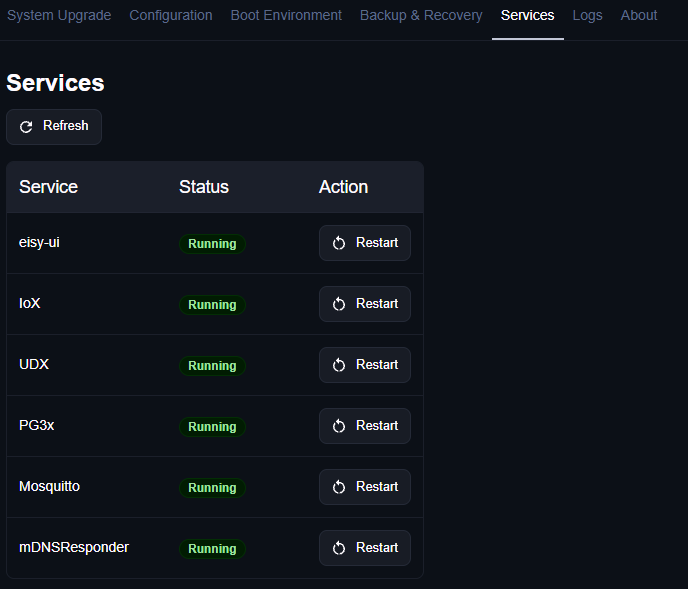
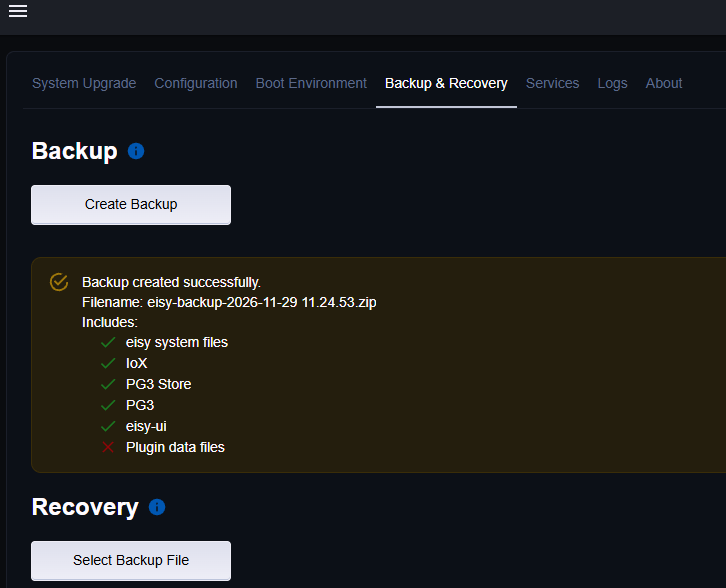
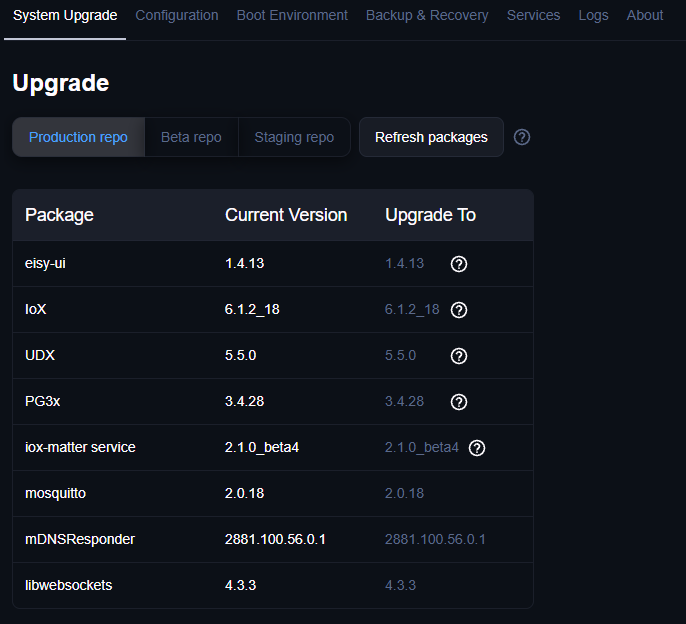
  1. When I attempt to backup my changes via the Eisy-ui it repots success, but fails to complete the transfer of the zip file to the local drive leaving the uncompleted download as: Unconfirmed 999674.crdownload The screenshot below shows the "success" dialog with only "Plugin data files" not backed up. No other server error messages are reported. Also attached is my current package update state and running services.
Account

Navigation

Search

Search

Configure browser push notifications

Chrome (Android)
  1. Tap the lock icon next to the address bar.
  2. Tap Permissions → Notifications.
  3. Adjust your preference.
Chrome (Desktop)
  1. Click the padlock icon in the address bar.
  2. Select Site settings.
  3. Find Notifications and adjust your preference.