


jlloyd_UD
Members
-
Joined
-
Last visited
Everything posted by jlloyd_UD
-
Over the past 90 minutes since replugging the plm I have had one instance of an uncommanded light illuminating. The problem has returned.
-
After the trial of the first option (unplug eisy and plm for 30 seconds and replug the plm and eisy 10 seconds later), I had lights illuminating again randomly. I am not sure if the frequency changed or not. Rather than wait until tonight to run the second option (unplug the plm and leave it unplugged), I decided to remove the plm and leave it unpowered from 2:30 am until 7:30 am this morning. I experienced no random light activity during this 5-hour timeframe. I would think that would indicate that commands might either have been originating in the plm or had to be processed by the plm? After replugging the plm and for about 50 minutes, I have not yet witnessed any random lights appearing but I have not done anything to stop the problem so my expectation would be that the random activity will start again. I ran the link and am attaching the contents of the text file it created. I will report if I experience the random activity as soon as I witness a light being illuminating with no known trigger. Thanks all for the help in isolating this annoying experience. sysconfigtext.txt
-
Last night before bed, I had two approaches that were proposed. One was to power down the eisy and plm for 30 seconds and then power up the plm and wait 10 more seconds to power up the eisy. The second proposal was to remove power from the plm. I chose to follow the first option. I believe it reduced the frequency of uncommanded light on randomly, as I sit here at 2 am, one of my lights just illuminated for no obvious reason. I will let this approach option run the remainder of the night to see if the frequency of random lights on has indeed been reduced. In other words, the problem has not been eliminated entirely. I did not run the link https://eisy.local:8443/WEB/sysconfig.txt but will run it tomorrow morning and post it. Tomorrow evening, I will remove power from the plm and let it run unpowered overnight.
-
I really do not have anything critical especially during the overnight hours. I will disconnect it when I go to bed tonight. If I do not have lights coming on when I unplug it, does that mean it is isolated as a problem emanating in the PLM? I have whole house surge protection and have not had any weather-related surges that I know of. I have a Ting power quality monitor and no surges have appeared before Monday last week. I will get a weekly summary tomorrow that will identify any power surges for any reason that have happened in the past week. I guess that is an indication that my PLM was an improved version, but does not guarantee that it is not failing due to advanced age. Thanks for the information, Brian.
-
Just after I responded, a light illuminated, so maybe the restore step either did not properly function or it made no difference.
-
I just did a restore PLM command. It paused and then displayed a bar that counted up to 2% before disappearing. Is that a normal response to a restore plm command? I have been waiting to see if the random lights illuminate again. So far, none have after 5 minutes. I will report back if this has temorarily resolved a failing PLM.
-
I just had one of my lights illuminate and looked at the program summary tab. Of the 8 programs I have that are enabled, all were idle at the time the light was switched on. I will, at some point, perform a factory reset and restore in case the link tables are corrupted. This situation affects at least 7 lights, and I am still thinking the events are independent.
-
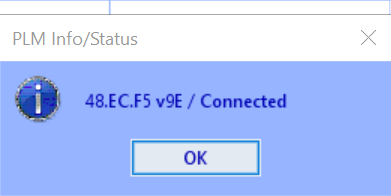
paulbates, I am attaching a snip of the information for my serial PLM.
-
Guy Lavoie, I have several programs that are triggered by sunrise and sunset times and are typically offset by minutes. But the lights affected also include lights that are not in programs. I have not determined that there is any pattern involved. Some lights are also linked by several Insteon switches, but some are commanded only by one switch
-
paulbates, my dual band PLM is Model 2413S revision 2.4, 2817
-
Techman, I upgraded my eisy to version 6.0.0. I had been meaning to do that, and your prompt caused me to get it done. Thanks. After upgrading, the random light behavior remains. I had hoped it would solve the unexplained behavior. I read the article and, to the extent I understand its content, I am not thinking this is a source for my problem. This is not an "all lights on" situation. This is individual lights that come on at unexpected times (middle of the night, for example) when there should be no events that trigger the behavior. So far, there have been no instances where more than one light switches on at a time, and, therefore, these events appear to be independent. When I look at the log I can see where the light switches to an "on" state but there is no indication why it changes its state from "off." What else might I investigate?
-
I upgraded my ISY994ir to an eisy several weeks ago, and after some minor problems, I finally got my Insteon devices and programs reinstalled, along with my Alexa "spokens." For the past several weeks, everything worked as it had before the upgrade without any glitches.. Yesterday evening, many, if not all, of my lights were randomly switching on with no command, either by voice or through a program. The lights were switching on in the middle of the night without explanation. I rebooted the eisy (power off and on), and that did not change the behavior. What should I look at to see what might be triggering this unwanted activity? I have just upgraded my subscriptions to Alexa (new voices and more conversational), but I do not think that is the trigger, although it was a coincidental change I made and the random light switching followed soon after. I ask Alexa to switch the lights off and she is able to do that. Does the Amazon change possibly create a trigger signal somehow? I am using IOX version 5.9.1 of the eisy and have a serial PLM, and my Internet is disabled.
-
OK, I do have ISY Optimized for Smart Home V3, and it is linked in Amazon Alexa. I searched for UD skill, and it was not found.
-
I had no UD skills in Alexa. I am unsure if I have ever had one. I searched for a UD skill that might be available, and none are listed among the dozens of home control skills listed in the Alexa search.
-
Geddy, I submitted the ticket and was also steered to ISY Portal Migrate configurations to a new ISY - Universal Devices, Inc. Wiki. With a few clarifications, the migration was done successfully, and my spokens from the previous ISY are now successfully transferred to the new portal UUID. The problem I had was assuming that the UD mobile app did everything, needing only to follow its step-by-step migration. The final migration of the portal configuration was done using the instructions in the established link above. I am now finished with the total migration. I approached it with a little fear and intimidation but with all the help I received I was able to complete the migration. Thanks. Jim
-
Just for the record. These are what I found after trying each step. I have an Android. Again, since the portal migration might have happened when you didn't have any devices in the eisy it more than likely wiped out anything that was previously there. When you log into my.isy.io go to "Connectivity" -> Amazon Echo. If the list is blank then you can try hitting the "refresh" symbol now that you have devices in your system, but I don't think that will do anything. ' It did nothing. At this point you might need to open a ticket to see if UD has any "tricks" or tips to get the mappings back, but I think it's not possible. I opened a ticket for this problem Know that Echo and UD Portal are different systems. Just because you don't have items showing in the portal (I'm assuming you mean my.isy.io) don't assume they don't exist on Alexa/Echo. Confirm in the Alexa app that you don't have any devices through the UD Skill. In the Alexa app (on iOS) click the light bulb in the bottom of the app and it should take you to all the devices it knows. Look for anything you think should be a device from the ISY. It has all my devices from the ISY on my Android Alex app. Click on the gear icon on the top right. That should take you to "Settings". In there is an "About" and a "Connected Via". For UD Portal it will just show "UDI". If you find any devices connected that way, but in the UD Portal (again, my.isy.io) you should delete them from the Alexa app. I could not find a "connected via" anywhere. I tried to connect a "hub" in the Alexa app and UD ISY is not a listed hub. I tried other and it could not find it on WiFi. I enabled WiFi on the eisy but it reported a problem (could not verify a WiFi connection) even as eisy said it was connected to a network after updating the network credentials I reconnected the ethernet cord. No, rebooting the eisy does nothing to the portal mapping. If restoring the devices and trying to refresh through the portal page mentioned earlier (in this reply) doesn't re-map the devices then you'll either have to manually redo them or open a ticket to see if there's a magic way UD can help restore them. My bet would be you'll just need to manually enter them again. I have initiated ticket to look for a magic bullet. I have set up some devices but most will not work becasue the UD is not connected, I suspect. There has to be a way to connect the UD. I have it on the local network. Not sure it is accessible via WiFi.
-
Thanks again for your advice. I am beginning to believe the portal was wiped clean, but I am trying other approaches. My Echo device is not linking to the EISY, so I am trying to figure out what that means and how to resolve it. It has happened before with the ISY994i when I have had power outages, and I thought a reboot resolved the problem. I will continue to restore the spokens but I will likely have to reinstate them. Most are easy. The fanlincs are a little more troublesome. Thanks again.
-
The Potal tab indicates the portal is online and registered and displays my name as registered. Clicking on "more information" identifies my account as a "corporate" account type. I chose not to click on the "revoke" button as I fear it will make matters worse
-
I believe the Portal was migrated as part of the mobile UD app automated migration process. I looked at the Alexa mapping in the portal, and no/zero devices are shown. My Alexa simply says it is not connected to the "hub" which I assume is the new EISY device. I am still fumbling around to see if there is a simpler solution other than mapping everything again in the portal. Since there are no devices showing in the portal, adding a device should not cause Alexa to report a duplicate device. Would rebooting the EISY resolve this possibly?
-
I made some assumptions that the Mobile UD would prompt me to do this. I also thought I had selected to restore the IOX, but maybe I did not, since I really was unsure what it would do. As you advised, I have now performed step 5; I did not have a Z-wave. The devices and programs have been restored after selecting the backup file I made before starting the migration. Thank you. I have tried my Amazon Echo device, and it is not responding. I opened the portal and looked at connectivity for the Amazon Echo, and the "spokens" have not been mapped. My Amazon device indicates that it has lost connectivity to the "hub." I might have to access my Amazon app on my phone to proceed with connecting the hub or should I reboot the "hub." I am investigating further, but I think the main problem is now resolved. I appreciate the assistance.
-
Ethernet is connected 10.0.0.232 and set to automatic (DHCP)
-
is the insteon box checked? Under the System box "Insteon support" box is checked. What is the firmware version of your ISY994? version 4.9.0 Is your eisy connected via wifi or ethernet cable? ethernet cable
-
I have taken all steps as you have prescribed. The IOX initialized as it did the first time I installed it, but the devices and programs are still absent. The network again only lists IOX and Auto ADR
-
I just initiated a migration from my old (but still functioning) ISY994i. I did the backup of my configuration before disconnecting the ISY 994i. I initiated the migration using the instructions and using the mobile UD (UD mobile). All seemed to perform properly. I was able to open the new console for the IOX, but my Insteon devices and programs are not listed. I tried to restore the PLM (which is active) and restore the devices, but nothing happens. The Portal for Amazon Alexa appears to have migrated successfully; however, it will not work without devices. I performed a system reboot. The network tree on the main tab shows two branches: 1 IOX and 2. Auto ADR. My migration seems to be short of 100%. How do I proceed to recover my devices and programs? Until recovery, I have to use my physical switching devices! 🙃 Thank you.
-
After much trial and error, I decided to scratch all my ISY fan scenes and start from the bottom of the heap. When I recreated the scenes they had newly assigned addresses which is probably not a great surprise. I installed them in the portal after clearing out the old stuff. I noticed that there were old definitions still remaining so I logged out and right back in which cleared the deleted scenes. I was then able to reassign the new scene addresses with the spokens I had previously used. I had Alexa discover the new scenes and lo and behold the fan works again as if it had not stopped working. I am suspecting now that after a PLM restoration it likely does not restore the scenes properly (unless I did not do it correctly). Once I figured out that I had to dismantle the entire scene definition process and restart from the beginning it was only a matter of about 10 minutes to get it all back working. Another lesson learned the hard way... through trial and error from a lack of full understanding of these interfaces and linkages. Now I can attend to the second fan with much less fear and trepidation.
