Jump to content
View in the app

A better way to browse. Learn more.

Universal Devices Forum

A full-screen app on your home screen with push notifications, badges and more.

To install this app on iOS and iPadOS
  1. Tap the Share icon in Safari
  2. Scroll the menu and tap Add to Home Screen.
  3. Tap Add in the top-right corner.
To install this app on Android
  1. Tap the 3-dot menu (⋮) in the top-right corner of the browser.
  2. Tap Add to Home screen or Install app.
  3. Confirm by tapping Install.

JSchumann

Members
  • Joined

  • Last visited

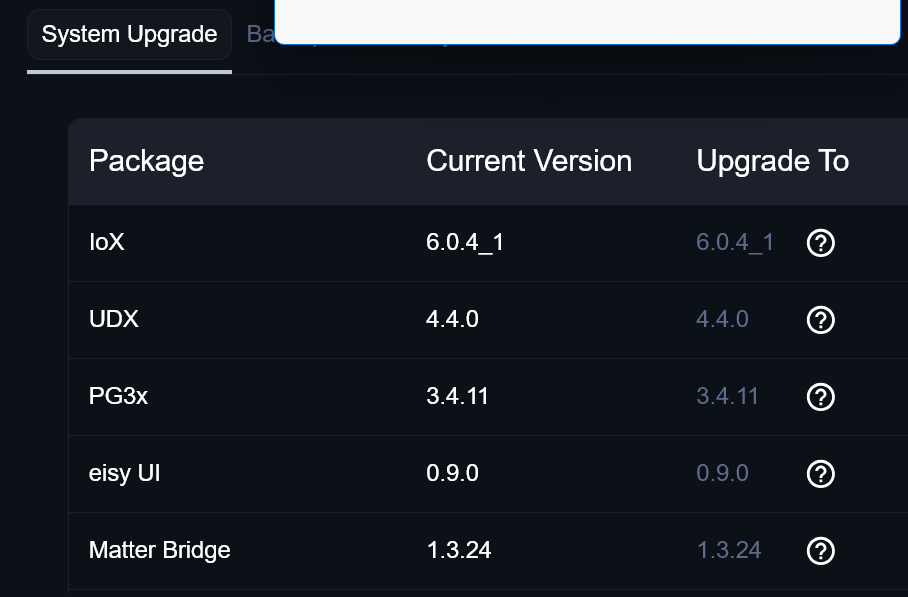
  1. Yup, it updated. Just got to do it on faith I guess. It doesn't show what will update. The EISY web page - system shows versions and updates and it was not listed there.....
  2. Where do I find what the values and meanings are for State/Status? Example, I use: Alarm Status ${sys.node.004.area_1.ST} Arm up State ${sys.node.004.area_1.GV1} Same for Armed Status What I get back it s digit, not words. How do I convert the digit to a meaning? Is there a chart that shows all the possible status and state values and meanings? Thanks, John
  3. first time I tried to log back in Java admin, it asked for portal credentials. Lit off but everything was blank. Went back to new interface, everything there. Went back to Java and everything showed up So it may take more than one login attempt.
  4. JKM - Thanks for the info! I really would like a battery free one that will reset without local intervention......Will review the Aeotec though. Thanks, John
  5. So Jimbo, what do you recommend I use in these cases. I have several programs that call a customization. The custom just calls for the zone that triggered the event and what the trigger is. i.e. gun safe violated or gun safe clear. Furnace temp violated or furnace temp normal....and so on What commands do you recommend I use in the customization? I previously used alert. Control and alert action.......now don't work. Thanks, John
  6. Jimbo, Thanks. I did go to the link you posted but it was the nodes readme, not the table. I will check it out! Why couldn't the substitutes be ported over. Anyway no I need to rewrite a lot of my customizations. Appreciate your dedication to the module and all your help. Regards, John
  7. So why would we remove/change perfectly good substitures? Can we get a list or table that shows all the current notifications that work with EISY? They are scattered throughout the document, and in some cases the GVXX numbers are used for two different things, so it is confusing. I built an Excel of the commands I found in the document if that helps. I see GV0 through GV25 commands (minus GV18 and GV20). I also see ST, name and status being used, are they valid? So all the commands use the format sys.node.#. command (being GVxx, ST, name and status). Are there any others, Like Alert Variables, or System variables (sys.node.#.??)? I assume all the ELK variables are dead (elk.x.#.command) I am aware of the notifications plugin and how to use it. Thanks, John
  8. I use email substitute extensively. When I swapped from ISY to EISY, The ELK substitute values quit working, but the ISY/EIISY ones still work. Some examples: ${elk.zone.2.name} returns the code in the customization: ${elk.zone.2.name} ${elk.zone.2.status} returns the code in the customization: ${elk.zone.2.status}, not the actual status Alert.Control should return Home (in one case) but gives GV0 Alert.Action gives Disarmed (seems to work) Any help Appreciated. I have a ticket in with UD I also asked Jimbo, but he said he needs it posted in the forum Thanks, John
  9. Mine did that when the PLM failed. I think the icon means 'sending data to device'...since it doesn't get a response, the icon stays on.
  10. Yea, I pulled a spare unit and set it up, did the same thing (No HB). So I am waiting the 24 hours to see if it shows up. The Heartbeat Panel in EISY looks the same for all the sensor versions I have. Looks like you are right, each version is handles different. Thanks, John
  11. Larry, on 7 of the 9 Leak sensors, after I restored them, I remove the battery and replace, the quick press the button and the HB turned to on. On these 2, that did not work. So I did a factory reset, remove and restore as directed, and will wait the 24 hours to see if HB comes on. Thanks, John
  12. OK, tried it, tried the single press to get HB. Nothing. will wait the 24 hrs now.....THX
  13. So I had a PLM Fail after a power outage, everything disconnected. Had to remove/reinstall each sensor. I have 9 leak sensors. 7 Went back in fine. 2 of them the Heartbeat does not report. Wet and dry work. The batteries are good. I waited 2 days, no HB. Removed batt and tried waiting again, no HB. What would cause this? Thanks, John

Configure browser push notifications

Chrome (Android)
  1. Tap the lock icon next to the address bar.
  2. Tap Permissions → Notifications.
  3. Adjust your preference.
Chrome (Desktop)
  1. Click the padlock icon in the address bar.
  2. Select Site settings.
  3. Find Notifications and adjust your preference.