


JSchumann
Members
-
Joined
-
Last visited
Everything posted by JSchumann
-
I had problems too, I had to switch and use the IP address to get in........
-
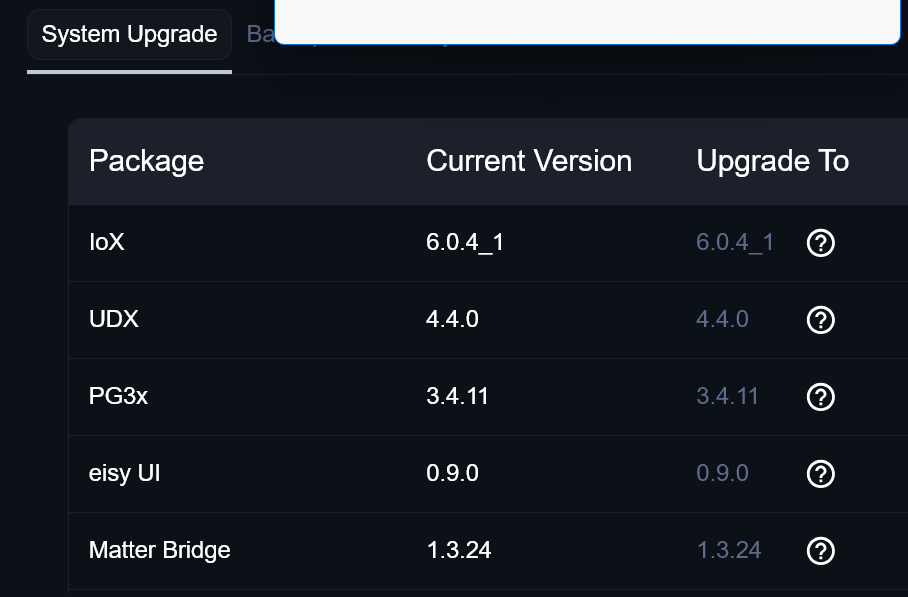
OK, That lists the changes. I was looking for the install notes that are normally posted here somewhere. I managed to migrate my Plugins, I think..... Also note In the system upgrade screen, I can no longer scroll the list of packages, I can only see the first 3. Thanks, John
-
-
OK, I am in....THX
-
I find the Plugins option at the top, but no option to open the dashboard.
-
Can't log into EISY UI. I get "Error Logging in to plugins service". I can log into Admin console just fine. Any Ideas? John
-
-
Why isn't there a post on what the latest update was?
-
The app doesn't seem to connect to First Alert Smoke/CO2 detectors. Haven't tried Thermostats yet.
-
OK, did the update and programs populated! On another note, Still cannot find 'notifications > email......' in admin console, Looked all over. Just interested now. Thanks! John
-
Ohhhh the other ampersand, ha ha. So I am lost, where exactly in admin console am I looking? I can find a lot of '$' but not '&' Thx, John
-
So remove the @ from email addresses? Then put them back in?
-
Upgrade went well, took about 10 min. Admin console comes up ok (after clearing cache and data). I have the same issue in EISY UI "Nearly every program in eisy-ui displayed “Error loading data, mostly in the "Then" lines”, although the same programs worked correctly in Admin Console." Thanks, John
-
Is there a smoke \Co2 detector that is compatible with ELK (or Insteon)? Thanks, John
-
I have EISY and ELK, Looking for recommendations on smoke/Co2 detector brands that work well with these systems. I like the ones that state what room the alarm is in and interconnected. Thanks, John
-
Do alert.action and alert.control respond with Intelligent english or abbreviations?
-
Will give it a shot!
-
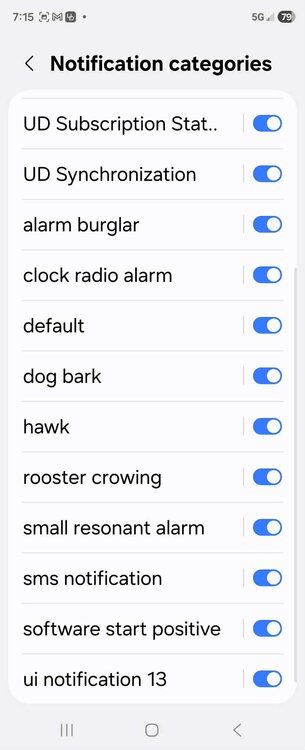
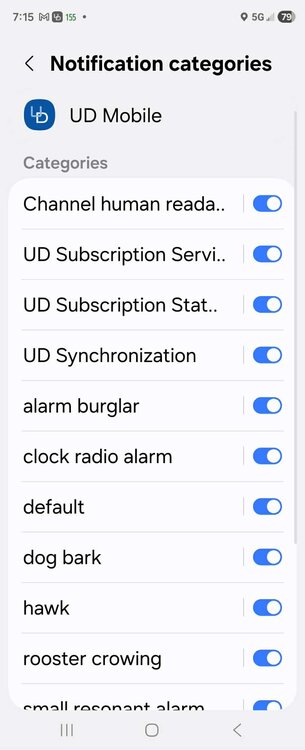
This is what I get for Notification Settings, what do I do with this????
-
isy-6.0.4_1 Name : isy Version : 6.0.4_1 Installed on : Fri Jan 9 14:25:07 2026 EST Android Version 16, One UI 8.0
-
Didn't work on my Android.....
-
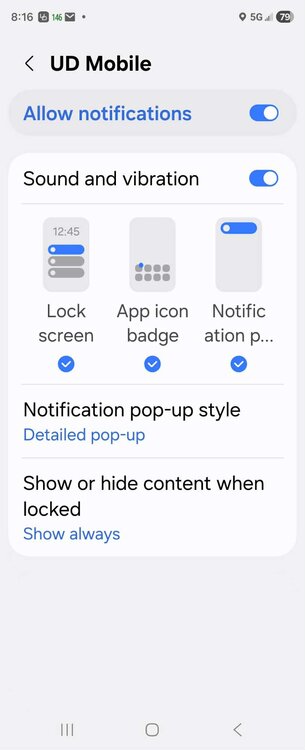
So I do this: Upon receipt of the notification long click the notification displayed by Android, this will show Android Notification Settings. Press settings (gear icon). Then click on any of the notification types (sound names), then click Sounds, THERE is no Select Sounds after pressing the fear icon........See attached image......now select a sound from your device.
-
-
How do I add a sound for each notification? Example: I have a notification for daily test, no change necessary I have a notification for burglar alarm. I want my phone to make a siren or alarm sound Not sure how to make or set sounds. Thanks, John
-
Ok all, I changed the send from email in my program from one Comcast email to another one and it works. That tells me Comcast is blocking the email being sent from the original account probably because too many emails being sent. Normally that trap is set to 100 or more emails in a day. That said, I only send about 5 to 10 emails a day through that account, so I don't understand. Possibly I have something else sending from that account? Machine is clean, I use several AV, Spam and so on. I also change my PW regular. I will have to contact Comcast and see if they can tell me what to do. Will post results. Thanks, John
-
Wish there were a way to know if Comcast is being blocked. Can someone from UDI verify?


