


GHenry
Members
-
Joined
-
Last visited
-
Failed to load resource: the server responded with a status of 504 (Gateway Timeout) App-BwEfalwP.js:227 Log download failed: Error: Request failed with status code 504 at App-BwEfalwP.js:222:1590 onError @ App-BwEfalwP.js:227 content.js:21 startFormHelpers useApiCall-B5u2uv_Q.js:1 api call GET /api/logs/download/iox-event content.js:21 startFormHelpers /redacted/api/logs/download/iox-event:1 Failed to load resource: the server responded with a status of 504 (Gateway Timeout) App-BwEfalwP.js:227 Log download failed: Error: Request failed with status code 504 at App-BwEfalwP.js:222:1590 onError @ App-BwEfalwP.js:227 3content.js:21 startFormHelpers useApiCall-B5u2uv_Q.js:1 api call GET /api/logs/download/iox-event content.js:21 startFormHelpers /redacted/api/logs/download/iox-event:1 Failed to load resource: the server responded with a status of 504 (Gateway Timeout) App-BwEfalwP.js:227 Log download failed: Error: Request failed with status code 504 at App-BwEfalwP.js:222:1590 onError @ App-BwEfalwP.js:227 3content.js:21 startFormHelpers useApiCall-B5u2uv_Q.js:1 api call GET /api/logs/download/iox-error useApiCall-B5u2uv_Q.js:1 api call GET /api/logs/download/iox-error response: Blob App-BwEfalwP.js:227 Log download completed successfully 6content.js:21 startFormHelpers useApiCall-B5u2uv_Q.js:1 api call GET /api/logs/download/eisyui useApiCall-B5u2uv_Q.js:1 api call GET /api/logs/download/eisyui response: Blob App-BwEfalwP.js:227 Log download completed successfully 3content.js:21 startFormHelpers useApiCall-B5u2uv_Q.js:1 api call GET /api/logs/download/iox-event /redacted/api/logs/download/iox-event:1 Failed to load resource: the server responded with a status of 504 (Gateway Timeout) App-BwEfalwP.js:227 Log download failed: Error: Request failed with status code 504 at App-BwEfalwP.js:222:1590 onError @ App-BwEfalwP.js:227
-
I use Brave browser on a Mac and don't know how to do that…?
-
They do! How can we determine what the issue is?
-
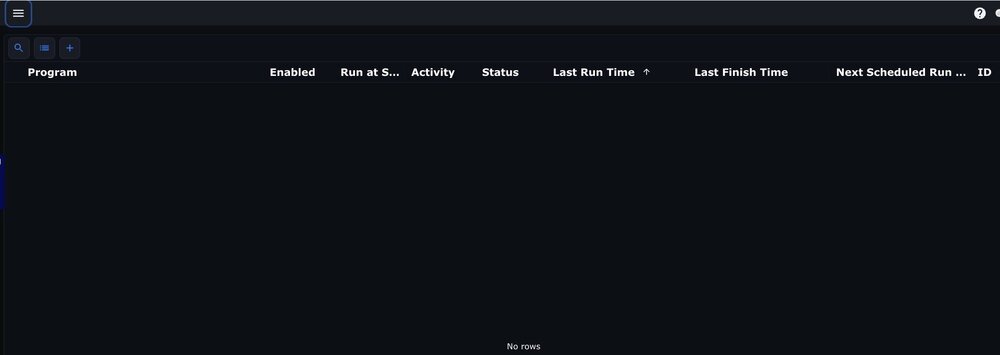
Uh-oh, I don't think I can wait. This morning all my programs disappeared without my doing anything. Fortunately I have backups, but is this a known problem? I really don't want to upgrade remotely because I fear losing access to/disabling the eisy, but I suspect I have no choice but to take a chance…any insight?
-
Thanks, Javi, I think I'll wait…there are tons of system and app updates awaiting my return!
-
I took these screenshots as near to the same time as I could. What explains the differences in last run, next run, and last finish times? First one is CET -0100 (named it wrong, daylight time!): second is CDT +0600
.thumb.jpg.21bb21fbbd34390830b78aa5bf99b4f3.jpg)
.thumb.jpg.c95539dd13e73fd0c026a34a1b8e7b2c.jpg)
-
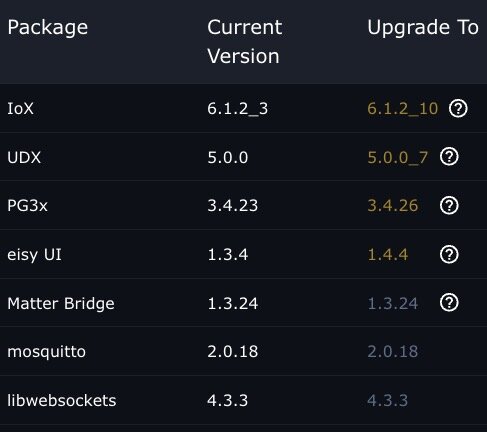
I'm extremely cautious about upgrading remotely…Murphy's law! I've also tried changing the URL to v1.4.4 of eisy-ui. And BTW, the lights were on again at 03.00 presumed eisy time.
-
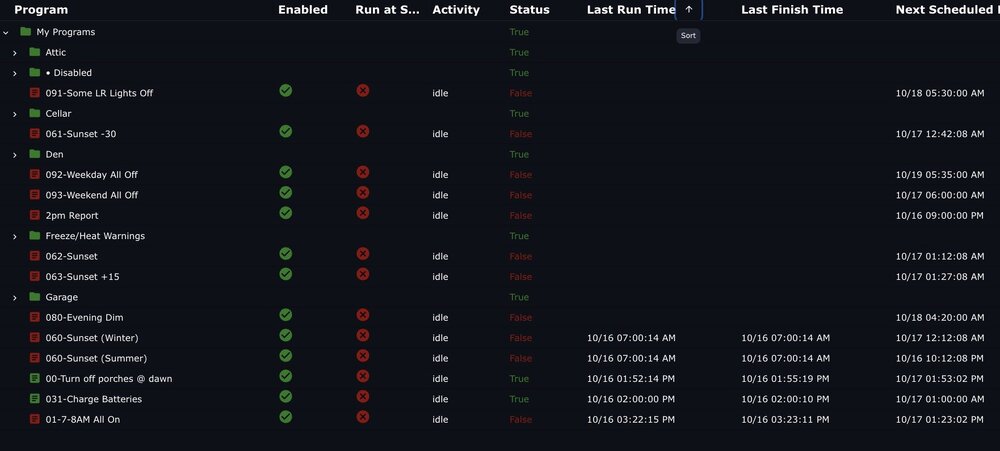
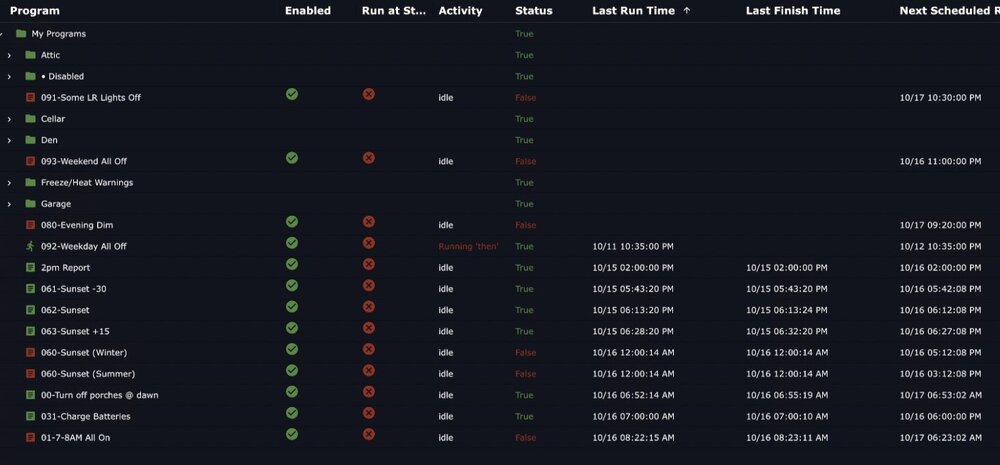
I opened a different browser (Safari instead of Brave); I also tried incognito mode without success. I can access an iMac at home (CDT -0500) and the display is clearly different from the MacBook Pro (CET +0200). But I cannot make sense of them (they were taken as nearly simultaneously as I was able): Remote machine (CET +0200): Home machine (CDT -0500):
-
Both UD Mobile and eisy-ui showed the same thing again this morning…lights scheduled to go off around 23.00, but still on at 03.00. Camera confirmed lights were still on at 03.00.
-
I cannot see any of that! Using URL https://my.isy.io/eisy/1.4.2/favorites/1
-
Hmmm…there appears to be some kind of anomaly. My lights are scheduled to go off at random times around 11 p.m. They have functioned correctly for years, but they were on at 3 a.m. eisy time on the past two days. This has never happened before. I have eisy-ui running continuously in a time zone 7 hours ahead of the eisy, and all times are shown in the time zone 7 hours ahead of the eisy. Could this be influencing the schedule? I still cannot see the time (or location) in eisy-ui.
-
Thanks, Javi. I'm really hesitant to change anything from over 8,000 km away! Updates will have to wait until I get back in six weeks. 😟 Patience, they say, is a virtue…
-
With the Java interface, my time zone, system time, and log time were always the same, and correct.
-
I tried changing "1.3.4" to "1.4.2" and I see the Configuration tab with the other System Options and Legacy Options, but it did NOT display those time and map graphics. That's what I hoped to see…?
-
Well, that's the point! There is no Configuration tab under the System option; that was in the Java interface, but I cannot use that any more (it comes up blank). AFAICT, there is no analog to the Configuration tab, and thus there is no time in the eisy.ui interface.

.jpg.4c2f84e629419ff87c60a89e5e5fa832.jpg)
.jpg.3fa3bb5312b9b87acb9ebea907a535c9.jpg)

