UDFU_2019
Members
-
Joined
-
Last visited
Everything posted by UDFU_2019
-
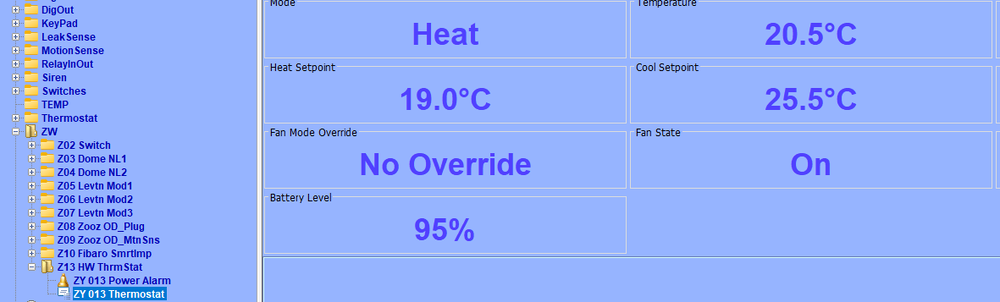
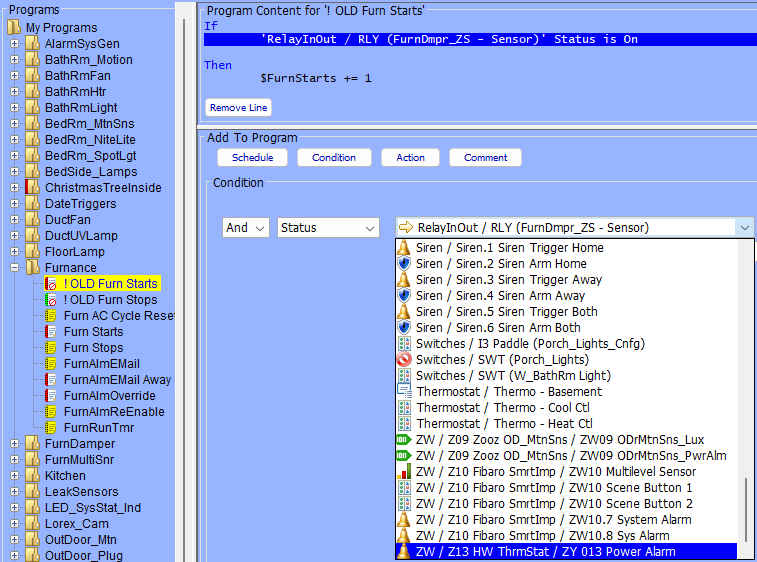
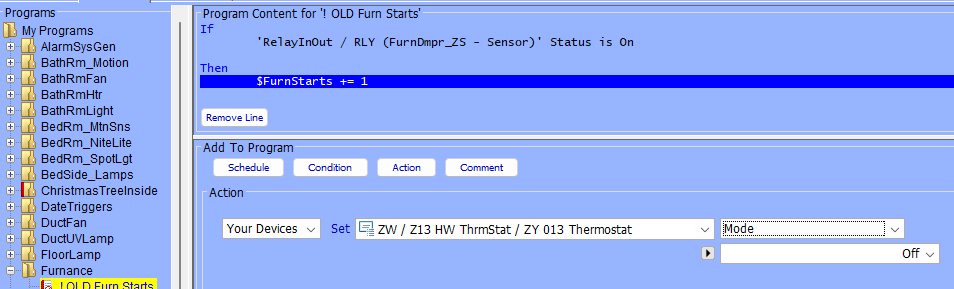
Not a new user per say but ever since my z-wave dongle on the old ISY944 died in Feb its been a struggle to get my Z-wave network backup and running. After finely getting an Aeotec Z-Stick 10 pro connected to my new EISY I manged to connect the basic devices but the last couple of devices I added are showing all of the available parameters under the main table but when I try to look for the parameters in a condition section of the program they are simply not available for use. This is a Honeywell T6ZW thermostat When I try to access for instance the "Mode" parameter to trigger a program action (adding it to the Condition section), the ZY013 Thermostat does not even show up to pick any options. Only the power Alarm is there. However under the Actions section the ZY 013 Thermostat parameters show up?? I have done multiple Z-Wave Synchronizations and Heals nothing changes. This was never an issue in the ISY44. So far its been 10 months and I have not been able to restore my original zwave functionality to what I had in the old ISY944. The mode setting previously was used to trigger several program in the ISY944. Any insight on this would be appreciated.