


noobmuch
Members
-
Joined
-
Last visited
-
-
By migrating I meant I meant using existing sensors and just replacing the board and keypads. Did you do the install yourself or have it done?
-
I am thinking about replacing my existing panel and keypads (DSC) and converting to ELK. Has anyone done this process on their own, particularly programing the new equipment? Any insights would be appreciated.
-
I am not sure why, but after using Brave instead of safari, I was able to see all of my nodes. Then trying again in safari and the nodes populated. Strange As far as the admin console goes, nothing has populated anything when logging into the LAN. Even on the config tag system settings, all entries are blank. I did log into the cloud option and was able to see my system. I am thinking this is due to the RAM limitations of the polisy, so my options i guess are use the cloud to get admin console or buy an EISY. I was waiting for some of the more tech savvy among us to share their insights before i decide what to do.
-
Logging in with Brave fixed my nodes 404 error that I was having with Safari.
-
My experience: nodes 404 error - reinstalling plugins no joy Integer Variables 500 error programs populate Admin console sees Polisy and shows version 6.0 Login via admin console nothing populates. System busy/open folder icon in bottom left corner power cycle Polisy no changes
-
Were you about to log into admin console? If so was your system visible ?
-
Hi, From the home page I used the menu button in top left corner then settings then plug ins
-
I have this same issue, however reinstalling all plugins did not resolve the problem
-
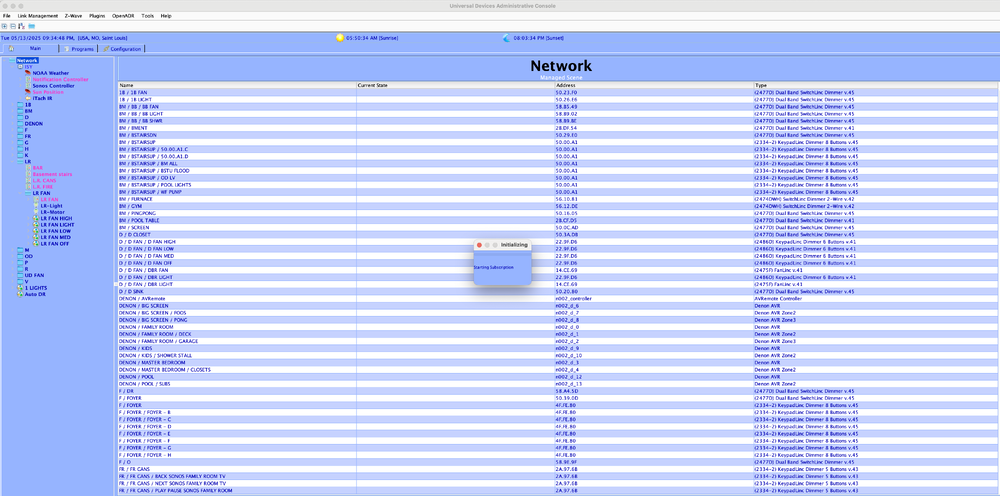
After logging into admin console, everything would just freeze as in pic related. I just did the update and that has since resolved the issue. Thanks for getting back to me.
-
I can log into admin console but have no remote access. "ISY Offline"
-
I am not sure if I selected that option, but when I look at network resources, they are all still there.
-
I was able to get my Sonos going and it sees all zones now. I can not yet get the itch to load the parameters. Can someone clue me in on Node address vs primary node address?
-
Hi, Looking for video tutorials for how to get the parameters of the nodes to populate in the admin console. Since the initial upgrade to Polisy, I have lost all of the functionality of my network resources that controlled my Sonos and itach. I am able to get the nodes via polyglot 3x and see them on the admin console screen, but am struggling to get the fields to populate when I click on the nodes. Any help is appreciated.
-
Hi, It occurred tome that for all of us having Insteon devices that fail with time that are linked to other devices, there could be a "replace existing product" option that took a non responsive ID from one product and gave all of its attributes to the same product so you dont have to rewire all of the programs, links etc, I know there used to be a copy attributes option. I thought that went away with an update, but I am not the most prolific user or follower or programmer type If there is an easy button for this, someone please spare me the long way. Thanks for any input in advance.

