


drprm1
Members
-
Joined
-
Last visited
-
Any dry or project box that will hold it.
-
Used a couple of these mounted in a small dry box. Worked well for long time. Replaced with YoLink outdoor contact sensors after they failed. YoLink devices are great.
-
-
Here's the log. Also just curious as to why the number of nodes showing on dashboard went up, in my case, by nearly ten? YoLink_5-14-2026_24829_PM.zip
-
Tried changing the programs to status yesterday and programs still didn’t respond so changed back to control. This morning I changed all my motion sensors command to ON/OFF and everything is working for the time being. Let me know if/when you need to test Again appreciate the help
-
Appreciate all your help. I have over 60 Yolink devices and they work great. Last year replaced all my Insteon motion sensors with Yolink in an effort to quell the occasional ALL ON episode which still affects my older Insteon switches.Hope this gets resolved as one of my new motion sensors controls lights on some steps I frequent in the night….before I break my neck. 😂
-
I’ve tried to see what is different and why these aren’t working. All these devices look like they have their command settings set to ON ONLY. All the programs they are in look for “if control X is switched on” then the programs are ran….These are also all motion sensors Problem is I have one motion sensor whose program works correctly. 🤷🏻 Edit: I changed a couple of the motion sensors command settings to ON/OFF and they appear to be working correctly….I’ll send a new log later if it will help you pick up any differences. Thanks again!
-
Did all that you suggested unfortunately no change (Don’t know why none of my Zwave devices were functional after the update but after a few hours they have all come back on line and are functional now.)
-
I updated everything and reinstalled Yolink plugin with no change. I mentioned that my programs using Yolink sensors weren’t firing. I appears that it is only programs using Yolink motion sensors which are evaluated using “control”. If I change this to “status” the program runs. In scenes where the Yolink device is the controller nothing happens either. (Door sensors work fine in this capacity) I can see in the AC that the status is changing just not responding correctly to “control” in the if statement….(Way over my head as to why) Appreciate the help!
-
Log file is here YoLink_5-12-2026_70006_AM.zip
-
Updated to 1.8.51. In UD Mobile and from what I can tell, all my door sensors, leak sensors, motion sensors, vibration sensors, and garage door sensors are all showing status as 0 or 1 with a couple showing 99. Program firing is erratic. In plug in dashboard the number of nodes increased with seven new nodes which are all labeled as “schedule”. Just checked AC and all the statuses are correct showing normal so it’s only in UD mobile.Maybe just how UD mobile interprets and displays the one/zero status. Not sure if related but none of my Zwave devices show any status and can’t be controlled by AC. This started after update…. Rebooted Eisy a few times with no help. Thanks
-
No big deal but annoying. Open UD mobile and two thermostats show in favorites with only one populated with current stats and the other blank..The only way to show current stats is to switch to dashboard then switch back..It then will show all the correct values on the favorites view. Have to do this every time UD Mobile is opened….Any ideas?
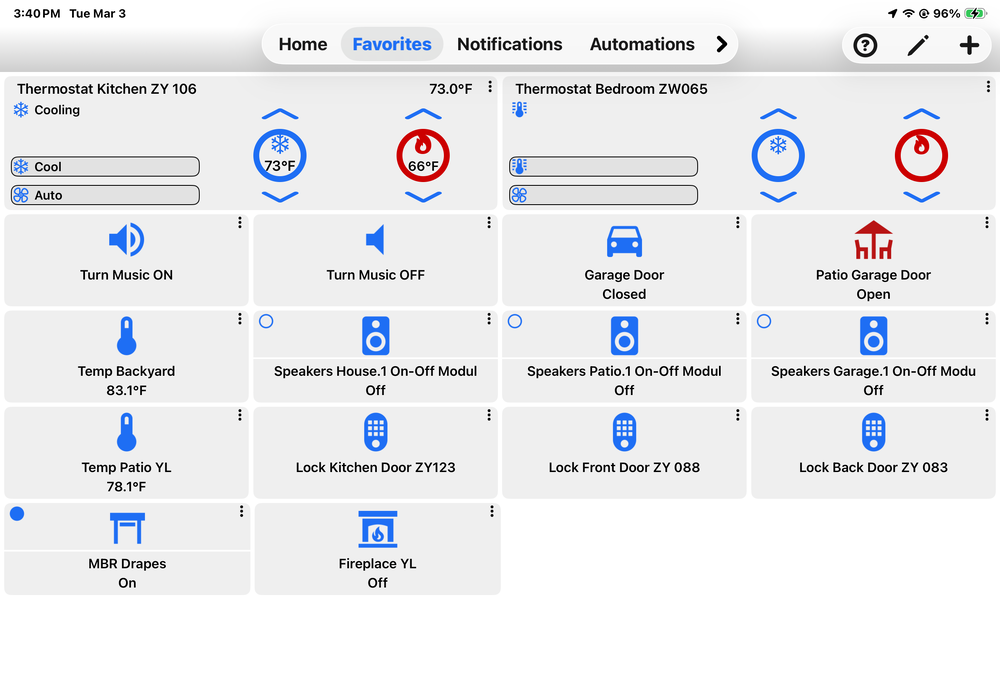
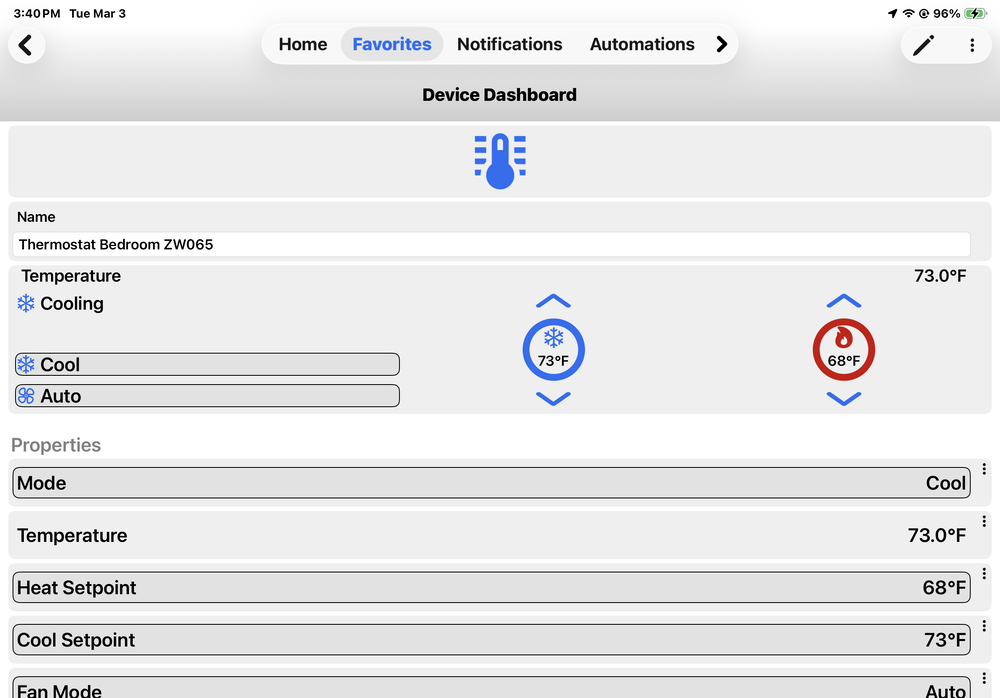
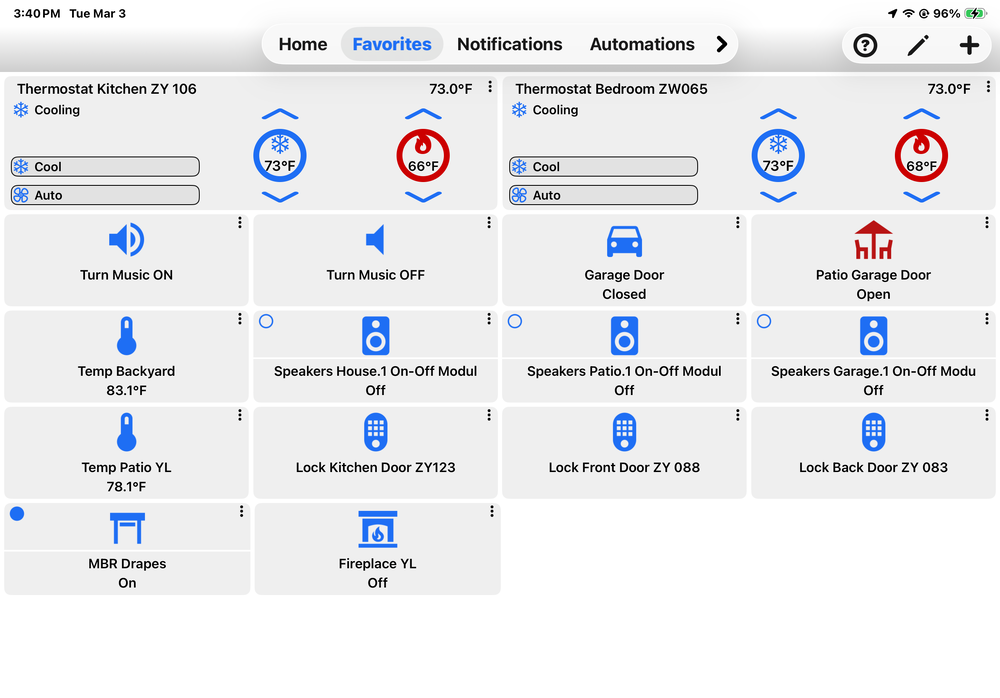
-
Either one. They are programmatically equivalent.
-
Updated and now have xx(legacy) as drop down option of status in devices Ie. In programming Door sensors status has options for “Door status” and “Door status (legacy). Motion sensors have options for “motion status” and “motion status (legacy)….Same with vibration sensors Are they the same programmatically?
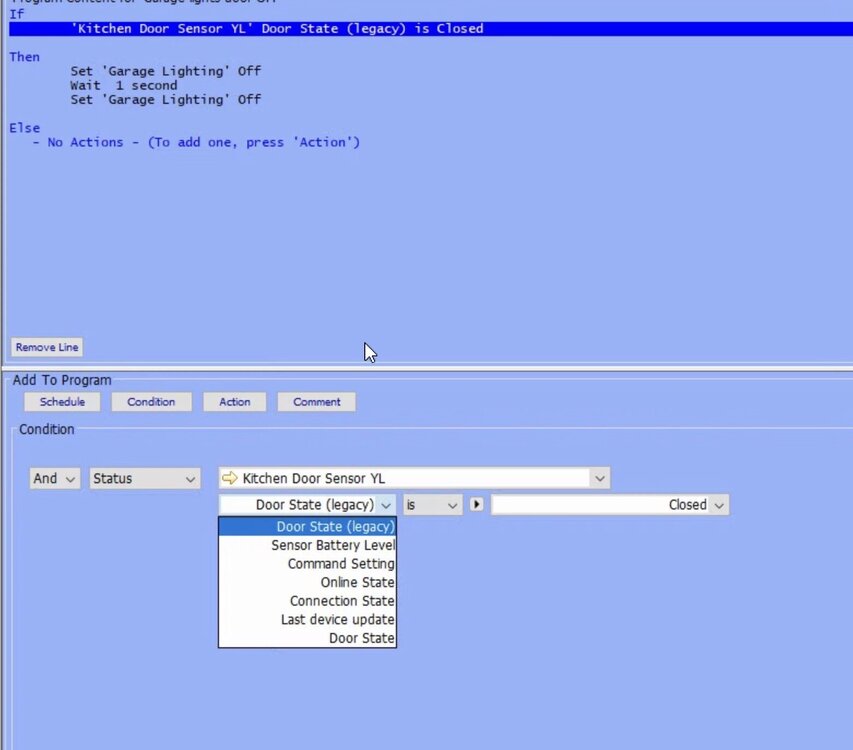
-
Shouldn’t that be https?


