Skip to content
View in the app

A better way to browse. Learn more.

Universal Devices Forum

A full-screen app on your home screen with push notifications, badges and more.

To install this app on iOS and iPadOS
  1. Tap the Share icon in Safari
  2. Scroll the menu and tap Add to Home Screen.
  3. Tap Add in the top-right corner.
To install this app on Android
  1. Tap the 3-dot menu (⋮) in the top-right corner of the browser.
  2. Tap Add to Home screen or Install app.
  3. Confirm by tapping Install.

RP_NY

Members
  • Joined

  • Last visited

Everything posted by RP_NY

  1. Thanks for the Info. Since the UD Mobile did not state "Initializing" my guess is the upgrade never started.
  2. Did you close the app and relaunch (forcing it to reconnect to the EISY)? NO,
  3. Yes, I selected [Upgrade Packages} from Admin Console/Configuration TAB
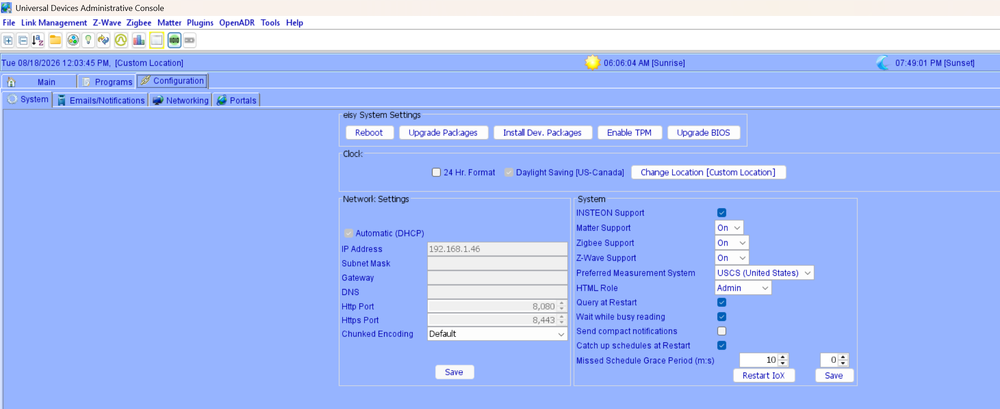
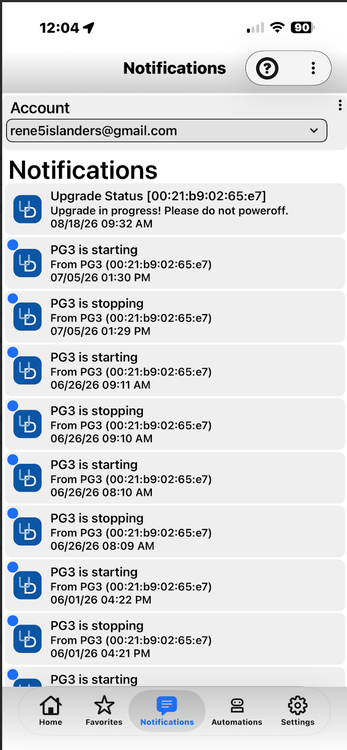
  4. Anyone have opinion of how long this update is suppose to take, My UD Mobile still says Upgrade Status "Upgrade in Progress! Please Do not power off. " after Upgrade stared 2-1/2 hours ago using Addin console.

Account

Navigation

Search

Search

Configure browser push notifications

Chrome (Android)
  1. Tap the lock icon next to the address bar.
  2. Tap Permissions → Notifications.
  3. Adjust your preference.
Chrome (Desktop)
  1. Click the padlock icon in the address bar.
  2. Select Site settings.
  3. Find Notifications and adjust your preference.