


watson524
Members
-
Joined
-
Last visited
-
Huh, I just forced a "synchronize" in the ud mobile app (which I had done before) and now it looks like it's working. Wondering if it need the cache cleared and THEN the sync to sort itself out. yep it's enabled with matter disabled so that's ok. Interesting I don't have the two smart start options you do, which likely doesn't matter either.
-
I restarted my phone, did a power cycle on the eisy and also cleared the app cache and the excluding/including message went away but i still can't control any of the 3 z wave devices I added on the mobile device. If I hit the 3 dots and go to "configure" I get an error saying "could not get node. 500" (not sure if that's relevant.
-
Nope, doesn't look like I have those. Only options are add, remove, synchronize (with a sub menu of new and deleted or all), options (sub menu of 4 things each with a yes/no option), advanced (sub menu of stop adding or removing, factory reset dongle, show all native links and z wave info) and then z wave version which gives nothing useful
-
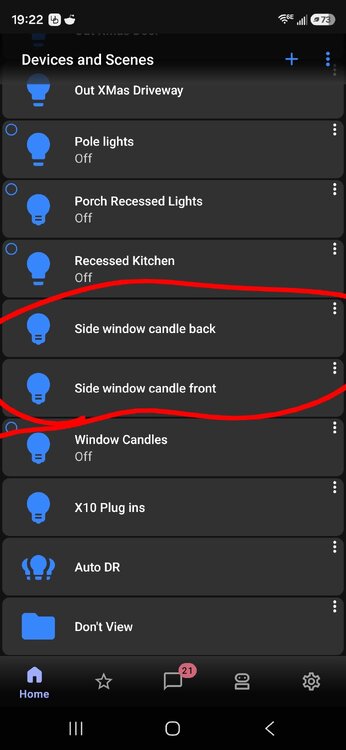
Couple hopefully small things... I got my 3 zwave devices added back and they work fine in the console and I synced mobile to console so they shoe up there but there's no way to control them. I normally could just tap the light bulb and my I stein switches turn on and off. Nothing happens here. Also On ud mobile it keeps saying z wave excluding in progress, z wave including in progress in a loop
-
I had forgotten the default password was admin, so admin/admin worked and I got the "200" result as expected. Then I went to the configuration tab in the console, set zmatter to off, zwave to on and rebooted the eisy. Now I see the zwave tab but when I clicked it, it says dongle is not responding but then it went through a period of like reading links and such and now that that's done I have the normal zwave menu (add a device, remove a device, learn mode, etc) I did a test on one where I removed the device by putting it in linking mode (3 quick button presses on my plugin unit) and then added it back in. In the console I got 2 lines, ZW002 Binary switch which is where the on/off is and then ZW002 Basic Control 2. Not sure what that is and I don't recall having it before but it looks like I can just put it in a folder and not have to look at it if I don't want to. so.... PROGRESS!!! thanks for all the help!!
-
Apparently when I got the eisy I didn't have to set a local admin ID/password because when I put that link in, it's prompting me for a password that I don't have so I guess I have to set that up because it won't take my portal id/password which it normally does when I use the launcher to log in to the admin console (local). The prompt box I get there is "use your PORTAL userid/password" and it works just fine.
-
In the admin console? When I look at the configuration tab there, it has zwave = auto and zigbee = auto
-
Ok I got my zooz 800 stick and it's plugged in but I'm not sure what next steps are. On the mobile app, under settings I can see z-wave/add or edit z-wave network and it says "this controller is zwave compatible, however the module has not been enabled and/or installed is the z-wave module connected to this controller or would you like to view compatible z wave hardware?" and I put "z wave module is connected to this controller" and then pick the usb stick (only 700 is an option but i suspect that doesn't matter) and then it pops up a long message about z matter support is already enabled so a factory reset is required to disable. if you don't have any existing z wave devices you can regress to the older z wave implementation" and then gives instructions about going to a browser with a link that has "deactivatezmatterzwave" at the end. so I do have z wave devices, albeit then don't show up on the eisy at all and honestly if i have to redo them, there's not that many so really not a big deal. Just don't know what next steps should truly be. Can also do it from console on PC too if it's easier to add usb stick there.
-
Um OK call me a dip$hit, I deserve it. Didn't think to look at the side of the box Oy! And that zooz device looks pretty cheap too which is nice!
-
Unfortunately not the lite version that I got because it was the only thing available in a reasonable time that wasn't wicked expensive
-
Thanks for that info. I didn't think it was that high when I was looking at them a year ago. I assume you mean this? ZOOZ ZST39 Z-Wave Long Range USB Stick – ZOOZ Which now leads me to another question that would have come up either way. I have a PLM because of my insteon requirements so with the new eISY I had to get the serial cable which takes up the USB port on the eISY so I only have 2 HDMI ports available (and the RJ45 for if I wasn't using wireless on it). So now I'm stuck or being dumb, could go either way.
-
I have some zwave devices (plug ins for light control) on my old ISY system that I'd like to bring to the eISY. My understanding is it's not built in like before I need a "dongle" but is this it? ZMatter USB: Z-Wave+, Zigbee, and Matter Module for eisy (Z-Wave+ Certified - Long Range) - Universal Devices It's not in stock and frankly, that price is nuts for something that was built in to the ISY thanks!
-
Hi there, Probably going to have a few posts as I just set up my new eISY and migrated over from the old ISY. My old portal license went through 12/16/26. On the new eISY it gives the 1 year free trial which goes through 6/27/27. Any way to get the last almost 6 months on the old one added to the new one? thanks!
-
Drawback to the eISY then in my mind. On my ISY it's all built right in, nothing external. I'm trying to get away from wires and such all over in my office area of the house where all this lives. Is there a recommended antenna someone had a link to?
-
Ah ok. So I need to get an antenna too? Or only if signal is weak? That would change where I place the eISY as where my ISY is, I can't have an antenna.

