Xathros
Members
-
Joined
-
Last visited
-
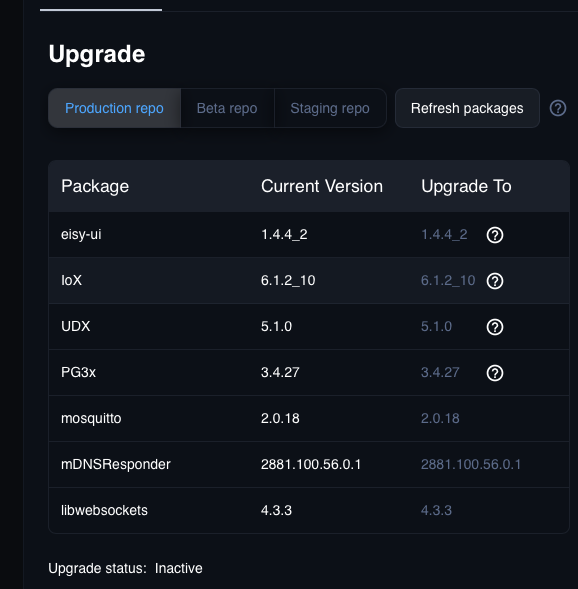
Nope. Not sure where you are seeing that. See attached images: After migrating my plugins I did select the "Remove from PG3" option. Possibly why I don't see the option to migrate back? Also, I tried removing ecobee from eisy plugins and adding it to PG3 but I get an error when trying to add it back to PG3 about read only database or some such. -Xathros
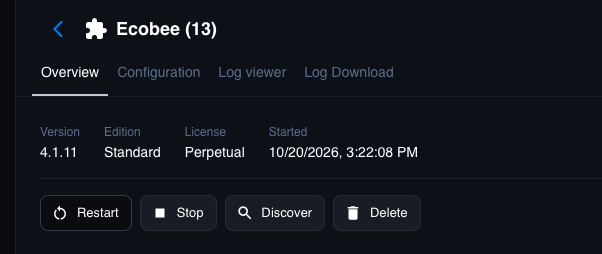
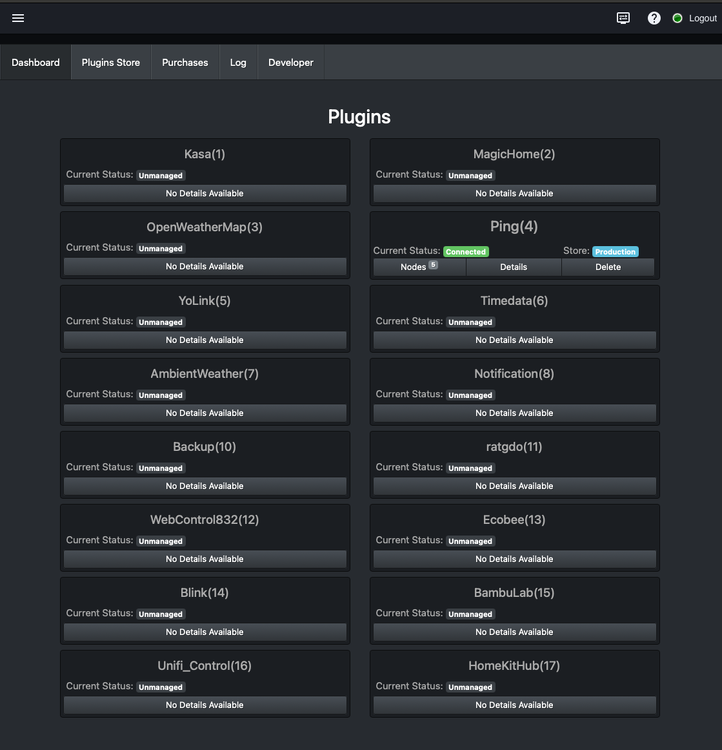
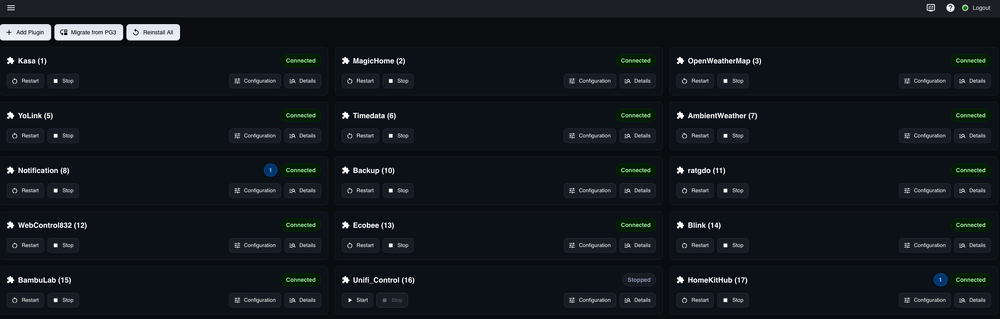
-
Thanks for your post. I updated but still have the same issue. I have migrated my plugins to the eisy-ui plugins section and that may be the issue. I see no path backwards to PG3 after migration. -Xathros
-
Hi @Jimbo.Automates I fought me way through HomeKit and ecobee plugins today and have got my 2 ecobees paired with the HomeKit plugin and represented in the Ecobee plugin. My issue is that the 2 thermostat nodes have no details in eisy-ui , the admin console or UD Mobile. In eisy-ui the details pane shows "Internal server error". In the AC, the details pane shows details from whatever the last node I had selected before selecting one of the ecobees. In UD mobile I just gat a blank node details with the name of the node displayed above. In eisy-ui and the summary node list in the AC, I can see the correct current temperature displayed for both stats. Both plugins are up to date as of today. Any advice? Thanks. -Xathros

-
@Jimbo.Automates , Thank you! 3.3.9 is working with my dimmers and everything else as far as I can tell. -Xathros
-
Hello Jimbo, I upgraded the KASA plugin last week and seem to have lost the ability to use the HS220 Smart dimmers. In trying to debug this, I removed one of the dimmers from the plugin, then from the KASA app and reinstalled the dimmer into the App and restarted the plugin. I found in the log where the plugin sees the dimmer and attempts to add it bit it errors as follows: 2026-05-31 00:02:35.282 Thread-11 (run_forever) udi_interface WARNING Controller:discover_new_add_device: Found a new device D8:07:B6:17:B5:A5, adding Island2026-05-31 00:02:35.283 Thread-11 (run_forever) udi_interface ERROR Controller:add_device_node: Device type not yet supported: DeviceType.Dimmer Any way we can regain support for the smart dimmers? Thanks. -Xathros
-
Is the any possibility that you can use the value in gcode state to populate the finished value into printer state at the end of a print? I guess the best solution would be to get the IoX to recognize the gcode state properly. I haven't heard anything from @Michel Kohanim yet about that issue. Thanks again for your time on this. -Xathros
-
Thanks. That explains the command failures. I'll put the H2D into LAN only mode and test commands after the current batch of prints is done. Let me know how the alternate status values work out. -Xathros
-
@bpwwer, Chamber light on/off nor any of the other printer commands are working with my H2D. Maybe I need to be in LAN only mode for them to work but all of the status stuff is working without. I agree that IoX is seeing the correct status for Gcode state. I think printer state could use a look over however. After a print completes, Gcode state says FINISH but printer state remains at PRINTING even after the printer has gone to sleep long after a completed print. I do see other printer states during print start such as homing toolhead, changing filament, calibrating extrusion, cleaning nozzle tip etc. I have had to use some of the other values like percent complete, time remaining, bed target temp and bed current temp to work out the actual state of affairs (finished / idle) at the end of a print. All of these work in the programs unlike Gcode state. I'm hoping @Michel Kohanim can shed some light on why programs are triggering on but not evaluating gcode state properly. Anyway, thanks for looking into this and for your time and effort in developing this plugin. -Xathros
-
Thanks @bpwwer, I can see the values change in the admin console and in the plugin as you describe. I will check last run time to verify program run. It is odd that I can't get the program to evaluate true when testing "IS" or "IS NOT" for any value. I'm testing with ver 1.0.3 of the plugin as of today with no discernible changes from my previous observations. @Michel Kohanim , Any thoughts on this matter? Is this a bug in IoX? Thanks in advance. -Xathros
-
@bpwwer, Just a bump. Any thoughts about the above? Thanks. -Xathros
-
Hello @bpwwer, Wondering if you have any thoughts about the above? I've found a workaround of job finished using percent complete but am unable to act upon any of the error conditions as they all appear in Gcode state. The behavior of Gcode State is very odd in the console. I can't get an IF to evaluate TRUE no matter if I test = or NOT= for any of Gcode State's values. Also as stated above, there is no control from the admin console to the printer. This is obviously not a life threatening situation here but I would like to implement some of my ideas if possible. Thanks again! -Xathros
-
Just throwing my name into the pool. Same story here. -Xathros
-
Hello, I just started playing with this plugin and am having an issue where the Gcode state does not seem to work in my programs. I have a program that tests for Gcode state is RUNNING The status on the device shows RUNNING in the admin console but the program shows FALSE. I can see activity from the plugin in the event log as the Gcode state changes and the status is updated on the device in the admin console. Any idea why the program won't show TRUE when the status matches? Also it appears that I'm unable to control the printer via the plugin. Pause, Resume, Chamber light on/off etc. Via program or directly in the admin console. My printer is an H2D if that matters. Thanks in advance. -Xathros
-
@Panda88 Up and running here again with 0.6.5. Thank you -Xathros
-
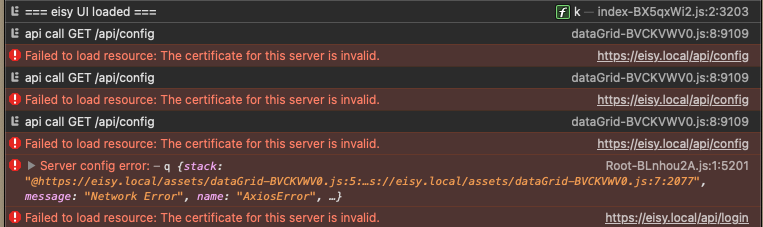
Thanks @bmercier , PG3 is up and going and I can access its console just fine. I opened Safari's console and tried for eisy-ui as suggested. Looks like a problem with a certificate. I tried again with http and am able to login fine. -Xathros