


awysocki
Members
-
Joined
-
Last visited
-
Thanks, but I closed my PushOver account. it was just spotty for me on UD and for my TeslaFi account. Just seemed like I would only get a portion of the messages. I may just make my own notification server for UD Mobile and ntfy, like @Javi i suggested. being a very very very old HTTP server coder I understand headers so happy that Network Resourses are sticking around. Thanks
-
Beside my use of the Network Resource method I described above. It sounds like they are reigning in Notifications to only their paid service, Where you have to buy the notification plug in and only get some phone notifications with UD Mobile unless you have the plug-in. There are a few other services like PushOver, NTFY.SH that give you notifications to your phone along with history and other options. But eISY is removing those other options, other than the ones they chose. I only got UD Mobile notification to work, and it works, but I can't run it on my desktop (Windows, Apple, Linus) to get notifications, where those other apps do have desktop versions along with your phone. I was not able to get PushOver working consistently using the notification plugin/node server ($15) to work My wish list is to have from within a program Dynamic msg text ie: => SEND MSG ("This is is my message => light $light.name is $light.status") . Along with a UD Mobile desktop version. (the $ are variables and not valid in eISY just that they are variables of some sort)
-
That is the example they use, I use it to send data to my DB server for history. Just a simple post of some data points I want to record on my local lan.
-
https://wiki.universal-devices.com/UD_Mobile#Network_Resources_Setup Is there another way to call out for eISY?
-
Root Cause BreakdownIn the eisy-ui log, the installer executes the following sequence: Empty Branch Argument: When pulling your repository ([https://github.com/awysocki/ACInfinity](https://github.com/awysocki/ACInfinity)), PG3 reads "branch": "null" from the node server configuration. It tries to execute: Bash git checkout -b Because no branch string was passed, Git fails. Branch Auto-Detection Fallback: PG3 then queries Git remote HEAD and detects Found branch [main]. String Concatenation Bug in eisy-ui: Once main is detected dynamically, eisy-ui's pg3_helper attempts to register the service. Instead of referencing slot 25 (plugin_25), the script incorrectly concatenates the slot prefix with the auto-detected branch name, attempting to query: Plaintext Unable to get info for plugin_2main Because plugin_2main is an invalid service target, pg3.ops fails with exit code -5 and rolls back the installation. (Compare this to your PMatter plugin log, where "branch": "main" was explicitly set beforehand, allowing plugin_27 to install cleanly without running auto-detection). How to Fix It in Your Git Project & Store Submission1. Explicitly Define the Branch in Store SubmissionIn the PG3 Node Server Store Developer Portal (where you submitted the ACInfinity NodeServer URL): Ensure the Branch field is explicitly set to main (or master) rather than left empty or null. 2. Verify Your Repository File StructureEnsure the root of your ACInfinity repository includes all required PG3/eisy metadata and entry files: File / Folder Purpose Requirement server.json (or polyglot.json) Node Server metadata definition Root directory. Must specify "executable": "acinf_main.py" and "type": "python3". install.sh Shell script for dependency installation Must be at repo root and executable (chmod +x install.sh). acinf_main.py Main script entry point Must match the executable field. profile/ IoX Node definitions Must contain nodedef/, editor/, and nls/ subdirectories. Example server.json Root TemplateIf you do not have a server.json in your repository root, add one: JSON { "name": "ACInfinity", "type": "python3", "executable": "acinf_main.py", "branch": "main" } Quick Workaround on the eisy ControllerIn the PG3 / eisy UI web interface, go to Node Servers $\rightarrow$ ACInfinity $\rightarrow$ Configuration/Details, manually type main into the Branch field, and save changes before triggering a re-install.
-
Thu Oct 22 05:22:01 2026: pg3_helper running Thu Oct 22 05:22:01 2026: Found api handler for command pg3.install.ns, calling Thu Oct 22 05:22:01 2026: [do_install()] Entered Thu Oct 22 05:22:01 2026: pg3_helper is running as root devMode = 0 Thu Oct 22 05:22:01 2026: Running pg3.ops (register.ns) Thu Oct 22 05:22:01 2026: Calling install: /usr/local/etc/udx.d/static/pg3.ops register.ns plugin_25 /var/eisyui/ns 0 0 plugin_25 > /dev/null Thu Oct 22 05:22:02 2026: Deploying files to /var/eisyui/ns/plugin_25 Thu Oct 22 05:22:02 2026: Determine packaging method for https://github.com/awysocki/ACInfinity Thu Oct 22 05:22:02 2026: Deploying from git https://github.com/awysocki/ACInfinity Thu Oct 22 05:22:02 2026: Calling git command: git init 2> git.log Thu Oct 22 05:22:02 2026: Calling git command: git remote remove origin 2>> git.log || true Thu Oct 22 05:22:02 2026: Calling git command: git remote add origin https://github.com/awysocki/ACInfinity 2>> git.log Thu Oct 22 05:22:02 2026: Calling git command: git fetch origin 2>> git.log Thu Oct 22 05:22:03 2026: Calling git command: git checkout -b 2>>git.log || git checkout Thu Oct 22 05:22:03 2026: Calling git command: git branch --set-upstream-to=origin/ Thu Oct 22 05:22:03 2026: Calling git command: git reset --hard origin/ Thu Oct 22 05:22:03 2026: Trying to determine branch..... Thu Oct 22 05:22:03 2026: Parse ' HEAD branch: main' for branch name Thu Oct 22 05:22:03 2026: Found branch [main] Thu Oct 22 05:22:03 2026: Calling git command: git checkout -b main 2>>git.log || git checkout main Thu Oct 22 05:22:03 2026: Calling git command: git branch --set-upstream-to=origin/main main Thu Oct 22 05:22:03 2026: Calling git command: git reset --hard origin/main Thu Oct 22 05:22:03 2026: Running install.sh Thu Oct 22 05:22:03 2026: Unable to get info for plugin_2main Thu Oct 22 05:22:03 2026: Calling uninstall: /usr/local/etc/udx.d/static/pg3.ops unregister.ns plugin_2main /var/eisyui/ns/plugin_25 > /dev/null Thu Oct 22 05:22:03 2026: pg3.install.ns returned -5 Thu Oct 22 05:22:03 2026: pg3_helper running Thu Oct 22 05:22:03 2026: Found api handler for command pg3.start.ns, calling Thu Oct 22 05:22:03 2026: [do_start()] Entered Thu Oct 22 05:22:03 2026: Starting in regular mode Thu Oct 22 05:22:03 2026: Service name is 0021b9025fb5_25 Thu Oct 22 05:22:03 2026: NS user is 0021b9025fb5_25 Thu Oct 22 05:22:03 2026: NS directory is /var/polyglot/pg3/ns/0021b9025fb5_25 Thu Oct 22 05:22:03 2026: Home directory is /var/polyglot/pg3/ns/0021b9025fb5_25 Thu Oct 22 05:22:03 2026: PG3INIT is eyJ1dWlkIjoiMDA6MjE6Yjk6MDI6NWY6YjUiLCJwcm9maWxlTnVtIjoyNSwibG9nTGV2ZWwiOiJERUJVRyIsInRva2VuIjoiWDYoOUkqVnJuNlJSQVVFLSIsIm1xdHRIb3N0IjoibG9jYWxob3N0IiwibXF0dFBvcnQiOjg4ODMsInNlY3VyZSI6MSwiaXNQRzN4Ijp0cnVlLCJwZzNWZXJzaW9uIjoiMy40LjI4IiwiaXN5VmVyc2lvbiI6IjYuMS4yIiwiZWRpdGlvbiIZyZWUifQ== Thu Oct 22 05:22:03 2026: Calling: service 0021b9025fb5_25 onestop as user 0 Thu Oct 22 05:22:03 2026: Writing /usr/local/etc/rc.d/0021b9025fb5_25 Thu Oct 22 05:22:03 2026: Calling: service 0021b9025fb5_25 onerestart as user 0 Thu Oct 22 05:22:03 2026: [do_start()] Exit Thu Oct 22 05:22:03 2026: pg3.start.ns returned 0
-
Not sure if this is ME or eISY? Where should I start to look?
-
UGH, the only thing that fixed it was to RE-INSTALL the plug in
-
I've hard rebooted the eISY and they showed up, but and error saying profile not created. I clicked the button and its rebooting again. This maybe a false alarm Nope still getting the same error after clicking the button and rebooting Error loading node n021_s3c_66732b9961: Profiles loaded but nodedefs missing.
-
I poked around a little bit but didn't see anything that seemed relevant. I have a PG3 program I wrote that I clicked migrate to plug-in, it all seems to work and shows up and the log files all look good, but when I view my nodes there aren't any nodes listed for that plug-in. My understanding is plug-in is the same as PG3 with new under the cover changes. So where / how are the nodes created now?
-
I had no plans on switching either, but when you can get a dual pack of switches from Tapo for $23.99 where 1 zwave on/off switch from zoos is $43.95 it starts to add up. Using the matterjs-server running as a container I have not seen any fallen off switches yet. Its been a few weeks, and yes I had to tweak my parms for mDNS, once I did that all my switches (battery powered - IKEA) that stopped working now work day after day. I was just hoping to have the same ability using the eISY Matter Stack and not have to run my own. Sonoff, Tapo and IKEA all seem pretty solid so far for me, Though hit me up in a month, I may have different feelings then ;-) I'm not going to rip out all my Z-wave items but if one dies I will consider a Matter device in its place.
-
I don't see any way to ADD new devices using eisy-ui Under nodes the (+) just adds folders. No love no drama
-
I have been playing with matterjs-server on a linux box. 80% of the devices I connect to it actually connect and I can turn them on and off or get status. but on eISY, I can not get any matter devices to configure. I have tried Tapo, IKEA, and Sonoff devices and can't get any of them to link up. Using Google home or Amazon Alexa I connect the device and have full control. I go into the setting of the device and create a share code (just the numbers). If I connect it to matterjs-server it connects usually within 30 seconds. Doing the same process with eisy. The flow is different. 1) go into Google home, find my device, go to setting and select USE PARING CODE, not QR code. 2) I have 15 minutes to complete these steps from this point. 3) I open UD MOBILE and click the + sign -> ADD MATER DEVICE 4) Select the option of ADD MATTER DEVICE WITH SETUP CODE 5) Scroll to the bottom and input my setup code, no spaces, not dashes click SUBMIT 6) it then opens GOOGLE HOME set up. (this I find odd) Google home pages says it found device and then goes back to UD MOBILE pages 7) ERROR: Could not discover device: Timeout: no matching Matter commissioning service found within 15s Why does UD Mobile open up google home search during provisioning? Anybody actually using Matter devices on eISY home?
-
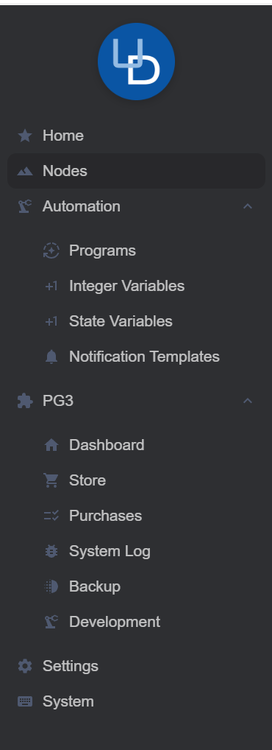
Network Resources Not sure where to find it on eisy-ui? CONFIGURATION -> NETWORKING -> NETWORK RESOURCES I use it for NFTY.sh messages to my phone, Notifications are ok, but I use NTFY for lots of my programs other than eisy. Using java admin console it was easy to add them in, but don't know where they are on eisy-ui Thanks
-
I don't understand the goal of this? PG3 was a way to add features to eisy. I don't fully understand other than calling it something different PLUGINS vs PG3 what its buying us. I guess I just need more explanation what this means. When you say "for a while..." hasn't this always been the case even with PG2. That's a long while. So you are saying the plugins now run in the eisy-ui app/container/service...? Where before they ran in the PG3 app/container/service... which connected to eisy-ui? So you are removing a layer of code? We don't call them PG3 nodes anymore, we call them plugins? Just looking for a better road map of what is the goal and what should I be aware of. Thanks Andy


