


GTench
Members
-
Joined
-
Last visited
-
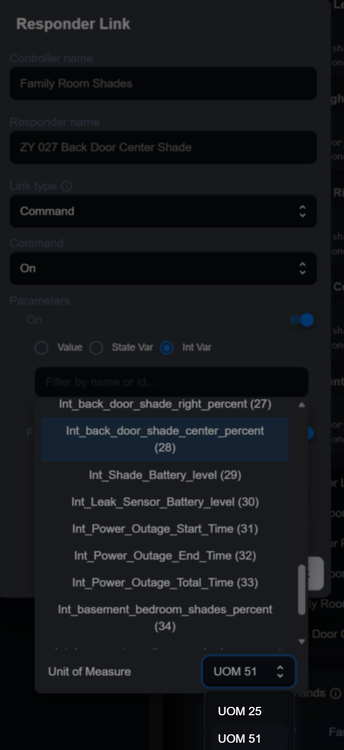
Yes... latest firmware. It is a responder link in a scene assigned to an Int Var that contains the percent value for the shade to open to. It works fine just had to figure out what the UoM's meant
-
Is it possible to change UOM 25 and UOM 51 to more meaningful text such as index, percent
-
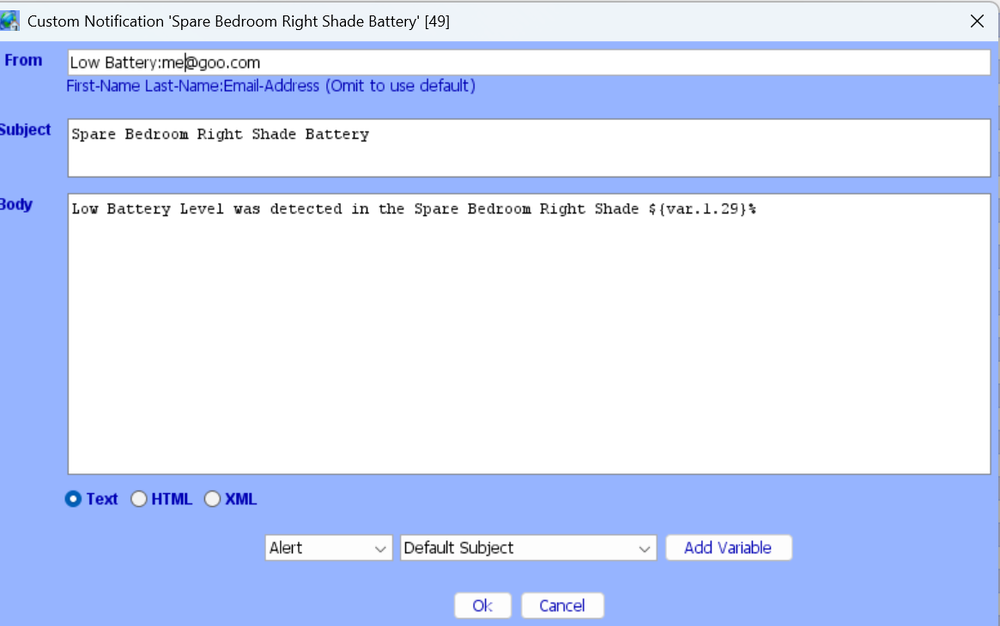
@wmcneil Here is what I do for checking the battery level and it work fine. Have not tried for shade position but should work for it I think Gary Spare Bedroom Right Shade If 'Zwave / ZY 035 Spare Bed Right Shade' Battery Level < '$Int_Shade_Battery_Low_Level Percent' Then $Int_Shade_Battery_level = 'Zwave / ZY 035 Spare Bed Right Shade' Battery Level % Send Notification to 'Gary' content 'Spare Bedroom Right Shade Battery' Send Notification to 'Debbie' content 'Spare Bedroom Right Shade Battery' Else - No Actions - (To add one, press 'Action')
-
@awysocki I just tried connecting an Eufy robot vacuum to eisy on 6.1.1. Similar experience to you. Sees the vacuum but fails with the 15 second commissioning timeout. Gary
-
Just did the upgrade (insteon, zwave, plugins). Everything went fine. No issues. Gary
-
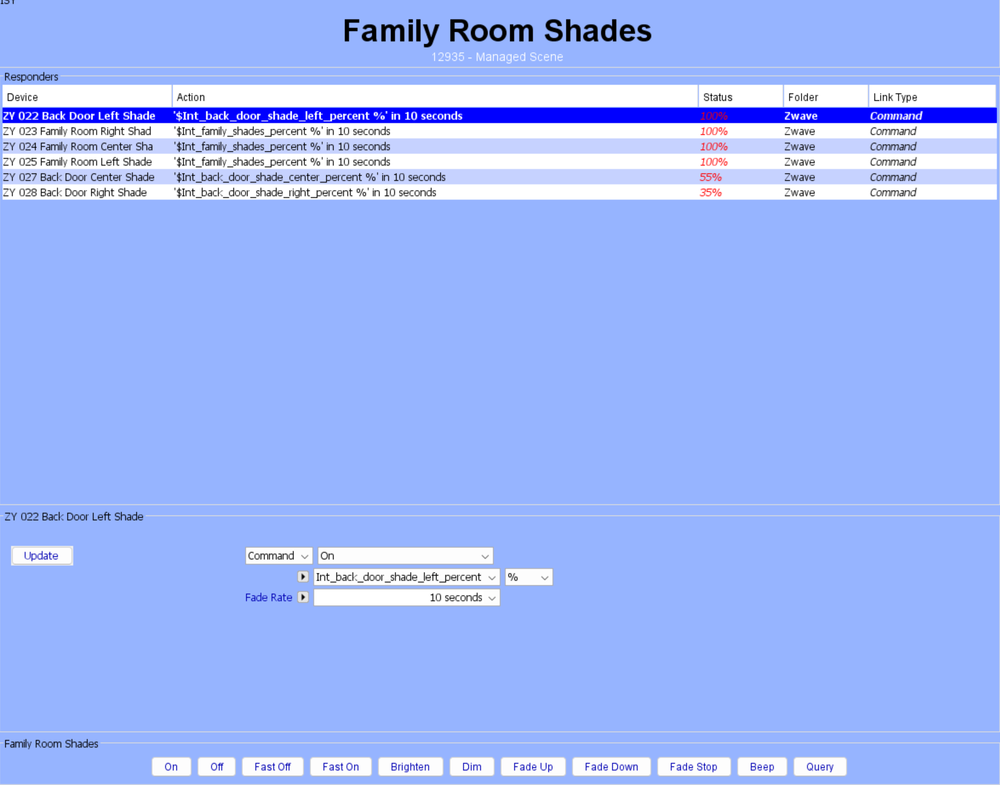
@wmcneil Yes that works well. Here is what I do. I have 6 shades installed in my family room. I put them into a scene as shown below. Each shade has its "on" value set to a different integer variable in the scene. In programs, I set the values of the integer variables to various % levels as determined by the outdoor sunlight levels then the scene is run and that sets each shade to its proper opening value Gary
-
Not really sure what you are asking. In toggle mode (true) you get a chime whenever an assigned zone opens or closes. In false mode you never get a chime. Are you wanting to do something different?
-
I think I actually just deleted the blind from eisy then did the reset and repaired. I actually have 13 Zwave blinds...I miscounted before
-
@ImagineAir Yes, I have 6 of them connected to the eisy but I am using Zwave USB. I did have trouble pairing one of them. I think it got stuck part way through pairing for some reason. Excluding and/or repairing did not work for me. It seemed to be in a state of limbo. I ended up doing a full reset on the blink to clear the issue. The mechanism for this depends on the blind model but should be somewhere in the instruction manual. Unfortunately this also cleared all preset up/down limit positions which I had to redo. This reset then allowed me to redo the pairing. I don't believe I did an exclude before repairing; it just repaired.
-
I also have a ZSE70 installed on eisy 6.0.5 with the ZMatter board and it shows temperature
-
I also use the DSC polyglot plugin. I have 64 zones with many of them integrated as triggers in various ISY programs. I am extremely happy with the performance
-
So you can see the zones in eisy but not in EyezON? If so, do they change state properly in eisy when activated?
-
If you cannot see zones in EyezON, then I am guessing that is why it is not working with the plugin
-
My setup is not exactly like yours. I have a DSC panel with 64 zones and the EnvisaLInk 4 and it is working well with the plugin. Does not the Neo come with 8 zones? Just wondering why you needed the UNO4 expansion board to make EnvisaLInk work? Is the UNO4 (UNO 8?)board properly registered with the motherboard?
-
I assume the XXXXX are just to hide real values?


