


lurlette
Members
-
Joined
-
Last visited
-
I am trying to get my Eisy to recognize the Zwave usd 800 plus dongle, but to no avail, I enabled it, tried auto, but no luck any help??
-
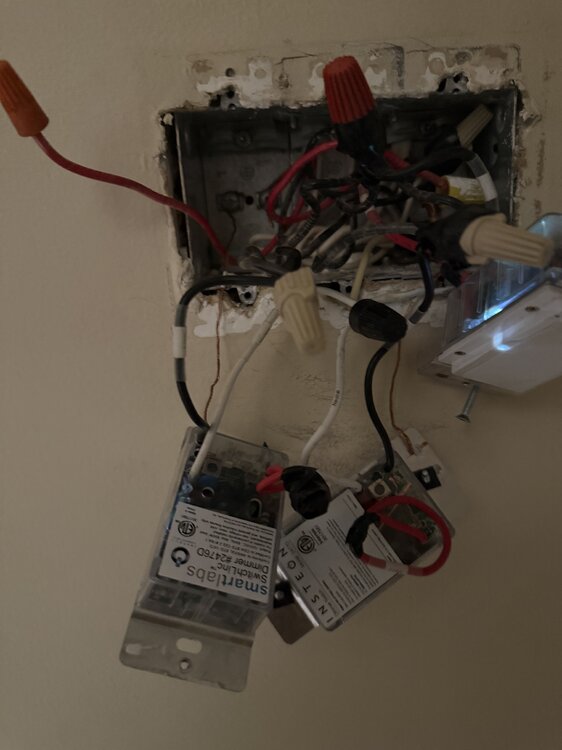
Thanks Oberkc, that sounds like it, I will give it a try this weekend. The box I showed does have three insteon switches (3 gang box) the one to the far left is what’s going to be connected to the hallway lights.
-
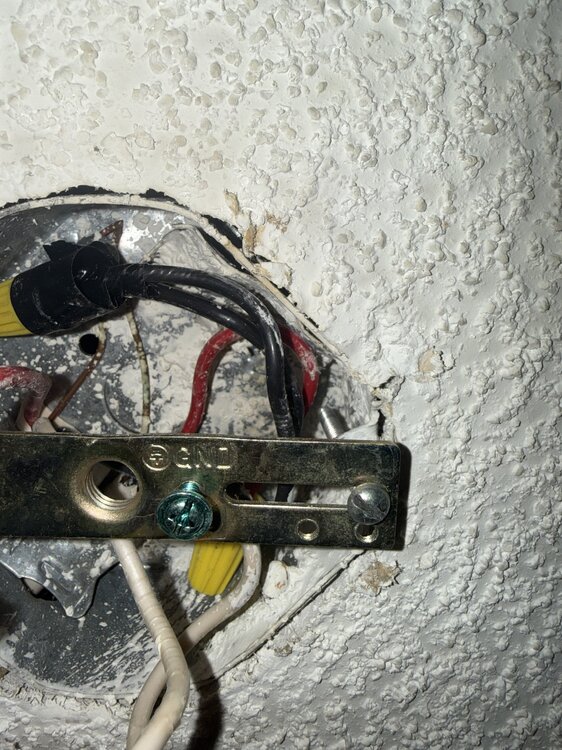
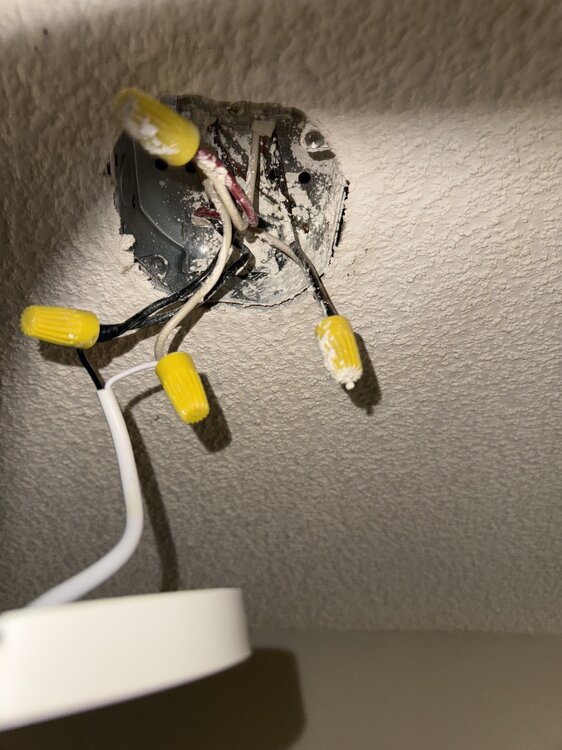
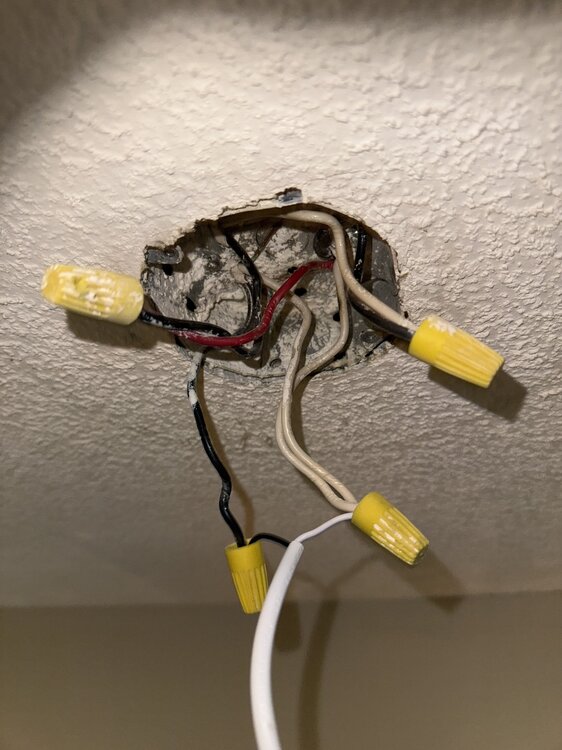
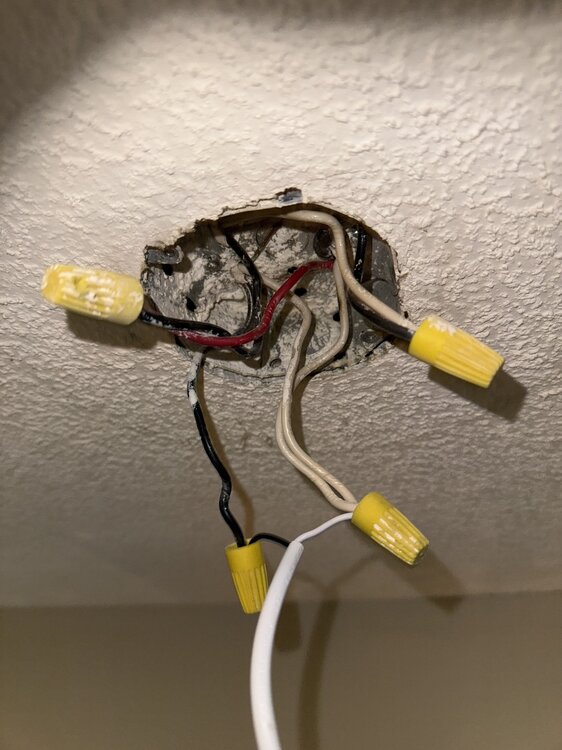
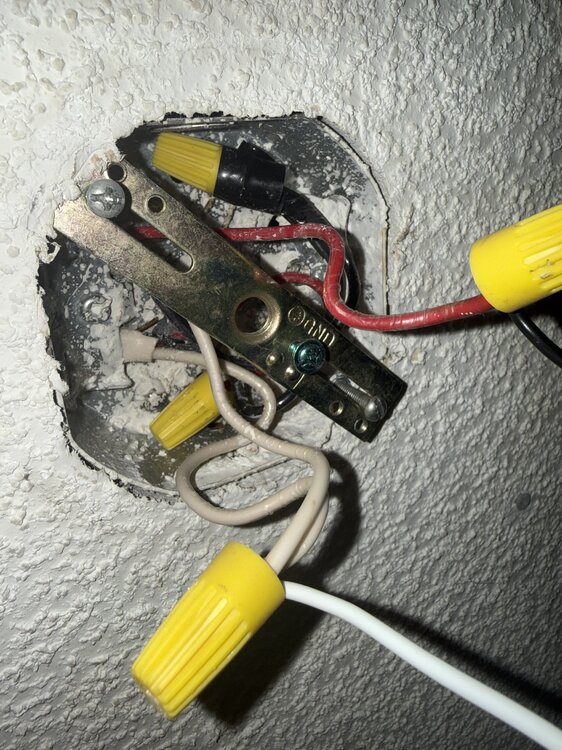
Hi Brian H, thanks for your help, that’s what I did , I replaced both switches, but in box 1 has power, ( black, white. Red, ground) box 2 only has white red and black, that’s why I posted the pictures of the two ceiling boxes (light boxes) but in those boxes it’s got red connected to black and the other box has red connected to white, so the switches are not working.that’s what I need help figuring out.
-
No, Uberkc, why would anyone put a switch in a ceiling!!!??!!!. It’s for reference as to how the wires are connected together in the junction box in the ceiling, hence why the Insteon switche not working,?!!
-
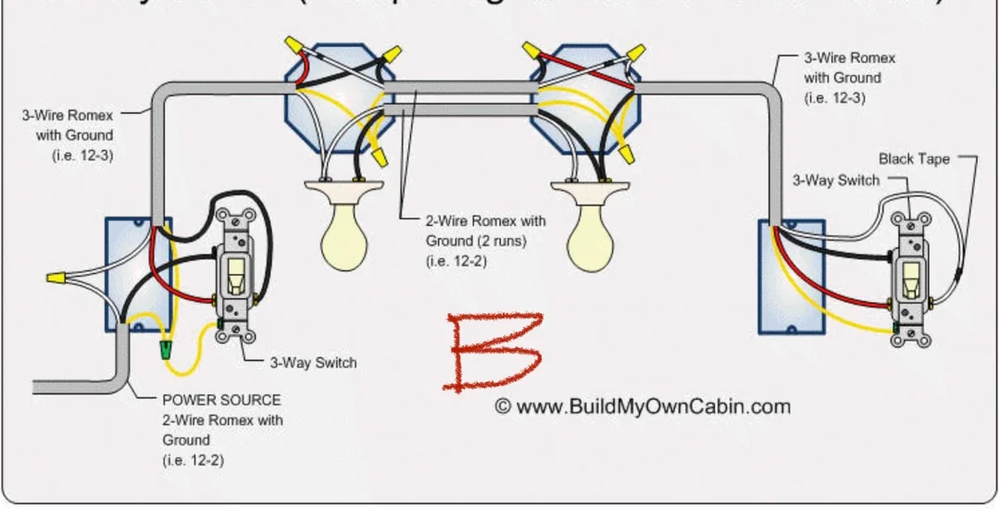
This is how the wiring looks
-
Yes, it’s basically two switches controlling two lights, it’s a hallway, so one switch it at the beginning of the hallway and the other is at the end of the hallway,the two lights are at each end of the hallway. Thanks
-
Don’t know if this is the right place, but I need some help installing two Insteon switches that control two lights, first gang box has red, white, black and ground, second gang box has red, white, black and ground, here’s where it confuses me, all three way connections always confuse me, so in the first gang box in the ceiling that one light is connected to has three black wires, three white wires and one red, other gang box in ceiling has three black wires, three white wires and one red, I can get the switches to work any help would be appreciated, i think sometime ago I had to switch the wires in the gang boxes or something like that.
 I need another help,i had a program that would turn on a light when motion was detected by a motion detector that connected to my ELK security system, it worked flawlessly with my isy 449, now I don’t see the motion detector where I do the program in EISY., thanksSo I have my CT-800 setup and working on my Washer, the ct dry contact is connected to zone 16 of my elk m1, I dont have any other expansion boards and I am using these Rules: WHENEVER Washer Status (Zn 16)BECOMES NOT SECURETHEN TURN Output 100 ON FOR 5 MIN, RESTART TIMER IF RUNNINGWHENEVER Output 100 STATE IS TURNED OFFAND Washer Status (Zn 16) IS NOT SECURETHEN ANNOUNCE Miscellaneous 3 (vm241)But the elk m1 still announces every time the washer pause, can anyone please guide me as to what I am doing wrong, I have Kenmore washer its Maytag .Can someone please explain how to setup Polyglot in a more newbe way,like for some people that's never done it before.Like whats got o be installed on the Raspberry side and what got to be installed on the ISY side.Thanks (I know there is a video on it but that's for more advanced users.)Just a follow up, i did what stuviews suggested anf it worked for me,so i can control my fireplace with either the wall switch or with isy and google home and amazon echo. Thanks for all the help.


