


brians
Members
-
Joined
-
Last visited
-
I think they said they will support network resources in a future beta.
-
The Java console is just a client and does really nothing itself. They are using eisy-ui to communicate much the same way... They would have to deliberately change how IoX functions and I don't think they would do that. What may happen though is new things will not be supported in Java... I don't have a good example since I cannot predict the future what a new thing may be but here goes... say a new matter standard comes out for support of a new device type (eg. kitty litterboxes LOL)... UD adds that standard into IoX Matter and updates eisy-ui to display correctly. Java console would not understand what that is so would probably not display the nodes correctly or not at all.
-
I had to reboot my polisy once more for it to detect PLM. ZWave was also not loading but after a full reboot it is all working now.
-
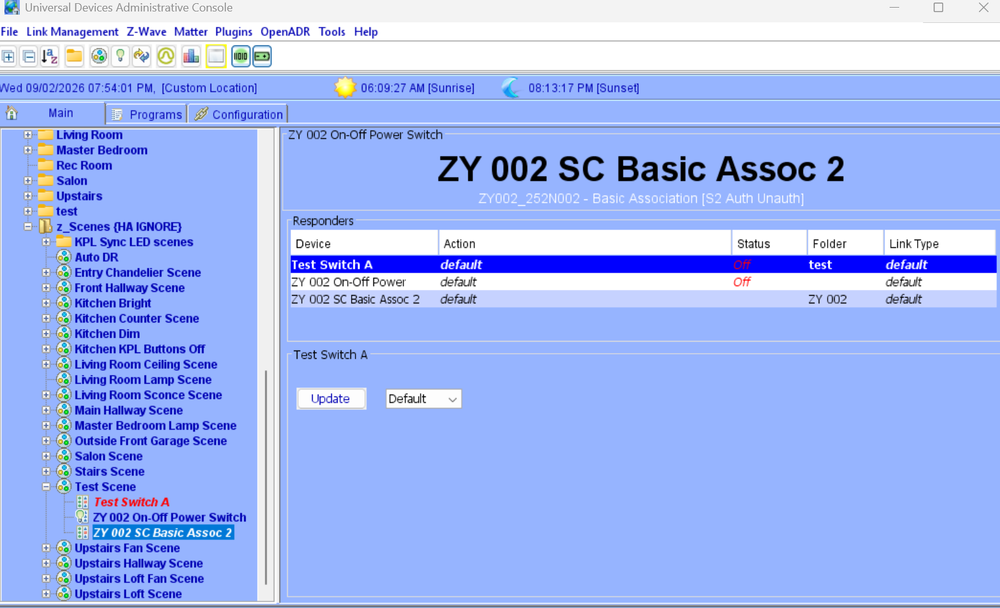
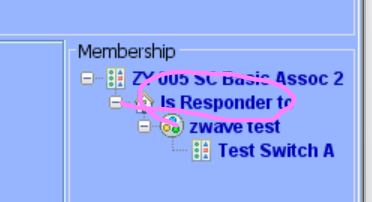
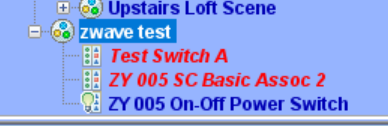
Been testing this again .. I have done this before... even wrote detailed posts how to do it in the past. Years later I am wanting to use Polisy and ZMatter for something.... But I cannot get scenes to work with zwave as a controller to turn on/off insteon. I can add zwave zen71 switch to a scene like I have done in the past using its basic assoc 2 node... but it never controls the Insteon device. I have check all parameters on the zwave swtich - nothing works. I even factory reset ZMatter. IoX is supposed to do some magic behind the scenes to make ZWave devices act as controllers - picking up the on/off presses from the zwave switch and mapping as a controller to a scene but it appears that it no longer works. Some evidence here possibly in this thread below.... Did this get broken in an update? I am on a Polisy 6.1.2 Not a huge deal since I can use programs but this is kinda driving me crazy LOL. Interesting that I have to put a 1 sec delay or else the switch turn on/off.. maybe because I am turning on the scene instead of the device and direct device turning on/off does not have this issue... Note I renamed the scene after the top screenshot from test scene to zwave test. ZWave Switch Scene Controller - [ID 0009][Parent 0003][Enabled] If 'ZY 005 On-Off Power Switch' Status is On Then // Needs a delay to prevent race condition Wait 1 second Set 'zwave test' On Else // Needs a delay to prevent race condition Wait 1 second Set 'zwave test' Off
-
were you meaning admin for ssh? Mine is admin and password is admin so not the same as the IoX password.. not sure if that is normal or not... I don't remember ever changing it.. sure not the most secure LOL
-
To clarify, I was using restart IoX in a program (action, system, restart IoX). The System program action's "Restart IoX" doesn't restart it fully and hung needing service isy restart to recover. The Configuration menu's reboot works fine and appears to use a different method as it restarts the entire Polisy. Therefore should the program action be pointed at that one or is this something specific to my Polisy and fixed or not issue in EISY? Or this this old and nobody uses anymore? I honestly see no use for it on a regular basis but maybe someone does.
-
I think it was my fault not rebooting the polisy. I was doing shutdown now -r and should have been shutdown -r now , or better to use sudo reboot I will try this next time to make sure the argument order is correct. I am used to linux which doesn't have this issue. However in admin console, restart IoX doesnt seem to work and it hangs, I have to restart again via ssh eg... sudo service isy restart maybe that is not supported command anymore and is old.
-
Yes I have several solutions for that but too lazy to implement LOL. But a good idea. and look after a hard reboot is up again and updated ;)
-
my polisy after update and reboot via ssh didn't come back.. this happened before last time and had to hard power it... will do when I am at home...
-
Yes, I noticed that a few days ago on a minor update. It did nothing. I can select the repository and look at the updates, but the button doesn’t do anything. I wonder why they can’t make that work. I guess we’re fortunate enough to have a polisy version though.
-
Ok well that was nerve-wracking.. reboot didn't work from gui, so I did from ssh but was running a continous ping and didnt see drop so presumed crashed.. after a while I hard rebooted Polisy by removing power and it eventually all came back up. I did not have to use the command to set the repo when I upgraded unlike others. I got the impression that we will have to ssh upgrade polisy each time and possibly require to run command to set repo in future ?
-
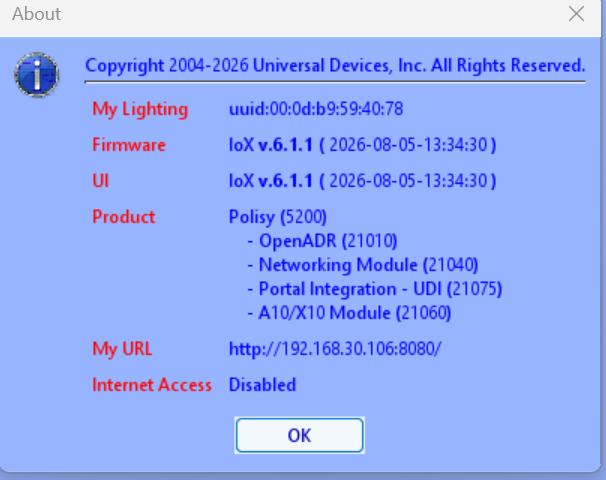
ok so that system busy went away.. I removed java cache and reinstalled and IoX seems to be on lastest version.. Gonna restart now hoping for the best ;)
-
I ran the command, been a while but I get this when connecting to the web... Should I just be patient now? Uploading Attachment...
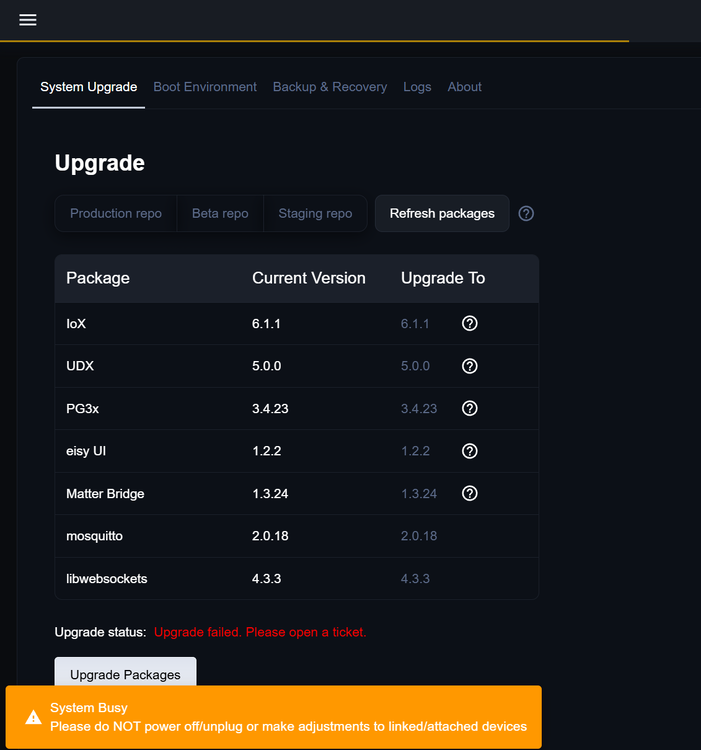
-
Ok so I have a polisy do I use ssh to upgrade or not. The instructions are kinda ambiguous I think I see now that is a warning for older kernels
-
This contradicts this statement. Do not use SSH to perform the upgrade; this will brick your system.


