


andrew77
Members
-
Joined
-
Last visited
Everything posted by andrew77
-
I think I've selected the right post as the solution. I went to the Portal and made the scene into a Light instead of a Scene. For some reason that worked. Thank you everybody. I realize its not easy to solve other people's tech issues through a forum but you guys do it again and again
-
This is recent. It used to work fine. I'm not sure how I would do this.I think it just automatically migrates to Alexa when I make the Scene in the ISY portal
-
When I shut them off from the console it shuts them all off, works as it should.
-
No, that was my outside lights, these are my basement lights
-
The loads are all the same. Just differing percentages
-
I have a basic scene to 'turn on basement' When I tell Alexa to turn it on its fine. When I ask to shut it off a SWL and a KPL never shut off. I've removed the scene from Portal and re added it, still the same. I have other scenes called Basement 30%, basement 15% etc when I say to turn on basement 30% (etc), fine. Telling them to shut off basement 30% works fine (for all percentage scenes. But the basement one only shuts off some lights
-
I do have Alexa+ but these issues were around before they released it But good to know. I'm non plussed over the 'upgrade'
-
This is exactly what happens When I'm done shovelling I'll try this and upload the Event Viewer level 3 log Thank you for the fast reply.
-
I always seem to have to tell Alexa repeatedly to "Shut off outside lights" or "Goodnight" I know its because of line noise or something of the sort but its random and I've never been able to find a pattern. Can I just have the program trigger the scene "Shut off outside lights", double check the scene, and correct it?
-
Thank you Paul, this worked.
-
I’m pretty sure Alexa triggers the device and not the scene. I thought there was an easier way of making the KPL Led light up when the light it triggers is lit
-
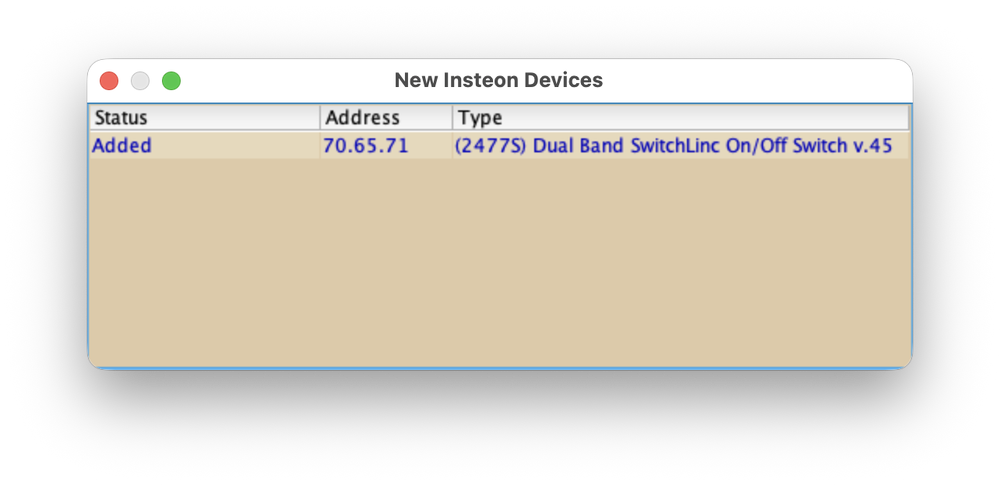
Elapsed 00:00:34.277 : Loading Variables Elapsed 00:00:35.095 : Loading Node Definitions Elapsed 00:00:35.988 : Loading Nodes Elapsed 00:00:36.190 : Creating Widgets Elapsed 00:00:40.132 : Creating Widgets Complete Tue 01/20/2026 12:29:03 PM : Starting Subscription Tue 01/20/2026 12:29:04 PM : [4B 52 12 8 ] ST 255 (uom=100 prec=0) Tue 01/20/2026 12:29:04 PM : Completing initialization Tue 01/20/2026 12:29:04 PM : U7 Rest: submitCmd([58 DF 82 1],[DOF],[<NULL>]) Tue 01/20/2026 12:29:04 PM : Refreshing Status Tue 01/20/2026 12:29:04 PM : Refreshing Views Tue 01/20/2026 12:29:05 PM : [4B 52 12 8 ] ST 255 (uom=100 prec=0) Tue 01/20/2026 12:29:05 PM : U7 Rest: submitCmd([58 DF 82 1],[DOF],[<NULL>]) Tue 01/20/2026 12:32:00 PM : [INST-SRX ] 02 50 70.65.71 00.00.01 CF 11 00 LTONRR (00) Tue 01/20/2026 12:32:00 PM : [Std-Group ] 70.65.71-->Group=1, Max Hops=3, Hops Left=3 Tue 01/20/2026 12:32:00 PM : [D2D EVENT ] Event [70 65 71 1] [DON] [0] uom=0 prec=-1 Tue 01/20/2026 12:32:00 PM : [70 65 71 1 ] DON 0 Tue 01/20/2026 12:32:00 PM : [D2D EVENT ] Event [70 65 71 1] [ST] [255] uom=100 prec=0 Tue 01/20/2026 12:32:00 PM : [70 65 71 1 ] ST 255 (uom=100 prec=0) Tue 01/20/2026 12:32:00 PM : [D2D EVENT ] Event [70 9C CE 7] [ST] [255] uom=100 prec=0 Tue 01/20/2026 12:32:00 PM : [70 9C CE 7 ] ST 255 (uom=100 prec=0) Tue 01/20/2026 12:32:00 PM : [INST-SRX ] 02 50 70.65.71 71.1B.2E 40 11 01 LTONRR (01) Tue 01/20/2026 12:32:00 PM : [Std-Cleanup ] 70.65.71-->ISY/PLM Group=1, Max Hops=0, Hops Left=0 Tue 01/20/2026 12:32:00 PM : [INST-DUP 2 ] Previous message ignored. Tue 01/20/2026 12:32:00 PM : [INST-SRX ] 02 50 70.65.71 71.1B.2E 45 11 01 LTONRR (01) Tue 01/20/2026 12:32:00 PM : [Std-Cleanup ] 70.65.71-->ISY/PLM Group=1, Max Hops=1, Hops Left=1 Tue 01/20/2026 12:32:00 PM : [INST-DUP 2 ] Previous message ignored. Tue 01/20/2026 12:32:00 PM : [INST-SRX ] 02 50 70.65.71 11.02.01 CF 06 00 (00) Tue 01/20/2026 12:32:01 PM : [Std-Group ] 70.65.71-->11.02.01, Max Hops=3, Hops Left=3 Tue 01/20/2026 12:32:01 PM : [INST-INFO ] Previous message ignored. Tue 01/20/2026 12:32:11 PM : [INST-SRX ] 02 50 70.65.71 00.00.01 CF 13 00 LTOFFRR(00) Tue 01/20/2026 12:32:11 PM : [Std-Group ] 70.65.71-->Group=1, Max Hops=3, Hops Left=3 Tue 01/20/2026 12:32:11 PM : [D2D EVENT ] Event [70 65 71 1] [DOF] [0] uom=0 prec=-1 Tue 01/20/2026 12:32:11 PM : [70 65 71 1 ] DOF 0 Tue 01/20/2026 12:32:11 PM : [D2D EVENT ] Event [70 65 71 1] [ST] [0] uom=100 prec=0 Tue 01/20/2026 12:32:11 PM : [70 65 71 1 ] ST 0 (uom=100 prec=0) Tue 01/20/2026 12:32:11 PM : [D2D EVENT ] Event [70 9C CE 7] [ST] [0] uom=100 prec=0 Tue 01/20/2026 12:32:11 PM : [70 9C CE 7 ] ST 0 (uom=100 prec=0) Tue 01/20/2026 12:32:11 PM : [INST-SRX ] 02 50 70.65.71 71.1B.2E 45 13 01 LTOFFRR(01) Tue 01/20/2026 12:32:11 PM : [Std-Cleanup ] 70.65.71-->ISY/PLM Group=1, Max Hops=1, Hops Left=1 Tue 01/20/2026 12:32:11 PM : [INST-DUP 2 ] Previous message ignored. Tue 01/20/2026 12:32:11 PM : [INST-SRX ] 02 50 70.65.71 13.02.01 CF 06 00 (00) Tue 01/20/2026 12:32:11 PM : [Std-Group ] 70.65.71-->13.02.01, Max Hops=3, Hops Left=3 Tue 01/20/2026 12:32:11 PM : [INST-INFO ] Previous message ignored. Tue 01/20/2026 12:32:26 PM : Create REST U7 [/rest/nodes/70%2065%2071%201/cmd/DON] Tue 01/20/2026 12:32:26 PM : U7 Rest: submitCmd([70 65 71 1],[DON],[<NULL>]) Tue 01/20/2026 12:32:26 PM : [INST-TX-I1 ] 02 62 70 65 71 0F 11 FF Tue 01/20/2026 12:32:26 PM : [INST-ACK ] 02 62 70.65.71 0F 11 FF 06 LTONRR (FF) Tue 01/20/2026 12:32:26 PM : [INST-SRX ] 02 50 70.65.71 71.1B.2E 2F 11 FF LTONRR (FF) Tue 01/20/2026 12:32:26 PM : [Std-Direct Ack] 70.65.71-->ISY/PLM Group=0, Max Hops=3, Hops Left=3 Tue 01/20/2026 12:32:26 PM : [D2D EVENT ] Event [70 65 71 1] [ST] [255] uom=100 prec=0 Tue 01/20/2026 12:32:26 PM : [70 65 71 1 ] ST 255 (uom=100 prec=0) Tue 01/20/2026 12:32:33 PM : Create REST U7 [/rest/nodes/70%2065%2071%201/cmd/DOF] Tue 01/20/2026 12:32:33 PM : U7 Rest: submitCmd([70 65 71 1],[DOF],[<NULL>]) Tue 01/20/2026 12:32:33 PM : [INST-TX-I1 ] 02 62 70 65 71 0F 13 00 Tue 01/20/2026 12:32:33 PM : [INST-ACK ] 02 62 70.65.71 0F 13 00 06 LTOFFRR(00) Tue 01/20/2026 12:32:33 PM : [INST-SRX ] 02 50 70.65.71 71.1B.2E 2F 13 00 LTOFFRR(00) Tue 01/20/2026 12:32:33 PM : [Std-Direct Ack] 70.65.71-->ISY/PLM Group=0, Max Hops=3, Hops Left=3 Tue 01/20/2026 12:32:33 PM : [D2D EVENT ] Event [70 65 71 1] [ST] [0] uom=100 prec=0 Tue 01/20/2026 12:32:33 PM : [70 65 71 1 ] ST 0 (uom=100 prec=0) Tue 01/20/2026 12:32:59 PM : Create REST U7 [/rest/profiles/ns/0/connection] Tue 01/20/2026 12:33:48 PM : [INST-SRX ] 02 50 70.9C.CE 00.00.07 CF 11 00 LTONRR (00) Tue 01/20/2026 12:33:48 PM : [Std-Group ] 70.9C.CE-->Group=7, Max Hops=3, Hops Left=3 Tue 01/20/2026 12:33:48 PM : [D2D EVENT ] Event [70 9C CE 7] [DON] [0] uom=0 prec=-1 Tue 01/20/2026 12:33:48 PM : [70 9C CE 7 ] DON 0 Tue 01/20/2026 12:33:48 PM : [D2D EVENT ] Event [70 9C CE 7] [ST] [255] uom=100 prec=0 Tue 01/20/2026 12:33:48 PM : [70 9C CE 7 ] ST 255 (uom=100 prec=0) Tue 01/20/2026 12:33:48 PM : [D2D EVENT ] Event [70 65 71 1] [ST] [255] uom=100 prec=0 Tue 01/20/2026 12:33:48 PM : [70 65 71 1 ] ST 255 (uom=100 prec=0) Tue 01/20/2026 12:33:49 PM : [INST-SRX ] 02 50 70.9C.CE 71.1B.2E 4A 11 07 LTONRR (07) Tue 01/20/2026 12:33:49 PM : [Std-Cleanup ] 70.9C.CE-->ISY/PLM Group=7, Max Hops=2, Hops Left=2 Tue 01/20/2026 12:33:49 PM : [INST-DUP 2 ] Previous message ignored. Tue 01/20/2026 12:33:49 PM : [INST-SRX ] 02 50 70.9C.CE 11.02.07 C3 06 00 (00) Tue 01/20/2026 12:33:49 PM : [Std-Group ] 70.9C.CE-->11.02.07, Max Hops=3, Hops Left=0 Tue 01/20/2026 12:33:50 PM : [INST-INFO ] Previous message ignored. Tue 01/20/2026 12:33:51 PM : [INST-SRX ] 02 50 70.9C.CE 00.00.07 CB 13 00 LTOFFRR(00) Tue 01/20/2026 12:33:51 PM : [Std-Group ] 70.9C.CE-->Group=7, Max Hops=3, Hops Left=2 Tue 01/20/2026 12:33:51 PM : [D2D EVENT ] Event [70 9C CE 7] [DOF] [0] uom=0 prec=-1 Tue 01/20/2026 12:33:51 PM : [70 9C CE 7 ] DOF 0 Tue 01/20/2026 12:33:51 PM : [D2D EVENT ] Event [70 9C CE 7] [ST] [0] uom=100 prec=0 Tue 01/20/2026 12:33:51 PM : [70 9C CE 7 ] ST 0 (uom=100 prec=0) Tue 01/20/2026 12:33:51 PM : [D2D EVENT ] Event [70 65 71 1] [ST] [0] uom=100 prec=0 Tue 01/20/2026 12:33:51 PM : [70 65 71 1 ] ST 0 (uom=100 prec=0) Tue 01/20/2026 12:33:51 PM : [INST-SRX ] 02 50 70.9C.CE 71.1B.2E 45 13 07 LTOFFRR(07) Tue 01/20/2026 12:33:51 PM : [Std-Cleanup ] 70.9C.CE-->ISY/PLM Group=7, Max Hops=1, Hops Left=1 Tue 01/20/2026 12:33:51 PM : [INST-DUP 2 ] Previous message ignored. Tue 01/20/2026 12:33:52 PM : [INST-SRX ] 02 50 70.9C.CE 13.02.07 CB 06 00 (00) Tue 01/20/2026 12:33:52 PM : [Std-Group ] 70.9C.CE-->13.02.07, Max Hops=3, Hops Left=2 Tue 01/20/2026 12:33:52 PM : [INST-INFO ] Previous message ignored. I pressed the SWL (non dimming) on and off, then asked Alexa to turn the light on and off then pressed the KPL button on and off. (I'm sure you can figure that out from what it says above but I don't know what I'm looking at As an aside I still see this when I open the GUI (its the latest device I added)
-
I put them both in as controllers now but the LED still doesn't light up when the device is on. I'm unclear what I'm doing wrong?
-
I know this is on here somewhere but I cant find it. I have a few light that are triggered by their device (SWL or Lamplinc) but are also turned on by a KPL button (not the load) I have the scene that has the device and the KPL button (as controller) How do I make the LED light up when the light is on and shut off when the light is off? I know I'm supposed to add it to the scene but when I try it says its already a member of the scene
-
Restore Device did the trick it seems. Thanks guys. 🤘
-
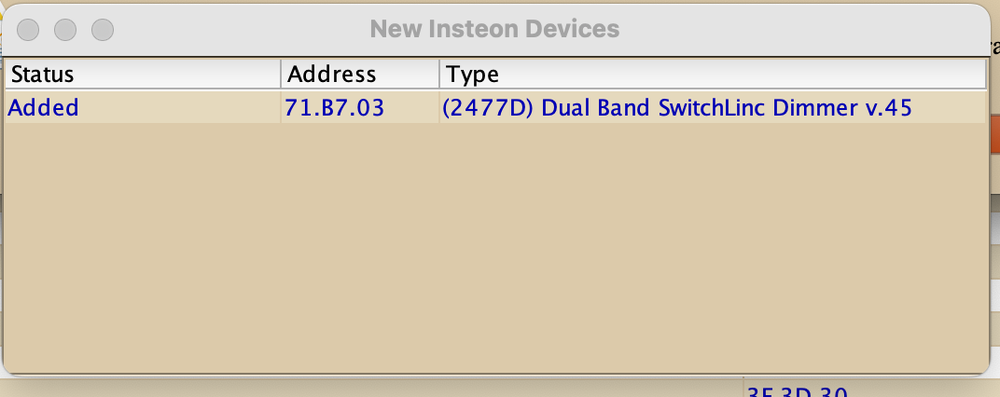
They are all listed as scenes When I trigger the scene in the GUI the GUI says the light changed but in reality it hasnt Also, this keeps opening when I open the GUI
-
I used the GUI to ‘replace’ and it’s in the scenes in the gui as it should. I’ll try that.
-
One thing I’ve noticed is the light doesn’t change when I tell Alexa to change the scene (Ex “turn on Livingroom 30% changes all other lights except the newly replaced swl) What have I forgotten to do?
-
I've replaced the SWL and it seems to be working. I'll post back in a few days to confirm the issue is solved. Thank you all for the help as always.
-
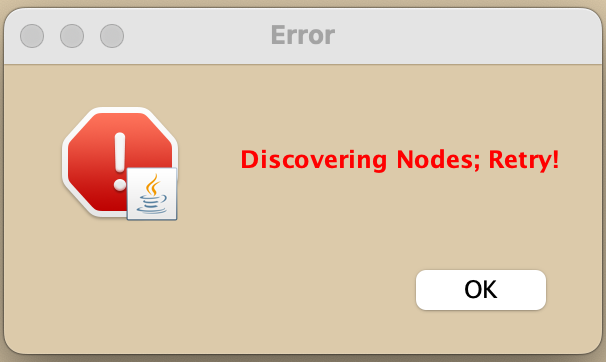
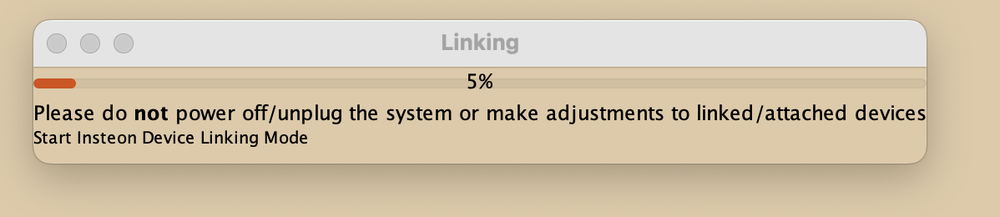
I'm trying to replace what I believe is a faulty SWL with a brand new one. But I can get into Start Linking because this keeps popping up
-
I have. That’s when the issue seemed to have gotten worse That’s what I’ve been thinking. I’ll replace it today and see if that doesn’t help.
-
Things seem to have gotten worse. When I turn on the SWL with the app it ramps up and down, it doesn’t respond to voice commands and will only turn on by controlling the paddle of the SWL itself.
-
Just popping in to bump the post to see if anyone has an idea before I just start replacing devices.
-
I have a SWL (older version) that wasn’t responding properly. It wouldn’t come on with a scene but would if you told it to separately. I tried airgapping it and factory resetting. Then restoring device in the GUI. Now tonight it’s not really responding and sometimes it ramps up to 100% on its own with no prompt Is this salvageable or a remove and replace situation?
-
This worked. I'm assuming as I only use them during the christmas season they get wonky Thanks again everyone


