


andrew77
Members
-
Joined
-
Last visited
Everything posted by andrew77
-
Over the weekend I checked out my Alexa app and I think I found the issue. The scene 'basement' was missing, other scenes had two instances of them. I did some housecleaning and I think the issue is solved. I'm assuming there was an update or something and Alexa scrambled a few things.
-
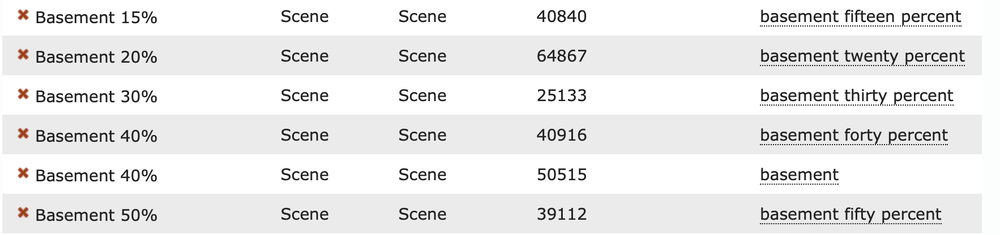
I can tell Alexa to turn on Basement 100% and turn off Basement 100% and those scenes both work. I just checked my Portal and theres no Spoken or Alternate spoken for Basement 100%) I didn't take 'Basement fifteen percent' out of the portal and put it back in and it works now. I tried the same with 20% and no luck. I went to Alexa's iPhone app and found there were doubles of scenes (two 40% etc) and deleting them has started fixing the issue. I also noticed my main basement scene was missing. I hope this is the final solution. I'm unclear why Alexa doubled some scenes randomly. I'll check back in when I think I've got it back to normal again
-
I'm not sure what Alexa+ is. How would I go about finding out if that happened? If I make an alternate voice command (Downstairs twenty percent) it responds fine. Then I add Downstairs thirty percent and it says There Are A Few Things Named Downstairs,. Give them individual names etc. This is new since I updated to 6.0.0 They all worked fine before. I have Bathroom 10% Bathroom 20% etc and they all work fine. Theres something about 'basement' that it doesn't like recently.
-
Makes sense. Thank you for the quick reply
-
I have the new browser based ui and I've added my devices under nodes. I've poked around and also see my programs but I don't see where to view my scenes
-
I'll open a ticket and see what Michel says about that error message. Thank you
-
To be fair I don't know if I have any plugins. When would I have installed them and for what devices?
-
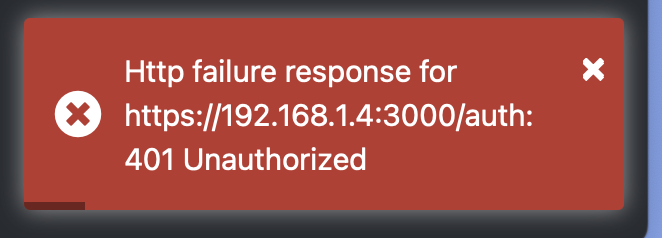
To make sure I'm doing it right, I went to Plugins/Launch PG3 in the old IoX Launcher The pic is what I got after being warned the site may be dangerous. I'm not sure what the link is on the UDI site but I just use my.isy.io and that works fine
-
Yes, that's what I've been using. The new way hasn't worked for me yet. (Not a comment on the product, I just don't understand what I'm doing clearly)
-
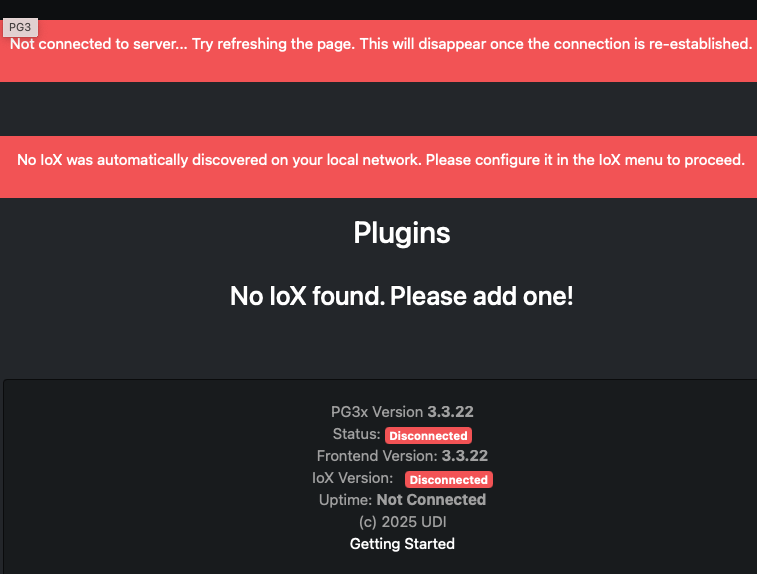
I have this when I follow the eisy-ui link. I'm not sure how to add my eisy completely unrelated, I get this when I double click on the image to make it smaller all tabs are blank
-
There are my scenes and the voice commands. They worked great until I noticed this morning when I say "Turn on basement 40% it tells me, "I found more than one device with basement 40%...." Again, this is new and I'm not sure how to fix it.
-
I went to the easy.local link and it's asking to sign in. Am I making a new sign in? Or am I re using something from elsewhere?
-
I logged in today and it seems to work fine. It asked me to use my Portal information and says the version is 6.0.0 Everything looks the same. Should it? Should I be logging in to a different spot?
-
I'm still waiting for something on my computer telling me its okay to reboot etc. Its been about two hours since the last message which said PG3 is starting This is what my toolbar looks like I still have a red flag at the bottom of my GUI as well

-
Will it let me know when its done? I started about 54 minutes ago and the last message I got on my phone was PG3 is starting and that was 42 minutes ago
-
Thank you for clarifying, I'll back up now Just getting ready to upgrade. I'mm assuming if I don't know what ssh is I don't have to worry about it? Instructions: Backup your Z-Wave if any (Z-Wave | Backup) Backup your IoX (File | Backup IoX) Backup your PG3 Click on Upgrade Packages in Admin Console | Configuration tab. Do NOT use ssh as it will brick your system.
-
Thank you for clarifying, I'll back up now
-
So my version then is this? Which seems to say 14.1 *** OS *** FreeBSD eisy 14.1-RELEASE-p6 FreeBSD 14.1-RELEASE-p6 #4 releng/14.1-n267727-74b6c983723c-dirty: Fri Nov 15 12:13:25 PST 2024 root@bsdev14.isy.io:/usr/obj/usr/src/amd64.amd64/sys/eisy amd64 *** Package Information *** If this is correct then I can just go ahead and upgrade?
-
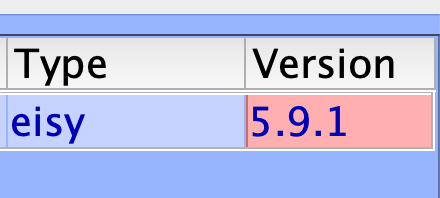
I went to the page from this link ( https://eisy.local:8443/WEB/sysconfig.txt) in the announcement but I see many differing version numbers. This is at the top udx-3.9.0_9 Name : udx Version : 3.9.0_9 Installed on : Fri Apr 11 12:19:36 2025 EDT If the version is supposed to be above 13.2 I'm way behind? I read the part where my system could be bricked and want to tread lightly. This is the version number on the login window popup if that's what I'm supposed to be looking at.
-
Worked great. Thank you for that.
-
This makes sense why the eISY thinks it on. I should be clearer. If I turn the scene on with the iPhone it works. It doesn't work when I give Alexa the command to turn the scene on. Which is why I'm confused. (I'm confused on many levels FYI 🤣)
-
At one point my Arctic Spa used to react to Alexa commands. I've reached out to them repeatedly and get the runaround of email this guy, email that guy. with zero response back Is this something that could be controlled by the EISY?
-
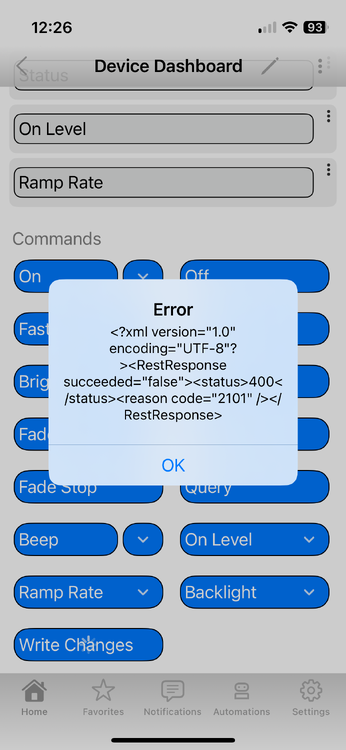
I replaced a SWL dimmer and it works fine as far as alexa commands, timers, scenes, etc. But when I try to access it with the iPhone app I get this. Is it maybe looking of the old device? Is there a global refresh or something? Drew
-
This happened before and I'm not sure how it happens. One light in a scene doesn't turn on but the GUI says it is. (I tried restoring device on this particular one and it didn't help) My Location changed from Toronto to NY Some timer programs arent firing every time. I believe I'm up to date. (5.9.1) I'm unclear what could be doing this. No new appliances or anything for line noise (if thats still a thing) Is there something I can do to check the whole EISY or refresh (apologizes for the lack of correct nomenclature) Drew
-
I'll try that today and post back. Thank you


