


mmb
Members
-
Joined
-
Last visited
-
There's a Help in the plugin itself, had a look at it. You have to copy and paste a json and insert your api key. Another instruction (maybe older) shows just identifying the AI model and inserting you api key. It would be nice if there was a full example of the configuration. @Michel Kohanim is the plugin ready to use or is it still work in progress? Thanks!
-
Works fine now, thanks!
-
Should I update using staging or wait for the Beta (still 1.48 for me).
-
Just the Beta 1.48, the release note about changes in the z-wave backup prompted me to try it out.
-
@Javi I checked the Z-wave log, it successfully finishes, but as you said it's just the UI isn't being updated. [2026-10-30 07:42:29.687] [I] [iox] ZWAVE-WORKQ-35 Queue backup ZMatter Z-Wave dongle [2026-10-30 07:42:29.687] [I] [iox] ZWAVE-WORKQ-35 Start backup ZMatter Z-Wave dongle [2026-10-30 07:42:29.687] [I] [zddx_operations] Saving configuration one file data [2026-10-30 07:42:29.701] [I] [iox] ...backupZWayDongle - Reboot dongle [2026-10-30 07:42:29.701] [I] [...] Adding job: Soft reset [2026-10-30 07:42:29.707] [I] [iox] ZWAVE-WORKQ-35 Finished backup ZMatter Z-Wave dongle Do you still want a ticket?
-
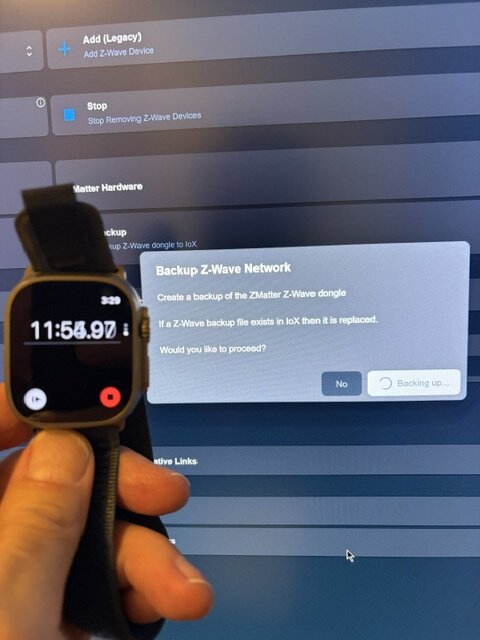
Thanks Eisy is up to date, 1.48. Tried it again, doesn't seem to finish and restore fails as well. Maybe I should reboot?
-
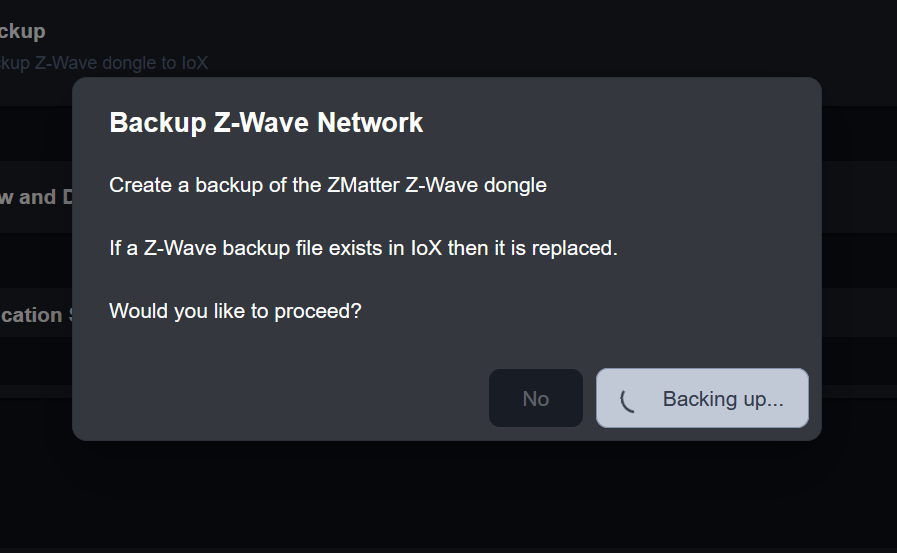
@bmercier I tried the z-wave backup function, but it doesn't seem to ever finish. I presume it should complete in a matter of seconds - mine just spins and spins, I am using the UD z-wave dongle. However clicking anywhere on the display clears the Backup popup. It is reproducible, I have not tried a reboot at this point.
-
Just had to adjust On/Off time for evening lights and thought this information would be useful to have in the EisyUI, like the AC has displayed. It avoids leaving Programs and hunting for it in the EisyUI app then returning. Maybe it's in progress and I missed the forum post. Thanks1

-
@bmercier I got the backup 500 error after the most recent update yesterday. Here;s my debug snippet: 2026-10-26 18:28:28 [debug] web: HTTP Request from ::ffff:192.168.0.108 - GET /api/plugins/store/local/list 2026-10-26 18:28:28 [info] web: Get local plugins 2026-10-26 18:28:28 [http] web: GET /api/plugins/store/local/list : 200 : 15ms 2026-10-26 18:28:31 [debug] web: HTTP Request from ::ffff:192.168.0.108 - GET /api/system/backup/create 2026-10-26 18:28:31 [info] web: Backing up zmatter 2026-10-26 18:28:31 [info] web: Checking if zmatter is connected 2026-10-26 18:28:31 [info] web: zmatter is connected 2026-10-26 18:28:31 [info] web: Backing up zmatter/ZWave 2026-10-26 18:28:31 [info] web: Backing up IoX 2026-10-26 18:28:31 [error] web: Backup failed: Error: socket hang up at AxiosError.from (/var/eisyui/node_modules/axios/dist/node/axios.cjs:874:24) at RedirectableRequest.handleRequestError (/var/eisyui/node_modules/axios/dist/node/axios.cjs:3299:25) at RedirectableRequest.emit (node:events:509:28) at eventHandlers.<computed> (/var/eisyui/node_modules/follow-redirects/index.js:49:24) at ClientRequest.emit (node:events:509:28) at emitErrorEvent (node:_http_client:109:11) at Socket.socketOnEnd (node:_http_client:617:5) at Socket.emit (node:events:521:24) at endReadableNT (node:internal/streams/readable:1735:12) at process.processTicksAndRejections (node:internal/process/task_queues:90:21) at Axios.request (/var/eisyui/node_modules/axios/dist/node/axios.cjs:4339:41) at process.processTicksAndRejections (node:internal/process/task_queues:104:5) at async eisyBackup (/var/eisyui/dist/server/services/system.js:600:33) at async /var/eisyui/dist/server/routes/api/authenticated/system.js:86:18 2026-10-26 18:28:31 [error] web: Error with API request to GET /api/system/backup/create: socket hang up 2026-10-26 18:28:31 [http] web: GET /api/system/backup/create : 500 : 259ms 2026-10-26 18:28:37 [debug] isy: Subscription vsid 0 had 63217 events for the last 100 hours and 58 minutes. 2026-10-26 18:28:44 [debug] web: Subscription vsid 1 had 203 events for the last 4 minutes. 2026-10-26 18:28:46 [debug] proxy: Proxy connection check: Successful. 2026-10-26 18:28:48 [debug] Polls: Sending short poll to plugin 1 2026-10-26 18:28:48 [info] Polls: Message sent to plugin (slot 1) successfully
-
Clearing the cache always worked for me.
-
Have you tried a power reset? I had PG3 migration problems and the power reset worked. A soft reboot didn't help. There may be updates that resolve this issue so make sure you're up to date.
-
@Javi I didn't know QueryAll wasn't required. Is it handled differently now? Or just not required?
-
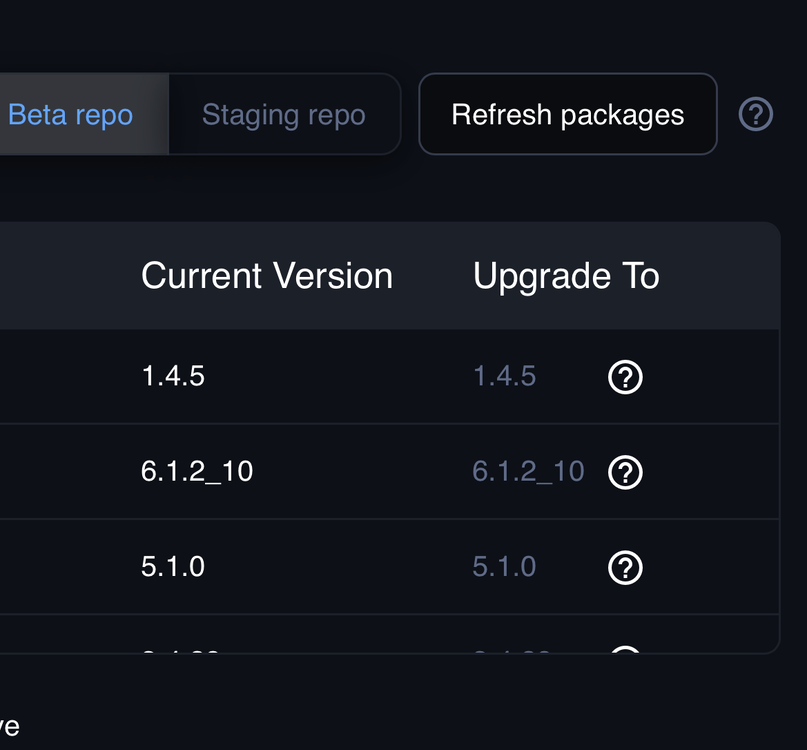
Up to date? Did you refresh packages?
-
Envisalink DSC Alarm monitor and control Notifications (formatting is a bit borked but fixable) MQTT
-
We're all thinking the same way.

