


mmb
Members
-
Joined
-
Last visited
Everything posted by mmb
-
Thanks Javi, he submitted a ticket. Michel was looking into last I heard.
-
Ya the first thing he did was reboot and reinstall. The missing IOXPlugin is a bit baffling. Maybe it got lost as it's not one you can install yourself.
-
Thanks, quite familiar with Configuration - Canadian permanent DL time zones what a headache. I was thinking more of a persistent header like the AC so when you're preparing a Program that is time dependent you're not having to jump out and see sunrise and sunset times. For example sunrise+1.5hr. Maybe I'm the only one that refers to it. Just a thought.
-
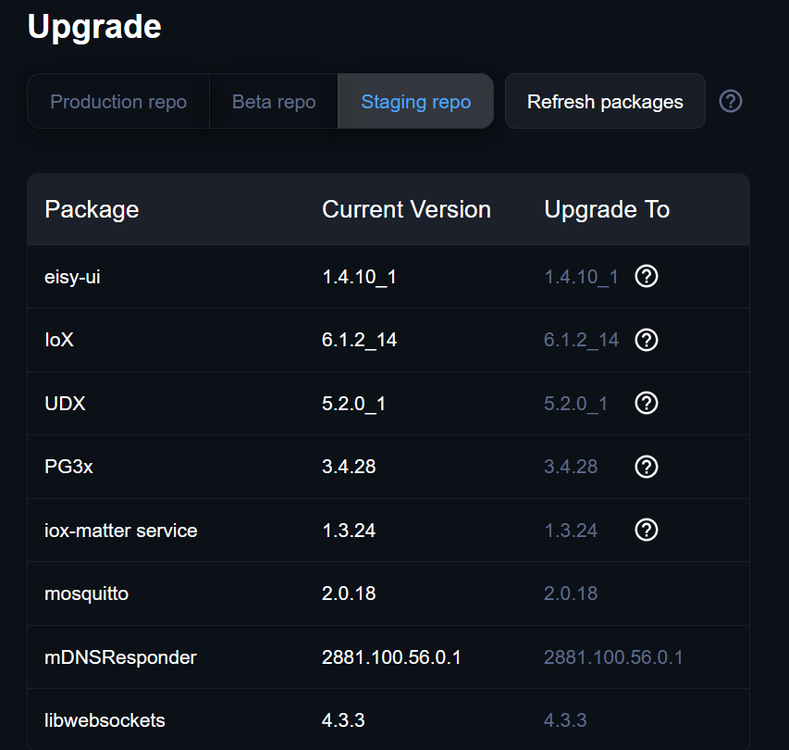
@Javi have you seen this before? My brother is stuck at Starting after installing eisy-ai plugin: 2026-11-11 14:39:21.716 MainThread udi_interface INFO init:<module>: UDI Python Interface for Polyglot version 3 3.4.9 Starting... 2026-11-11 14:39:21.717 MainThread udi_interface ERROR udi_interface:write: Traceback (most recent call last): 2026-11-11 14:39:21.717 MainThread udi_interface ERROR udi_interface:write: File "/var/eisyui/ns/plugin_3/eisyai.py", line 8, in <module> 2026-11-11 14:39:21.717 MainThread udi_interface ERROR udi_interface:write: from ioxplugin import Plugin 2026-11-11 14:39:21.717 MainThread udi_interface ERROR udi_interface:write: ModuleNotFoundError 2026-11-11 14:39:21.717 MainThread udi_interface ERROR udi_interface:write: : 2026-11-11 14:39:21.717 MainThread udi_interface ERROR udi_interface:write: No module named 'ioxplugin' He did install the most recent Staging modules rebooted as required.. Thanks!
-
Is the time header going to be one of the ports Javi? I find it pretty handy.

-
I'm not sure why Michel didn't just use a list of fields with defaults already populated to simplify the the eisy-ai configuration, then have the eisy build the JSON. Copy paste is subject to errors, my first attempt it introduced line breaks and spaces and was a fail. The second attempt I used Notepad as you did and it was fine. I guess it's still in development so likely a more straight forward config will be coming.
-
Exactly what I did to get the eisy-ai going on Claude. Did a bit of checking on the eisy programs and time/timezone using Claude AI and I'm down to $19.89 from $20 with auto reload off. So it'll last a while. I never did get Gemini working using the exact same, but adjusted, JSON. I can use the Gemini MCP on Home Assistant with the EISY bridge, works well.
-
Tried everything, the formatting is fine I think, I get the AI chat box. The debug file suggested the test chat didn’t go beyond the eisy. There isn’t that much to configure in the json, Gemini, Gemini-flash, api key and same for author. Maybe I’m missing something. Update: created a chatgpt api key using same json and it works fine. This suggests missing bits to process Google models.
-
My AI using Gemini starts but won’t process chat requests. Everything seems ok. I checked my api key and as I’m owner, I have permissions necessary. Not sure what to check next.
-
I believe Canadian permanent DLS timezones were fixed for the brief time I was on it. Need my plugins.
-
The fix is an update to the timezone database in FreeBSD and will incorporate permanent time zone and daylight saving time rule changes in Canada. The US may follow, but who knows.
-
I had that and posted in the forum and Javi chimed in. It does complete but the display doesn't refresh properly. I updated from staging and seems to be fixed. Fyi the zwave backup is almost instant.
-
I think parts of northern Ontario moved already, so it’s coming.
-
I had a caching issue with my changes. Cleared and it displayed properly.
-
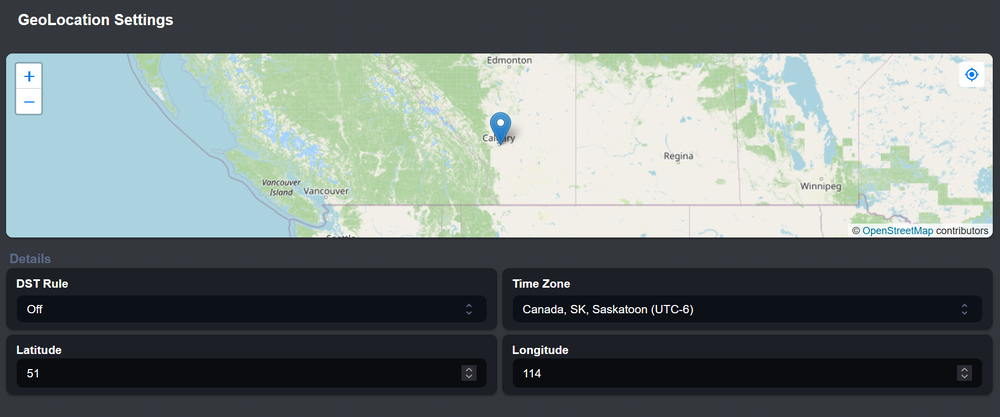
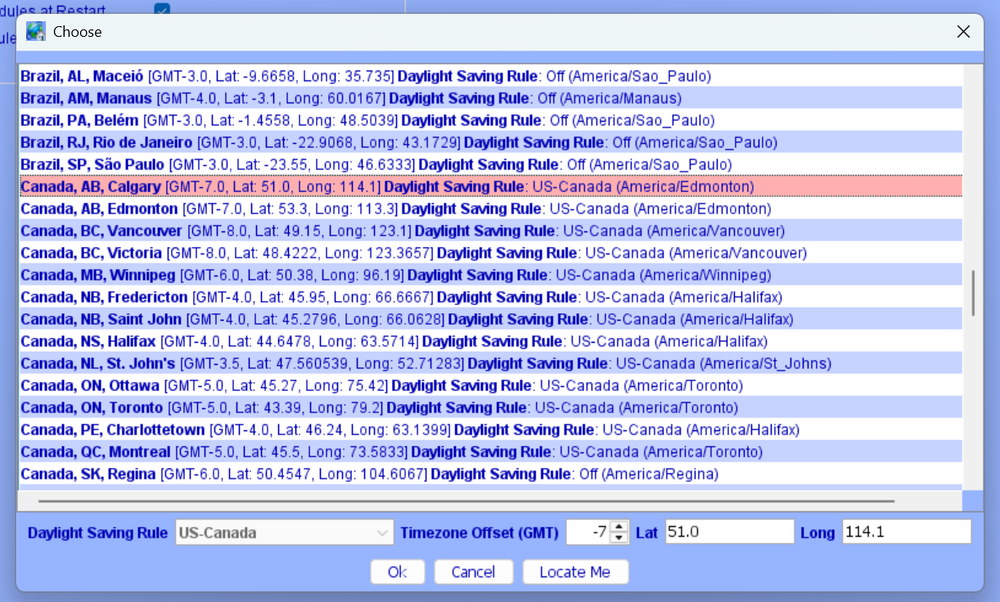
@stillwater are the lat/long coordinates correct for your location? My timezone doesn't exist in most databases because it's so new - officially called Alberta Time. UD Michel provided the tip. So I had to use Saskatchewan CST timezone, enter my location coordinates for Calgary and turn off the DST Rule to get my time and sunrise/sunset working properly. Basically it's a custom timezone.
-
Close enough! I found dragging the location pin works really well.
-
@K-bert What worked for me. Select the Regina timezone which is another way to select CST -6. Enter Calgary's lat and long and DST Rule off. Used the process on two different Eisy and they set properly with correct time and sunrise/sunset. Coincidentally I live in Calgary so see below.
-
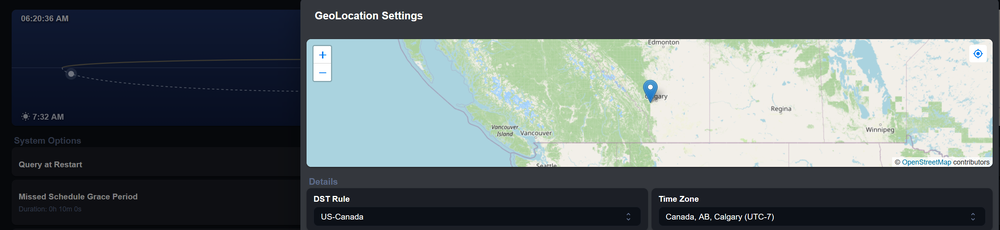
@Javi thanks, my time settings looked like yours yesterday but I was an hour out. So I changed my location to Regina to adjust the time offset. I just tried to change it back to Calgary using the drop down but it's locked on Regina and won't change. The drag and drop works, so my setting is back on Calgary. Unfortunately I'm still an hour out. I did reboot, but no change. Calgary is in Alberta and has moved to permanent DST. Perhaps a new rule is required? It is currently 7:20am
-
Thanks, the location field is locked to a DLS rule for Calgary so nothing can be changed. Which made sense yesterday, not today. An unlock rule to allow changes would be good. Not sure there is a setting for that.
-
The new UI doesn't help (aside from not saving changes), nor the AC. And yes, the east west location will mess things up. The only fix for now is Sask TZ.
-
Same issue, Calgary Alberta, temporary fix was to set to Regina Sask.
-
Calgary Alberta Canada moved to permanent Daylight Time, my fix was to move my EISY location to Regina Canada. Had to use the AC as well because changes in EisyUI wouldn't stick. It kept reverting back to the original location of Edmonton. I thought the underlying Unix OS would have handled the change. Oh well...
-
There's a Help in the plugin itself, had a look at it. You have to copy and paste a json and insert your api key. Another instruction (maybe older) shows just identifying the AI model and inserting you api key. It would be nice if there was a full example of the configuration. @Michel Kohanim is the plugin ready to use or is it still work in progress? Thanks!
-
Works fine now, thanks!
-
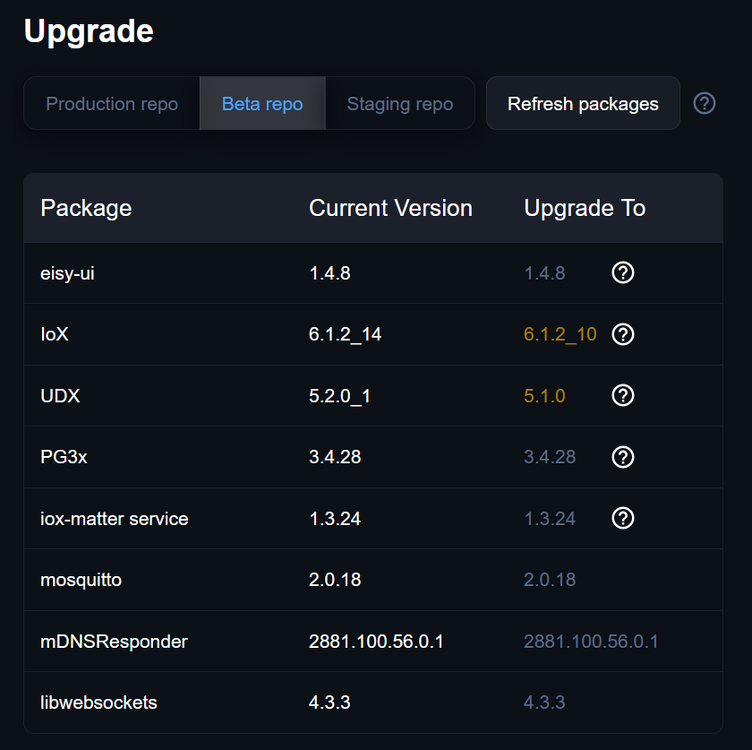
Should I update using staging or wait for the Beta (still 1.48 for me).


