


BlackSheep
Members
-
Joined
-
Last visited
-
It's my wife's phone. She is well aware of the issue and has not changed the setting when that annoying IOS location prompt pops up. If i didn't know her as well as I do, I'd swear you were correct, but I know she's not the cause of this frustrating problem.
-
We have suddenly developed an issue with one of the iPhones that we use geofencing on to control programs. The Location Access keeps changing itself unprompted from Always to While Using the App. After I change it back to Always it usually lasts a day or two before it switches itself back to While Using the App. The phone has never popped up a prompt asking whether to keep or change the location setting for UD Mobile. It's doing it on it's own for no known reason. I have tried uninstalling and reinstalling UD Mobile but that had no affect. Apart from maybe an app update or IOS update, nothing has changed with a phone that has had no issues for the past two years. Any history out there of this problem, or any ideas on what to try next to resolve it? Thanks!
-
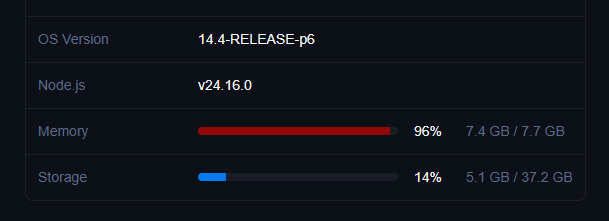
Hi @Michel Kohanim , I hope I am understanding what you are telling others correctly. I show what I think you are saying is a storage partition too. I haven't touched the device since receiving it for anything but running your updates. The memory usage on mine is staying high despite a number of reboots.
-
Upgraded earlier and now have no access via eisy.local or admin console. Ticket submitted.
-
Email sent. Thank you!
-
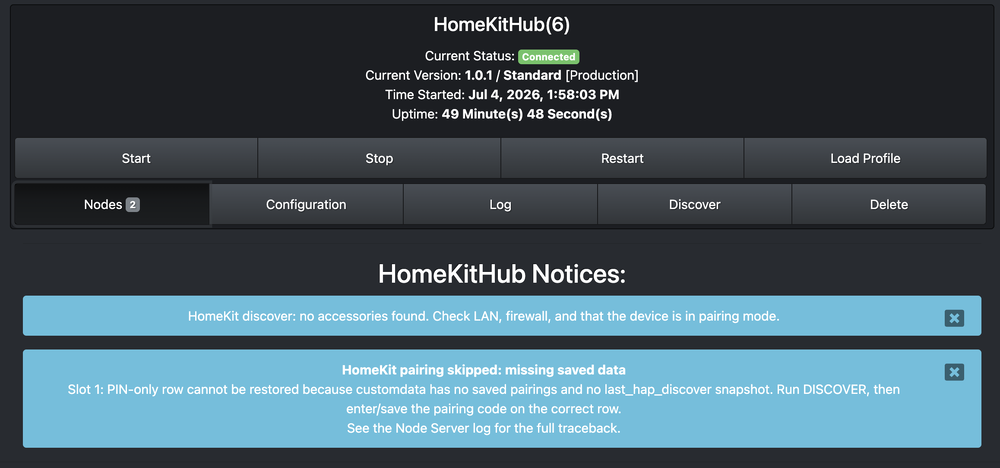
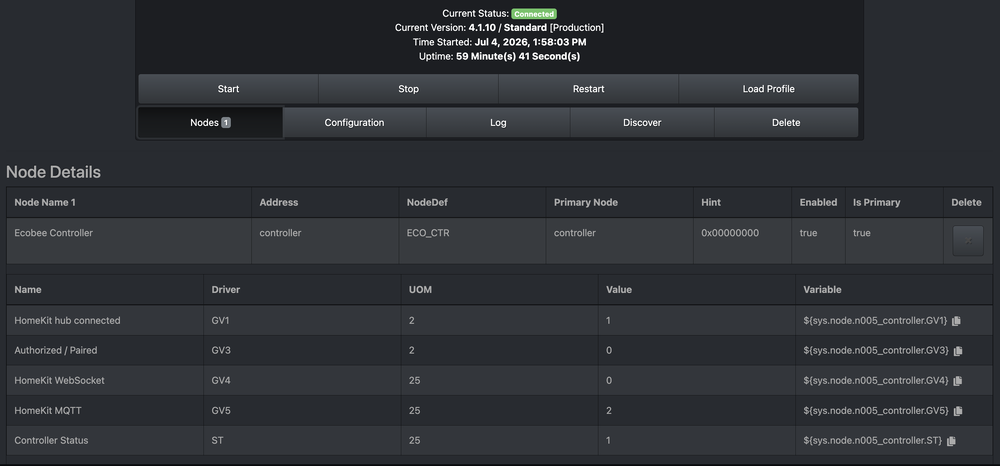
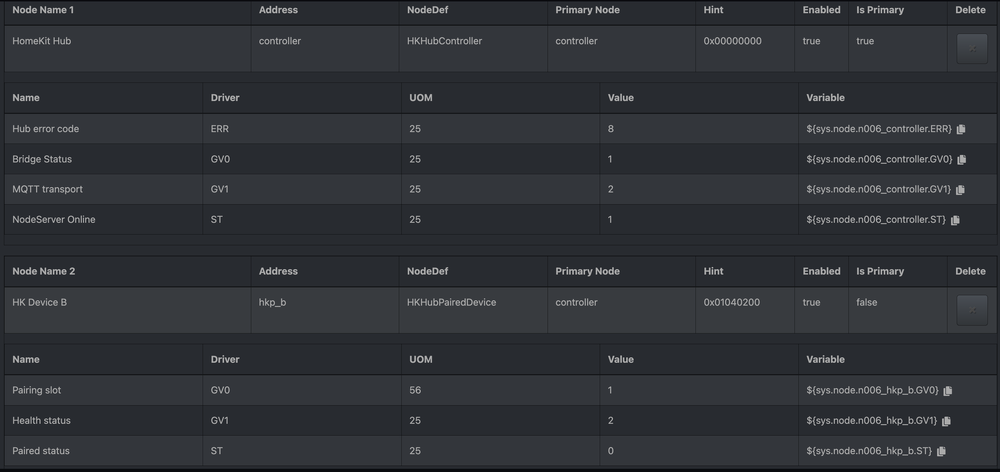
Hey Jimbo, happy 4th! I'm a long time user of isy994/eisy, but really just a novice user. I have been trying to get the homekit and ecobee nodes working for days, with no success. I have upgraded all packages and followed every instruction to the best of my ability. I'm about ready to throw in the towel but I would like to ask for help before I do. I have attached a few screenshots that might help diagnose the problem. My ecobee is not paired to any apple home, and I have factory reset the ecobee twice, but it seems like homekit doesn't discover it? Any help is much appreciated.
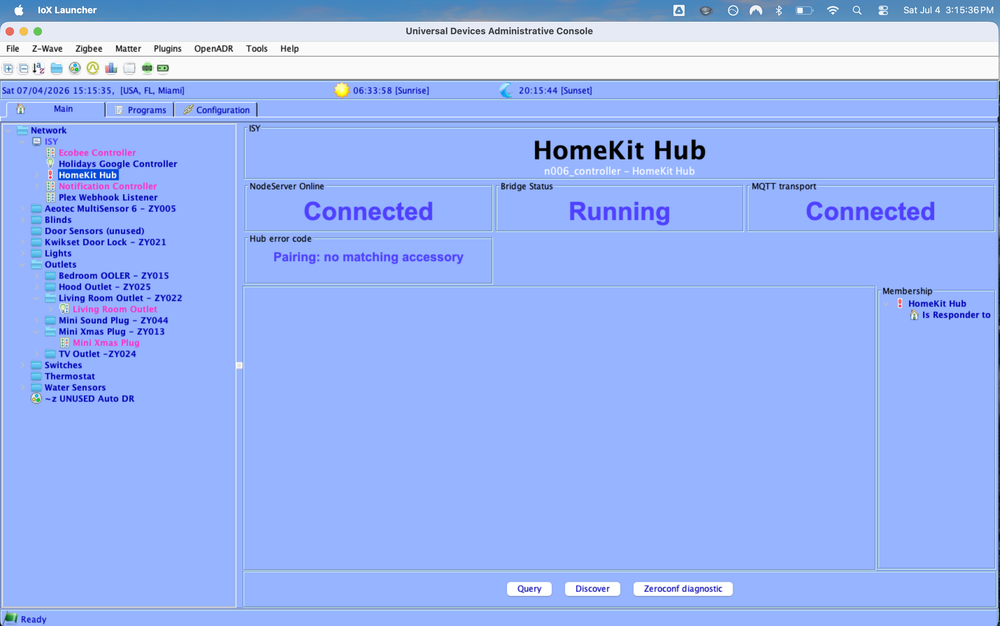
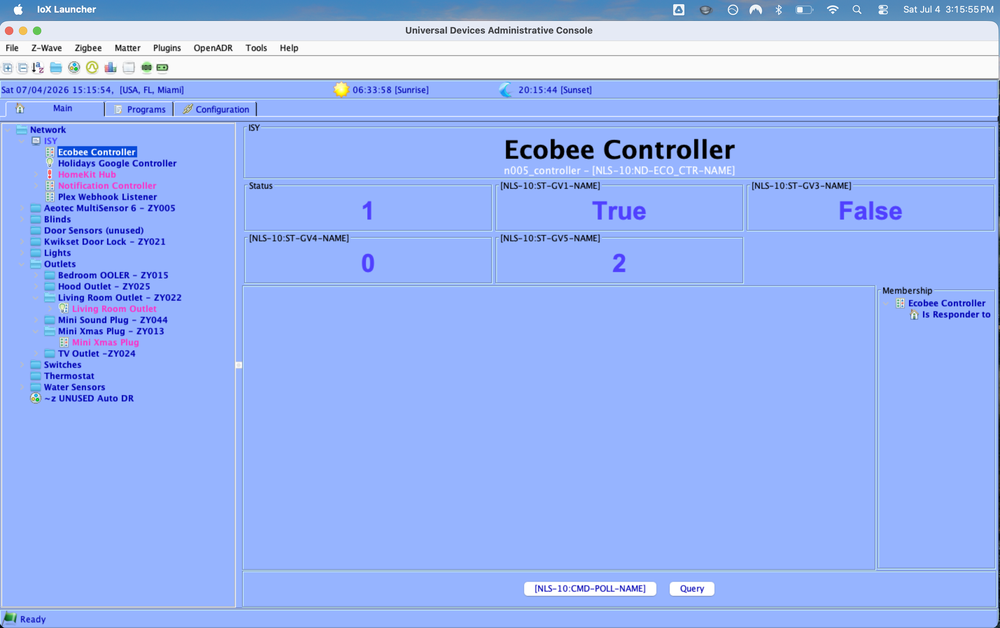
-
And if further info helps, I just updated to 16.4.1 and geofencing isn't working. My wife hasn't upgraded her ios yet and geofencing still works fine on her phone.


