


StangManD
Members
-
Joined
-
Last visited
-
This seems to have done the trick... it's a plug-in siren that has a built in battery backup. I pulled it from the wall outlet to force it onto battery then performed write changes and it updated all of the icons to what they were before in the admin console. The "write changes" is still there however I think it's working now. Thank you!
-
I tried to "write changes" from the admin console first and then from the web UI and nothing happens... looks like that device is somehow stuck for some reason however it's showing the alarm state itself, so I'm not sure what's going on. I've created a support ticket, I'll post back what we find. Thanks again.
-
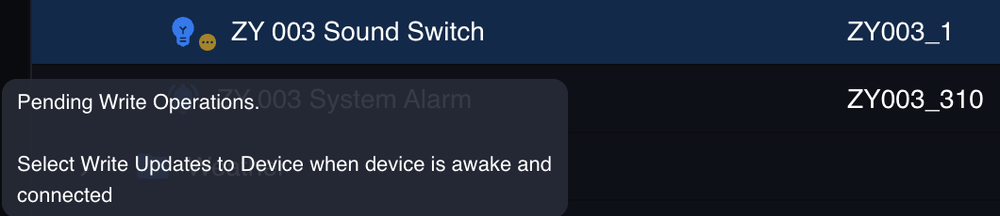
Well it looks like that kick-started all of the Zigbee devices (they seem to be reading states now in the admin console) however I am still getting that same "Pending Operations" message and now see this in the web UI when I hover over the device: The Zigbee menu across the top of the Admin Console is now live and working correctly... so wondering if there's something that needs to be done and triggered now that the dongle is awake?
-
Thanks Guy. I'm currently trying a graceful powerdown (Eisy button press x6) then a power cable pull for a minute... will report back if that jump starts anything.
-
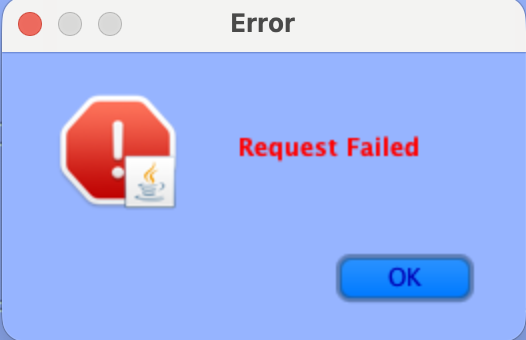
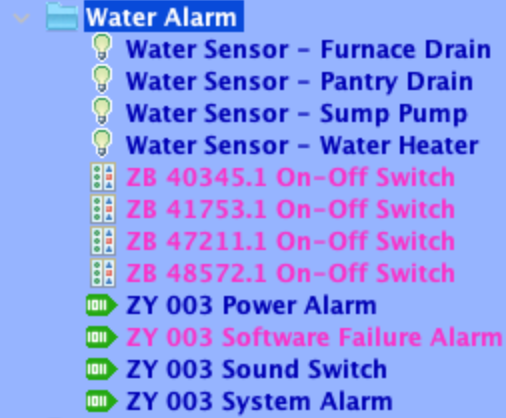
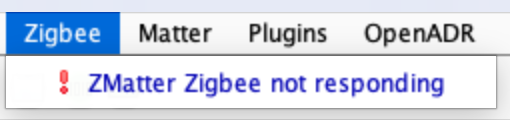
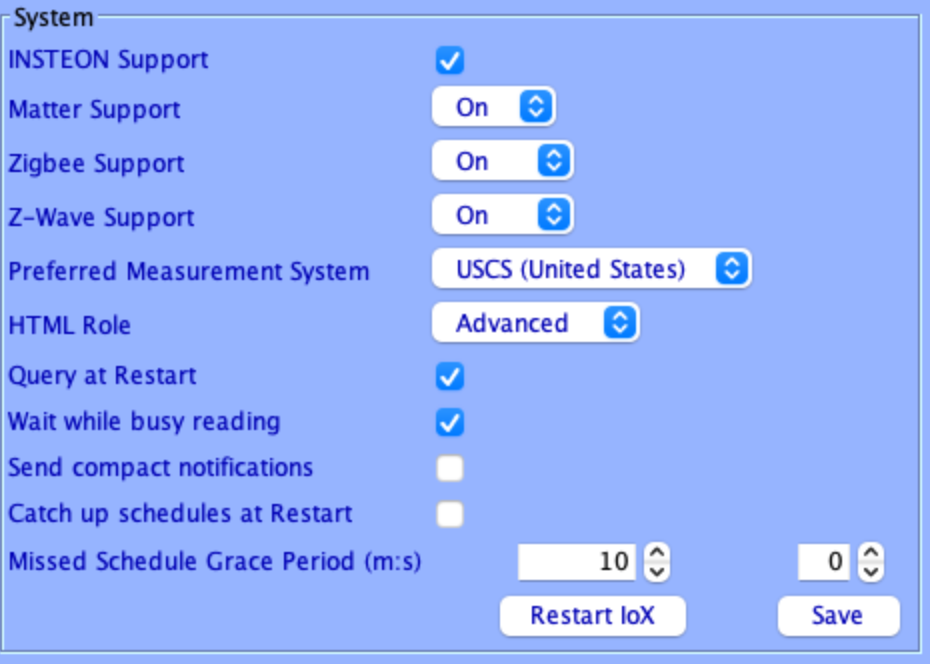
I'm running a first generation Eisy with the latest IoX (recent update). I have the Z-Matter Dongle where I have my Zigbee devices communicating to the Eisy system. The dongle is directly connected to the Eisy's USB port on the side, no extension cable in the mix. This setup has worked flawlessly for years through many updates and rebuilds... I've never had any issues with Zigbee devices suddenly not communicating. I performed the update as instructed by doing the Z-Wave backup first, backing up IoX, PG3, then updating and everything seemingly went just fine except Zigbee is failing to communicate. I see a lot of threads where Z-Wave and Zigbee seem to be a special case, so before I just start clicking things to try to get it to work and make matters worse, I'd like to see if anyone can help troubleshoot this. I'm getting this message when I query any one of the Zigbee devices. It seems that there is possibly one node from one device that is working (alarm siren) however all other nodes from this device seem to be blank and unavailable... I just can't remember if they were like that before or not. The alarm sensors (water alarm sensors) all seem to be failing to communicate. When I query it I get: Here's a list of these devices (my only Zigbee devices): When I log into the web UI, I get this yellow banner across the bottom left which as you can see is clearly related to the Zigbee issue(s): Also in the Java Admin Console, I'm seeing this when I click on the Zigbee menu across the top: Also, yes, it is all turned on in the configuration pane: Not sure where to go from here, if anyone could please help it would be greatly appreciated! Thank you in advance!

-
Issue #1 and question in Issue #3 remain if someone could please let me know if you have thoughts there. I cannot find anything wrong with the Zigbee device that error is referencing, so I don't know what to think there. Thanks in advance.
-
Thank you for your help. I reviewed the info and backed everything up. I then performed the upgrade from the Java console and it seems to have gone through just fine. But I'm having issues. Issue #1: When I load the web UI, I now get this error in the lower left corner. It's clearly talking about one of my ZWave devices, so I'll have to chase that down... that's never been a problem before. Issue #2: The programs no longer control my Hue lights at all. I can manually control them through the UI but the programs do not trigger them at all. Other things with the programs trigger (insteon lights and switches) but the Hue light bulbs no longer trigger, even when I right click and say "Run Then" to manually trigger a program. I don't get this as I can manually control them from Nodes. This same exact behavior is true from the Java admin console. Well, now I'm seeing what happened. It basically abandoned the Hue nodes that have been there forever and created new Hue nodes with different IDs. It also dropped the 0-255 light value and is now running on a 0-100 range, so I had to rebuild everything... groups are all a mess too, lots of duplicate "unknown group" entries that seem to be dupes of "All Lights", had to clean that up then go back through all of my programs and re-point everything to the correct nodes/devices. That was super annoying. Issue #3: Not sure if this is by design or not but I can no longer access PG3 directly from the web URL (https://eisy.local:3000/), I get this error. Wonder if that's intended because it's now forcing me to go through the new UI, because I CAN get to it from there. Is this normal behavior?


-
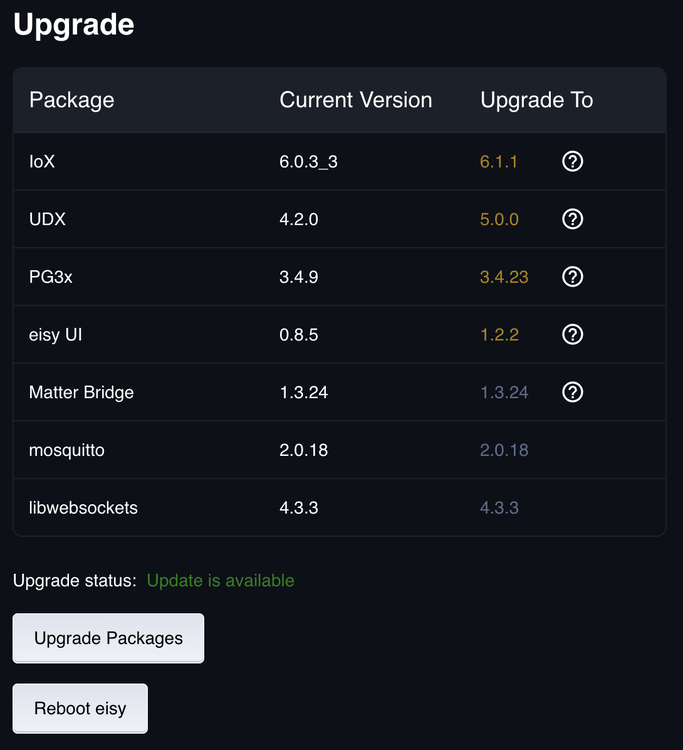
So it's been some time since I've updated my Eisy. I have the original Eisy, whatever hardware revision was current right before the newer version of it was released (bought it within a couple months of that release). Below you will see the screen shot of my versions from the Web-UI. I guess I don't know if I do "update all" or if I do one then the rest, or if some of the others should be updated BEFORE doing the OS update or vice/versa. Should I be doing this through the web version, or should I be doing this through the OG admin console? Obviously I will be backing everything up the config and PG3 config first and also doing a fresh reboot of the system before triggering any updates so I have a fresh OS bootup without months old cache running. But can someone please help me understand what the best actual update process is in my case? Thank you in advance!
-
Yes, I realized I actually had a different compatible installation I was trying to get working and removed it all then realized all I needed to do was follow the Wiki and it would take me to the correct link which you have above. Thank you
-
This is a long path of rabbit hole after rabbit hole. I was able to install openwebstart and even had to re load java 8 so I could grab that vm runtime environment and can now get the acutal start screen to come up but it will not actually load the admin console.
-
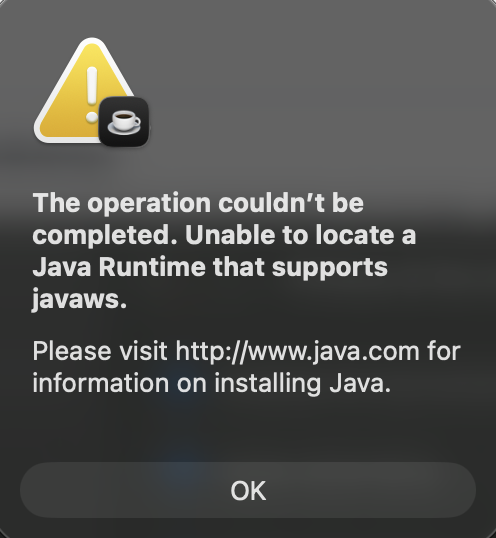
Unfortunately this is what I was afraid of... so not sure what to do now. Uninstalled the old version, installed the new JDK version and everything is showing correctly when I look at the version info in terminal. I launch the start java app from IOX and this is what I get.
-
Sorry for not clarifying, have an apple silicon mac, that's why I'm receiving the error, as my machine is eligible for the OS upgrade and it's warning me that my current Java version won't work after that upgrade. Thank you for clarifying on the above, I will remove my current version of Java and install the latest JDK and give it a whirl. Appreciate your help.
-
@Diesel is it that simple? Just remove the old java 8 and install the newer JDK and run the IoX admin console again and it should fire up in the right environment?
-
Same, shoot... didn't see these other posts before I posted mine. Anyway, same thing, don't know if it's as simple as installing JDK and moving on and/or what the process even is to do so.
-
Same - didn't see this before I posted my topic about this. Same question, not sure if it's as simple as installing JDK in place of this java installation or not.


