lgilsenberg
Members
-
Joined
-
Last visited
-
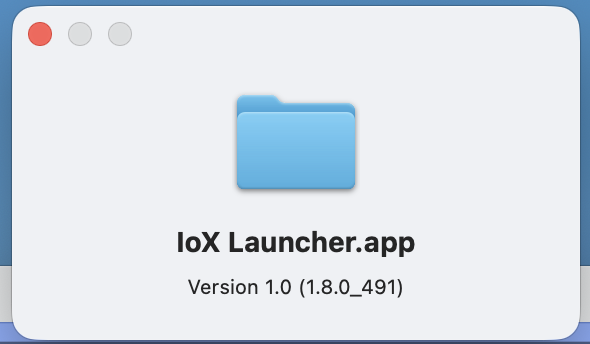
I just got this message on my Apple Silicon Mac: I am using this version of IoX launcher: Am I using the wrong version of the launcher? Is a new one coming out? Am I misinterpreting the message?

-
@dbwarner5 Nice touch on the last program. I have had guests mention that my lights won't stay off.
-
I’m guess I should explain what I’m trying to do. I’m using a battery operated motion sensor to turn on a light. I want the on level to be different at different times of the day. I tried using adjust scene but it seems to not work if I do not have the motion sensor plugged in.
-
I see I can change On Level and Ramp Rate manually within EISY and I can change it programmatically by using adjust scene. Is there a way to programmatically adjust the device directly?
-
Guard mode is no longer supported. But if you used it in the past, it set up your home and away settings
-
After I turned on Alexa Plus, I found the devices were randomly turning on. I tried turning off Alexa Plus, renaming the spoken, using scenes instead of devices, turned off routines, turned off hunches and finally turned off the "spoken" on the devices so my wife wouldn't kill me. The only thing that worked was removing the spoken so it was clearly Alexa related. Today, I found out that somewhere in my history with Alexa and ISY, I had turned on Guard which uses Away and Home modes. Away mode allows you to select up to 3 devices to turn on and off at random times. One of the new options in Away mode with Alexa plus is to automatically include new devices. I turned off this capability, removed the devices and everything is working great. Here is how to turn it off: in Alexa app, go to devices pick a device that is turning on randomly select gear on top right click on "away lighting" below device name select choose lights uncheck any or all devices uncheck automatically add newly connected lights and Bob's your uncle
-
I guess you're right about checking the logs. BTW, I turned off hunches. (I had a hunch you'd say that) I don't have any of these devices in a routine. It is odd the way the devices randomly turn on, not only when Alexa plus is turned on but for a several days after reverting to regular Alexa too. (I think she was pissed at me) The random turn on has now stopped though.
-
@Geddy Do you have a recommendation for a different voice activation method? I hate to lose the capability to use Alexa reliably without a replacement.
-
I ran across the same thing a year or two ago. I believe what I changed the designation of the spoken command to device instead of scene or scene instead of device and that room care of it. I'm not a hundred percent sure, but it's worth a shot.
-
I feel like Alexa and EISY have broken up or at least pissed off at each other. I changed over to Alexa Plus, I really like how I can easily ask questions abut any topic and drill into details. If I have a question about any topic, Alexa hits me with the right answer more often than not . . . but the integration with EISY is no longer rock solid. I am finding that random lights come on. I remove the "Spoken name" and it stops. Sounds like an Alexa program. I add it back, it happens again. I change the name, same thing. I create a scene with the device in it, same problem. It turns it on randomly. I tried with a different switch, it worked fine. Why? I don't know. I tried going back to Alexa regular, the switch was made, same results. I love having voice control of the devices, but I'm stuck. Does anybody have a suggestion on how to fix it? Is there a different voice control that you recommend?
-
I noticed that three lights came on at random times. I have been able to remedy this by removing the spoken name for each of those devices. The rest of the house (a lot of devices) are still working flawlessly. When I reconnect with a spoken name, the devices will randomly turn on again. Dopes anybody have a suggestion other than keep the spoken name off? Thank you.
-
Thank you, I thought my system might be corrupted. I appreciate the insight.
-
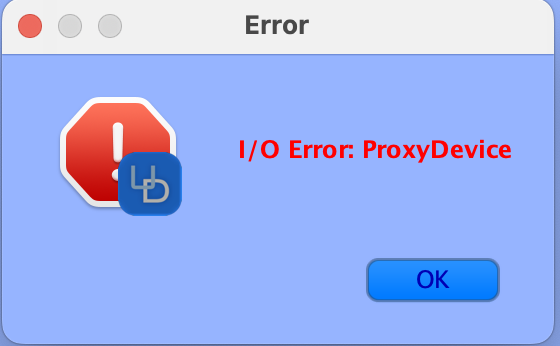
I was doing some work in the admin console and left for a while. When I came back, I saw this error. This is the second time it has happened. Does anybody have any insight into it? Thanx
-
Thank you @paulbates. The restore after the factory wipe did the trick.
-
I have the 4814 Rev 2.6 Insteon Motion Sensor which has been working fine for many years. Recently it has not been accepting scene modifications, so I tried viewing the links table to compare it to the PLM. I got the following error: I tried removing the device and got this error: Is it time to scrap it and buy a new motion sensor or is there a fix? I tried a factory reset and that did not help. If it is time to get a new motion sensor, any recommendations?