


Guy Lavoie
Members
-
Joined
-
Last visited
Everything posted by Guy Lavoie
-
If you'd be using this on an ongoing basis, then developing a log parsing program would be your best bet. Yes, you'd have to have a scene to device id table to catch the scene equivalent commands.
-
Yes, you could write a program (per switch) that looks for control on events and increments a variable every time. Then at midnight have another program email you the variable value, and reset it to zero.
-
If you look around on the forum regarding Alexa+, you`ll see several issues mentioned.
-
I have two T7900's with built-in wifi, and a T6800 with the plug in wifi dongle. The plugin sees the T7900's but not the T6800. Skyport sees all three. There must be differences in the data format from the different thermostats.
-
Matter is still "new" and compatibility is at various stages between products and platforms. You might have seen my forum thread about recent experiments I've done with it, after a first round last spring. All my Matter devices are in test conditions, none in regular use. UDI is still listing Matter as being in beta. Directly adding a new Matter device to the eisy most often fails. I've had the best results by first adding (commissioning) a new device to Google Home, then creating a share pin code, and using that to add it to the eisy. I've added a Matter Cync bulb, Cync outlet module, Nanoleaf (Thread) bulb this way. Also shared Hue bulbs as Matter devices to the eisy. To add back a Matter device that had already been configured, you need to factory reset it first. For bulbs this usually means turning it on and off several times, often 5 times or so.
-
The command is being sent by a program, right? Do you also have a sensor detecting if the door is closed? Sounds like a possible program race condition (timing).
-
If you want zigbee, then this is the only choice. If you only want Zwave, then a Zooz 700 series dongle wirks fine. You don't need anything additional for Matter, since it's IP based. To support Matter over Thread, you need a border router.
-
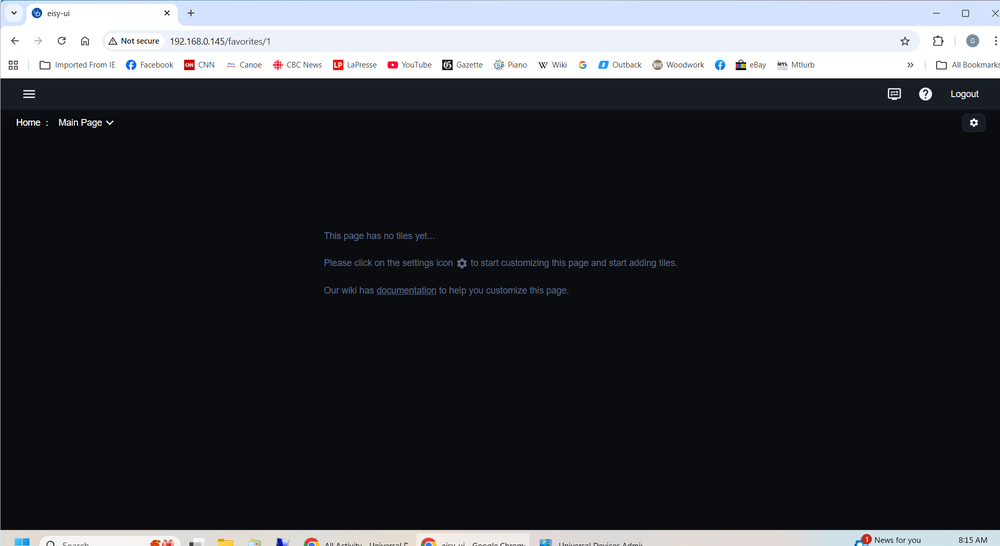
The gear is on the far right at the top, right under "Logout"
-
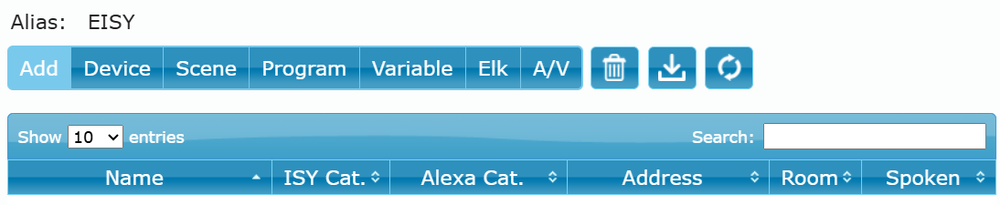
Well you add the new Alexa spoken in the portal, you get to choose from several types: You need to click on "Scene" to define it as a scene to Alexa. That's probably what you did, since you won't see your scene names in the select list if you choose something else. Unless you have Devices and Scenes with confusingly similar names! But you say it used to work, so that sounds like an unlikely issue. It probably boils down to something creating noise, as was said initially. Lighting devices can go bad, so you can't rule that out without testing. I don't know how many lights are involved in that one scene or how much trouble they are to temporarily remove (light bulbs only need to be unscrewed). The trick is to remove one at a time and test again.
-
Battery powered Insteon devices don't relink automatically. You have to put them in linking mode and restore them one by one.
-
My thinking too, and you would have seen orange blinking on a wall switch that can't communicate with the PLM it's expecting to respond.
-
Yes, the direct device to device links are great for independence, and response speed. As for backups, well you know...
-
@raydoc , did you get it shared from Google home and configured in UD Mobile?
-
Just to add to tested devices: I got a GE Cync smart plug. I was at the hardware store for something else and thought I'd take a quick look at the smart devices (mostly bulbs). Not all GE Cync products are Matter compatible, you need to look at the boxes carefully. Again, it wouldn't add directly in UD Mobile, but adding it to Google home first and then sharing it worked, though it took two attempts. I also noted that Ikea will be selling Matter compatible bulbs. These will be the KAJPLATS line. Announced last fall but not yet available, in Canada anyways. Up until now they only supported Matter through their Dirigera hub, exposing their Tradfri Zigbee bulbs as Matter devices, much like the Hue hub does. Looks like they're discontinuing their hub, and support will die out this summer. They will also be introducing other Matter devices (sensors, etc) with equally hard to pronounce names! If the pricing and compatibility are there, it could be interesting.
-
If you replaced your PLM and never did a PLM restore, then there won't be many shortcuts. If your old PLM is still defined in IoX then you might try a replace procedure. This restores the links in the new PLM's link table, and then updates every device with the PLM's new device id. However battery powered devices then need to be restored individually, by putting them in linking mode manually.
-
And I'm adding to my notes! 🙂
-
You'd have to open a ticket with UDI to ask if there is a script you could run to reset it.
-
Having discovered the possibility to rerun the Matter device Interview, I relaunched the interview on one of the Philips Hue bulb nodes (when you share to Matter from the Hue app, all devices get shared at once). I had initially shared them many months ago in Matter testing, and only had device On Off nodes. Lo and behold, the new interview updated all the Philips Hue devices, adding all the color and hue nodes for the lights with those capabilities. That's great, and reinterviewing sure beats deleting and adding back devices. Hue White bulbs give you On Off nodes (with dimming) Hue White Ambiance give you On Off, and Color Temperature nodes Hue White and Color give you On Off, Color Hue-Sat, and Color XY nodes This now leaves Hue bulbs with two ways to control them: from the Hue plugin, or directly as Matter devices. The Hue plugin offers three ways of setting the color (RGB, XY, or color name). while Matter only has XY. There is also a third way to control Hue bulbs, as Zigbee devices, but that doesn't give you all those options, and I believe cannot be done simultaneously as Zigbee and controlled by the Hue hub.
-
You can actually feel the resistance with button going in? If the Polisy is otherwise functional then it could be the button itself, though that would be unusual. I'd open it up and watch when you press the button to make sure that's what's you're pressing.
-
You held the reset button in until all LEDs blinked?
-
Being on a roll, I thought I'd also try the Nanoleaf bulb. This is a Thread device, and not known for being easy to work with. I already had it configured and working in Alexa, So I generated a pairing code in Alexa and tried adding it in UD Mobile. Nope, getting an error code. Ok...plan B was to share it from Alexa to Google home first, and then from Google home to UD Mobile. That worked 🙂 I think that Google home and UD Mobile are Facebook friends! The interview process took noticeably more time than the Cync bulb did, a good minute it seemed. And the end result was only an On Off device node, no color or hue nodes. Even though the Nanoleaf bulb is a color bulb. Btw you can redo Matter interviews by right clicking on the device node and selecting Matter -> Synchronize -> Update with Interview (tell us about yourself, how long have you been a light bulb?). I tried that but it remained just an On Off device. If I set the ramp rate to a slow value and turn it on, it comes up in a fast series of stepped intensities, looks like blinking. I suspect that it's the bulb firmware more than anything else since these are known to be difficult with compatibility. The same commands were smooth on the Cync bulb. I looked up the bulb in the Nanoleaf app to see if it would alert me to any firmware updates. Nope. But still, now the Nanoleaf bulb works everywhere: Alexa, Google home, UD Mobile, and in the Nanoleaf app. We're getting there!
-
In admin console, right click on the device name in the device tree, and select "Rename". You can rename any device you like.
-
That's why it's still Beta. Also missing is the ability to share a device from IoX to another platform. All things that should eventually get implemented.
-
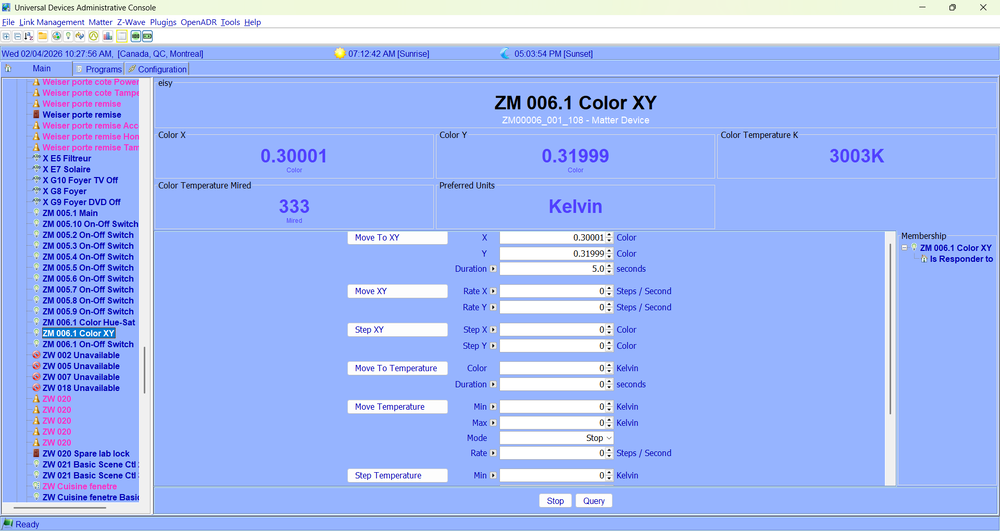
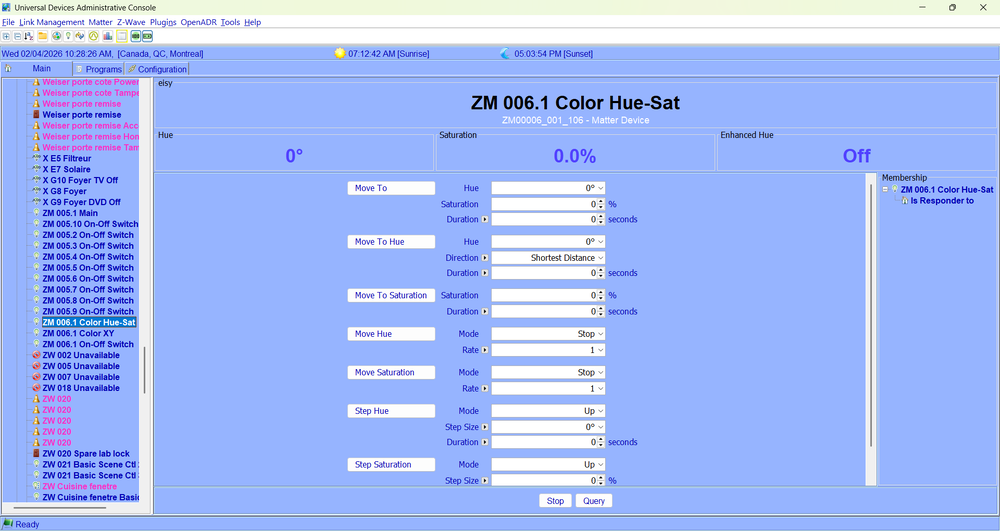
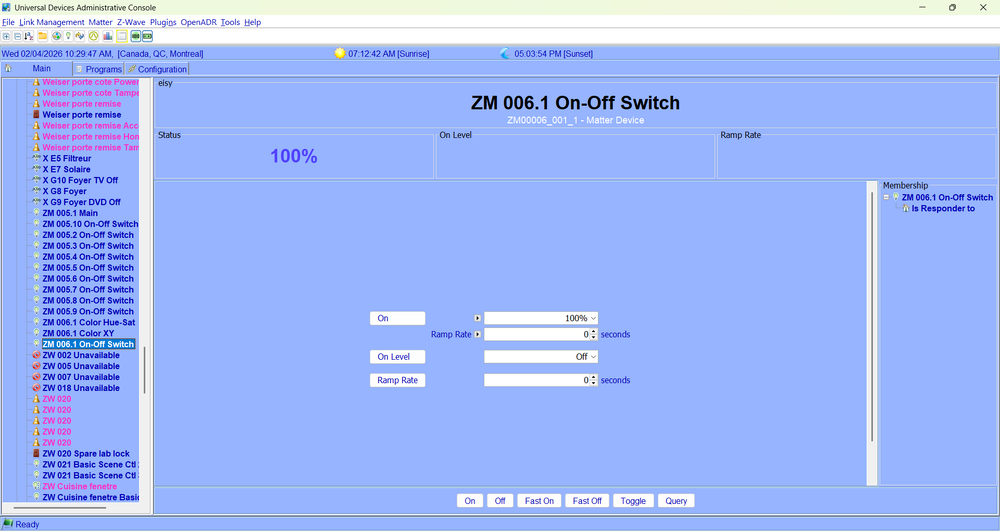
Tweakers delight! Or is that tweak the light? After adding that GE Cync bulb back into my eisy (to help out another poster in a different thread) I started poking around in admin console to see what I could do with it. I hadn't really experimented with Matter since the initial excitement last spring. I had seen something about a color control cluster for Matter in the release notes for 6.0.3. Let's just say that they went all out with the options! I'm still trying to get familiar with what everything does. Here is a sampling of the screens for the three nodes that got created for the bulb. The On-Off Switch node: The Color XY node: The Color Hue-Sat node: Notice the scroll bar on the right? Too much to fit on one screen! You'll notice the Duration and Rate settings, allowing you to set the time for the settings to "morph" to the new values. This takes programmability to the next level 😊 The color XY setting might be unfamiliar to most of us (myself included). We might be more used to the RGB method with values from 0 to 255 for each color. XY settings correspond to coordinates on a color chart, and are fractional (decimal settings). I found the following page, which is really helpful for this. It has the color chart, and a RGB to XY (or vice versa) utility: https://viereck.ch/hue-xy-rgb/ Enjoy!
-
Ok, do this to get a pairing code from Google home (to share the device): To share a Matter device from Google Home to another platform (like Apple Home or Alexa), use the Matter Multi-Admin feature in the Google Home app to generate a pairing code. Open the app, select the device, go to Settings, tap Linked Matter apps & services, then Link apps & services to generate a code, which must be used in the other app within 15 minutes. Steps to Share a Matter Device from Google Home Open the Google Home App: Navigate to the devices tab. Select the Device: Tap and hold the specific Matter-enabled device you wish to share. Open Settings: Tap the gear icon (Settings) in the top right. Link Apps & Services: Select Linked Matter apps & services and then Link apps & services. Generate Code: Tap Share with code or Copy pairing code. Complete in Other App: Open the app you want to share to (e.g., Apple Home, Alexa), and choose the "Add Accessory" or "Add Matter Device" option, then paste or scan the code generated by Google Home. You'll want to choose to generate a pairing code, which will look like something like this: 2499-021-5934. Write it down. Then open up the UD Mobile app, tap on the gear icon at lower right. Tap on Matter. Choose "Add Matter Device with Setup Code. You'll be prompted for the setup you just wrote down. Enter it, complete with the dashes. It should then add the device, and give it default name starting with ZM followed by numbers. You can then rename it in admin console. I just tested this, adding a GE Cync bulb.


