


tibbar
Members
-
Joined
-
Last visited
Everything posted by tibbar
-
Lol. Are you saying my left mouse button doesn't work? Lol You do not believe what I'm saying?
-
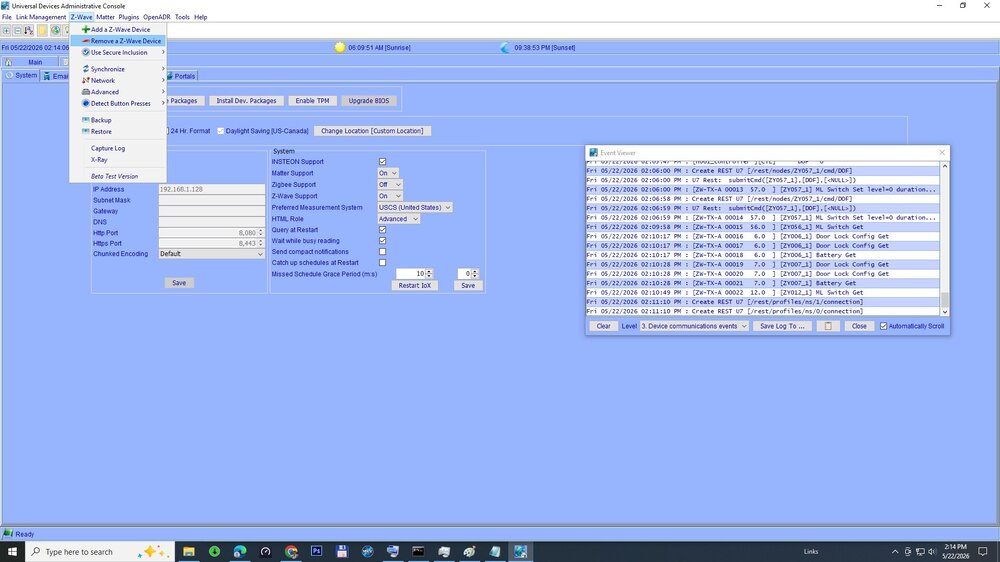
This is what it did, see the picture. After removing it its all good.
-
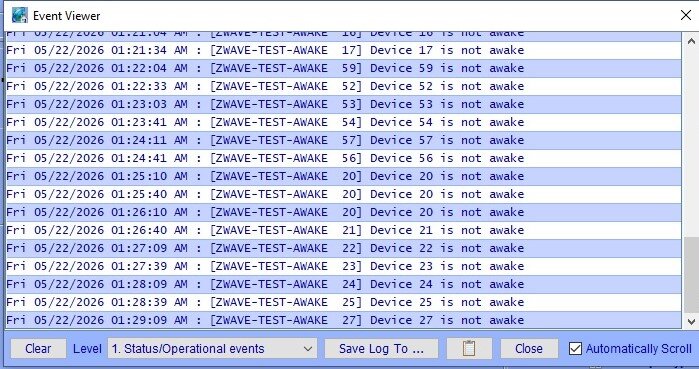
I was going one by one locally turning them on and on that one little led on it was blinking and load (fan) didn't work. Removed the switch and rebooted EISY and it all started working. Next it was to find out if it was the switch or the fan in which case load would be under minimum requirement. It was the switch. Very slow and "painful" process.
-
Well. I can't believe one device can wreck such a havoc. One of my homeseer hs-ws 100+ zwave wall switch failed and it was taking down dongle and whole zwave network. After removing and repairing "damage I caused troubleshooting" everything seems to settle down.
-
Yes I did 7 hours ago, still waiting on reply thought you guys may have some ideas meanwhile.
-
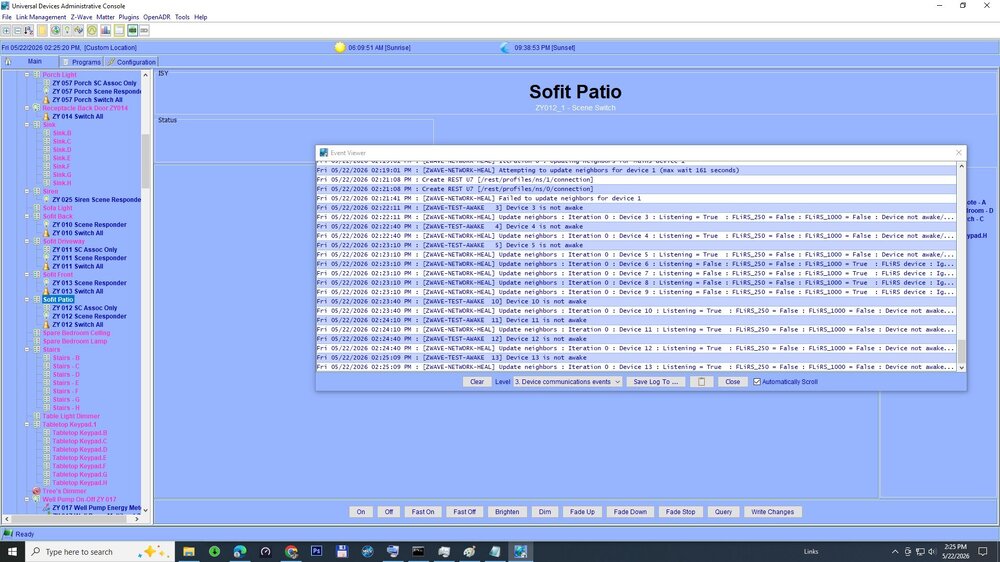
Healing network fails. Have spare devices but by clicking " ADD Z-WAVE DEVICE" doesn't even bring up any dialog box anymore
-
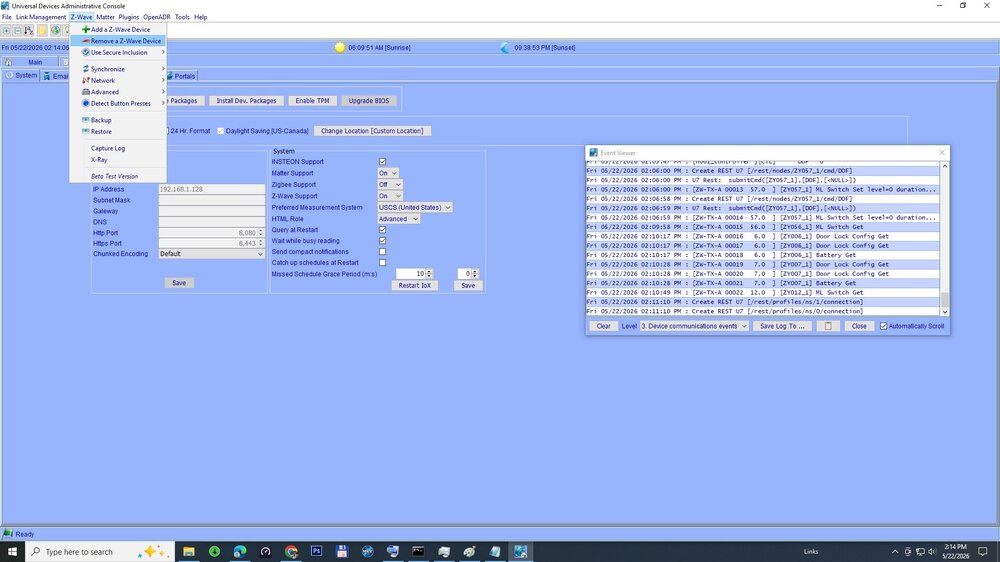
Now by clicking on "Z-Wave" --- "Add Z-wave Device" or "Remove Z-wave Device" does not even open any dialog box in Administrative Console anymore
-
I tried 30 sec, tried 10 min. Zwave support is enabled. No difference.
-
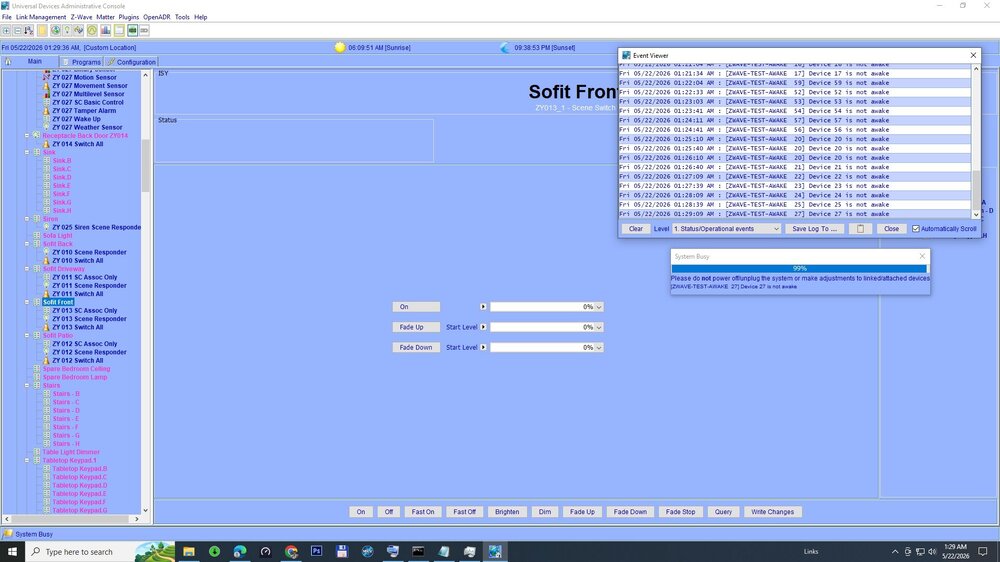
Hello. Yesterday we had couple quick power outages and after that none of my z-wave devices respond. Eisy reports that they all are "NOT AWAKE". Tried many reboots with no change. Any idea what can I do? Eisy v. 6.0.5_1
-
With some additional hardware you could use Home Assistant with local processing.
-
@Techman I'm going to order couple of FilterLincs. I have more switches, going to change it and see how it goes. Always something :( . But if it is noise why appear today?
-
I don't have any Filterlinc. I'll be at this for a month For now I've disabled one switchlinc in Administrative Console =no more X10 messages.
-
Yes I've read the thread. Yes I have UPS on different circuit. I have multiple motion sensors. Message just appeared today. If it was a noise why today and why only after PLM sends OFF command to switch?
-
@Techman I do not have any x10 devices. I have 37 Insteon dual band devices ( not counting battery ones). My Eisy is on v6.0.0 same with UI. This X10 message only show when switch is turned either with off command or turned off by a scene ( motion sensor ). Reset and restore didn't help. Link tables match. When I disable switch in AC and operate switch locally (physically pressing on-off) message doesn't show up.
-
Hello. Today I've noticed event viewer being flooded with messages : Mon 11/03/2025 11:41:34 AM : [ X10] J/Status Request (10) Mon 11/03/2025 11:41:38 AM : [ X10] J/Status Request (10) Mon 11/03/2025 11:41:38 AM : [ X10] J/Status Request (10) Mon 11/03/2025 11:41:39 AM : [ X10] J/Status Request (10) Mon 11/03/2025 11:41:40 AM : [ X10] J/Status Request (10) Mon 11/03/2025 11:41:42 AM : [ X10] J/Status Request (10) Mon 11/03/2025 11:41:43 AM : [ X10] J/Status Request (10) Mon 11/03/2025 11:41:44 AM : [ X10] J/Status Request (10) Mon 11/03/2025 11:41:47 AM : [ X10] J/Status Request (10) Mon 11/03/2025 11:41:49 AM : [ X10] J/Status Request (10) Mon 11/03/2025 11:41:50 AM : [ X10] J/Status Request (10) I have narrowed it down to to communication with 2477S Dual Band SwitchLinc. The messages only show up when switch is set to OFF. Would that indicate problem with PLM or the switch? I do have sporadic communication errors with other Insteon devices. ISY Log.v6.0.0__Mon 2025.11.03 01.12.05 PM.txt
-
After submitting a ticket @Michel Kohanim fixed it. Don't know what happened but it looked like there was some kind of update. Anyway up running now thanks to outstanding support from UDI. Thanks @Michel Kohanim.
-
-
Yes that is what I thought. Yesterday I was on 5.8.4. Didn't try updating myself. Multi function button does not respond. Tried 4,5 and 6 presses , no effect. The router shows port connected, some traffic exchanged but no IP.
-
Yes all of the above, even moved to a different router - same result.
-
This morning my EISY went offline and appears to be dead. Here is a pic on HDMI monitor connected to it. Can anyone give any pointers please. No IP address, no matter I do.


-
I thought we already had this conversation.
-
WELL... This is a quote I received from Michel with a ticket I submitted to UD: We don't currently support LR mode. So I guess don't matter the certification. Lol.
-
Just in case anyone is interested @Michel Kohanim confirmed : ZMatter USB: Z-Wave+, Zigbee, and Matter Module for eisy (Z-Wave+ Certified – Long Range) does not support Long Range mode.
-
Correct zwave-js only supports it from v9.10.0. Yes I know long range do not mesh (beam). I have a greenhouse that is fair distance away and it works much better in long range mode. Any idead how to use it in EISY?
-
I do not think it matters if it is 800 or 700 series chip when including Zwave Long Range in Home Assistant. It is just a different process of doing the inclusion and it is just on HA side nothing to do with zwave device so I was wondering if there is a special process of doing it in EISY.


