


Everything posted by Guy Lavoie
-
The format is: http://<ipaddress>:8443/desc
-
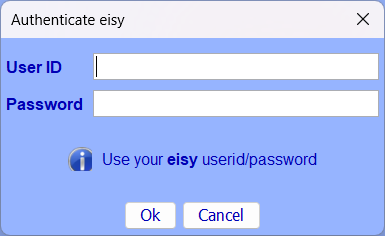
No, you should be able to use the old isy username and password, as long as they're replicated in the new eisy. If you log into admin console using that name and password, does it work? This has to be the url in ISY Finder with port 8443 in it. It prompts you for the eisy password:
-
Well you can't uncheck the DHCP setting. You need to have it use DHCP.
-
Maybe try recreating the scene manually? If the new one works, then delete the old, corrupted one.
-
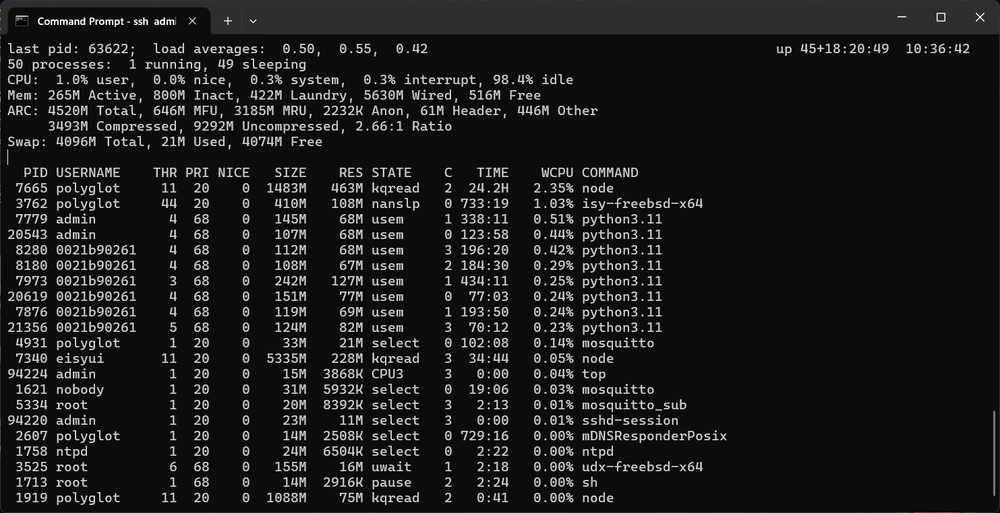
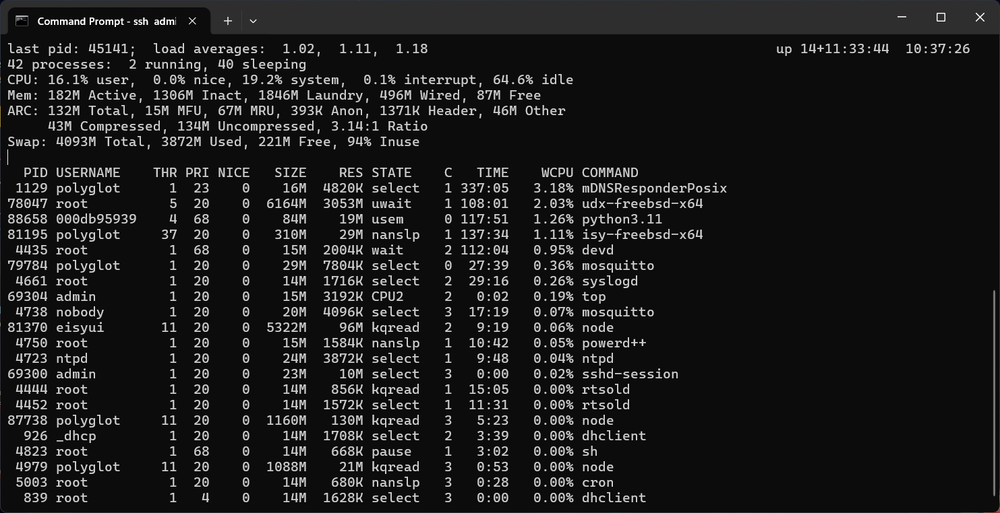
The "top" command gives a good overall portrait of system resource usage. As Michel hinted at, most of the memory is appropriated for possible use, but not necessarily active at any given moment. Here are two screens showing the output of the top command. The first one is my eisy, running dozens of programs, many plugins (notice the several "python3.11" processes). The second one is one is my least used test Polisys: Among the "Mem:" line is a value called "Laundry" (who said programmers don't have a sense of humor?). It's memory that's been used and freed up by a process, available for acquisition for a new task if needed. So the actual, unused "Free" value stays small, which is what what makes the percentage of memory "in use" seem high in eisy-ui.
-
One handy tool is the Find/Replace tool in programs (right click on "My Programs"). Look for the button name throughout programs, and assign the new one by clicking on the Replace button. There is no similar function in scenes, but if you click on the keypad button you want reassign in your device list, you'll see the scenes it is used in, under the Membership list on the far right. Then go to those scenes and make the changes.
-
Have a look here, on the 4th page of the thread. there is a command to do first:
-
Does it appear on your network? Can you ping it? You'll probably need to open a ticket.
-
Have you tried a full reboot (unplug the power)?
-
That's odd. Were you previously updated to 6.0.5? Try this: try the usual upgrade procedure first within Admin Console (Upgrade Packages), this might enable something. The upgrade itself should fail, as per the log file will show you. Then try the upgrade again with the command line method. Remember the release announcement warning: If your FreeBSD OS is below 13.2p11 (check via https://eisy.local:8443/WEB/sysconfig.txt), do not attempt this upgrade; it will brick your system.
-
Well those devices have only been listed as being supported by the new release 6.1.1 for less than 48 hours, so unless someone was able to quickly buy one at a corner store, I don't think anyone here will have experience with them yet. Since you want both zwave and zigbee, the dual protocol dongle sounds like the most attractive option. If you already have one of the Zooz dongles (700 or 800) then you might consider adding the Sonoff zigbee dongle. No instructions have been posted as to if it's possible to migrate existing devices from the Zooz or ZMatter dongles to one of the new ones.
-
You cannot update to versions other than the latest release. The automatic update from the System menu will also no longer work. You can do it manually by logging into your Polisy with ssh and then doing: sudo pkg upgrade udx isy eisyui pg3x This method was suggested by Michel at UDI. I've successfully upgraded two Polisys this way. Remember the release announcement warning: If your FreeBSD OS is below 13.2p11 (check via https://eisy.local:8443/WEB/sysconfig.txt), do not attempt this upgrade; it will brick your system.
-
It does work, but the update must be done manually, by accessing the Polisy by ssh. Then you do: sudo pkg upgrade udx isy eisyui pg3x This method was suggested by Michel at UDI. I've successfully upgraded two Polisys this way. Remember the release announcement warning: If your FreeBSD OS is below 13.2p11 (check via https://eisy.local:8443/WEB/sysconfig.txt), do not attempt this upgrade; it will brick your system.
-
Ok, let me try that and a few more things. Thanks!
-
Mine are Enbrighten (Jasco) ZB4103 (as indicated in the Zigbee thread). They are the ones that generated the cluster information I sent you in March. I also have a GE branded one (ZB4101) that seems to also be a rebranded Jasco.
-
Yes, and also tried adding two other modules that had never been added before. Same result.
-
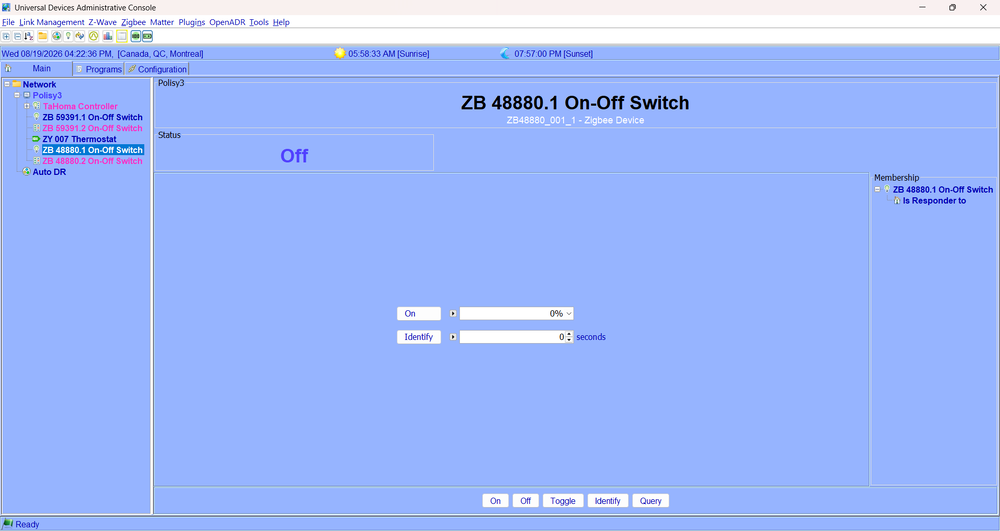
Hmm, it's not. I only get on/off control.
-
So it won't work with the ZMatter dongle?
-
Speaking of Zigbee libraries, that reminds me of something I brought up a back in March. I have some Zigbee modules that measure power consumption. You had me capture cluster information, and you had ordered a module with the same functionality, for the purposes of implementing the retrieval of the power consumption value. It's a standard cluster in Zigbee 3.0. So I just gave that a try, first doing a re-interview of the module, then an actual delete and add. There is no new information appearing for the module, though it turns on and off just fine. Should this be working? I'm doing this with the ZMatter module.
-
Or better yet, not have it overlap the program area when it opens by default. Another minor quibble: When adding or editing a line with a variable, the default radio button selects integer variables. Could that default be changed to state variables instead? I think most of us program using state variables much more often than integer. Another thing is the variable name list being centered: it would be easier to read if it was left justified.
-
Another minor obervation: the release announcement mentions backup and restore of zwave dongles. Just for fun I looked this up on my upgraded test Polisy that has a Zooz 700 series dongle. The dongle works, but the zwave menu hasn't added backup and restore options. Maybe it's a limitation of the dongle itself. If anyone reading this has a 800 series dongle on a 6.1.1 system, have backup and restore options appeared?
-
Yes, the black background isn't pleasant. Having color settings would be nice.
-
Bingo, exactly what I needed to know! Added to my (ever growing) notes!
-
@Michel Kohanim Thanks. That brings up another question: if an update did in fact really mess things up and it's bad enough that eisy-ui can't be accessed, how could we manually switch to the inactive boot environment from the command line (by hooking up a screen and keyboard)?
-
Ok, but is the general idea that after you confirm that the new one has working fine for a while, you can delete the inactive one? Will a new update further down the line then made the current one an inactive one, offering a recovery path again? It's a great feature, making updates less do or die.


