


Guy Lavoie
Members
-
Joined
-
Last visited
Everything posted by Guy Lavoie
-
The official procedure is listed here: https://wiki.universal-devices.com/Eisy:User_Guide#Migration
-
What you seem to be saying is that AI could be used to learn what's normal, like monitoring energy use, run times, water use, etc and possibly correlate it to influencing factors, like outside temperatures. Then you could ask it to watch for anything it considers unusual, and alert you to it. Interesting idea. There are certainly lots of sensors now available that could make this possible.
-
Basically, you're looking at implementing an economizer (the HVAC term for that) as a software function. the hard part is determining the optimal point where this becomes worthwhile. It's a function of cooling vs dehumdifying, whereby if the cool outside aire is dry enough, it's worthwhile to bring it in instead of trying to cool the hot inside air through air conditioning. Bringing in cool but humid air can negate your savings because the system need to run to dehumidify it first.
-
I do that kind of thing through regular programming. It's like an expansion of leak detection, alarm intrusion, etc. I look for weak batteries in my zwave locks, etc. Not sure how a distinct, separate node could really integrate a diverse set of unrelated conditions. At some point I might group these programs together in a distinct folder, that's about it. Maybe AI could make suggestions in this regard, based on the monitoring functions of the devices you have.
-
I don't think you can. There is no "get parameter" button. Query doesn't seem to do that either.
-
Zwave has a standardized method of setting options through parameters. There is a parameter number and a value. Your device documentation should have a listing of the individual features, and how to set them by choosing a parameter number and value. The Zwave alliance has a website that allows you to look up specifications, features and parameters for hundreds of devices. You can access it here: https://products.z-wavealliance.org/?_gl=1*1upc5b8*_ga*ODY1MzUxMTczLjE3ODkwODkxMjM.*_ga_EQLMJC35BT*czE3ODkwODkxMjMkbzEkZzEkdDE3ODkwODkyNTUkajQkbDAkaDA. You start by choosing a category, then a brand, etc. You'll get a full data sheet for the product. Scroll down to "Configuration Parameters" and see the parameter numbers and functions for that device. It can take a bit of searching to find what you're looking for. For example, for your case I started by searching the zooz brand, which lists 101 devices. Then find yours in the list, etc. Then click on "More information" to see the datasheet.
-
Yes, I noticed that too. If it simply opened to the left of the program (not overlapping it) by default, that would be a big improvement.
-
Thanks for the detailed responses. That sets the stage much more clearly. That "next iteration is explicitly designed for developers" comment is great, no geek left behind! Plugins are the way of the future, if you want to support an ever growing product base without endlessly trying to build it into IoX. Plugins are currently iffy when updates are involved. Hopefully they are integrated in a more consistent way. As for "turning on/off devices with AI is meaningless"...well there's Alexa for that. No point in reinventing the wheel.
-
That brings up another few questions: what is the intended implementation of eisy-ai? Will it be an optional service, that users will be able to subscribe to (and pay for as a service, a bit like the portal)? Is it meant as an alternative to good ole manual programming (for us geeks), with the hope of attracting a wider user base? With home automation slowly becoming a consumer product with products such as Google Home, Apple Homekit, etc, is this UDI's attempt at getting more into that part of the market? Or...is this more exploratory in nature: AI is here and let's see what it can do for us, then we'll see if/how we can fit it into our market? No right or wrong answers, just trying to guage what the sense is, at this time.
-
This discussion comes at an odd time where we're literally straddling two different approaches to programming our controller. One is the old tried and true admin console that we're all familiar with (and with it's issues of being based on java), and with plugins being a distinct world. Then a new one which attempts to tie it all together and make it browser based, making it universally accessible. Making a browser based programming platform has it's challenges, and isn't "ideal" in that it requires lots of clicks, and the look and feel of a program just isn't what we're used to. Some changes would help. For example I'd prefer seeing program instructions in a fixed width font, and left justified select lists (the centered snaking list of variables is hard to scan visually). But I think that a big part of the problem is just that we'll have to relearn how to do something we were familiar with. Only time can fix that. Another issue is that along with the new programming interface, the changes in integration (especially plugins) aren't well explained, and seems to be causing issues. That would need some clearing up.
-
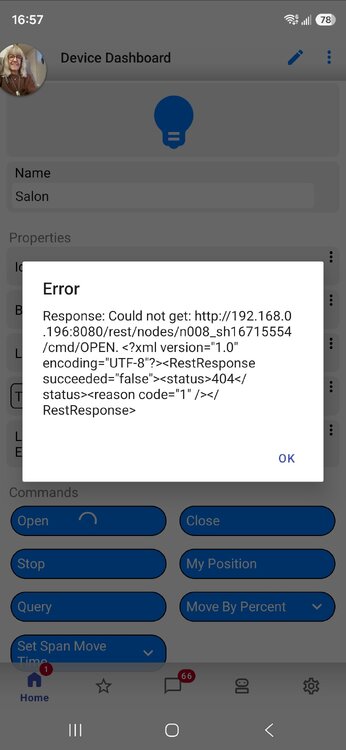
I'm still running the non-production 0.0.27 and finally got around to trying out the shiny new percent feature. Seems to work great! I set the travel time values in a standalone program called "startup" that gets run on startup. I'm old enough to be trained on the good ole AUTOEXEC.BAT and CONFIG.SYS file days... One thing that does happen when sending shade commands in UD Mobile is that I sometimes get the message below, but the command still works. Not sure what might cause that
-
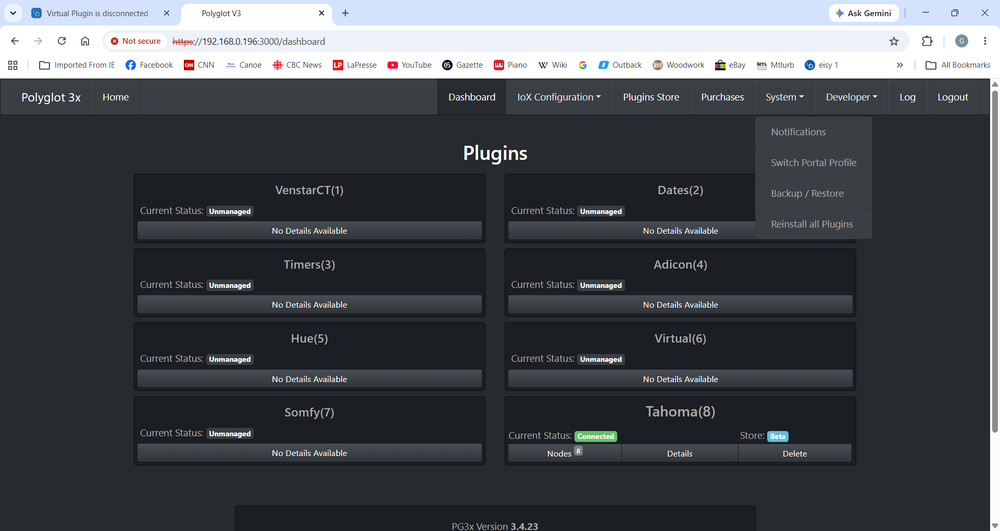
It was from PG3x. In fact the option to reinstall all plugins doesn't appear when you access plugins with eisy-ui, it's under the "System" menu, as you can see here when viewing plugins from PG3X. No idea why the System menu doesn't appear when accessing through eisy-ui.
-
I'd be surprised it having anything to do with being a Polisy. I'll just see if any suggestions come up first.
-
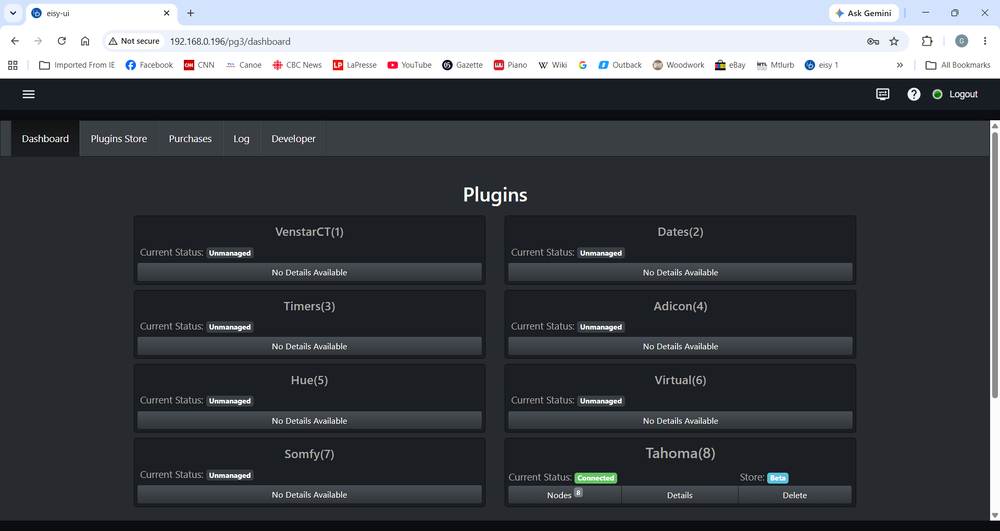
I just tried reinstall all plugins (on my test Polisy). It showed messages that it was reinstalling each one, but now a bunch of old plugins I was testing and the ones I was developing are all showing as Unmanaged... And I can't seem to be able to view anything about them. Looking at "List my Plugins" under the Developer heading also shows nothing. How do I recover, or even just delete these entries?
-
No, I've never tried that. I'm wary enough of just upgrading one! But I will give it a try on my test Polisy.
-
dramatically? Oh my, time to redo my tests!
-
If you can ping it or access it with admin console ok, then try it with the eisy's IP address, ex: like this: http://192.168.0.123
-
Dang...not sure what fixed it... lol. I rebooted the Polisy and tried the update (from usual dashboard), no go. Then I thought I'd try with UD Mobile as you do it. Started by doing a sync, then went into plugins, TaHoma, and clicked on update. I did get an error message (500) but it did update. It's as if updates work from UD Mobile, but not from the dashboard.
-
Well, I'm going to try and figure this out. I'll test it with the Tahoma plugin, since it's only installed on a test Polisy, and only has two programs referencing the Tahoma nodes.
-
Well @oberkc was having a similar issue trying to update the Virtual plugin. Like I said, I know the way plugins are managed is being modified, so I thought this might be related.
-
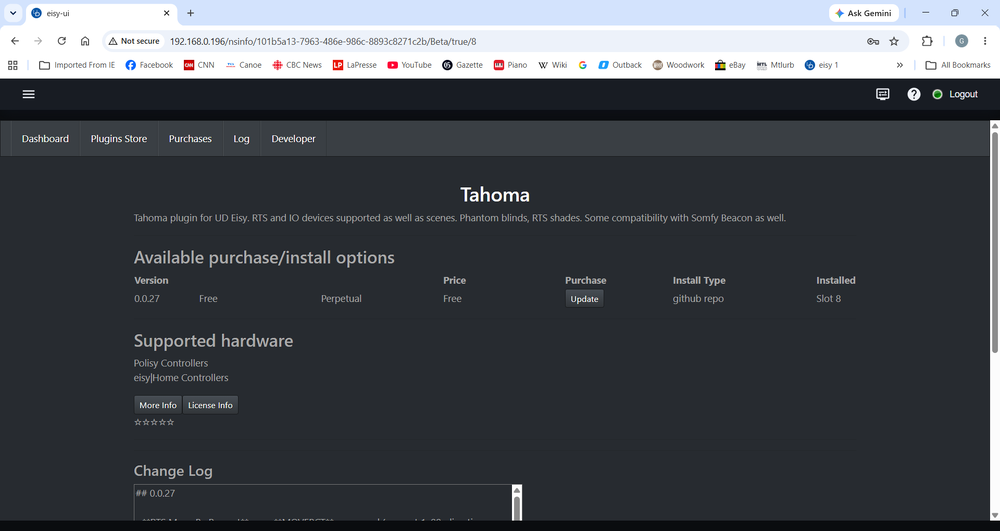
Not sure where you're referencing that button. From the dashboard I see the plugin (in slot 8) with status = connected and store = beta. If I click on Details, I see the main screen for the plugin. If I click on Update, I see that I'm running 0.0.24. See the screen shot below. If I click on Update, nothing happens.
-
Try a full power cycle, with power off for 30 seconds.
-
It might be a good idea, yes.
-
Interesting. I have the same issue with trying to update another plugin (Tahoma): nothing happens. Changes are being made to the plugins environment, so there might be something here.
-
Hmm, how do I upgrade from 0.0.24? I'm trying from the dashboard, from the non-production store. It tells me it's already installed in slot 8, which is correct. But when I click on Install, nothing happens. Tried this by accessing plugins from both admin console and eisy-ui.


