tmorse305
Members
-
Joined
-
Last visited
Everything posted by tmorse305
-
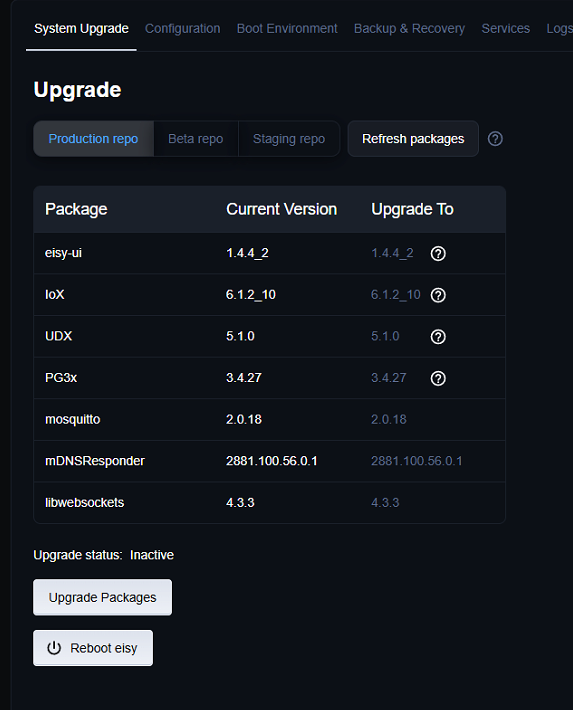
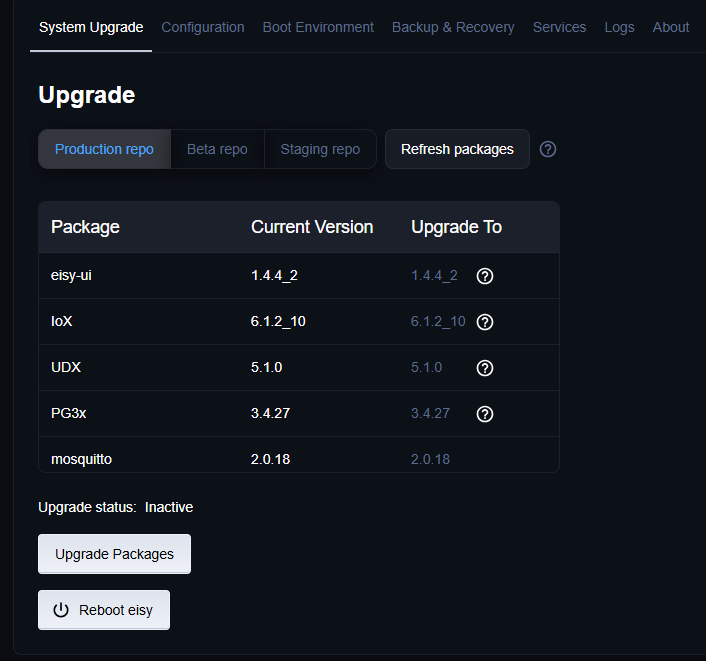
Thanks Bob, I actually have 2 eisy's running and I compared the configurations of the machines. See attached. The Pelham machine has the Vue that will not run. It runs fine on the Clermont machine. I queried the Clermont machine (works)and couldn't find any indication that boto3 is installed or running.
-
Hi @bpwwer , After I updated IoX to 6.2.1 Vue will not start correctly. The error is below. I deleted the plugin and reinstalled it, but the error remains. Update: I just saw another thread regarding the Boto3 file. I had to reflash my eisy prior to doing the upgrade. I just installed the dev packages from the AC but the error is still there. Thanks for any advice. 2026-10-14 14:11:17.461 MainThread udi_interface INFO polylogger:set_basic_config: set_basic_config: enable=True level=30 2026-10-14 14:11:17.462 MainThread udi_interface INFO __init__:<module>: UDI interface initializing 2026-10-14 14:11:17.462 MainThread udi_interface INFO __init__:<module>: User=None 2026-10-14 14:11:17.462 MainThread udi_interface INFO __init__:<module>: Home=/var/polyglot/pg3/ns/0021b9026044_3 2026-10-14 14:11:17.462 MainThread udi_interface INFO __init__:<module>: Node Server Path=/var/polyglot/pg3/ns/0021b9026044_3 2026-10-14 14:11:17.462 MainThread udi_interface INFO __init__:<module>: PG3INIT=eyJ1dWlkIjoiMDA6MjE6Yjk6MDI6NjA6NDQiLCJwcm9maWxlTnVtIjozLCJsb2dMZXZlbCI6IkVSUk9SIiwidG9rZW4iOiJTaUQqTE5Sb3pkQiovVncqIiwibXF0dEhvc3QiOiJsb2NhbGhvc3QiLCJtcXR0UG9ydCI6ODg4Mywic2VjdXJlIjoxLCJpc1BHM3giOnRydWUsInBnM1ZlcnNpb24iOiIzLjQuMjYiLCJpc3lWZXJzaW9uIjoiNi4xLjIiLCJlZGl0aW9uIjoiRnJlZSJ9 2026-10-14 14:11:17.462 MainThread udi_interface INFO __init__:<module>: Loading interface module 2026-10-14 14:11:17.509 MainThread udi_interface INFO interface:<module>: Loading MQTT module 2026-10-14 14:11:18.018 MainThread udi_interface INFO interface:<module>: MQTT module loaded 2026-10-14 14:11:18.239 MainThread udi_interface INFO __init__:<module>: Loading udi_interface module 2026-10-14 14:11:18.239 MainThread udi_interface INFO __init__:<module>: Loading node module 2026-10-14 14:11:18.239 MainThread udi_interface INFO __init__:<module>: Loading custom module 2026-10-14 14:11:18.239 MainThread udi_interface INFO __init__:<module>: Loading isy module 2026-10-14 14:11:18.239 MainThread udi_interface INFO __init__:<module>: Loading OAuth module 2026-10-14 14:11:18.240 MainThread udi_interface INFO __init__:<module>: UDI interface initialized 2026-10-14 14:11:18.240 MainThread udi_interface INFO __init__:<module>: UDI Python Interface for Polyglot version 3 3.4.7 Starting... 2026-10-14 14:11:18.241 MainThread udi_interface ERROR udi_interface:write: Traceback (most recent call last): 2026-10-14 14:11:18.242 MainThread udi_interface ERROR udi_interface:write: File "/var/polyglot/pg3/ns/0021b9026044_3/vue.py", line 10, in <module> 2026-10-14 14:11:18.242 MainThread udi_interface ERROR udi_interface:write: import pyemvue 2026-10-14 14:11:18.242 MainThread udi_interface ERROR udi_interface:write: File "/var/polyglot/pg3/ns/0021b9026044_3/pyemvue/__init__.py", line 2, in <module> 2026-10-14 14:11:18.242 MainThread udi_interface ERROR udi_interface:write: from pyemvue.pyemvue import PyEmVue 2026-10-14 14:11:18.242 MainThread udi_interface ERROR udi_interface:write: File "/var/polyglot/pg3/ns/0021b9026044_3/pyemvue/pyemvue.py", line 8, in <module> 2026-10-14 14:11:18.242 MainThread udi_interface ERROR udi_interface:write: import boto3 2026-10-14 14:11:18.243 MainThread udi_interface ERROR udi_interface:write: ModuleNotFoundError 2026-10-14 14:11:18.243 MainThread udi_interface ERROR udi_interface:write: : 2026-10-14 14:11:18.243 MainThread udi_interface ERROR udi_interface:write: No module named 'boto3' 2026-10-14 14:11:49.530 MainThread udi_interface INFO polylogger:set_basic_config: set_basic_config: enable=True level=30 2026-10-14 14:11:49.530 MainThread udi_interface INFO __init__:<module>: UDI interface initializing 2026-10-14 14:11:49.530 MainThread udi_interface INFO __init__:<module>: User=None 2026-10-14 14:11:49.530 MainThread udi_interface INFO __init__:<module>: Home=/var/polyglot/pg3/ns/0021b9026044_3 2026-10-14 14:11:49.530 MainThread udi_interface INFO __init__:<module>: Node Server Path=/var/polyglot/pg3/ns/0021b9026044_3 2026-10-14 14:11:49.531 MainThread udi_interface INFO __init__:<module>: PG3INIT=eyJ1dWlkIjoiMDA6MjE6Yjk6MDI6NjA6NDQiLCJwcm9maWxlTnVtIjozLCJsb2dMZXZlbCI6IkVSUk9SIiwidG9rZW4iOiJTaUQqTE5Sb3pkQiovVncqIiwibXF0dEhvc3QiOiJsb2NhbGhvc3QiLCJtcXR0UG9ydCI6ODg4Mywic2VjdXJlIjoxLCJpc1BHM3giOnRydWUsInBnM1ZlcnNpb24iOiIzLjQuMjYiLCJpc3lWZXJzaW9uIjoiNi4xLjIiLCJlZGl0aW9uIjoiRnJlZSJ9 2026-10-14 14:11:49.531 MainThread udi_interface INFO __init__:<module>: Loading interface module 2026-10-14 14:11:49.577 MainThread udi_interface INFO interface:<module>: Loading MQTT module 2026-10-14 14:11:50.084 MainThread udi_interface INFO interface:<module>: MQTT module loaded 2026-10-14 14:11:50.306 MainThread udi_interface INFO __init__:<module>: Loading udi_interface module 2026-10-14 14:11:50.306 MainThread udi_interface INFO __init__:<module>: Loading node module 2026-10-14 14:11:50.306 MainThread udi_interface INFO __init__:<module>: Loading custom module 2026-10-14 14:11:50.306 MainThread udi_interface INFO __init__:<module>: Loading isy module 2026-10-14 14:11:50.306 MainThread udi_interface INFO __init__:<module>: Loading OAuth module 2026-10-14 14:11:50.307 MainThread udi_interface INFO __init__:<module>: UDI interface initialized 2026-10-14 14:11:50.307 MainThread udi_interface INFO __init__:<module>: UDI Python Interface for Polyglot version 3 3.4.7 Starting... 2026-10-14 14:11:50.308 MainThread udi_interface ERROR udi_interface:write: Traceback (most recent call last): 2026-10-14 14:11:50.309 MainThread udi_interface ERROR udi_interface:write: File "/var/polyglot/pg3/ns/0021b9026044_3/vue.py", line 10, in <module> 2026-10-14 14:11:50.309 MainThread udi_interface ERROR udi_interface:write: import pyemvue 2026-10-14 14:11:50.309 MainThread udi_interface ERROR udi_interface:write: File "/var/polyglot/pg3/ns/0021b9026044_3/pyemvue/__init__.py", line 2, in <module> 2026-10-14 14:11:50.309 MainThread udi_interface ERROR udi_interface:write: from pyemvue.pyemvue import PyEmVue 2026-10-14 14:11:50.309 MainThread udi_interface ERROR udi_interface:write: File "/var/polyglot/pg3/ns/0021b9026044_3/pyemvue/pyemvue.py", line 8, in <module> 2026-10-14 14:11:50.310 MainThread udi_interface ERROR udi_interface:write: import boto3 2026-10-14 14:11:50.310 MainThread udi_interface ERROR udi_interface:write: ModuleNotFoundError 2026-10-14 14:11:50.310 MainThread udi_interface ERROR udi_interface:write: : 2026-10-14 14:11:50.310 MainThread udi_interface ERROR udi_interface:write: No module named 'boto3'
-
Probably time for a ticket: My Tickets - Universal Devices - The Most Powerful Automation, Energy Management, and IoT Platform
-
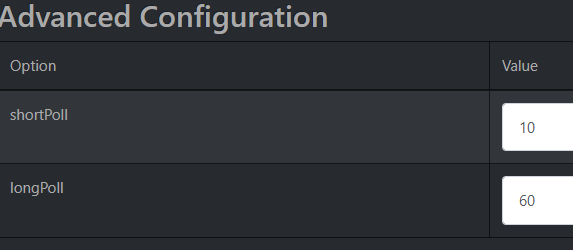
Hi Bob, Increasing the Short Pole time to 20 solved the problem. I made the problem worse by moving the poling level to 'debug' while I was troubleshooting the problem. I'm going to change the short poling interval back to 10, but change the logging level to 'error' which should achieve smaller files. Thanks for your help with this problem!
-
Thanks Bob, I'll open a ticket. Keep you posted. Update: Benoit has a theory that maybe the log files are too big, so they're taking too long to process. I going to change short poll to 20 and see what happens.
-
Hi Bob, Here are the first 8 minutes of the log file. I have it filtered on slot 5 activity, but the whole 8 minutes are there. For the first second or 2 it looks like a normal update, then nothing until minute 3:45.301. Then another big pause until 7:33.976 where it is reported as disconnected. PG3x log.xlsx
-
I looked through the first 7 minutes of the 6/6 PG3x log but did not see any errors. I've included the first 30 seconds or so of the 7/6/26 PG3x log. Vue is PG3x plugin slot 5. Thanks Bob. start of June 6 PG3x.txt
-
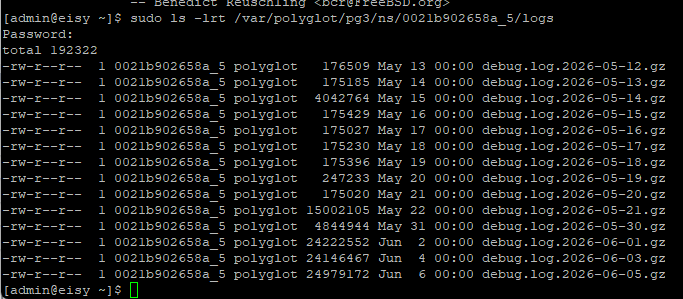
Hi @bpwwer , I'm able to list the files using "sudo ls -lrt /var/polyglot/pg3/ns/000xxxxxxxxx_5/logs" but for some reason I can't "cd" to the directory and actually look at the files. I figured out a workaround, attached are the final entries of June 5. The log seems to end without an error. But at 12:07am on June 6 Vue fails. There is no June 6 log as I haven't restarted the plugin yet. So, I can't see the error which occurs between 6/5/26 23:59 and 6/6/26 00:07 Does re-authentication occur at midnight? end of June 5.txt
-
Thanks Bob, I appreciate your explanation. I can look at the backed up log files. What is the path to them?
-
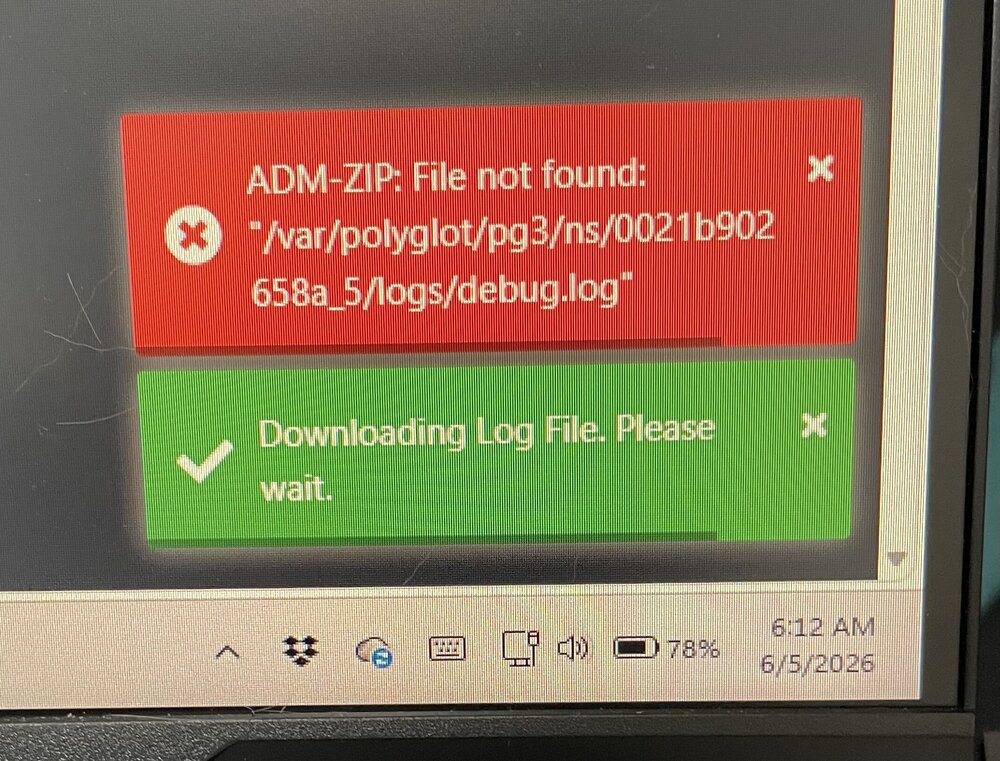
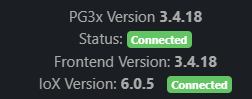
The VUE plugin on my eisy has started to fail every few days. I can't download the log, the system says it can't be found. Pressing restart solves the problem and once it's running the log file is available. The file however only contains log info starting with the restart. Is this an eisy problem or a plugin problem? Thank you for any advice
-
I found a solution. In the Kasa app they provide a way to disable the KLAP security feature or something equivalent to that. Go to Me > Settings > Third-Party Compatibility and turn it on. I restarted the plugin and it found the 2 plugs with V1.1.1 firmware. Success!
-
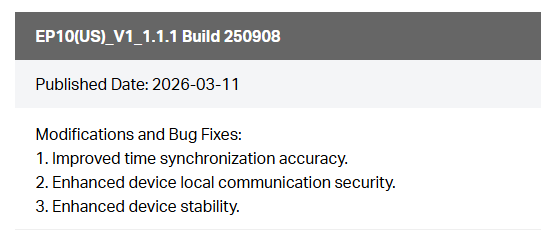
Update: I believe my issue is related to the firmware version of the EP10 plug. The plugs not recognized by the plugin are v1.1.1. All other plugs are v1.0.5. Attached is an ominous message from the release notes, I'm not liking the sound of the 2nd bullet point. @Jimbo.Automates , have you run into this version? I had 2 brand new plugs that I plugged in and it forced me to upgrade to 1.1.1 when I added them to my network. There are some threads on the web that talk about downgrading the plugs, but so far I have not found the bin files. The TP-Link website says they don't support downgrading because of security issues. 2nd Update: python-kasa and KLAP authentication - Smart Home Community talks about the implementation of KLAP 1.(KASA Local Authentication Protocol). Hopefully this is something Jim can work with to allow V1.1.1 to work with the plug in.
-
Hi @Jimbo.Automates, Any updates on this issue? I have the same problem. Just added 2 plugs and they will not discover. I tried reinstalling the plugin and now I'm stuck at only 18 counting the controller. Thank you.
-
I just received an email from ecobee acknowledging UDI access. I stopped the plugin days ago when the trouble started. I restarted it but still only the controller node. Tried discover but no luck. When I looked in the log there are no errors, the plugin seems to be able to access ecobee, not sure why the thermostats don't populate.

-
Give him a chance, it's the weekend, maybe he's away. He was on the forum yesterday, see attached.

-
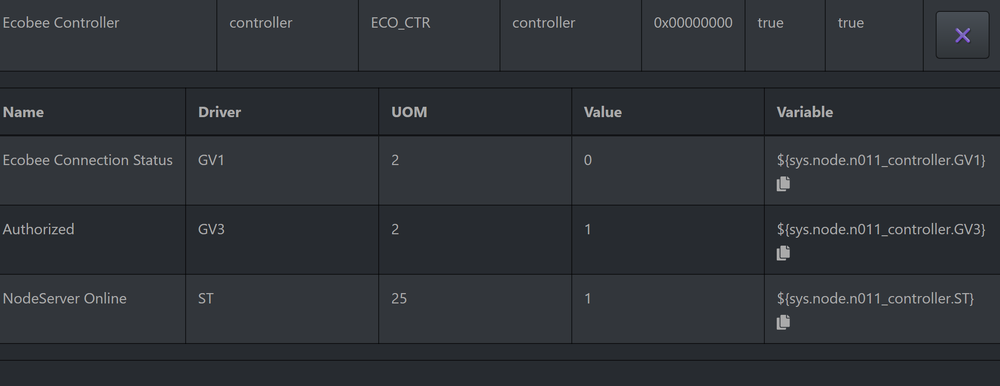
Hi @Jimbo.Automates , Same problem here. After reinstalling the plug-in, the plugin acts like it never gets authorized even though ecobee web site indicates success. I just get the controller node. See attached, is the first entry connection status to the thermostats? Thank you
-
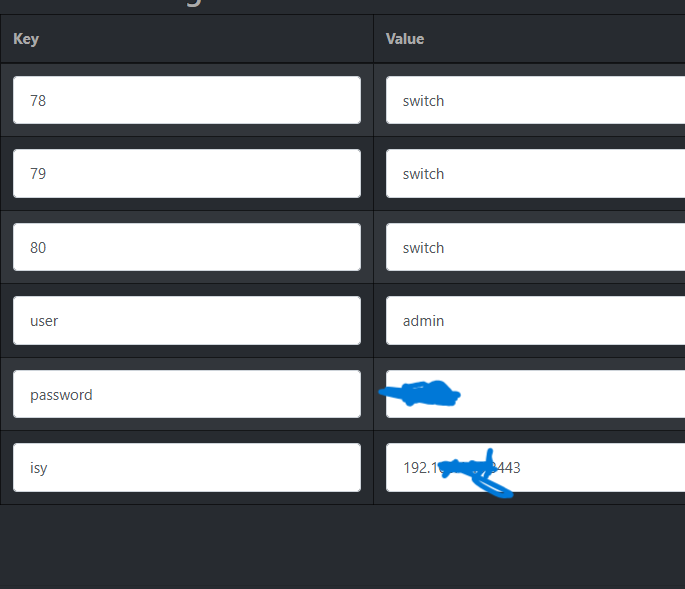
Thanks @sjenkins . I'm not sure what version I upgraded from. I found the problem. I deleted the plugin to start over but when I configured it I used 'Switch' instead of 'switch. All good now, thanks for your help! Thanks for your help!
-
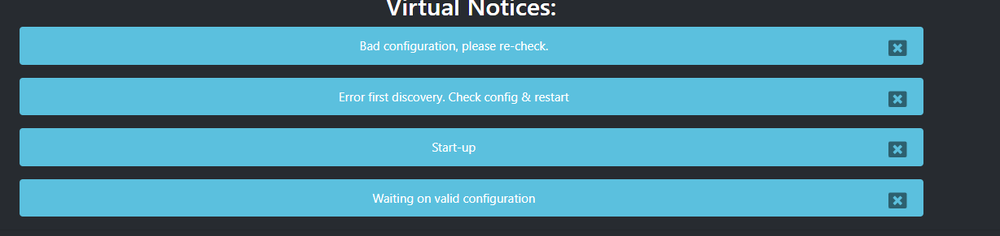
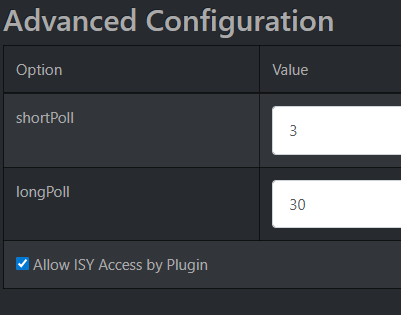
Hi, I upgraded my Virtual plugin today and I'm now getting 4 error messages. The configuration looks ok, so maybe there are new configuration requirements with V3.1.26? See attached. Thanks for any help!
-
-
Hi @sjenkins , I want to provide the configuration via a .yaml file but I'm not sure where to locate it on eisy so the plugin can find it. Looking through other threads, I saw this path mentioned: /var/polyglot/pg3/ns/<specific plugin directory> When I try to open that directory permission is denied. I tried stopping the plugin and using 'sudo', but I can't get access. If that is the correct location, how to I add the .yaml file? Thank you.
-
Hi @jkmcfadden , Here is the info you requested: Your integration settings in the Droplet app: homeassistant/device/droplet-B**C/config (default) I am not using this one. homeassistant/status payload: online (default) I changed this to: droplet/status payload: online Your Node configuration settings in the Polyglot configuration screen? [ {"id": "Droplet", "type": "dsensor", "status_topic": "droplet-B**C/state", "cmd_topic": "droplet/status"} ] Your Droplet has a 4 character ID. Substitute your ID for my ID: B**C. Your entry in the .yaml file? Not using a YAML file I had to create a special node ("dsensor") to handle the Droplet sensor. You cannot use the stock MQTT plugin for Polyglot. I created a custom version the MQTT plugin that includes the droplet capability. You can find it here if you want to look/try it. tmorse305/udi-mqtt-pg3x Disclaimer: Use at your own peril. I am a novice Python programmer so my changes would probably make the actual programmers cringe. It is definitely not ready to move to the non-production store but does work and also includes a query ability.
-
Turns out, not VirtualSmartHome. I just had the same problem when I tried to code this into a plugin. The issue was the headers not whether it was HTTP/1.1 or HTTP/2. With the proper headers it works with either one. POST or GET also work.
-
Thanks for your replies, I opened a ticket, and Michel quickly identified the problem: "It (the Virtual Server) does not accept http 1.1. It's expecting http2 which Network resources do not support." Thanks to Michel for the great support!
-
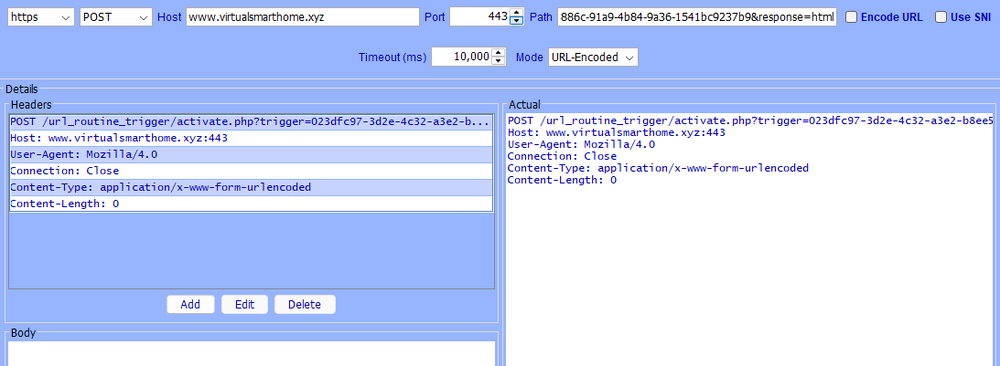
Is there a character limit when creating the "Path" for a network resource? I have a 135 character "path" which adds ok. I can see the whole path but when I test it I get a 403 error. If I take the whole url and paste it into a browser it works fine. I have lots of network resources configured that work fine but nothing close to the length of this one. This is the url: https://www.virtualsmarthome.xyz/url_routine_trigger/activate.php?trigger=023dfc97-3d2e-4c32-a3e2-b8ee5c0e7ca9&token=af23886c-91a9-4b84-****-1541bc9237b9&response=html I have it set to https, POST, Port 443, Timeout 10000, Mode: URL-Encoded I've tried C Escaped but same result I've tried the 2 check boxes but no luck there either. Thanks for any advice. Update: I've confirmed that the entire url is being sent by eisy, using Wireshark, so that's not the issue.
-
Hi @sjenkins, I decided to take a swing at creating the new node. I've made some progress; I have 3 of the status reporting into the AC. See screen shot. I'm still trying to figure out how to get the query to work. It turns out there is no UOM for liters/min. I'm using liters/hour as a placeholder. How do you add to the UOM list? Thanks for your support and inspiration to give this a try.