


johnstonf
Members
-
Joined
-
Last visited
Everything posted by johnstonf
-
This has absolutely nothing to do with ISY!
-
Yeah, that Z-wave "Capture Log" is very useful... I created this AI prompt (Claude Sonnet v4.66 at "Medium" Effort), which I will offer to this great community, because it really is quite phenomenal and useful. It has to be taken with a grain of salt, but boy, oh, boy. Within 10 minutes, it comes back with a lot of great info. This was just a quick test capture log after activating a couple of my devices, which I will now do more extensivelly, by activating as many devices in my network as I can. I'm thinking it could also be useful to do one device at a time, but I'll have to play with it a bit. It would be interesting to hear feedback from others that try this! PROMPT: Good morning Claude, Today you are going to be a Z-Wave expert. I am having a problem with my Z-Wave network and I have attached a Z-Wave capture log that was generated from my EISY from Universal Devices. This capture log contains a lot of information, of which I would like you to reverse engineer a topological or topology map, both in graphical form and in table form. It should also show any areas that could be potential problems such as signal strength and next neighbors and signal path which should be evident in the topology map that you build. OUTPUT: (2 options... click link, or download the html) 1-Link https://claude.ai/public/artifacts/59e3d090-ec6f-4a86-be0b-75d6506baff7 2-HTML file... ZWave-Topology-260612a.html
-
Out of desperation, I did order one of the Zooz repeaters as suggested... I do really like their stuff and everything I have of them as worked well! Won't be here for a couple of days, but we'll see when it gets added to the network... Thanks (Do you have any idea if there's any good reports to get a Zwave map?)
-
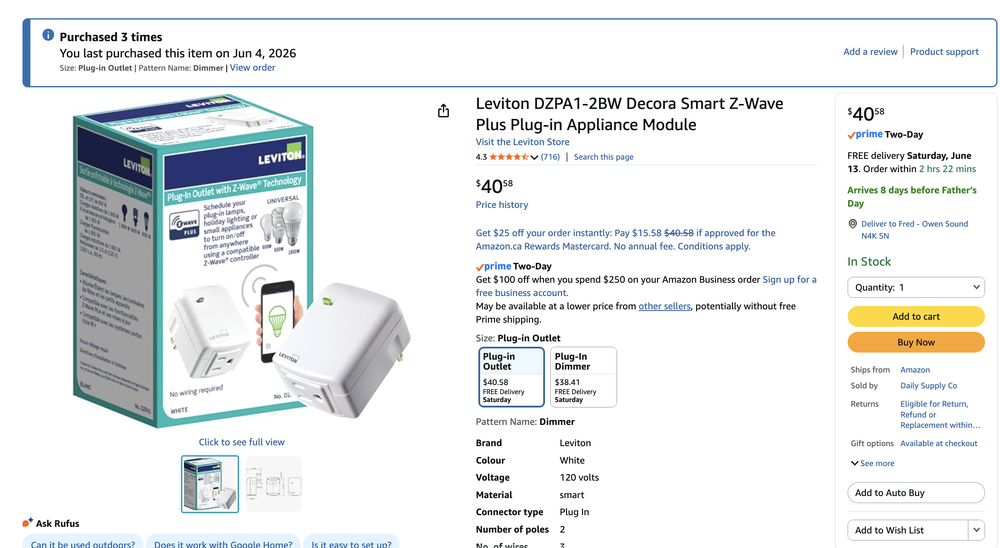
confirm on all... Repeaters are Leviton Zwave Plus DZPA1-2BW
-
The ticket, now ghosted, is now 14 days old with no response a good chunk of the way in back-and-forth... and was submitted exactly for that reason, it's an old ISY with old Zwave, and Michel had helped me a LOT to this point. (Thus I could not migrate my Zwave, I had to completely rebuild it, which in the end probably is a good thing anyways)... As per your suggestion, i did post it on forum @Techman
-
I have done a few heals, and they do complete... I had an 'old' Zwave on my ISY, so I completely rebuilt the Z-wave, with good advice from Michel, to REMOVE each device (to clear it), and THEN add to the EISY, working outwards. I have also done "Update neighbors" individually, to locks and blinds. At times, things work good, but then some kind of hiccup brings it to its knees (but it comes back to life, sometimes like an hour later). I kind of wonder in the background if it's maybe a defective Zmatter, but that's a hard one to figure out too. If I knew what kind of signal strength the devices were receiving, I might be able to see if it's losing strength at times. I hate this 'blind stabbing in the dark'... Zwave is NOT nice like Insteon (which, by the way it remains lightning fast even when all this slowness on the Z wave network is happening!).
-
Is there a way to get a Zwave topology map to see what routes and signal strength comms are taking etc? I am having a horrible time with my Z-wave, and everything was working fine on my ISY, and all reachable, but on the new EISY with this Zmatter in it, it seems to be a complete disaster. It will work sometimes, and other times, it just drops to pieces and doesn't do anything for a half an hour, sometimes not at all. I'm still trying to figure out what actions are causing it to vomit, but for now I have added some repeaters, etc, I know I can watch the error log at level three, but it still doesn't provide me much in the way of knowing the routes that actions are taking.
-
Doesn't SOUND like a great last resort LoL (Maybe it could at least say "( )Use Default (AS LAST RESORT!")) That sure would have saved me some wasted time!
-
This worked thanks very much, and just for reference, I did have to set up an app password on the Google account and then use that password that it gave me in the password field above... I'm also wondering why that "Use Default" option even exists, because it doesn't seem to work, and obviously Michel doesn't know or he would've chimed in here, knowing how helpful he is! (EG check port xxx, etc)
-
From what I can see, it's greyed out, and as soon as I leave "Default" it needs a server, etc, so the timeout isn't possible for Default mode. (or what is the procedure?)
-
My ISP 'tells me' they do not block any ports
-
That was it, it needed admin for username... Can I assume by the attached ScreenFlow that it is connecting OK? UDI-Forum-Help-26jun10c.mp4
-
It is asking for ISY password, not EISY password, which is kind of weird, but I tried both the ISY and the EISY PORTAL, neither work. UDI-Forum-Help-26jun10b.mp4
-
Ok! i guess i was 'on my way' there, but i thought Polyglot was another variation of ISY, different animal... never had anything to do with it... I'll be back!
-
From UD Mobile on DATA, I can Synchronize... not sure if it accesses EISY directly. But the fact that the Portal works (so it communicates ok)
-
I can't see Plugin Store option at all... UDI-Forum-Help-26jun10a.mp4
-
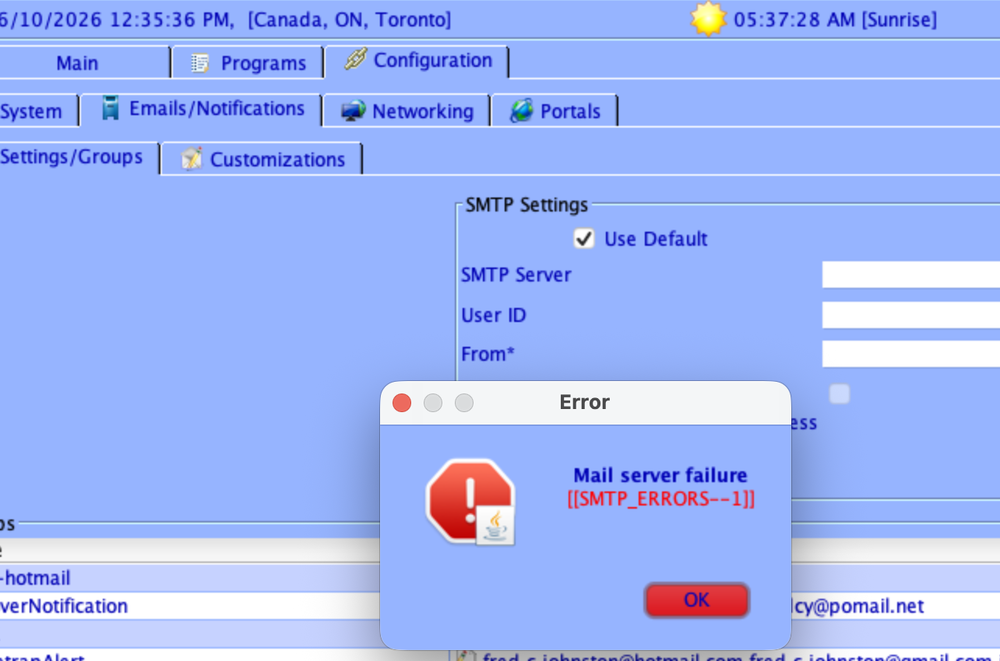
I am trying the default option, but it is not sending... I get a pop-up saying Mail server failure [[SMTP_ERRORS--1]] --- Notifications send mail failed Is there anything special I need to do on my new 'EISY Home' to use the default option?
-
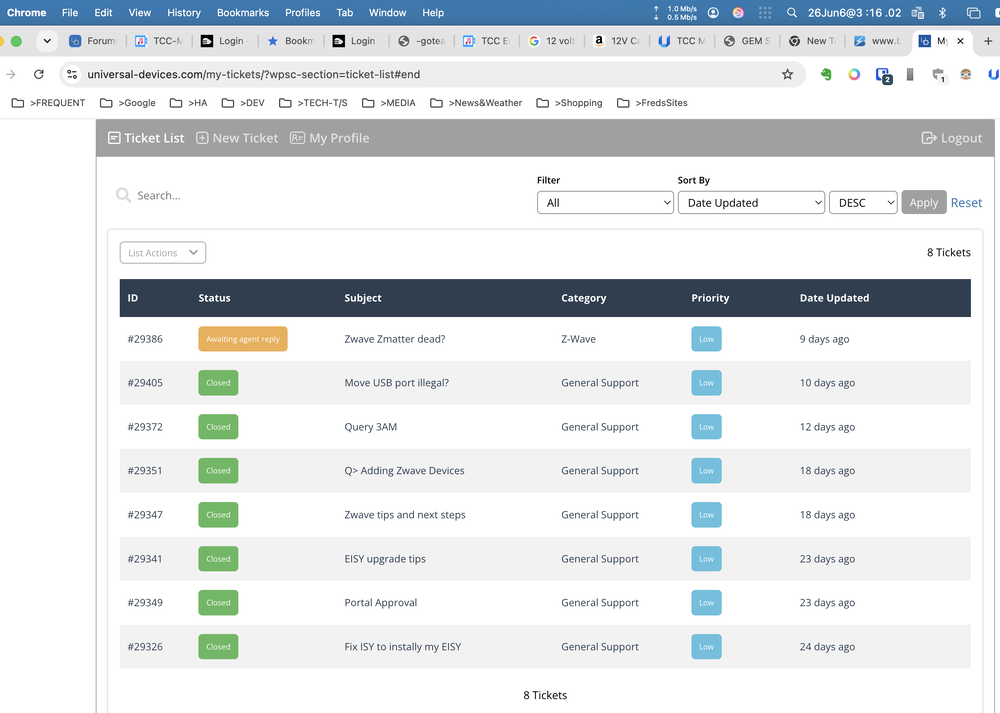
I was moving along slowly with upgrading my ISY to EISY via tickets, and things started getting a bit complicated (but still progressing) with Z wave crazyness and slowness. Is he off on vacation, or in hospital, or something? I never got any message about this... but just checking... I just got ghosted! It's been 9 days and still waiting...
-
Yeah, that wasn't super intuitive, I was expecting a setting like on iOS... Thanks for the help! (everyone)
-
In UD mobile, can I set favorites to be the default when it starts?
-
I upgraded my ISY to EISY, and now my backups take a couple of seconds where they used to take 10 to 20 minutes, is this normal and OK??
-
ok, thanks!
-
I'd like to get started with my ISSY => EISY upgrade, but I might need to do a bit in a day, and then flip out to my ISY for a day or two, doing this until I get things to the point where I can set the EISY to production. I know I have to be careful not to have them both on at the same time, but is it OK to plug one system in during one day (EISY), do some work, such as upgrade the firmware, and tested download, and then at the end of the day turn the EISY off, unplug the PLM from the EISY, and then connect the PLM to my ISSY, and use it for a day or two, etc.? I also have a spare PLM, so am I better to plug it into my EISY, use that pair, each on its own system?
-
Well, I can't thank you enough for telling me to back up the programs/folders. In fact, what I did was, while the problem was being experienced, I took a copy, then I went to an ISSY backup that I had from a few months ago, and found out that it worked fine, and then I again saved that set of programs/folders, and then I pulled them both up into Visual Studio Code, and did a compare on them, and I was able to bang right onto where the problem was, although I totally didn't expect this... What happened was that I had deleted a bunch of motion programs that I was no longer using cause I haven't found the motion sensor to be of any use, but not realizing that I had a loop that, amongst other things, was calling one of these motion if/then programs, and now it didn't have those to go to, and that was causing the problem. I would NOT have been able to find this without using your great suggestion (So HUGE THANKS!). I had also submitted a ticket and @MikeL responded saying that SOMEWHERE a program was looping, so I guess that was not too far off, and led me towards this solution. So my ISSY is humming along just great, and I guess I'm going to be proceeding to the EISY this week! THANKS (oh did I say this already lol?)
-
Besides uptime, can I also see the CPU utilization, and processes? Might give me some clue if programs were in the loop, but I haven't even changed anything for a long time, and it was working fine, at least a couple of months ago was running pretty smooth


