


Ross
Members
-
Joined
-
Last visited
-
@Howard Will you please explain (for dummies like me) what the multi zone amplifier does? I know that the ST-Sonos plugin had a problem with the various speakers joining the wrong zones. Does the amp solve this issue? What are the advantages of the amp? @bpwwer I can't migrate the ST-Sonos plugin to eisy-UI. I've read in these forums that it's not ready to so yet. Are you involved with moving it and, if so, is there a timeline? Thank you both, Ross
-
It is unavailable at this time but has been requested by several of us.
-
I'm receiving this error when I click on "Migrate to eisy-ui". For background, I migrated before, but my programs were not working. So, I migrated back to PG3. I got up my nerve again this morning to migrate iAqualink and I now get this message. Any assistance would be appreciated (as long as I don't have to "sudo" as I don't know what that means or how to do it!). Thanks, Ross <Edit> - I reinstalled the eisy plugin and renamed/re-renamed each program that was Not Loaded and it now works. The only plugin that I haven't been able to migrate is ST-Sonos.
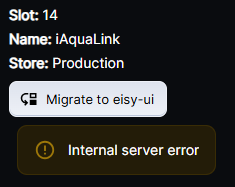
-
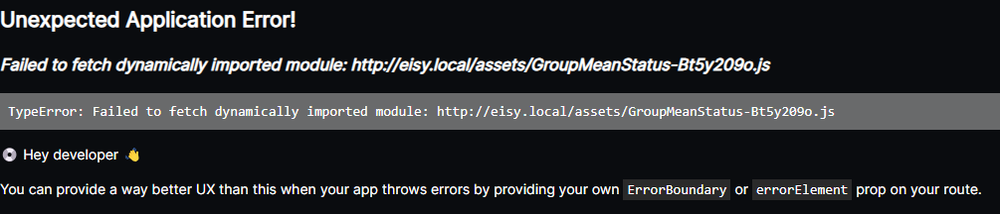
When I click on Status, which is at the top of the Nodes stack, I get this:
-
@dbwarner5 How about iAqualink? I haven't moved that one yet (I did, had some issues, and moved it back to PG3). Thanks, Ross
-
@dbwarner5 I had the Not Loaded problem with a few programs. Apparently, EISY-UI didn't like the "/" character in my program names (e.g., On/Off). It also didn't like any program where I called upon the plugin ST-Sonos (which, per another thread, is not working in EISY-UI). Once I changed "/" to "-" and deleted lines related to ST-Sonos, the programs worked. There may be other reasons why your programs are Not Loaded, but I would look for non-alphanumeric characters and lines that call non-workable (yet) plugins. I had a lot of iAqualink plugin issues. I just reverted that one back to PG3. I haven't had time to research why I had trouble with that one yet. I also agree with you that having a text file for my programs is very helpful. Ross
-
@wrj0 After updating and migrating to Eisy-UI, I have a Wake-On-Lan in my "eisy Plugins". When I want to add a WOL line in a program, when I select Command, that plugin does not appear. However, if I select Network Command, it does. Unfortunately, it pulls the information from the WOL in the Admin Console - not the plugin. Any thoughts? Thanks, Ross
-
@Techman I am now using Eisy-UI. Prior to that, I was doing the backups listed in the attachment. Does the one "Create Backup" button in the Eisy-UI replace all but UD Mobile? If so, it's a timesaver. Thanks, Ross
.png.dde0b03a81bbe9a28d73f42057336a26.png)
-
I'm not sure who is in charge of the Wiki. It would be nice to know the process of how it is changed/updated. Ross
-
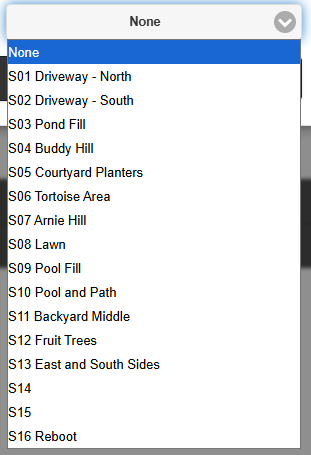
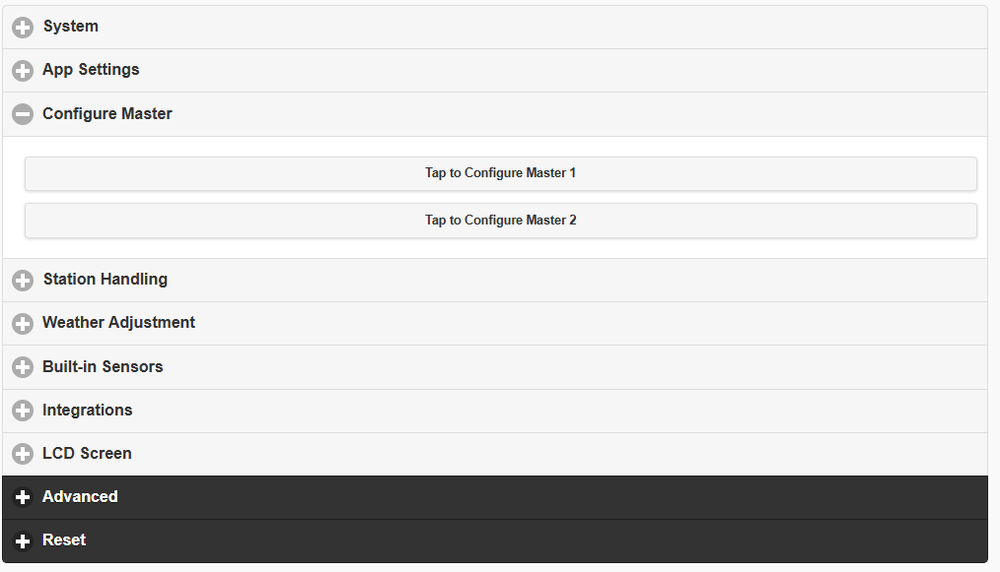
@Vanhalo Short answer - I believe it does. Please see if this helps you: https://jpk.io/home-automation/local-sprinkler-control-opensprinkler-home-assistant/ Long answer - I don't control the master valve on mine, but it's interesting that you ask this because I just had a leak (pressure side) and thought that I should! So, I don't know the answer and am going to start researching. Based on the article I linked (search for the word "master"), it appears that you connect the master valve to any terminal and then tell the software which terminal it is. I'm looking at my settings and it appears I can do the same - see the first picture below. When I click on Tap to Configure Master 1, it appears I can assign it to one of my two open terminals (2nd picture). I can't guarantee it since I haven't used that feature (yet). I recommend you download the OS guide and see what it says as I won't get to this for a bit. Sorry for the TMI. Ross
-
@Vanhalo OpenSprinkler just needs power and either an ethernet connection or good wifi. I've had it running for about 3 years and the plugin works well. I have it turn off if rain is forecast and the duration is controlled by what the temperature was the previous day. Ross
-
@oberkc This thread states the Sunset issue is a known problem being fixed in the next release. Ross
-
Hi @bpwwer , I enjoy using your plugins and am grateful you are willing to share your talents! Is it not possible to have 2 plugins? OWM-3.0 and OWM-4.0? I remember you did something similar to two different Davis Weatherlinks a while back (I had an older version). Thanks, Ross
-
You may want to buzz through this thread to see if it helps you. Your settings look like mine. My "Use Default" box is unchecked.
-
You may be correct, but I've been doing it for 5 years without a hitch (perhaps with good luck on my side). I could go to weekly when I'm home and daily when I'm on vacation. Thanks, Ross


.png.dde0b03a81bbe9a28d73f42057336a26.png)
