


SHM
Members
-
Joined
-
Last visited
Everything posted by SHM
-
Adding iBeacon support with ability to populate state variables (as in Mobilinc Pro) would be nice. Very useful in programming.
-
The following (not sure which) solved the problem: Under location services/system services toggle on/off significant locations Disable Focus mode
-
I changed the wiring into the motor such that there was only 1 wire coming out of the lift master 8550 red (control) and white terminals, then those wires split to a Y and the garage wall remote and ratgdo wires insert in to the appropriate sides of the Y. My observation was that doubling the red and white wires from the remote and ratgdo and then inserting them in to the lift master terminal never gave a motionless connection. When the garage door opened, there was enough vibration to momentarily have either of those wires to loose contact, hence the door would stop. Haven't had a problem since.
-
I have 2 separate EISY's (running 6.05) at 2 locations. My wife and I both have UD mobile and still have Mobilinc Pro (for ibeacons). I have set up geofences using Occupancy for both of us. Recently, I have noticed that while my geofence reporting and ibeacon responses are good, hers are not (that is, not reporting). I have spent quite a bit of time making sure that the URL's in Occupancy are accurate, the UUID's, etc in beacons are accurate and have made sure her phone (iPhone 17) has the correct settings for location always on, etc. All to no avail. Should she have separate login credentials at UD mobile and at the Portal? Would this make a difference? Right now, her UD mobile app uses my login credentials.
-
Thanks. Do you have an example? I haven't used rest commands in network resources before.
-
Any way to export/import the valve of a state variable in one eisy to another eisy?
-
Have installed the YS5018 Flowsmart plugin and I'm getting good data. My only issue is that the data is in liters. How do I change to gallons (which is currently displayed in the yolink app)? Does it require a custom configuration parameter?
-
-
I use an iPhone 16
-
Clicking on Home just brings up the screen with the nodes. Maybe a Safari issue?
-
Have beed using UDM with the portal occupancy nodes for some time. I have location based nodes and beacon presence/absence nodes (for presence in a car). I have used Locative to for GET URL's but recently switched to Geofency. I have noticed that the location nodes update in UDM quite regularly, but the iBeacon nodes don't always update, unless I open/close the app or do a query on the involved node. Interestingly, the location and iBeacon nodes are reliable on Geofency (or Locative) and show up on the AC as well. Should I write a program that queries the iBeacon nodes on a frequent basis?
-
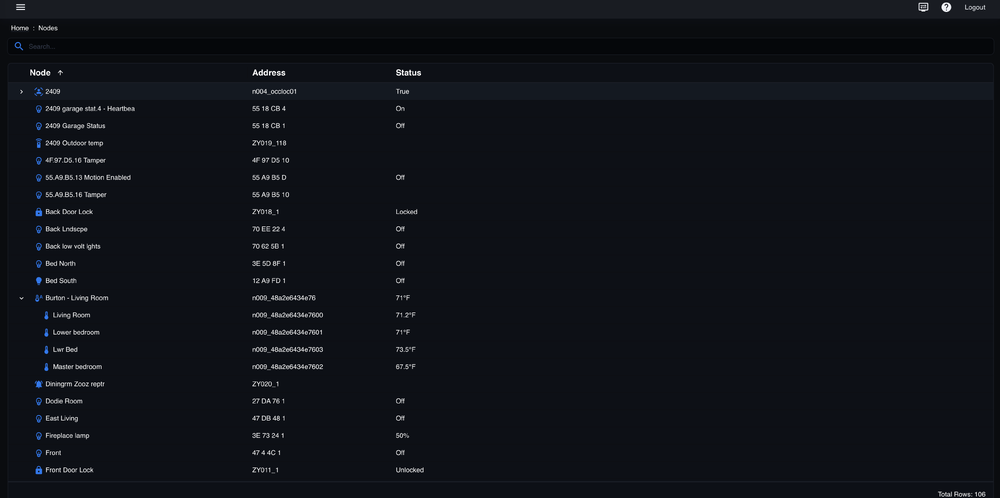
Hmmm. Still cannot find the gear icon. Here is my screen shot
-
-
Trying to create tiles but there is no "gear" icon on the eisy-ui web page, just nodes
-
Interesting. That explains it. On my last log harvest with restart, I had opened the plugin after launching only PG3. So going forward, I should only access plugins from the eisy-ui interface?
-
Yes, after the restart, the water controller, temp sensor and i leak sensor (out of 5) are showing as individual nodes.
-
Interesting. After the restart (one of several over the past day), I now see the flowsmart as a separate node in the AC, not under the yolk hub.
-
Thanks. Here is a new log after restart (waited about 5 minutes). Do I need the MQTT plugin? YoLink_2-7-2026_122029_PM.zip
-
Just set up my Yolink plugin (latest version) with UAID, secret key. I see 9 nodes (flowsmart, temp sensor, water sensors x 5, hub, setup) in the dashboard/details, but in the AC, I only see Yolink hub (connected, online) and Yolink setup (node server online, ready). None of the data in the flowsmart, temp sensor, water sensors show up in the AC. Attached is log. YoLink_2-7-2026_91728_AM.zip
-
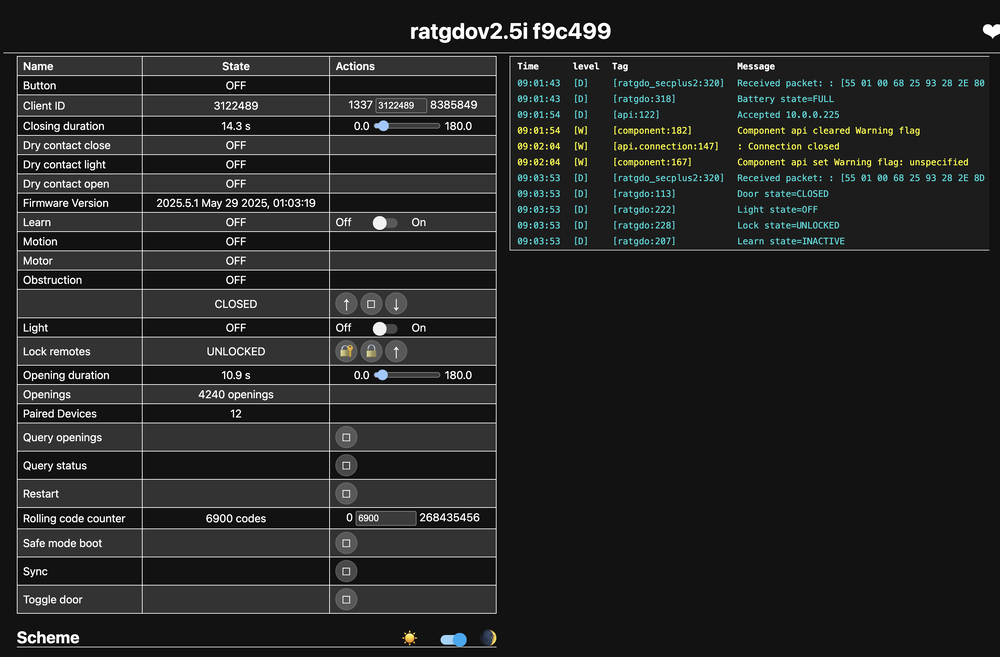
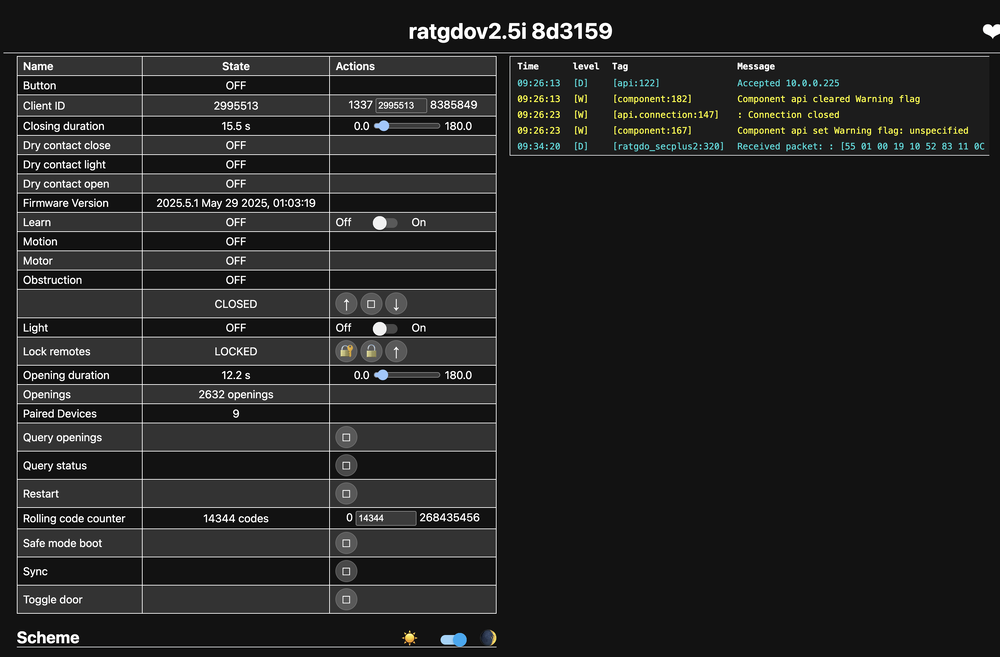
Have been using ratgdo devices (ESPHome firmware) on 3 Liftmaster 8550 garage door openers with 880LM wall openers for some time without any issues. Recently, 2 of the doors will spontaneously lockout the remotes, and even if I disable the remote lockout in the 880 LM, the lockout mode will re-appear within a few hours. I did change out one of the 880LM wall openers but problem persists. The Liftmaster/Chamberlain support staff are clueless. Attached are the ratgdo logs for 2 garage doors, one which is not experiencing the lockout ("...C499") and the other door that is ("...3159"). Any ideas?
-
Does the plugin support the latest ratgdo boards? For the disco board, will there be nodes for car entering and leaving? I am thinking of upgrading from my 2.5i board.
-
Thank you. don't have one yet but giving it serious thought.
-
Quick question. Is the Yolink YS4004 Thermostat 2 compatible with the plugin?
-
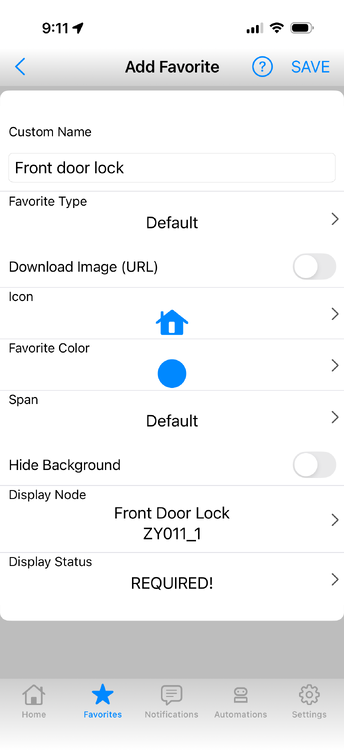
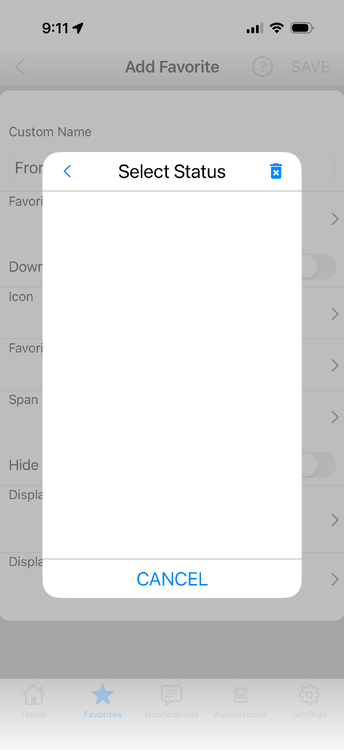
I am running UDM 1.4.11 (260) and noticed that 1 of 2 Eisy sites lost all of the favorites. Tried to use backup but app froze. Had to delete app, then re-download, then could restore using backup. However, some favorites were not there, so I tired to add back. Attached is what happens when I try to add a door lock. After adding the node, "Display Status" appears, but when this required area is opened, there is nothing to select. End result is that I cannot add the door lock. Running iOS 26.2, IOX 6.0.4
-
Thanks!


