


garybixler
Members
-
Joined
-
Last visited
Everything posted by garybixler
-
For a mic mixer I could suggest the eurorack ub802 or similar. The ub802 is very flexible in controlling the audio and is what I used in a similar setup with Russound.
-
I might suggest using a mic mixer into the Russound's pa input and connecting the Elk and eisy to the mic mixer. That way they could both page through the Rossound. Don't know if this what you may be looking for or not.
-
Problem solved with the release of IoX version 6.1.1.
-
Is there a way to move properties within the tile. I can move them up and down from the edit window but see no way to move them so that they are side by side in the tile, Initially when setting up the tile the properties did appear side by side but later as I edited the tile they no longer can be set that way, Thanks
-
Congratulations it works! I just started it up and it woke up the Tesla and I am receiving all the data. Thanks so much for all your patience.
-
After starting up the NS there was definite interaction with the phone app keeping it from connecting while I was trying to wake up the car. Then after I reinstalled the NS it didn't seem to sync up until I closed the phone app. After that both functioned properly. I included the log from a restart of the NS where both the NS and app were working properly. But, still no data. TeslaEV.txt
-
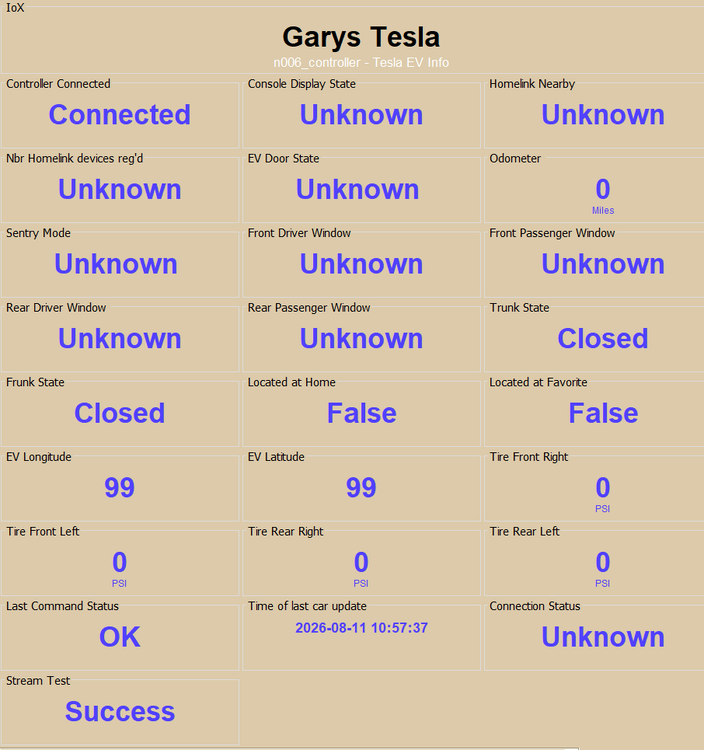
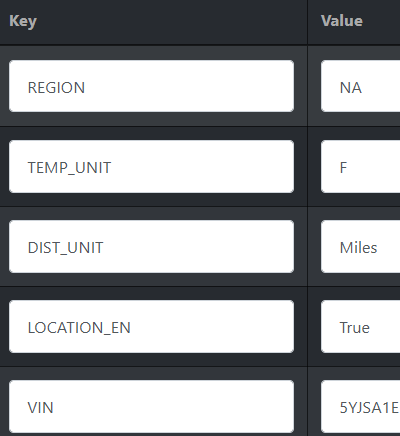
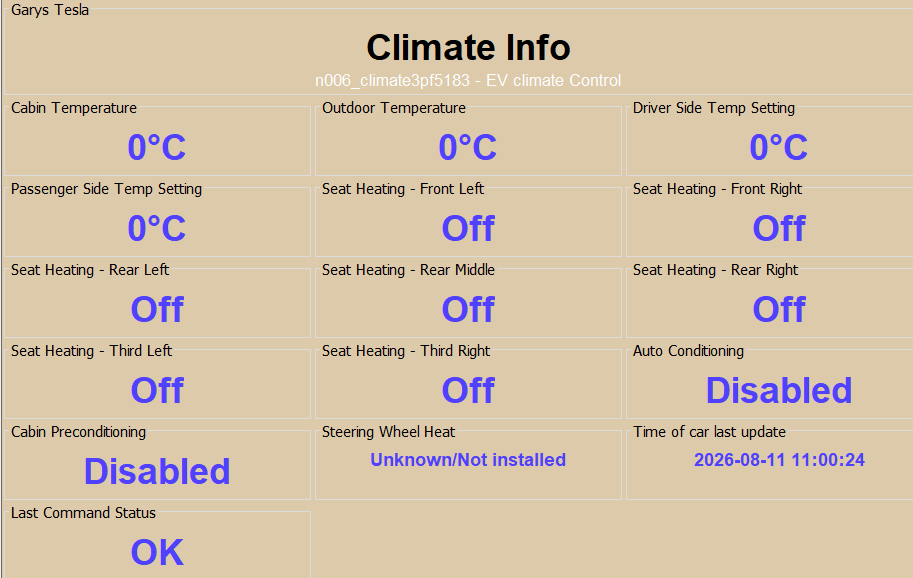
I gave it a try but still no data. I did a restart and authenticated again but no change. The Tesla was awake. At first I though that the NS was interfering with the app because commands were timing out but later it seemed to clear. I included a few screen shots.
-
Yes, in the US and each time I run the Stream test "Test Connection" it passes.
-
The trial version ran out so I purchased the NS. I included the log from install. I see several synched references but no data is loaded like climate info. Thanks TeslaEV.txt
-
On this latest log I did see " udi_interface DEBUG TeslaAPIOauth:teslaEV_streaming_synched:" TeslaEV.txt
-
I have checked everything but I don't know how to see if the car syncs to the streaming interface. I assume that if I can do a horn honk that there is a connection to the car. Perhaps they broke something in version 2026.20.6.11, fsd v14.3.6 I think I'll give up for now as the free trial is expiring and I have made no progress. Thanks for all your help. I'll try again at a later date. Thanks Gary
-
I re-did the pairing and it seemed to go OK. I don't see the vehicle rejected request in the latest log I attached. I was able to do a honk horn that worked but still can't seem to get any data while the car is not sleeping even though the cabin temperature would be changing. Thanks TeslaEV.txt
-
I woke the car with the app but nothing happened till I did a 'test connection'. The previous connection connection was 'failed'. It looked like it should have loaded some data. I attached the debug log for that session. TeslaEV.txt
-
@Panda88 Unfortunately no success after deleting everything and starting from scratch. I assume after the NS is installed I should have received recent data while the car is awake. It had been awake for about 2 hours while charging but nothing was received. I see that there is a limit for wakeups and commands per day but does that affect data being received from the car as data changes like charging or tempature info? I don't see how I can get this to work but thanks for you help. Gary
-
@Panda88 , The location issue was that I didn't have that checked off on the 3rd party app at the Telsa web page.
-
Thanks @Panda88 I tried all of the above a couple of times but still can't get any data from the car. I re-installed while the car was charging so it definitely was awake when I did the re-install and authentication. I have allowed all access to the iox third party app on my Tesla web site. At one last attempt I will delete everything from the car and web site and give it one more try. Will let you know what happens. Thanks
-
I found the problem with location and now the NS starts up with no error messages, but still can't get data from the car. Reinstalled, re-authenticated and re-started with no success. Tried many times. I included a debug log. TeslaEV.txt
-
So far no luck. Maybe someone with a Tesla could verify what the key should look like associated with the eisy. Mine looks like this: my.isy.io with unknown key underneath. Also no edit capabilites. Thanks
-
Hi, I installed the free version awhile ago and couldn't get any data to populate. I can honk the horn and probably other functions like that. The test connection completes with success. The controller shows connected but initially showed 99 after restart. The only error I see is: Gary's Tesla ERROR failed to connect to streaming server - {"response":null,"error":"Unauthorized missing scopes vehicle_location for vehicle data access","error_description":"","txid":"84c02aab24c0da620bd754c1e1242213"} Not sure what I need to do in order to correct that. Current Version: 0.2.14 / Free [Production] Any suggestion apricated. Thanks Tesla 2023 model S with latest software.
-
Hi, Are WebControl8s available anymore? Couldn't find it for sale anywhere online. Thanks.
-
After deleting and re-installing the audio player it still can't play the included audio files. They play according to the AP but produce no sound. The same is true if a custom sound file it loaded but, I was able to get the custom file to play by adding _t at the end of the title like what is done with the tts files. This all started after the latest package upgrade.
-
I think she is trying to use the apple skill not associated with the isy skill. In my case I installed the Samsung skill on Alexa in order to turn on/off my Samsung TV.
-
Thanks Techman, I always use the AP with speaker jack. Oddly after the package update none of the recorded mp3 files would play even the default mp3 files. The tts files all worked fine. After deleting and reinstalling the AP plugin the included sound files still would not play. Added tts files played fine. Very odd. Debug Log. New Text Document (3).txt
-
Just discovered that the included instructions didn't include settings for the newer ZEN16 800LR series. Still not working as desired but I can change valid parameters. Thanks
-
After I did a package update hoping that would fix the issue I am having with changing parameters on a newly added Zooz ZEN 16 800LR none of the mp3 audio files would play. They would play according to the AP but there was no sound. The tts files still work fine. I tried loading a new mp3 audio file but the results are the same. Thanks Gary


