


Nestor
Members
-
Joined
-
Last visited
Everything posted by Nestor
-
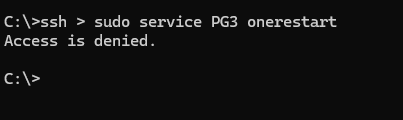
Had the same issue. Try rebooting the EISY. If that doesn’t work, try restarting the PG3 service by logging into EISY from command prompt with SSH, then use the following commands: sudo service pg3 onestop sudo service pg3 onestart
-
Good news! service restart did the trick. No further API errors that I can see. Also, Network resources are displaying properly and the Test button is functioning again. Thanks once again for your assistance!
-
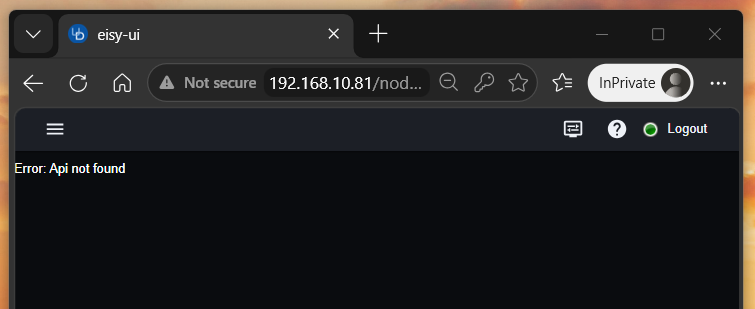
If you mean a private browser, same result. I also tried clearing my browser data, etc.
-
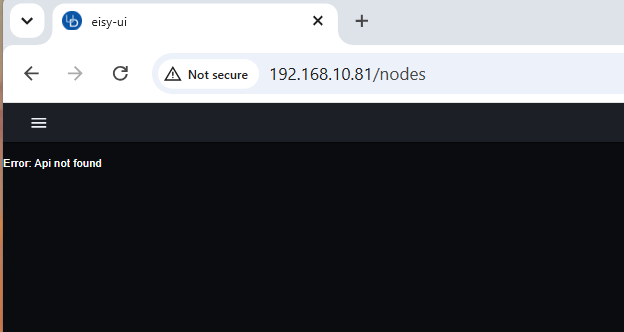
No other pages open as far as I can tell. Nodes page no longer working either. ☹️ And if I click on PG3, it boots me out to the login page where I'm stuck in endless "successful" logins back to the login page.
-
Admin console icon appears in the tray but I can't bring it up. Also can't close it other than using the task manager to "end task". Clicking on another jnlp file just creates another instance exhibiting the exact same behaviors. I tried fully uninstalling and reinstalling Java, but same result. For some reason, the download page on Java.com wouldn't work until I switched to Chrome. All of the Java issues occurred after yesterday's windows 11 update. I'm at a loss. I'm glad you folks are moving away from Java. I can't see this getting any better as time goes on. Re: race issue. Will wait for the pending fix.
-
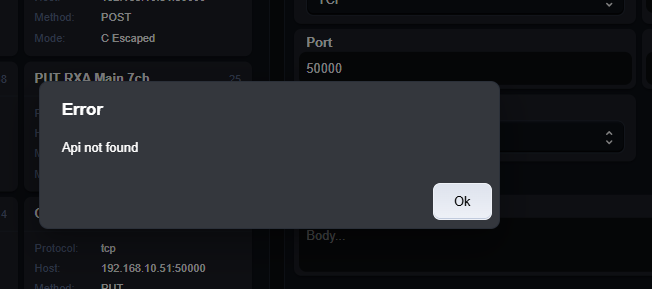
Re: API not found. If I click on the Zwave Protocol in the menu, I get "API not found" and the page hangs at the error pop-up. ie. clicking "OK" doesn't close the pop-up. Only way out is to refresh the browser. This happens in Chrome and Edge.
-
I can't seem to duplicate. Tried running in Google Chrome and get the same result, ie. not displaying. Also, Windows seems to have broken Java.
-
Just noticed there is another update for EISY-UI since the one I performed early this morning, so I upgraded from 1.4.4 to 1.4.4_2.
-
If I'm interpreting your question, no. Logged in via my local IP address. As an aside, after a windows 11 update late this afternoon, I can no longer open the admin console.
-
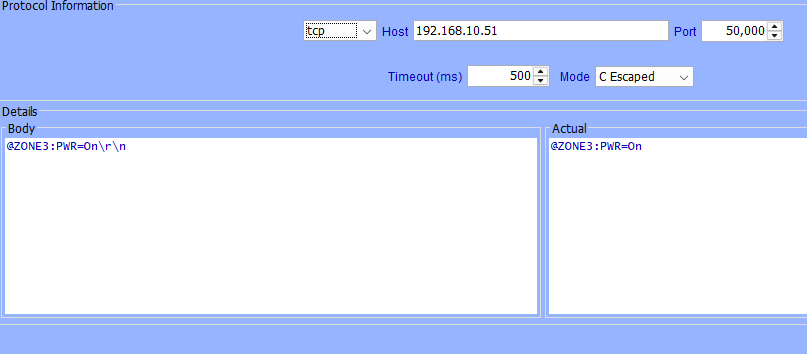
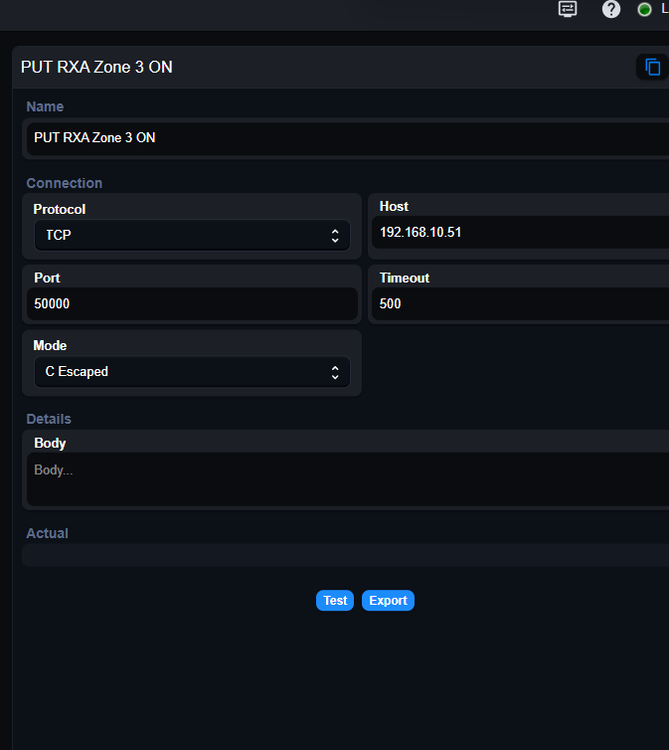
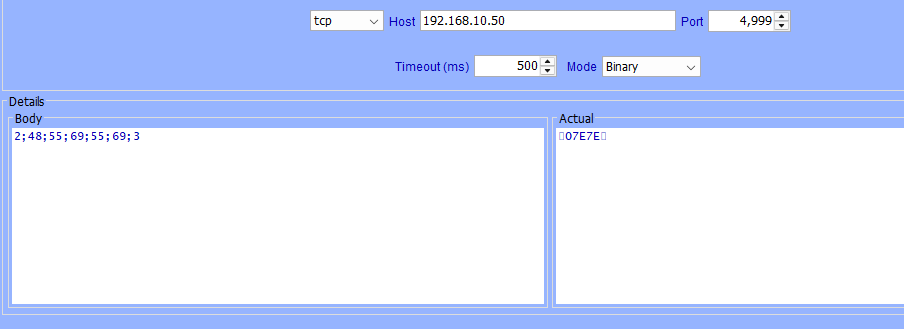
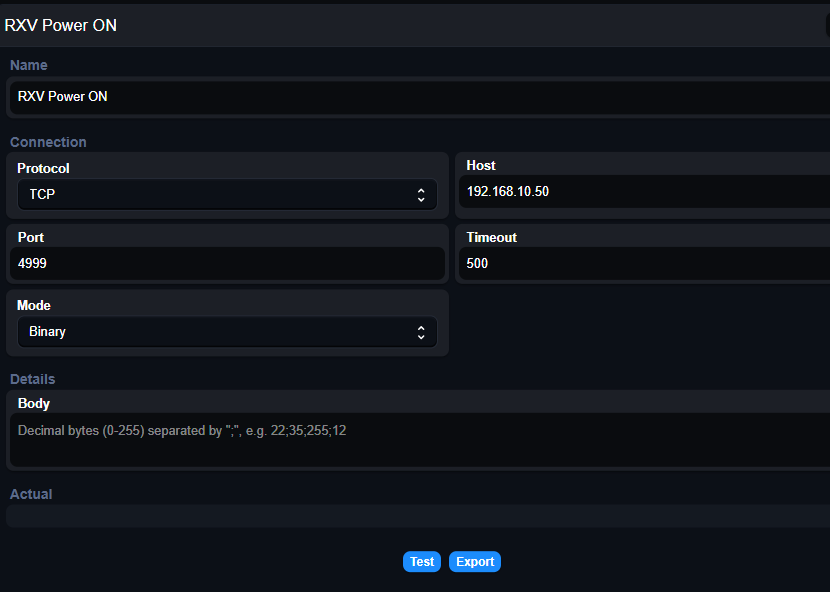
All firmware and software fully up to date. The invalid characters are likely because they are represented by the "2" and "3", however they are required per the Yamaha serial protocol used by my (much) older Yamaha receiver. I also have a newer Yamaha receiver using POST. They too, do not display in UI. (Screenshots). FWIW, all commands function properly in EISY and UD Mobile. I can also execute them successfully with the "test" button in AC. Seems neither Test nor Export work in UI, resulting in an "API not found" error.
-
Checking out the new Network Resources page in UI. When I click on one, I get details about the Network Resource but not the actual content. Am I missing something? Screenshots comparing AC with UI for the same command:
-
That worked. Thank you. Had a similar issue last week but somehow I got back in. Any recommendations on how to prevent future occurrences?
-
"access is denied" I did have to enable sudo in settings but same result after. Perhaps I'm entering it wrong?
-
Trying to log into EISY UI but I repeatedly get "Error Logging into the plugins service" I tried the advice given by @Geddy and @Jimbo.Automates in this thread but none of it seems to work. Note that I am only trying to log into EISY UI and not particularly trying to view my plugins. I can still log into the Admin Console without issue.
-
One handy feature of UD Mobile is “Advanced Status Configuration”, allowing change of icon and colours based on states of other programs and nodes. Will this be an upcoming feature of EISY-UI?
-
Ran the commands. Looks like it's running in both now. Thanks!
-
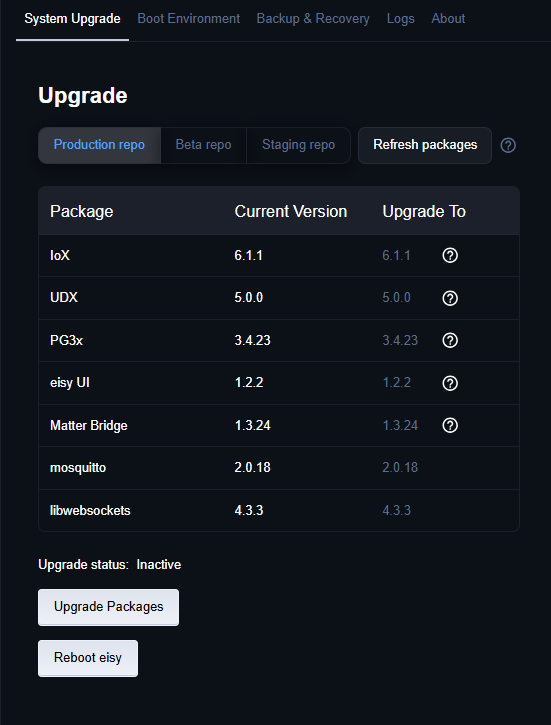
As requested...
-
response: uid=349(polyglot) gid=349(polyglot) groups=349(polyglot)
-
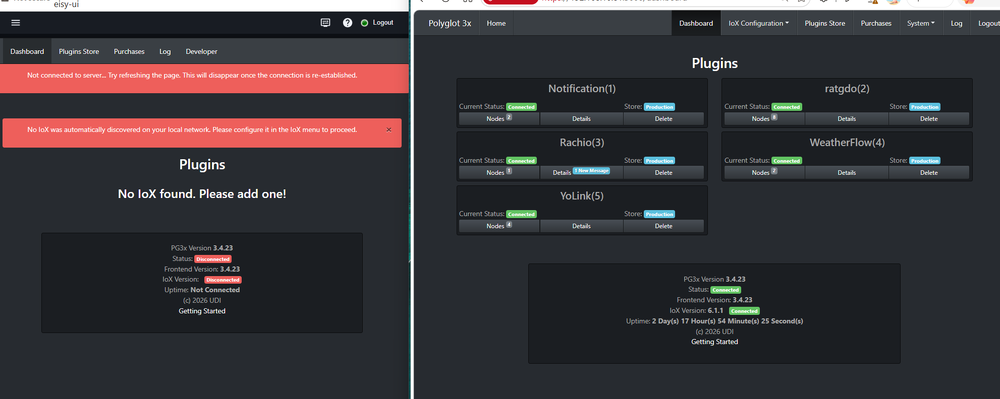
Issues with my YoLink plugin sent me back to the admin console where I soon discovered the IoX was no longer connected. After reconnecting my IoX from the admin console and successfully restoring the YoLink, I discovered PG3 no longer works in EISY-UI. Everything seems to be working at present so I'm reluctant to mess around with PG3 in the UI further until I understand what's going on. Is this what's supposed to happen? Screenshot below from EISY-UI (left) and from the connection opened via the admin console (right).
-
UPDATE: Deleted Plugin entirely and reinstalled. Re-added UAID and secret key. Restarted Plugin and now everything is back.
-
At first, I thought I had no issues with the upgrade/update but it appears my YoLink nodes are no longer responsive. Here's what I can find: YoLink Setup: Node Server - Offline; Status: Initializing. Remaining Nodes (3). Two door sensors and One Speaker Hub. All are empty. PG3: Yolink Current Status: Connected. No apparent issues. All other plugins are operating as expected. I tried the following: Deleted all nodes from IOx but have been unable to re-add them. Rebuilt Nodeservers but no change. Not sure where to go from here.
-
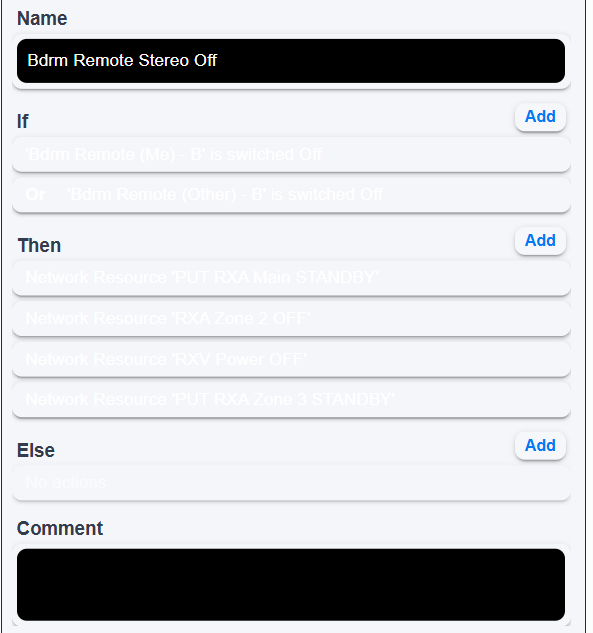
Theme toggle works although some text stays white when going to light mode. ETA: I see you mentioned there are still issues.
-
Successful upgrade here. Followed the instructions including running an ethernet cable from my PC to my router. (It's usually on wifi). Everything was back online 22mins after clicking on the upgrade button. So far so good.
-
Update: Seems my solution resembles this earlier thread . Thanks to Michel and his prompt response to my ticket, I successfully installed and started eisy-ui by accessing eisy.local via command prompt and following the ssh commands. Thanks
-


