


oberkc
Members
-
Joined
-
Last visited
Everything posted by oberkc
-
My plugin is "disconnected" with a notice about an update. When I choose "update", it takes me to the plugin store page. So far, so good. Unfortunately, when I choose "update", nothing seems to happen and my plugin remains disconnected and non-functional.
-
Well, I guess I am committed to using the new HTML admin console. My java version has started to fail (locks up during use) and I now cannot load a new one to my Mac mini. I cannot load the latest Java Run Time Environment because "because this application is not supported on this Mac." When I download and try to run a copy of the "start.jnlp" file, it fails because "Apple could not verify “start.jnlp” is free of malware that may harm your Mac or compromise your privacy". I am unsure what changed recently (it was working a few days ago).
-
Indeed, it is in the current beta version. I just never found it. Thanks.
-
Do you understand that the new UI will not have support for network resources??!! I know that I cannot find it at this point but I was assuming it would show up at some point.
-
This is my preferred method in the Java version. Speaking of things I have not yet noticed: Event viewer. Am I missing it?
-
Yes
-
In my defense, I did not say "it sucks". I may have implied that it was not quite ready for prime time, however. Furthermore, despite the response we sometimes get from owners and employees of the company, I have always viewed this as an user-to-user forum and not necessarily an official channel to provide feedback to the company.
-
I don't recall being prompted for this. I got an initial warning that an upgrade was in process and that I should not restart. I don't believe I restarted it, and wanted to be sure that I did not do so in the middle of an upgrade process. Edit. After I returned home, I restarted, and all looks like it works.
-
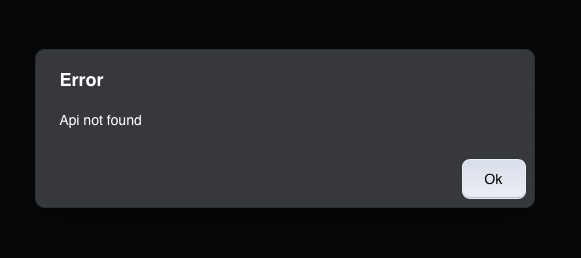
I see the ability to add nodes on the menu of version 1.3.4. Trying to add zwave results in an error for me, and locks the screen. The same thing happens when I try Insteon "start linking". I have not tried zigbee or matter.
-
Safari. FYSA...upgrading to beta did not solve this problem for me.
-
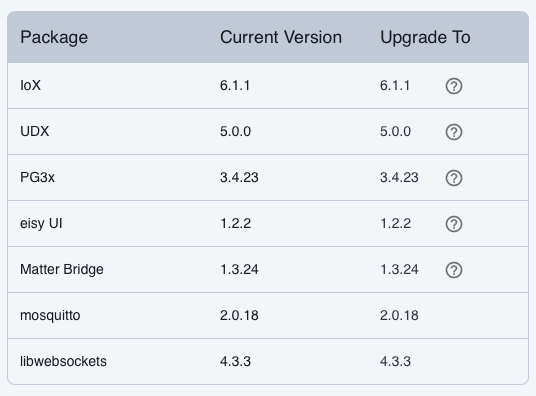
I am using whatever version shows up when one updates packages. I believe it shows IoX version 6.1.1
-
I thought you suggested light mode in response to complaints that it was hard to read. Regardless, I have forgotten how to switch between modes. This is what happens when I try to add a node to a group: Screen Recording 2026-09-03 at 11.10.30 PM.mov
-
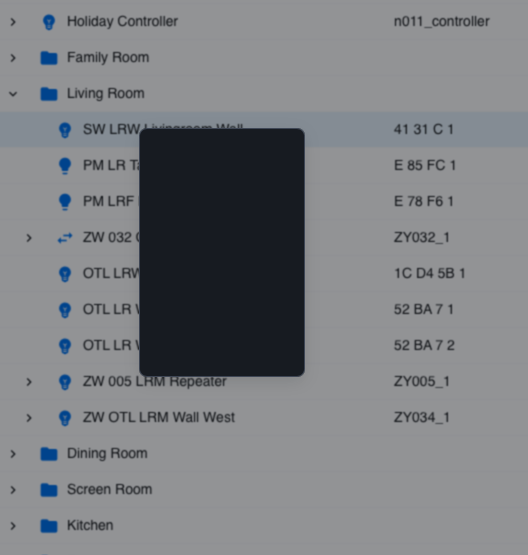
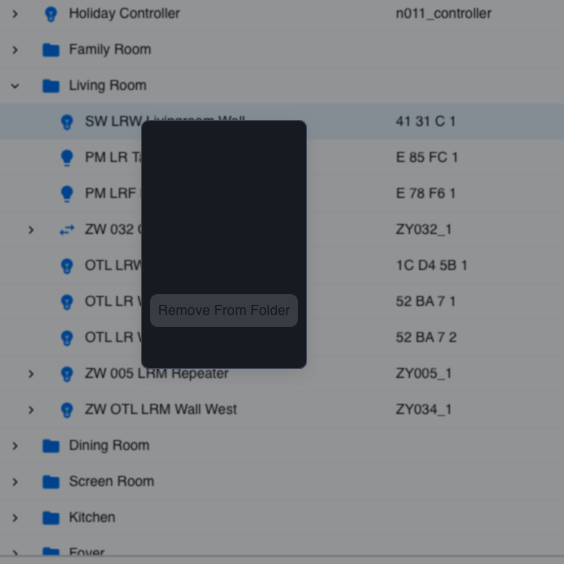
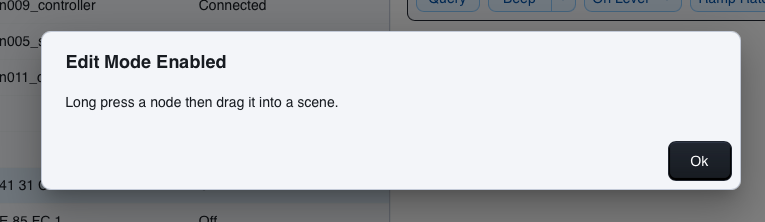
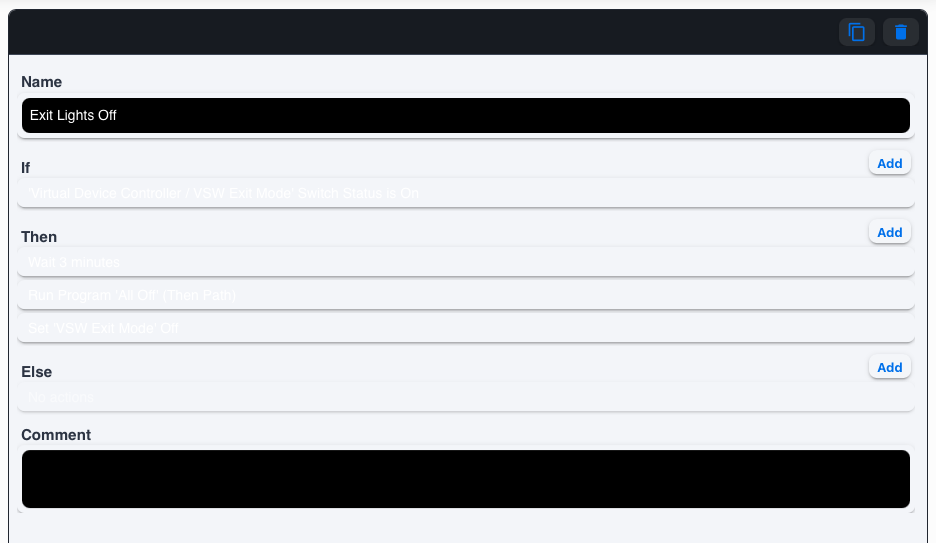
ok From the HTML version (is there a way to sort these alphabetical?), when I click on a device, I get a blank (black) box. Also, when I click on a device, I don't see any lists of scene memberships for that device. When I hover over the blank box, the text DOES show up, but one line at a time and barely readable When I try to add a device to a "group" (is this the former "scene"?), I click on the "add to group" option and it gives me this message: I click and hold on a node, but it does not allow me to drag it anywhere. So...for me, adding devices to scenes/groups is non-functional. Moving on, selecting a particular program shows a bunch of blank lines: I can click on individual lines and it will show the content of that one line, but there seems to be no way to see the program in its entirety. And I cannot easily see the parenthetical relationships when they exist in a program condition. Perhaps I am missing it, but I don't even see a way to add a new device, whether Insteon, zwave, zigbee. I have not made an exhaustive effort to test all the available functions of the HTML version. Instead, I open the HTML version when I want to modify something in my system. When I cannot find a way to make the modifications that I want, I tend to go back to the java interface (which is the result a vast majority of the time). Maybe I am missing something or maybe this is a learning curve issue or maybe this is somehow unique to my system, but these issues suggest to me that we have a ways to go before the HTML version is ready to take over. I would think that we would want a transition time of several months, when both HTML and java are fully funtional before we pull the plug on the java version. I hope this is helpful.
-
Are you looking for specific feedback? Do YOU believe the HTML version is close-to-ready? I gave a few examples on another thread, but will be happy to provide observations regarding how the HTML version works on my computer (Mac mini).
-
On my machine, the admin console is not even close to being ready. If I right click on a device, I get a black box. If I move the cursor to the black box, the options show up, but are barely readable. I cannot move devices to scenes. I cannot sort folders or devices alphabetically. I cannot move scenes into folders. If I click on a program, the right panel shows a bunch of blank lines (I can click on an individual line and see it, but cannot see the program in its entirety.) These are only some cursory observations. I trust that these are known problems. I can say that when I try to modify my system, I first try the HTML console, but 90%+ time I must go back to the java version.
-
I hope the HTML version is working better than it currently is on my machine before we abandon the legacy admin console.
-
Upgraded packages this morning and left for eight hours. After returning home, the state of my lighting was such that I could tell things were not working as they should, and I could not access the Java interface or the EISY-UI, or polyglot. I could get to the portal, which indicated it was connected. I could see from my router that it was connected to the EISY. UDMobile seemed to be working. I physically unplugged the EISY and waited a few seconds to plug it back in. Now (after a whole minute of inspections), I can get to the java interface and EISY-UI. The upgrade seemed to have concluded successfully. If I find more, I will report back. Edit: at it I think the update may have broken my Roomba plug-in
-
Yes. Perhaps I will try it. Edit: 2.0.15 appears available only for the standard version. Since I thought I needed the pro to do what I wanted (Honeywell T10) thermostat) I did not try the standard version. Yes, I read this. Unfortunately, it uses terms and expressions that have no meaning to me (for example: Run Zeroconf diagnostic on the controller!!??), and I am still trying to decide if the amount of time that I would have to spend to understand this is make it work is the something that I want to expend. My system is feeling pretty fragile as it is (the matter devices I have fail regularly and a zwave lock loses function) and I am already spending too much time keeping it running. Thanks for the advice so far. I will let you know if I progress any further.
-
OK. It is now "connected". Discover did not find the Honeywell T10 thermostat. I manually added the eight-digit HomeKit code and this did not work, either. I am wondering if the prior pairing with the Honeywell node server is interfering with the discovery process. I may fool around a bit more with it.
-
In hope of reconnecting my Honeywell T10 thermostat, I downloaded the trial version of HomeKitHub professional. It appeared to download, but showed as a big red "disconnected" and running discovery did not find the thermostat.
-
I am glad it is working for you. Not being a user of HA, I was not certain what happens in HA when one turns on an Insteon virtual switch that is already on, or off when already so. I was also suspecting problems in keeping things in sync when garage doors are operated by means other than the virtual switch, or whether that is even an issue. I know, also, that Alexa is easily confused when you have multiple devices with similar words in the name, such as garage, and that it might be helpful to remove the genie skill from Alexa to avoid some of that confusion. Hopefully those concerns were unfounded or that you found good ways to handle them.
-
While I don't use HA, I understand that it integrates well with the ISY (or whatever term you want to use). Given this, and given that you can open the door from HA, would it not be simple enough to create a virtual switch (or, possibly two virtual switches)..add the virtual switch(es) to HA, and to Alexa...trigger programs from HA based on the state of the virtual switch...and create a couple of routines in Alexa: when I say "Open Garage Door" Turn on a virtual switch when I say "close garage door" Turn off a virtual switch (or turn on a second virtual switch) There are certainly a few details to be worked out, but this seems like a promising start to a concept using virtual switches. On the other hand, it would also surprise me if you could not do this directly with an Alexa routine and bypass the virtual switch intermediary. Can one not trigger an HA action from an Alexa routine?
-
I don't know what garage door integration you use, but I find it unlikely that any Insteon device (real or virtual) would allow you to bypass the PIN requirement required by Alexa. Can Home assistant control the door without a PIN?
-
This thread is in the "Hue" forum. I am not sure how much of a difference that will make, but it certainly does not help. My perception is that things at Honeywell have changed, rendering the Honeywell Home plugin non-functional. I also understand that the plugin is no longer supported by whoever does such things. Regarding the HomeKit code, is it possible that this code is on a sticker somewhere on the thermostat? (The few HomeKit devices I have paired had such stickers and the instructions that came with them had the code printed somewhere.).
-
I recall than, when I did the migration, I required no extraordinary steps. The wiki instructions worked for me. https://wiki.universal-devices.com/ISY_Portal_Migrate_configurations_to_a_new_ISY

