


dwengrovitz
Members
-
Joined
-
Last visited
-
If I've migrated plugins from PG3 to eisy-ui, do I need to keep the ones that show as migrated on the PG3 Dashboard? Or can I just delete those?
-
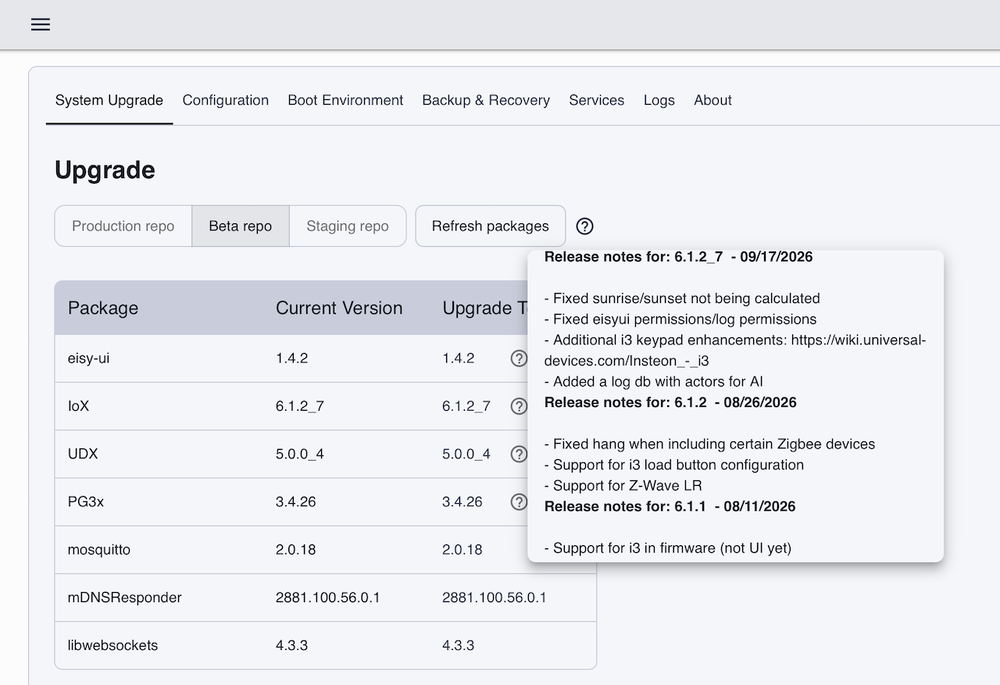
@DNewkirk I don't have a direct answer to your question about how well the I3 devices are supported under AC, so feel free to shame me for providing a suggestion, but I do have a good number of I3 switches on an eisy running beta code. From what I've seen, the I3 devices seem to be much better supported in the browser versus the old AC, so much so that I've stopped using the AC altogether. Given the AC is going away, and you also have at least one I3 device, I might suggest considering your migration to eisy-UI sooner than later. It takes a little getting used to, but it's pretty functional now and the I3 devices seem to be well supported there, especially with recent updates specific to the I3 (as shown in the release notes - see screencap below). Also - see https://wiki.universal-devices.com/Insteon_-_i3 for more details specific to the I3 devices.
-
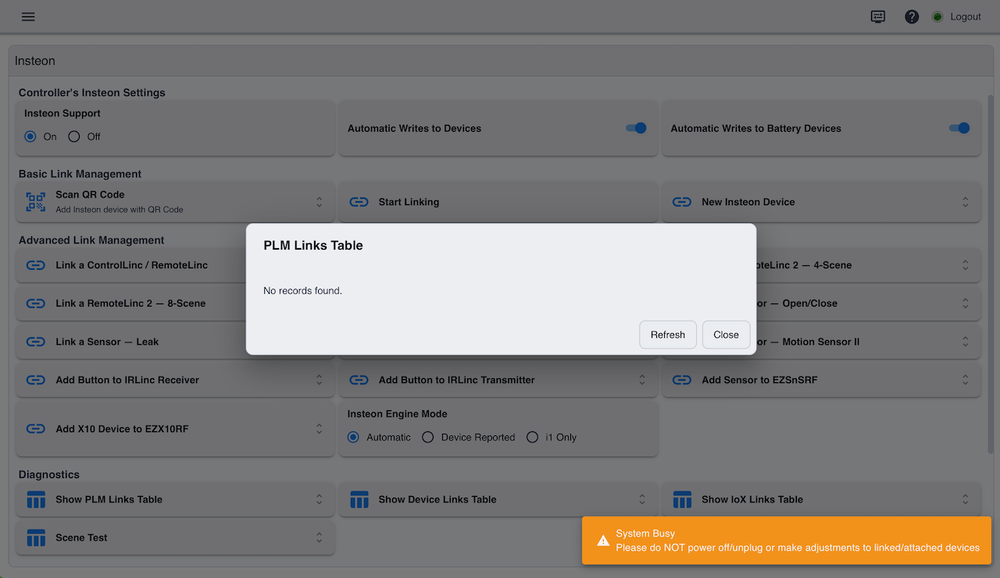
Yes - I've rebooted multiple times. The problem still exists for me on eisy-ui beta 1.4.2. The system looks like it's busy doing something, but no data ever gets displayed. See screenshot below ... eventually, the orange box goes away and the white remains, with no link data displayed.
-
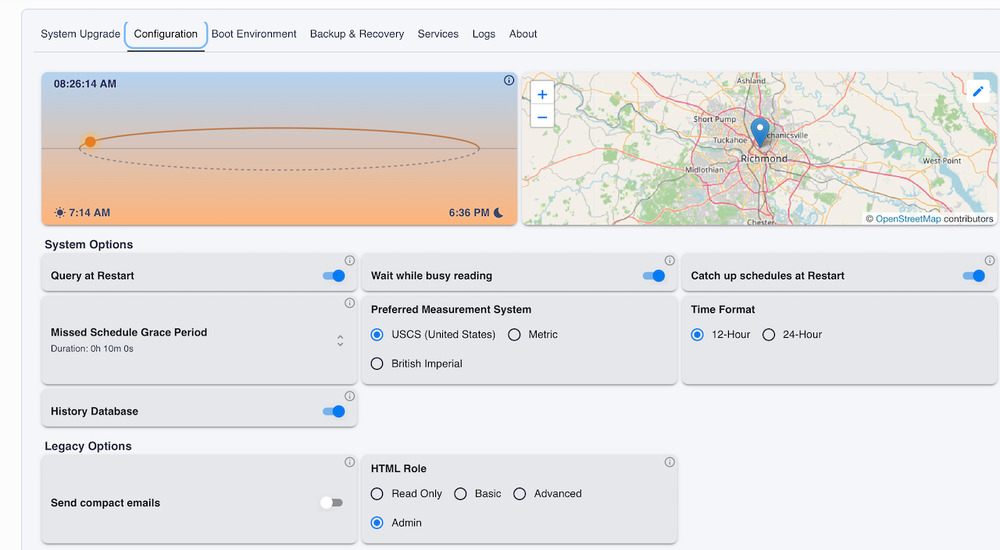
Perhaps that's coming in a near release? I'm using the latest beta eisy-ui (1.4.2), and there is a Configuration Option under the System Settings that allows specification of location and display of time.
-
@IndyMike Thanks. I opened the event viewer in the AC and it does see the links via in the Admin Console, but the new eisy-ui doesn't appear to show them.
-
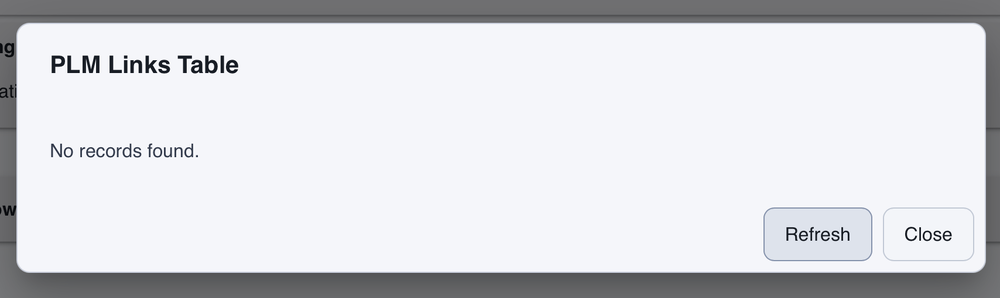
I tried Show PLM Links Table on eisy-ui (beta 1.3.11_1), but all I see is this ... should it be displaying actual data or are my links really hosed?
-
I'm running the latest eisy-ui from the beta repo. When we previously updated the device code via the Admin console, it almost always required a reboot. However, when updating the code via eisy-ui, it generally says the update is done (but doesn't say anything about reboot). Can someone clarify what to expect re: code updates and reboots when using the new eisy-ui? Should I reboot or not after an update, or will the UI always tell me when a reboot is needed? Also - if one elects to manually reboot - the status message displayed is yellow on a white background (when in light mode) and is pretty much impossible to read (as shown below).
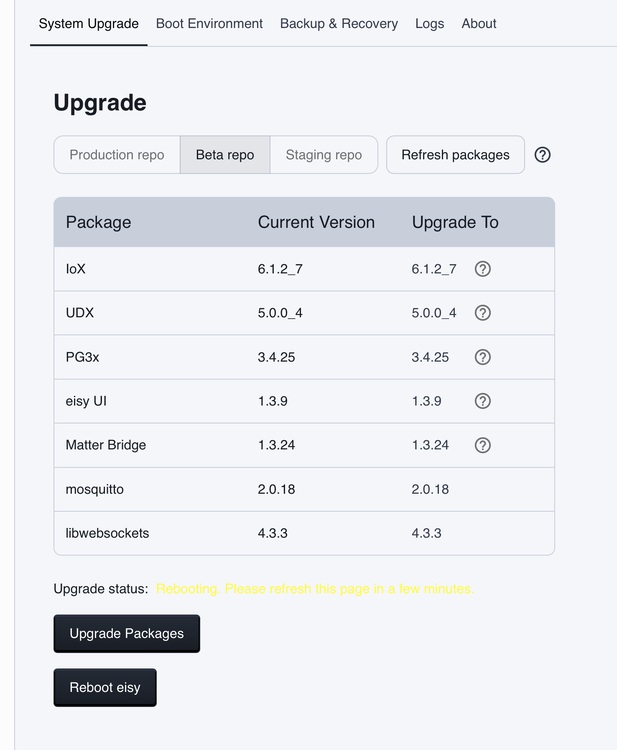
-
I'm seeing this same issue on my system. I haven't made any changes in PG3x, and I've restarted the eisy and Admin Console multiple times. I don't think this has anything to do with restarting after making changes.
-
Yes ... this was absolutely the case. I ended up removing the Genie skill from Alexa to help minimize any confusion. We'll have to do more testing to see how that goes over time.
-
After a few trial and error exercises, I ended up configuring up a virtual switch and setting that up as a device with open/close status via the ISY portal. That exposed the device to Amazon/Alexa for voice control (e.g., open or close the door), and the eisy integration for Home Assistant exposed the virtual switch there for initiating an automation, which successfully bypasses the requirement to verbally provide the PIN. Works great - thanks all for your comments and input!
-
I am not entirely sure - it can open the garage door via the app UI (without a PIN) but the voice control I am using in HA is currently Alexa - and that seems to require the PIN. Thanks - it does. I am currently using a Genie opener, which has an integration for HA but not eisy (that I know of). I'm mainly trying to get around the commercial integration and what appears to be Alexa's requirement to provide a verbal PIN when opening the door by voice. Thanks, Guy - I'm familiar with setting up a virtual device and letting Alexa see it as on/off then triggering an automation of some sort. I just wasn't sure if the voice control would then have to be "turn on the garage door" vs "open the garage door" which seems a bit less natural for others in the house. I'll keep playing around with more ideas on this - but I appreciate you guys all providing some input!
-
I'm trying to better understand if and how this plugin can assist in providing a virtual garage door that's easy to control via voice. I'd like to be able to ask my Alexa devices to open/close the garage door and have the door do that. I can currently accomplish this with the garage door integration that Alexa already knows about, but the Alexa devices want me to verbally state a PIN to take action (which I understand is for security, but the concept of me having to state my PIN out loud seems relatively insecure). Can I use this plugin to establish a virtual garage door device that Alexa knows about, and when I ask to open the garage door, the virtual device would trigger an automation in Home Assistant to control the real garage door (which HA already knows about)?
-
I've had good success with Yolink sensors. They are reasonably priced, reliable, battery life is great, and there's a super developer (@Panda88) with a well supported plugin for eisy. You need a hub to go with them, but their hubs are also reasonably priced. Last I checked, a single sensor was about ~$45 on Amazon, ~$55 if you also get a hub, and ~$81 for a hub plus two sensors. Just a warning - they are kinda like that old potato chip commercial - bet you can't get by with just one [okay, so maybe the commercial was "bet you can't eat just one"]. I started with a couple but liked them so much I now have their motion sensors, leak sensors, vibration sensors, door sensors, temperature sensors, and even a few of their no-neutral switches in my environment. All integrated with eisy and Home Assistant.
-
A short press on each of the buttons did indeed update the status from Unknown to ON (DON). I'll experiment a bit more with that function, but it looks like the issues I was seeing are now resolved, thanks again! Still happy to send you a Flex Switch if you want one. :-)
-
Thanks for the update. At first glance, my temp sensors now all seem to work correctly. The Flex Switches also appear to work, but the status of the additional two button controllers appears as unknown in the Admin Console. I can live with that, as I don't really use that function, but if you'd like to fully support that just let me know and I'm happy to assist with logs, testing, and whatever else might be needed. Heck - message me your shipping address and I'll have Amazon send one to you to test with just to say thanks for the great community support!


