apostolakisl
Members
-
Joined
-
Last visited
Everything posted by apostolakisl
-
Did you try rebooting eisy/polisy? I had issues with other pop-up notifications presenting with every instance of opening the admin console after adding a new insteon device. Every time, it would tell me I had successfully added that device. Rebooting got rid of it. Though for all I know, if I add another insteon device it will happen again. Don't know, haven't added any since then.
-
I have the same issue. Didn't notice this thread and started my own.
-
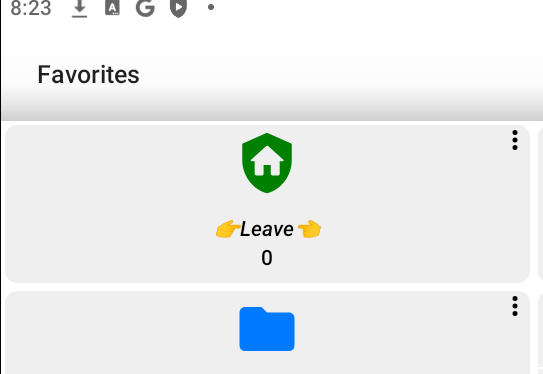
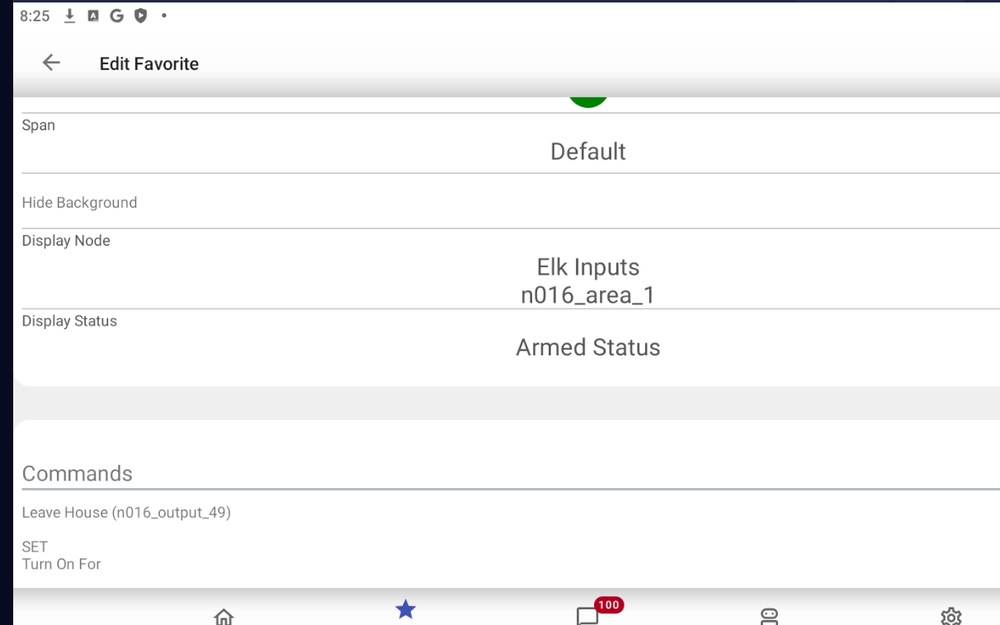
On ud mobile I have nodes for my Elk. They are set to display armed status and alarm status. Instead they show a number. It used to work. I believe it stopped working when I upgraded my eisy to 6.0. This is both on Android and iOS. Like right now the system should read armed night, no alarm active. Instead I have a 4 and 0 respectively on each of the two nodes. @Jimbo.Automates
-
I have a similar situation. I believe the one device has communication issues that come and go because of some unknown interference source. So the error message is in ISY from a failure prior to opening the admin console.
-
I upgraded and mine is posting any errors. I haven't used the remote since I updated to say it is actually working, but it says it is working
-
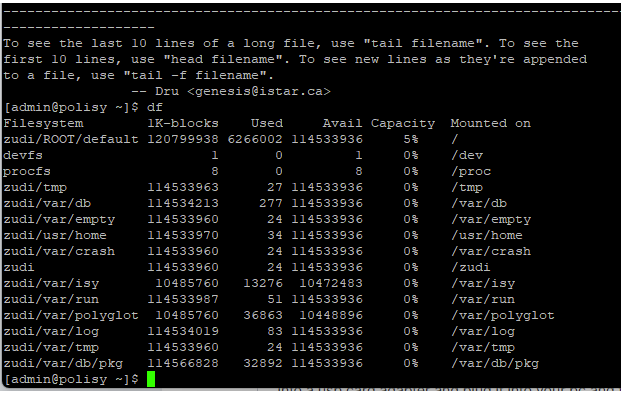
I would recommend checking your file system to make sure the image didn't flash a 3GB partition. SSH into eisy and execute the command df and it will show you your SSD memory situation.
-
I'm a bit turned around on this. For example, I have my portal setup with 2 ISY's and 2 subaccounts. The main account has both ISYs, and the two subaccounts each have one. My email (the same email as the portal account) is listed as a user under the main account (with admin rights, the only user anywhere with that setting), perhaps that was put there by default? I don't remember if I did that manually or not, it was a long time ago. The one subaccount has a bunch of users, the other, at least right now only has one. But none of those users are admins. I have not tried to delete any of those people because I don't want to go through the trouble of putting them back in, but it sounds like you are saying I would be locked out of the sub accounts because there is no admin on either? But if I check "admin" box, I can make any of those people admins and then I can uncheck and it goes away. Perhaps the thing you are saying is there needs to be at least one admin under the main account since the main account passes privileges to the subaccounts? The two sub-accounts never had admin users, I only just now briefly gave one user admin rights and then took away again.
-
Fastest way to fix this is to order an mSSD card adapter for USB from Amazon and UD can hook you up with a download of the image file and you can re-flash the image onto the mSSD then restore your backup. Hopefully you have a backup. The only issue I ran into doing that is the flashed image only paritioned 3GB of space on the mSSD which was too small to do upgrades. I had to SSH into my Polisy and execute some commands to increase the partition size to fill the entire SSD. I did this a couple days ago and posted a video telling you how. After I enlarged the partition I did the upgrade to 6.0.0 and it worked perfectly. This is the one I got. I assume Eisy uses the same style ssd as Polisy. https://www.amazon.com/Adapter-ELUTENG-Converter-Portable-External/dp/B07VP2WH73/ref=sr_1_7?crid=1B5LFI4GCO8SG&dib=eyJ2IjoiMSJ9.917HGoA5zAb08l1BH2p81mFvt_dBzbsYgI92HImShDxiomYeSJgzAjJVWhkdW6MLmBB_s0vyZGe43W8IBXQOAuMDpk4JEtB6DbjlIFuki9gUrSWOnyznuEuRtMUDu6wCoDK0RWZl1t6RAWbr4qebZc3V-FfxIer9Ji3PvUyNwyVdZIYrvjkbeEj-ZE-_wGWu3g7-34cUWVHlRhqOhYNWhwcPOiloF9Un0O4onONKJJs.-eI_Kjixzuvh9BNRi3yZqwopvWOW8wsZm3LVrUyIigQ&dib_tag=se&keywords=mssd%2Badapter&qid=1759345402&sprefix=msd%2Badapt%2Caps%2C202&sr=8-7&th=1
-
Interesting, I assumed the limit on accounts was ISY, but it is the Java structure. I hit that limit many years ago and thought it was 3, is it possible that number changed from what it might have been 8 or 10 years ago? I'm still a bit vague on deleting users and having that email available for re-use. By saying "if they were an admin" you mean that you checked the admin box when adding them as a user initially? In that case, they are deletable? But if you didn't check that box, then deleting them doesn't free up the email for new use? Do you have to delete the entire account/subaccount to clear the email for new use or just delete the user only? Obviously sending in a ticket and having you delete it will always get this taken care of, but it would be nice if us customers could handle it ourselves.
-
If you are just one family all sharing the same portal account with one ISY, none of this matters. But managing multiple ISY's with multiple user groups and not finding any good documentation and I got all twisted around. Below are some of the pearls of wisdom I figured out with trial and error and tickets with UD. I am not vouching that this is 100% correct, so if you think I made a mistake, please speak up. Also, some of this may change. Hopefully, the fact that a once used email address is forever used on that one setup short of opening a ticket to have UD staff delete it on the back-end will be changed. Accounts and Sub-Accounts (refers to a primary portal account owner, not to be confused with a user) 1) Require a portal username (email) and password 2) ISY’s reside in accounts/subaccount, there is no limit to how many ISY’s can be in these accounts (or if there is, it is a lot) 3) After adding an ISY to an account/subacount, permission must be approved at the ISY end using the ISY Admin Console under the configuration/portal tab. 4) Any single ISY can belong to no more than 3 accounts/subaccount 5) People with portal accounts have full permissions for any ISY in their account/subaccounts. 6) People with an Account will receive all UD correspondences related to any ISY in their account. Ie, billing info 7) Subaccounts have all the same functionality as the main account except subaccounts can’t have more subaccounts under them. 8) The same ISY can be in both an account and subaccount under the same account login and would use 2 of the 3 account memberships allotted any one ISY. The purpose of having an ISY in more than one account/subaccount would be to create different user permission groups. You might have some users who need access to 2 ISY’s, so you put those two in an account/subaccount and add those users to that, and then one of those ISY’s may have a different set of users who only get access to one of the two, so you need a separate subaccount with just the one ISY to which you add the users who just get access to that one ISY. Users: 1) Users are created from within (sub)accounts 2) The user must confirm their email by responding to an email issued to that email address after it is created by the account holder. 3) A user email can only be used once. The same user email can not be in two different (sub)accounts. 4) Similar to above, an email used for an account cannot be used again for some other account as a user. 5) You can not delete a user (or account holder either) and add them as a user to a different (sub)account. You need to make a ticket with UD and ask them to delete the user email from the system if you want to move them to a different (sub)account. After they are deleted, you can invite them to be a user on a different (sub)account. 6) A user does not necessarily have full permission. Compared to an account holder who gets full permission on any ISY in their account.
-
This is exactly what I was getting and I am confident it is because the drive partition was only 3GB.
-
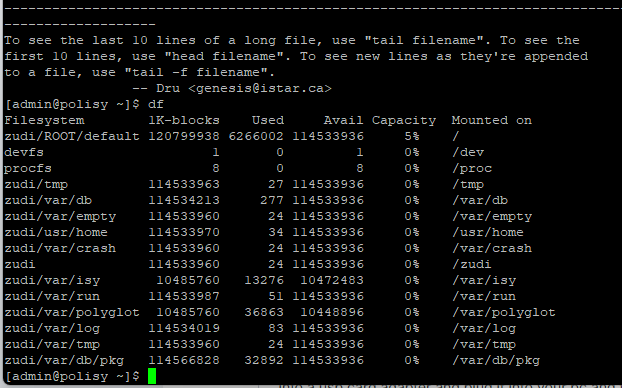
Two ways I know, The easiest is to ssh into eisy/polisy and issue the command df. The other is to take your ssd out, put it into a usb card adapter and plug it into your pc and then go to computer management and click on storage/disk management and it will show you. As you can see here I am using ~6GB out of ~120GB.
-
I would add that you need to resize the ssd partition. After I did this on polisy, it worked fine until I did the update which bricked it. I noticed that the restored image only created a 3GB partition and left the rest of the drive unused. I reflashed the ssd and followed instructions from a YouTube video I posted on a different thread to expand the partition to fill the entire SSD. After that my update went fine. Of note, following the update, 6GB of the drive was used.
-
They sell a USB stick to do the flash real easy, but it appears to be sold out.
-
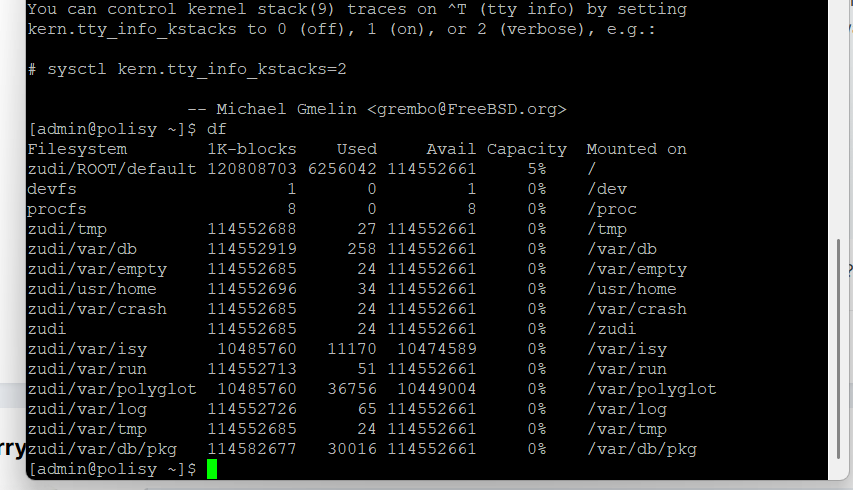
Looks like I am using 6GB of ssd space. With the partition previously being 3GB, that could be an issue.
-
I found some instructions on youtube for expanding the partition to fill the drive. After I did that, I did the upgrade again and it worked. Just to be clear, I had to reflash the image file first since it was bricked after trying the upgrade the first time. I would say yes.
-
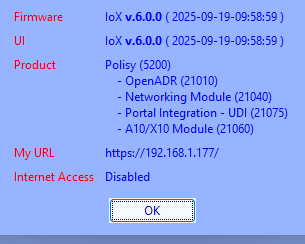
It appears i just succeeded. I figured out how to expand the partition to use the full ssd drive. I then rebooted it, ran the update and about 20 minutes later it rebooted to the new firmware. I followed the instructions on this youtube video to resize the partition. Note, zroot should be replaced with zudi
-
Trying to upgrade just bricked my polisy as well. I had just flashed the image from UD to a 128gb ssd. All worked fine until the upgrade at which point is just stopped working. I pulled the drive and put it on pc and found that the flashed imaged only used 3gb of the 128gb, leaving the rest unallocated. Perhaps it didn't have enough space to run the upgrade? Regardless, I would like expand that volume and use the whole 128gb. But I have no idea how to do that on a linux ssd. None of my windows tools that do that to a windows disk would do it. At this point I am back to the way I was this morning, working polisy.
-
I just had the same thing happen on a Polisy. I have the image file from UD, so I pulled the SSD, flashed the image, then restored my backup. I noticed that after flashing the image file from UD, my 128gb ssd has 124gb of it left unallocated. I can fix this on a PC, but I have no idea how to fix this on a linux setup. None of my usual methods will let me do anything. I wonder if there simply wasn't enough space for the upgrade to proceed. Of course if you have an eisy, I suspect that the ssd was properly partitioned to use all the space.
-
Could you not flash the ssd and restore a backup?
-
I just did the update to my polisy. It then said I needed to hit "reboot". I did that, it went offline for a while, came back. I tried logging in using my portal credentials but that didn't work. I tried my old credentials, that did work (which shouldn't have). It then gave me a warning that I needed to reboot. Which I supposedly just did. I tried again, it went offline again, and repeat. And going to polisy.local doesn't bring anything up. So, obviously somethin didn't work. Perhaps I need to do a hard restart? I'm not physically there now to mess with it.
-
Have you seen Polisy get sluggish or having any issues?
-
I put in a ticket. I think those accounts just need to be wiped from their end. I can't do anything with them at all from my end. Years ago when I set these up, I set each one up as its own primary account instead of making them users under my account. It was working fine for 5 or 10 years with the old ISY, but I can't do anything to move over to a new one.
-
No you can't. You can type it in and hit save, but it doesn't do anything.
-
Those other tabs exist on some of the accounts. It is there on mine and one other. And yes, my profile is there. But opening that gives no useful options,.