


TJF1960
Members
-
Joined
-
Last visited
Everything posted by TJF1960
-
Good catch!I had given up on them Since they never returned my emails. I tried to mark that last response as solution but it automatically marked Your 1st Post as solution Kind of weird _Tim
-
I do recall that being the case for me as well. I think touching then saving brought them back to life, it's been a long while though... Tim
-
Has anyone programs marked to run at startup not running on startup? Beta version 3.1.2-3 -Tim
-
That is interesting, I had to clear java as usual...I updated about a week ago, with no issues.
-
I looked up an old email from them and sent a request. Lets see what happens.
-
Their website is still up. I tried to send a request but was unable to. I used to buy them all day long on eBay but noting now. They still list Smarthome as a seller but of course the link is broken. I have no idea. Will keep looking for a better way to contact them.
-
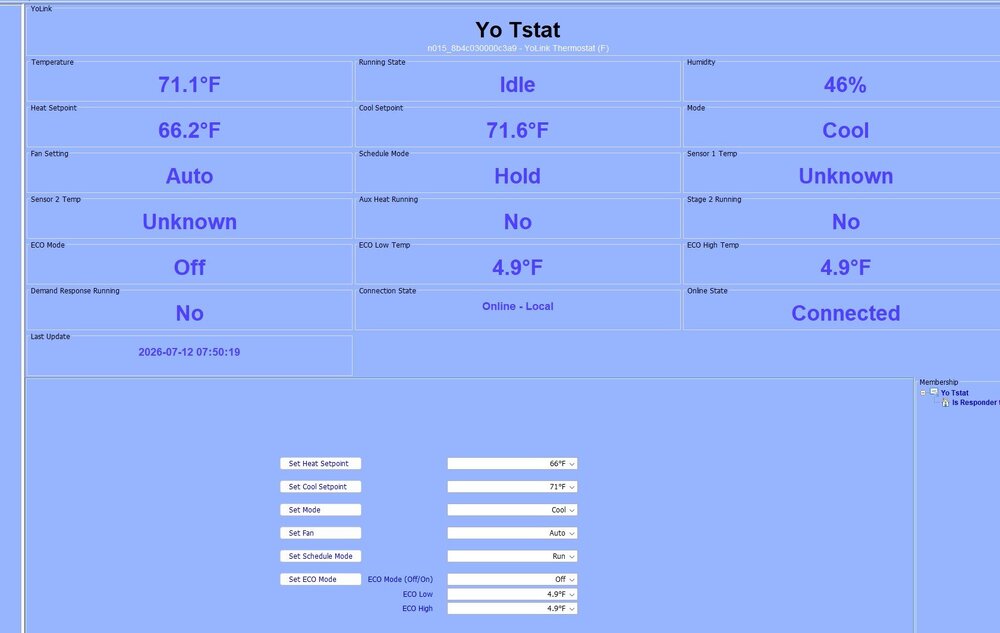
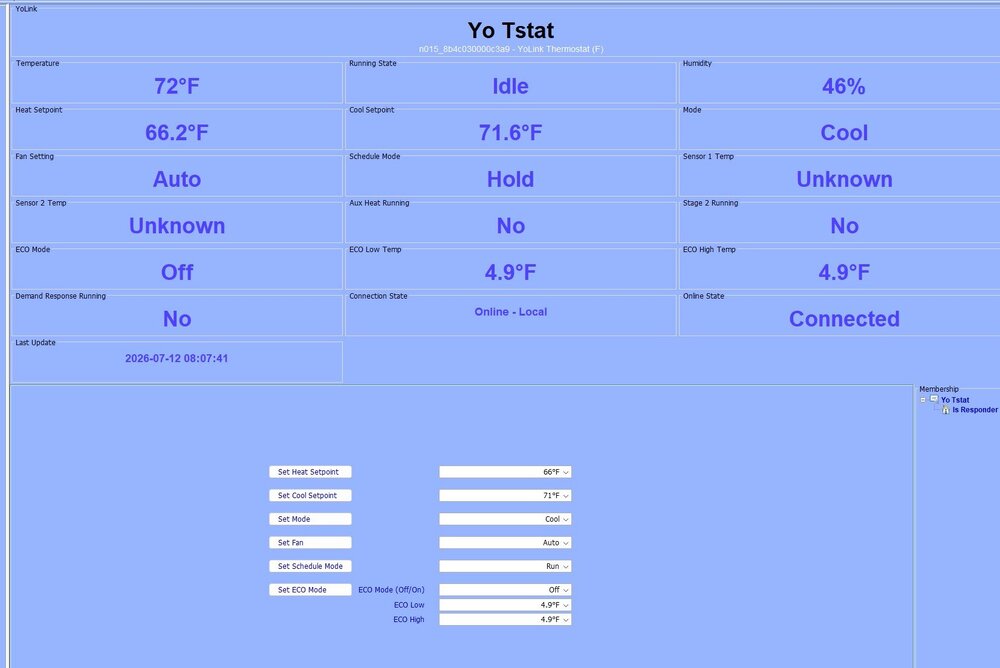
Hi @Panda88 I wanted to let you know that all is working very well and I thank you for all of your hard work. Question, the thermostat on the Yolink app reports temps in whole numbers. On the AC page of eISY, setting of heat/cool set points is also in whole numbers. However the temp reported on the Temperature node reports like 76.1 and increments to 71.6. In programs you can set to 71.1, 71.2 etc. I will generally just set a cool temp at 72 but the node reports that as 71.6 which can be problematic the way i have my resume temp programs working. UDM reports the same way. I am wondering if there is a way to resolve this by rounding to the nearest whole number or if this is the way the device behaves and the app just rounds to the nearest whole number? Thank you again! -Tim Edit:It does look like the tstat reports in tenths and is not like the set points, see second attachment
-
My apologies. I didn't scroll down far enough in PGx to see add printer. I guess I was expecting to see it in IoX instead. Working perfectly. Thank you! -Tim
-
Hi @bpwwer , I installed the trial version a few minutes ago. Once it started I noticed that the node was not created. I restarted the plugin but still no node was created in PG3 nodes nor in IoX. I have dm'ed the debug log. Thanks you, Tim I meant to mention, I am on IoX v6.0.5_10 PGx v3.4.19 UDX 4.5.0_7 eisy io 1.0.9
-
@Panda88 Excellent work! Thank You for all the behind the scenes work too! Tim
-
You got it, sent logs via message. -Tim
-
Hey @Panda88, I just set up a Yolink plug as responder in a scene, and it worked perfectly. However, when i set it up as a controller, it would not control. It would respond though. I did the tests on .56 by the way. .56 fixed most issues with UDM. Everything now populates and is very responsive. Excellent work! And Thank You!!! -Tim
-
I have been having an intermittent issue with Vue not responding to commands or updating status. It is very random, maybe once a week. It happened again early this morning. The only way to get it going again is to restart the plugin. Unfortunately log was set to Error. When in debug mode the log files get too large for me to download thru PG3 at times so I leave it in Error setting. I have PM'ed you with the log in hopes it might help but realize you likely need debug on. Please, if you wouldn't mind, take a look when you can just to see if anything stands out. Thank you, -Tim IoX 6.0.5_1 UDX 4.4.0_6 PG3x 3.4.18 eisy UI 1.0.3 Matter Bridge 1.3.24 libwebsockets 4.3.3
-
Ping plugin will detect a phones Wi-Fi and a program can be used to set a variable based on ping. However as Javi mentioned when the phone goes to s!esp or whatever ping may indicate you have left when you havent. That was my experience with wifi.
-
A little late to this party but there is a PG3 plugin called Ping that will monitor IP addresses of your choosing. I have it monitor Lan and Wan and our cell phones. Ping - Universal Devices Forum
-
I am not sure if this will help but I created an All Off scene with all devices and all kpl buttons buttons for just such a case.
-
Thank you.
-
Yes I am on the latest. Thanks, I think I will open a ticket. -Tim
-
@DennisC, thank you for the heads up. I am not sure that is what is going on though. I can open any of my 20ish plugins in system>plugins except for the one. Once I try to open that one is when I get the error above. -Tim
-
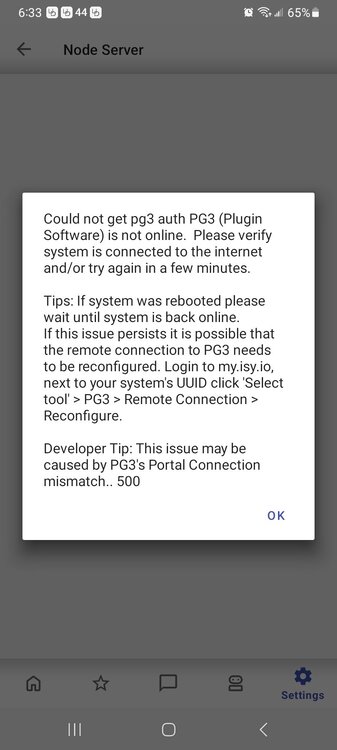
Good morning! On UDM, current version on android (I couldn't find the version number), IoX 6.0.4 and PGx 3.4.11 If I go to Settings>Plugins>YolinkLocal, the 4 dots just keep spinning, after about a minute I get this popup: After this I cannot access any plugins for maybe 5 minutes. Once I go back in, if I click on any plugins before trying to access YolinkLocal, I can gain access to any but not YolinkLocal. I looked for a way to download any logs in UDM but didn't find any. What should be my next step? -Tim
-
Mine too! I noticed yesterday morning it was running fine. I rebooted eISY yesterday afternoon and vue did started working right away after it initialize! I haven't tried again though, didn't want to push my luck..
-
Things have been working pretty darn well with the Yolink local hub. Since installing it I have never tested the local function. Well, we suffered an internet outage Saturday and yesterday. None of my devices reported while service was down. What I did find weird is that thru the admin console I turned a few of the plugs on and or off, just testing to see if it was working. None responded. But after the internet was restored, some of those plug then responded by turning on or off. Weird right? So, I would like to check myself to make sure I have the hub and app configured properly. In the app, I selected the local hub. At the bottom of the local hub page, I select Local network. Then select Devices. Then I select + and add each device I want to report during an internet outage or power outage, correct? Or another way to put it Local Hub>Local Network>Devices>+ then add devices. After adding all the devices, pressing the set button on each device to seal the deal. In the plugin (YolinkLocal) I add the keys along with Hybrid and the lan ip address for the hub. Like I say, its been working the way I expected just fine with internet. Does this all sound correct?
-
Well, so much for my luck. I postponed rebooting eisy so I wouldn't lose vue. We lost internet for most of the day yesterday. When it was restored, vue was throwing the same error as the op. I am down now also. So its not only a reboot but also a loss of internet that will kill it. I am not complaining, just putting it out there. -Tim
-
I am sorry you both are going thru this. But thank you for posting. I was planning on doing some work to eIsy later today which would require a reboot but I will now wait for the update. Thanks again! -Tim
-
@Techman Are you saying that I can have another tempest in my area that I can tap into to feed the plugin for the time being? I did find a station close by but I am not sure how to retrieve their data with my plugin. I found their station id in the url but I don't have their token. The plug in says "Failed to get station units.


