


dbwarner5
Members
-
Joined
-
Last visited
Everything posted by dbwarner5
-
Also a basic copy program to clipboard feature. I always do a backup to a text file of my programs or for posting in the forum.
-
This is a NEW concept to get our heads around. It makes more sense to me now what I am looking at in the "Group". It was very confusing until I read this. Nope I need to go and look at some, create some and make this sink home a bit. It makes more sense of a "group" name vs a scene. Thanks for the explanation!!
-
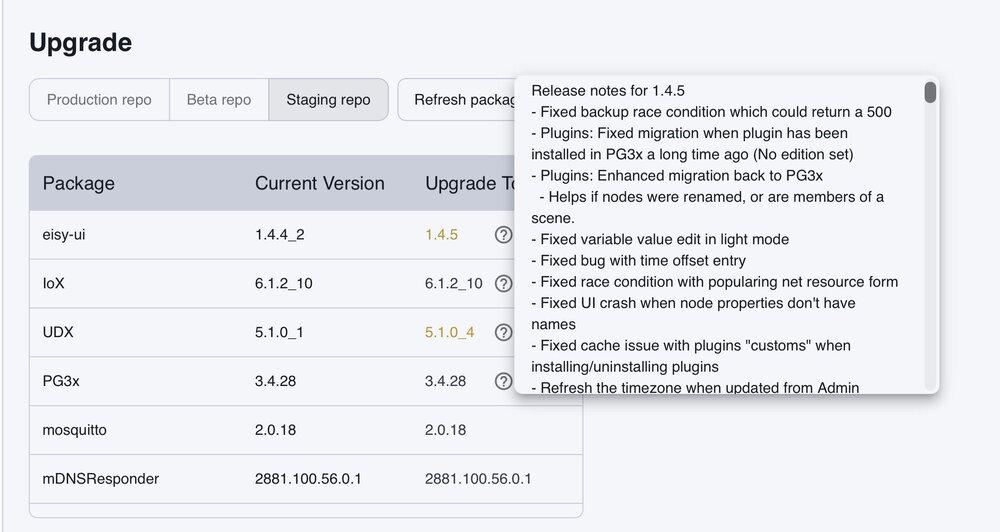
it wasnt working until I did the latest upgrade earlier today. I can't verify 100% its working but it appeared to be at first glance. I also see that already there is another update since this morning.. Continued mentions of plugin transfer work etc. Would suggest doing a backup via ui, plus pg3x backup via ui / pg3x / Dashboard / backup (the old way), then do the latest update. Check things out, and then do ANOTHER BACKUP with the newest system, and then try moving iAqualink again. cheers.
-
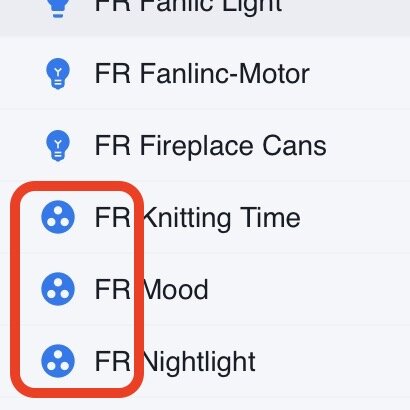
They are intermixed now with all the nodes.....they have a different symbol: Personally, I preferred them listed separately at the bottom as in the AC. They were much easier to find Two way around this that I am contemplating: add them all to a new Folder called SCENES or change my nomenclature method to add a special character in front of all scenes to allow them to be sorted together Just havent gotten to it yet.
-
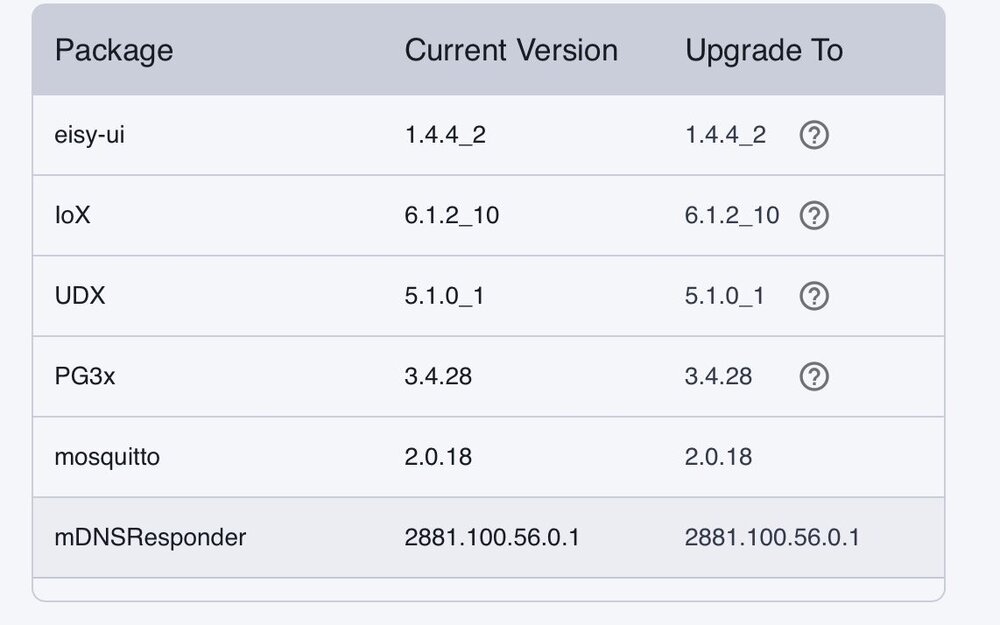
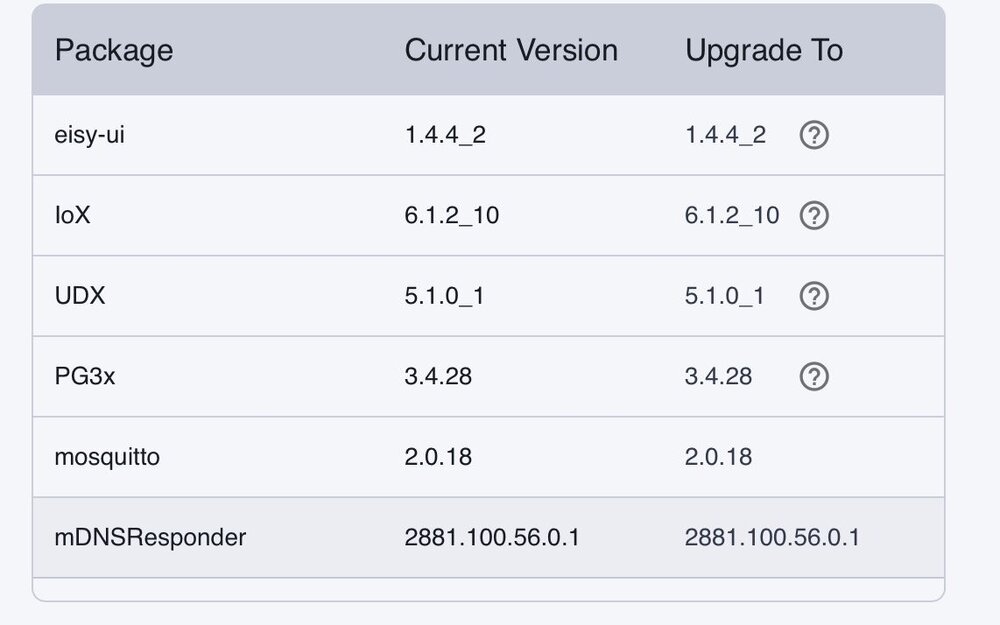
Solved with the latest versions. Plugin migration is working.
-
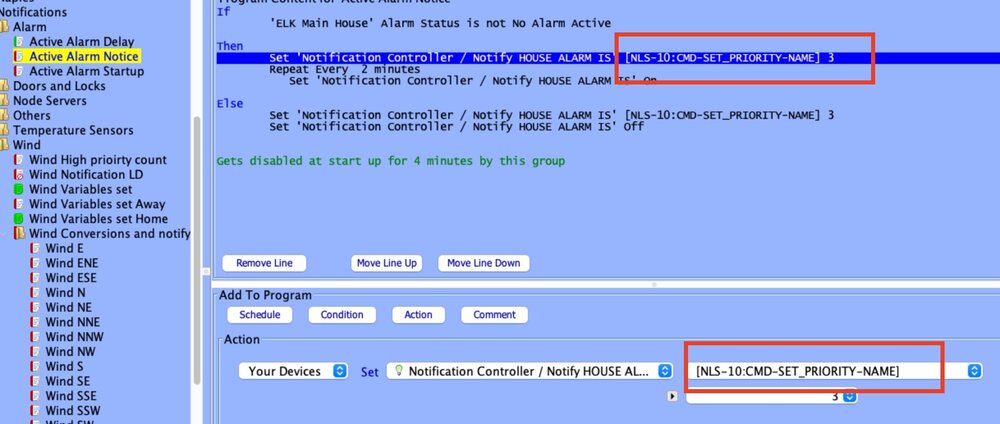
Solved with lates versions:
-
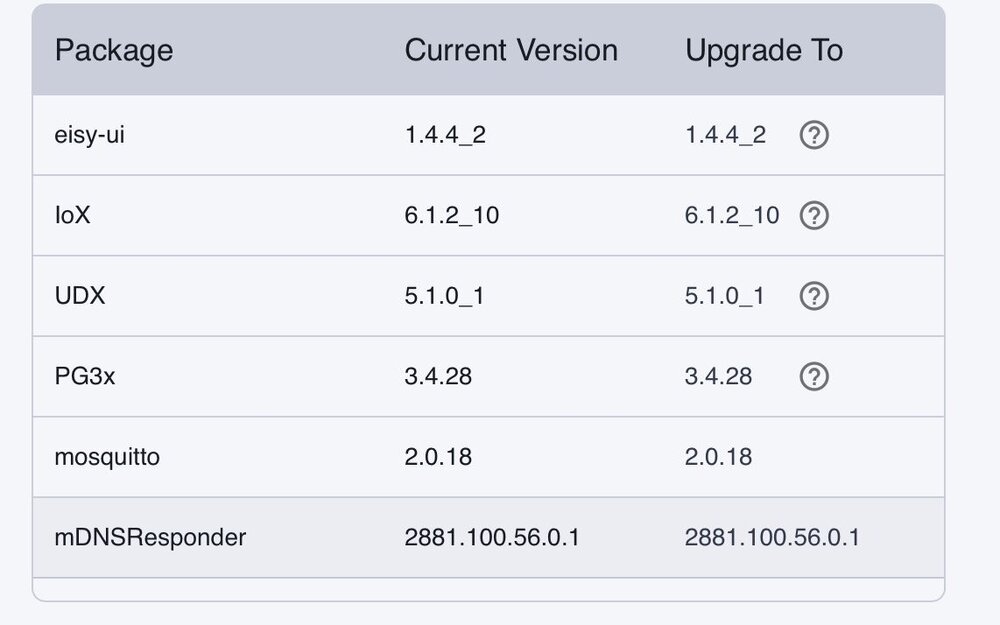
@bmercier FYI. see previous post..https://forum.universal-devices.com/topic/47269-eisy-ui-backup/#findComment-408632 Am fully up to date: Retrying: RATDGO: Moved it back over. All looks good, but does not work. Moved it back to PG3X. Did not work there either, and also did not have the proper names. Moved it back again into Eisy. Went to my program that calls the open / close and made a change to it, saved it, changed it back to its original, saved it again and it is finally working. Looks like I will have to do this to all the programs. TimeData: Moved it back to Eisy.. Shows as OFFLINE.. did a Query on the node server node and that kicked it back on line. HUE: migration worked this time. No apparent issues. Notifications: migration worked this time. No apparent issues. ELK: migration worked this time. No apparent issues. GREAT JOB in fixing the issues!!
-
@Ross So far the migration of plugins has been less than a stellar experience. I have had to revert back: Notifications, Ratdgo, HUE, TimeData and Elk Ones that I have not migrated due to known issues: ST inventory, Meross, Matter. Others that have required some or significant program fixing / intervention: KASA, SUN, WEATHERFLOW, iAqualink Ones that have worked first try w/o issues: Russound, Holidays, YoLink, Ring, and WebControl
-
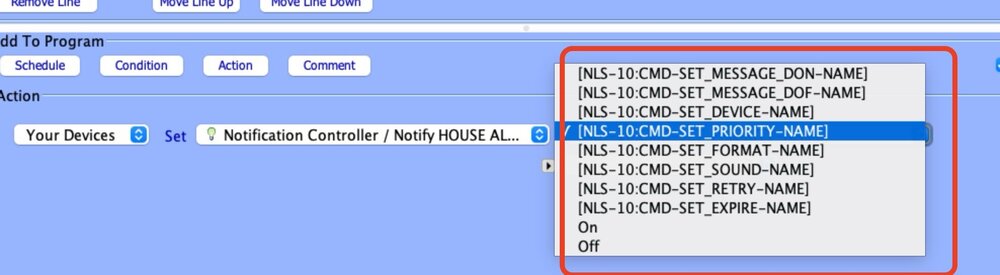
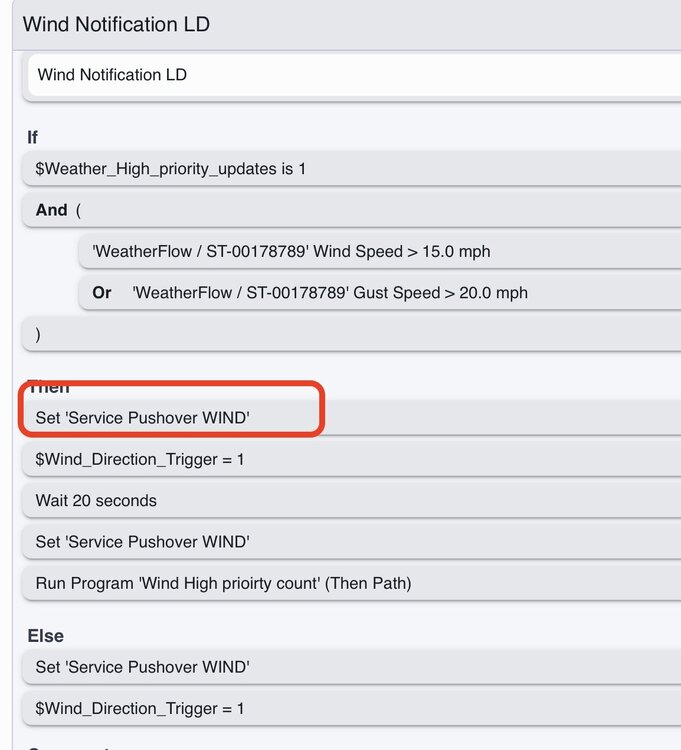
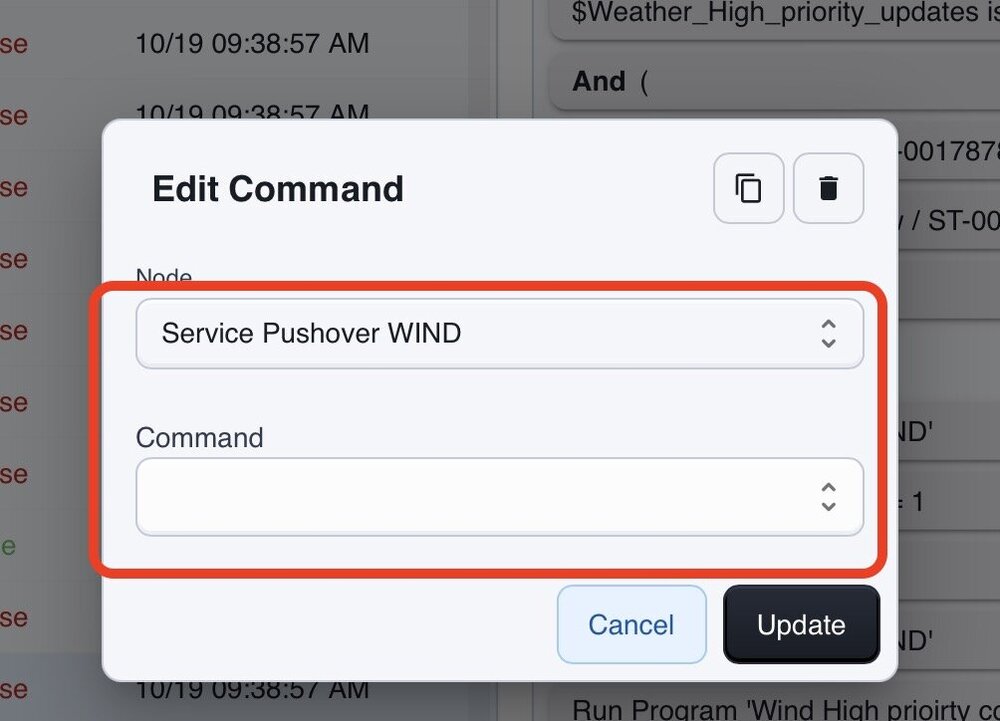
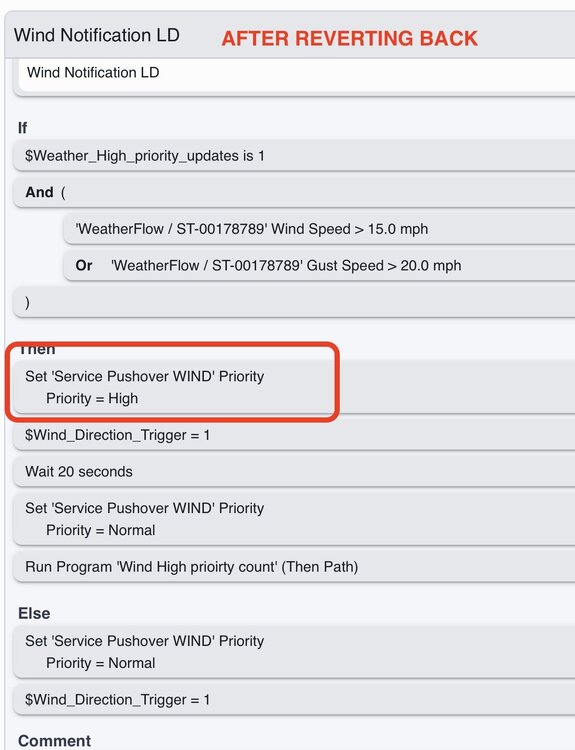
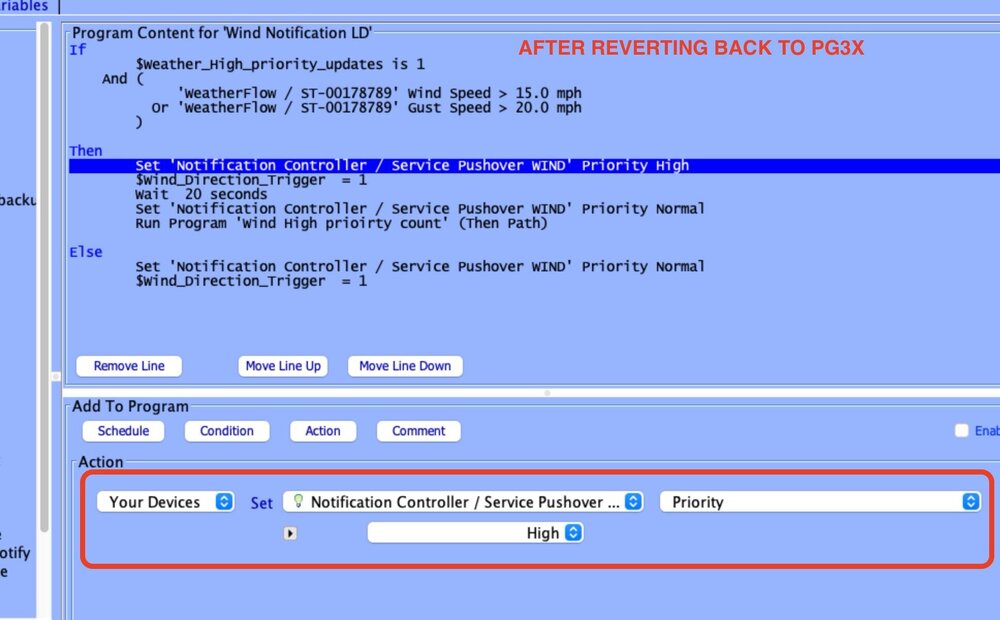
@Jimbo.Automates I migrated notificaitons form pgx3 to eisy. Now my programs are not allowing me to edit the lines, or the lines have strange input. See first FOUR screenshots below for both AC and Eisy UI After reverting back to PGX3, everything is back to normal. See last two screenshots. Thanks.
-
Case in point. Weatherflow plugin when moved to Eisy ui, did something so that 18 programs are now "not loaded" and have a blank line. I have no idea what th blank line was.. I will need to open up my text back up of my programs and go thru them one at a time, fix them, save them, and then enable them as they seem to turn disabled when coming out of a Not Loaded state.
-
Having the Copy folder to Clipboard under programs (and then pasted / saved to a text program) is a critical part my backup and continues to save me, time and time again. I hope this gets implemented sooner rather than later.
-
@junkycosmos were you able to figure this out? My wife and I do this quite seamlessly, Each phone triggers its own geofence variable which drives different programs etc.
-
@Javi If UDM is going to get phased out, it would be nice to be able to "Port" all my favorites to the Eisy Ui Favorites page as many many hours have been invested in them in terms of layouts, links, etc so that they are iPhone friendly etc. It will be a nightmare to recreate each favorite I have with the conditional advanced settings of colors, icons etc. thanks.
-
@Javi during the course of the last 6 months with all the upgrades, versions etc, I have multiple times gone to a favorites page in UDM and had a Node or multiple Nodes no longer there. Typically this happens when there is a problem with a Node Server and the node is no longer reporting and therefore UDM has nothing to pick up, so the favorite disappears. The problem and hassle of this is that it will screw up the whole layout of the favorites page and when the node is recreated, the favorite doesnt reappear unless you do a backup / restore, and even then it is sometimes wonky. Is there way to have UDM just GREY OUT the node if the node is not reporting? And then, when you click on the Dashboard of the greyed out node, have the dashboard say something like "Node is no longer available" and then have the user have a choice of Keep or Delete Favorite? This way, if Keep is selected and the node server is restored / fixed, the favorite will report and the whole favorite page doesn't get juggled around, etc? Thanks.
-
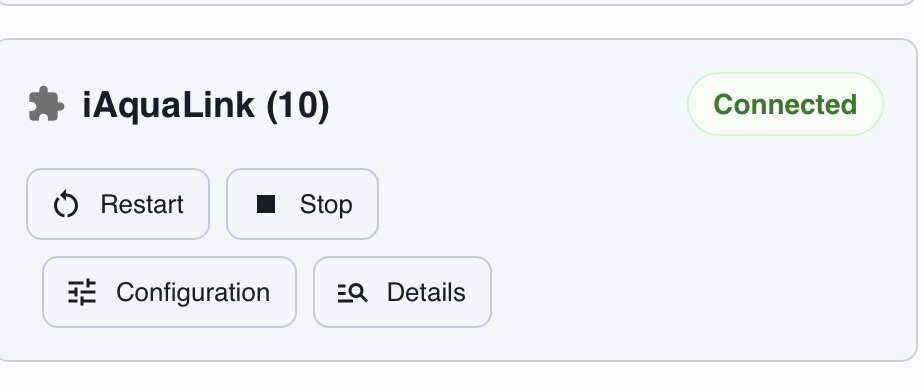
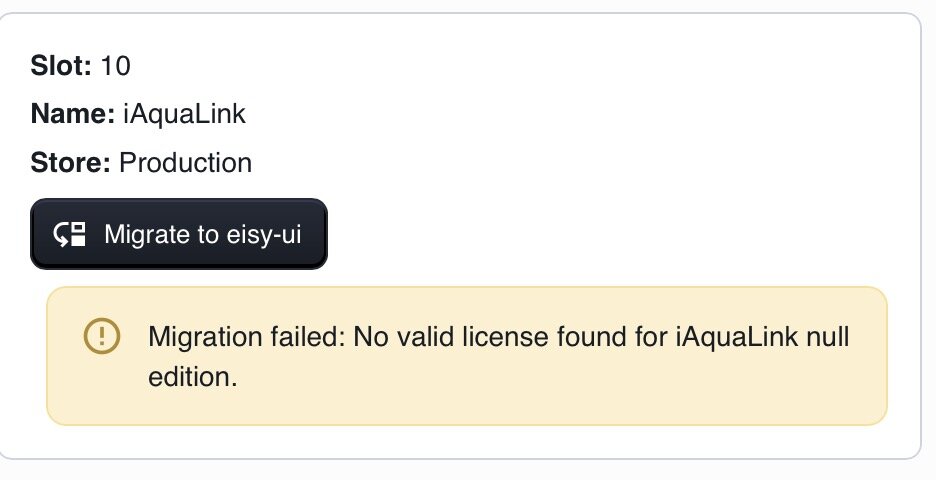
Trying to further the migration from pgx3. iAqualink is showing as running under the Plugin screen, but under NODES, it shows error loading. I ended up under System / Services, restarting UDX. That allowed iAqualink to then show as Connected as a node server, but none of the nodes appeared. The next step was to select the node server under Nodes and then hit Discover and my nodes came in. Next, ALL my programs that used these nodes are showing as NOT loaded. Yet, all the lines are ok. I have to go into each one, change something, SAVE it, then reopen it, change it back and resave it and then it works. One weird things is the programs all load up as Disabled, and also have to be Enabled again. PIA for 20+ programs. Why this one was troublesome, idk.

-
f a did the restore from Eisy UI.
-
I tried the migrate all option and it was a semi-disaster.. eisy crashing, plugins "failed", wont start, etc.. I had to move them all back to PG3X, do a restore to my Eisy and then after getting everything restabilized, I moved them one at a time. That worked. Had trouble with iAuqalink, RATDGO and ELK, so kept them for now on PG3X. A few others with known issues I also did not move; Matter, St-inventory. Installed the latest update but haven't tried to re-migrate those three yet as I rely on them too much to deal with this weekend.
-
Solved: Had to go to the AC and then Plugins / Add all nodes. They are back and working normally again.
-
Migrated it back to PG3X.. all the nodes are showing in the dashboard of PGX3, but only the output nodes are showing in Eisy UI... Any ideas how to get them to show back up?
-
I see an update may solve this.
-
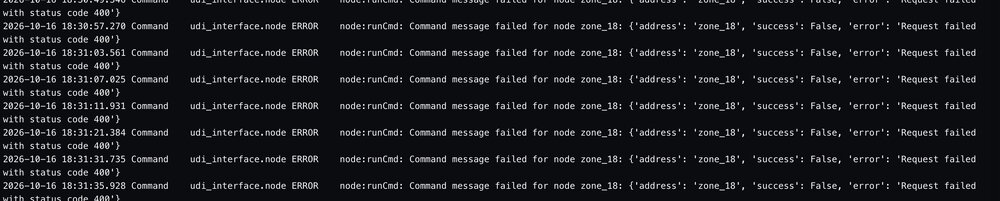
Elk plug in is only finding Outputs... See sample screenshot of log. Any advice to fix? I have restarted it twice. Will reboot eisy to see if that fixes it.
-
@bmercier What to do here? thanks.
-
My apologies Javi, but what does this mean? "ID: /eisy-ui/pull/111" And how do I find this? thanks.
-
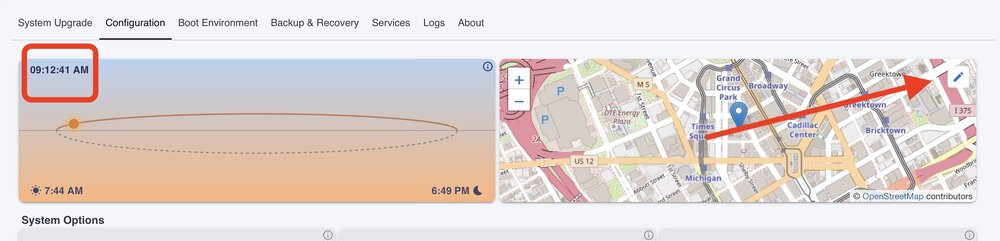
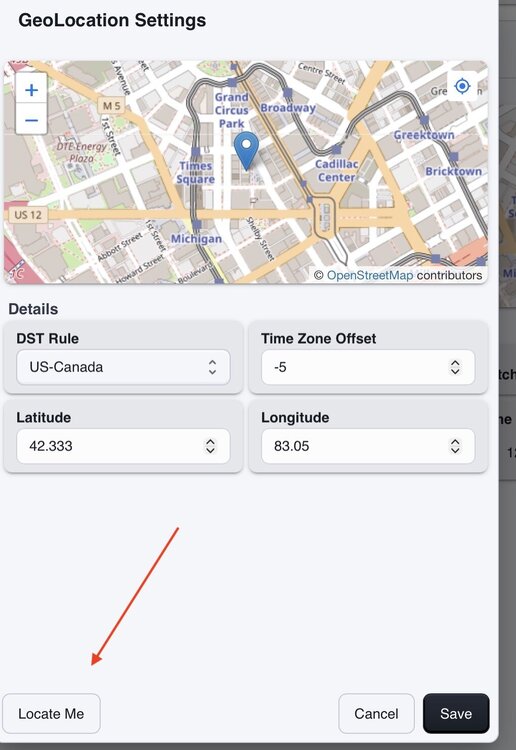
In eisy ui, go to System, Configuration and you will see a map on the upper right and a time display picture on the upper left. If it is wrong, follow the next steps. If you click on the pencil for edit on the upper right it will open a box where on the lower left you can select LOCATE ME. This will open another box with cities and time zones. Select the one that is correct and then back you way out by hitting save and then the tie on the upper left should display correctly. I have had trouble with manually adjusting the time and it sticking. And when I actually locate myself on the map, the GMT offset is incorrect.
-
Under System Configuration, there is a time zone picture with sunrise / sunset and then a map. If I change the location under the map to be my precise location, the time zone changes to an incorrect time zone of GMT -6. If I subsequently change it manually back to -5 under either screen, it does not stick and reverts back to -6. The only way to get it back to -5 is to use the Locate Me button on the bottom of the map frame and to choose a nearby city in the dialogue box. then the -5 reverts and sticks.


