


dbwarner5
Members
-
Joined
-
Last visited
Everything posted by dbwarner5
-
Solved: Had to go to the AC and then Plugins / Add all nodes. They are back and working normally again.
-
Migrated it back to PG3X.. all the nodes are showing in the dashboard of PGX3, but only the output nodes are showing in Eisy UI... Any ideas how to get them to show back up?
-
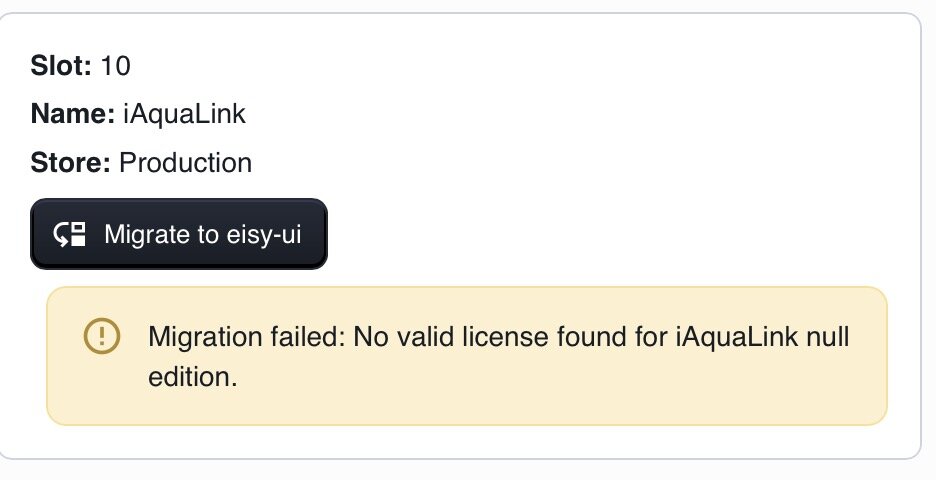
I see an update may solve this.
-
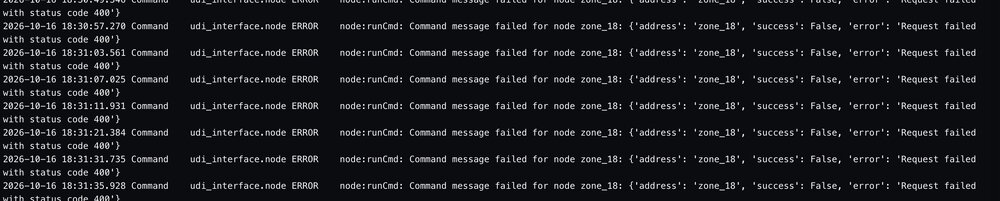
Elk plug in is only finding Outputs... See sample screenshot of log. Any advice to fix? I have restarted it twice. Will reboot eisy to see if that fixes it.
-
@bmercier What to do here? thanks.
-
My apologies Javi, but what does this mean? "ID: /eisy-ui/pull/111" And how do I find this? thanks.
-
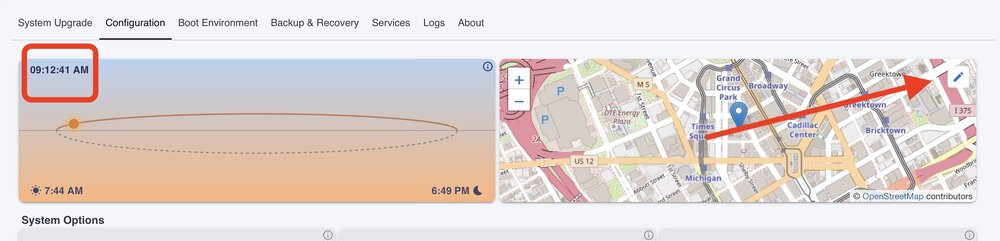
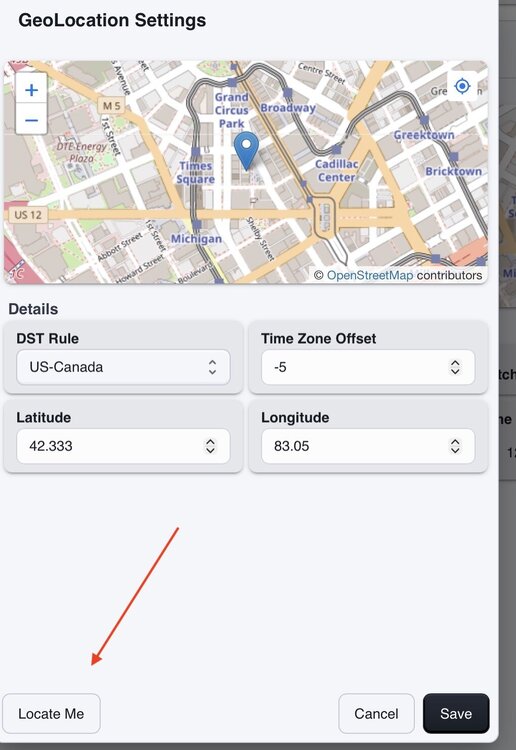
In eisy ui, go to System, Configuration and you will see a map on the upper right and a time display picture on the upper left. If it is wrong, follow the next steps. If you click on the pencil for edit on the upper right it will open a box where on the lower left you can select LOCATE ME. This will open another box with cities and time zones. Select the one that is correct and then back you way out by hitting save and then the tie on the upper left should display correctly. I have had trouble with manually adjusting the time and it sticking. And when I actually locate myself on the map, the GMT offset is incorrect.
-
Under System Configuration, there is a time zone picture with sunrise / sunset and then a map. If I change the location under the map to be my precise location, the time zone changes to an incorrect time zone of GMT -6. If I subsequently change it manually back to -5 under either screen, it does not stick and reverts back to -6. The only way to get it back to -5 is to use the Locate Me button on the bottom of the map frame and to choose a nearby city in the dialogue box. then the -5 reverts and sticks.
-
I used to always use the direct method of admin.jnlp. It is no longer working. Errors of No path exists pop up. Am now forced to use the Portal version thru Start.jnlp, which requires a Load of a saved file with paths. Appears that the flexibility of login methods are going away quickly.
-
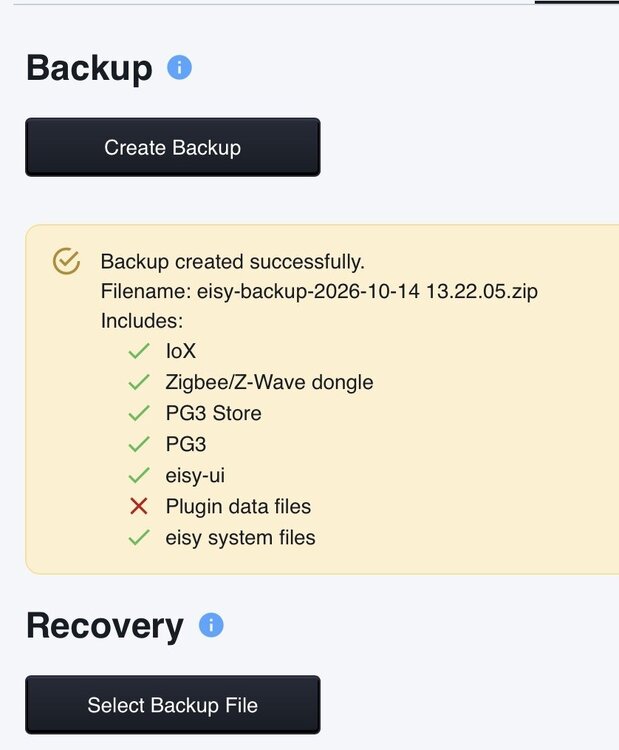
Several questions arise: 1) is it time / helpful to migrate over? 2) are there updates to the Beta version of the plugins feature or a time frame as to expected progress? 3) is they why when I do a backup from the UI it shows this error for the backup?
-
Definitely needed. I recently replaced two mini remotes, but had 8 button vs 4 button versions, so the "replace" command did not work. I had to "find / replace" all 8 nodes of each mini remote with the new nodes in many programs. Without the find/replace command in the AC this would have been a nightmare
-
What is happening is that at 10pm, the IF clause will get evaluated. Since you are home, the variable is 0, so it executes the ELSE. Think of a time schedule like a variable..if you change the variable, then the IF gets evaluated in any program that has that variable. The clock is like the variable.. when the time is hit, the IF will be evaluated. This is true for any program that has a schedule. The simplest thing to do is to split this into two programs. First one evaluates the variable and if true, it enables the second program that has the schedule in the IF and the then and else as you have it. The ELSE in the first program would disable the second program, so that it doesnt run when you are home. There are many ways to work around what you experiencing.
-
agree.. will just watch it. I did put in delays and still go the messages.. no worries.
-
It’s my sprinkler system. So when I turn a valve on, there is a program that turns on the pump. Ill add a delay and see if that helps but when I turn it off I really need the pump to shut down immediately so may still have the problem but will play with a 1 second delay
-
No..it happens every time I "press" the button in UDM to change the state of the node. Time in between changes is irrelevant.
-
I am able to easily repeat this error because it happens every time. So I cycled an elk output called Sprkl Drip Line (n014_output_28) and downloaded all the possible logs for pgx and the debug log from the Elk plugin. Begin at time 026-10-06 08:26:58.085 Command udi_interface DEBUG Output:cmd_set_on: output_28:Sprkl Drip Line in Elk Debug Log. Admin Edit <removed attached files> Thanks.
-
yes, its been doing it for a while now and I have rebooted the EISY after each of the new upgrades. The error only appears in UDM.. it does not appear in the UI.
-
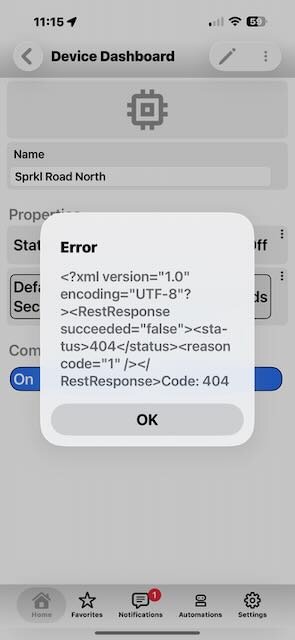
I am not sure when it started, but it happens every time. The command does get executed however.
-
@Javi When I turn on or off an Elk output in UDM, I get the following error message. The command does go thru however. This error does NOT show up in the UI.
-
I usually add the same condition to a program that triggers the folder and then it will run as well. example: -Folder trigger: When abc = 1 ... true -program: If: abc =1 AND .... all other conditions specific to that program. This will make the program be evaluated when the folder becomes true
-
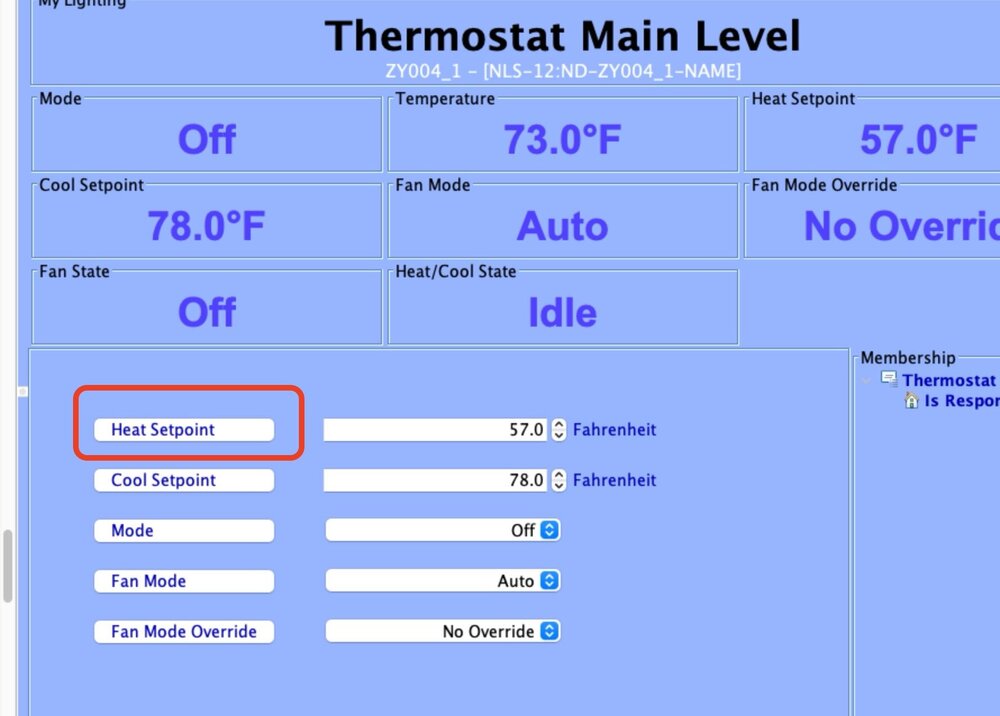
@Century Electric Ltd to apostolakisl point, here is a screenshot. After you adjust the temp in the drop down menu, you need to press the button to the left which I have circled in red. This is true to any adjustment that has a drop down menu.. ie light brightness etc. hope that solves your problem!
-
I was using the Beta versions as of late last week thru the middle of this week and was having all kinds of program anomalies.. programs were changing state but with no history of running, etc. Others weren't running correctly and UDM was showing different states etc.. really weird stuff. Upgraded to the staging Repo and all things have gone back to normal. fyi.
-
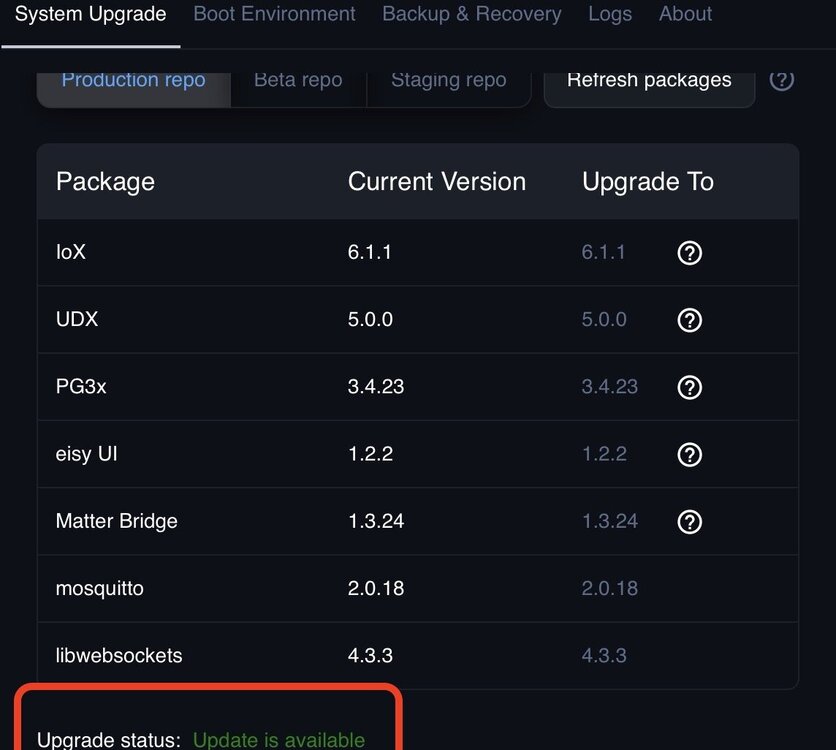
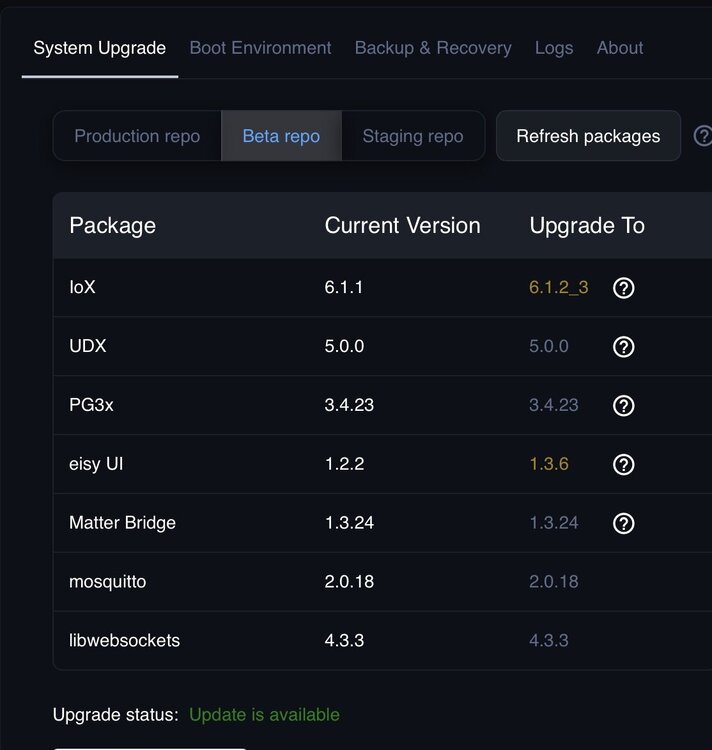
Showing upgrade is available but versions all match? Upgrade is avail be in Beta though..
-
OK. Sorry. Very few companies make dimmer smart plugs because a lot of items that can be plugged in cant or shouldn't be dimmed. Here is a kasa product. but it's geared for outdoors. https://www.amazon.com/smart-outdoor-dimmer-plug-kasa/dp/B09DT173R1/ref=sr_1_8?crid=T5QOF8ZZSC7F&dib=eyJ2IjoiMSJ9.8T5TdiAqFSXq9RW7kM33OMLnyyPciS4jBVBW4Pd8GUz68g2dKW1CVyTOBBI_82TWVtjjmTvTL5Rii908nH4O4jFzJYYTfNH5BV29Gshl5tDJ0jxghInBC1xXfYVDvSRF9LUAye4RMNf6yHRBA2ruNfyRdQjqBY8K-b67m-M27i7eE-vLzNtv3f9THlh4aAU_BlIw_RtVTo9U1jIYm_T5ax7g6KJfxvjsIZtmJ1VPiP-x0gC4o4vMUoqEAdlhP_ZStCoC0ifgd0KLcM8iAYZxhcwvN0Y7mM5cLJH62leWhu4.vtTWZxpIr7XLqc3w5qpgEpC9nxtcazlCFnotPvlnS3c&dib_tag=se&keywords=dimming%2Bwifi%2Bsmart%2Bplug&qid=1789057499&sprefix=dimming%2Bwifi%2Bsmart%2Bplu%2Caps%2C133&sr=8-8&th=1
-
Kasa has dimmers too https://a.co/d/0ffGSW1R


