


GPritchard
Members
-
Joined
-
Last visited
Everything posted by GPritchard
-
Like you, I slogged through it. Although it was painful, eventually everything is working nicely (2x removed / reset / re-add). I forgot about those Garbage Z-Wave nodes! I had about 40 of those, and it took me a couple of tentative days to begin deleting them and checking if anything broke - nothing did. My migration was the same as yours. My ISY 994 was on it's second Z-wave upgrade stick (latest, 500) and was working outstandingly well. And after the transition-struggle, everything is again working nicely. Good luck! It sounds like you may have found a more-efficient path forward for your Z-Wave devices than I did. A week or a month from now, I bet you'll have everything working too, and have forgotten about this bumpy transition 😄
-
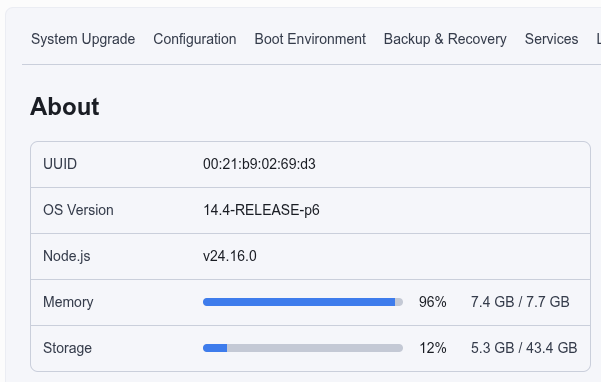
Comparison: My eisy seems to like this: snappy and stable. I chalked it up to working as-designed. I don't think either of us need worry.
-
@MClark01 Turning on lights based on "time" is great! A solid start. You can use this for your own day-to-day convenience, but also for peace-of-mind / security if you go away travelling. And voice-commands are helpful - whether you are lazy like me 😂 or your hands are full. If you want to simply grow your system in gradual steps, I've found that a motion-sensor or two adds a lot. I have one mounted in a stairwell (battery-power Z-Wave; battery lasts ~18months) which brings safety and convenience when descending my stairs with early-winter-morning coffee. And you can add a timer, to turn this light off when movement ceases for something like 20min. Another motion-sensor I enjoy a lot: my backyard parking. I use a motion sensor to tell when a person or vehicle is present, and I have a couple of 100W LED yardlights mounted on my sheds - the motion detector kicks a program, which also checks if the time is between sunset and sunrise, then I have an outdoor switch module that turns on lighting. Great for unloading the groceries, arriving home from work, heading out to work, etc. Summary: baby steps. identify convenience, or safety, or security, and add a couple of components now and then. Enjoy the journey. For a modest home system, my ISY994 was sufficient; your Polisy or Eisy will be much more responsive and current/supported. HTH!
-
My Z-Wave stuff was also doing this, but despite what the screen showed, it was actually still doing something important behind-the-scenes. What ultimately worked for me: Wait. A lot. Like, go make coffee, check mail, wash dishes, etc. At least 5min, perhaps even 10min. After this, all the Z-wave nodes appeared correct, and functional. If (when!) I was was impatient, and click-exited after the 65% timeout, nothing was right. Waiting worked (for me). I wonder if this may help your situation? I had quite a few Z-Wave devices, and after migrating from ISY994i to Eisy, all had to be deleted and re-added. It took me a few days, especially with long waits. Oh, I also commonly had to: Remove Z-Wave device, factory-reset Z-Wave device, Add Z-Wave device, Remove Z-Wave device, another factory-reset, then final Add Z-Wave device with a tremendous dose of patience. In the end, I am happy with the functional results.
-
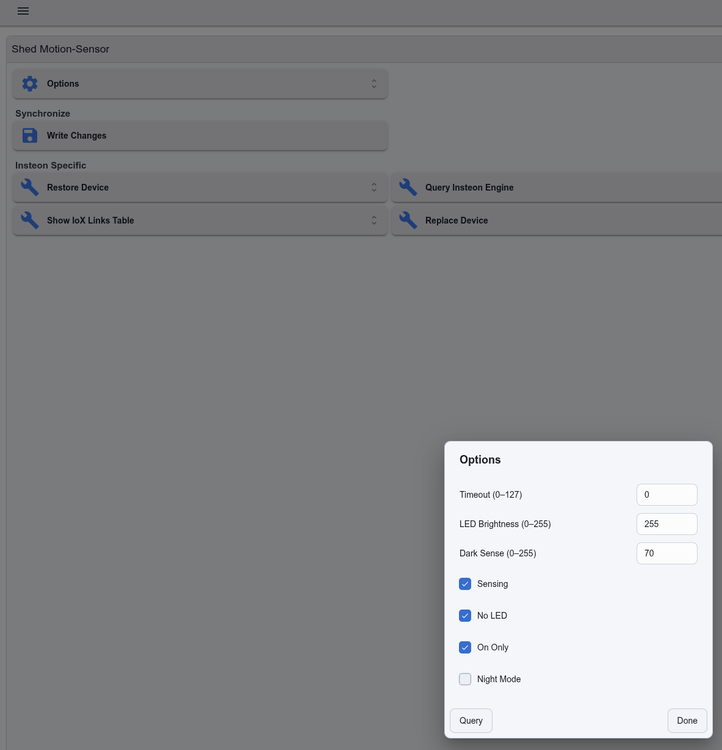
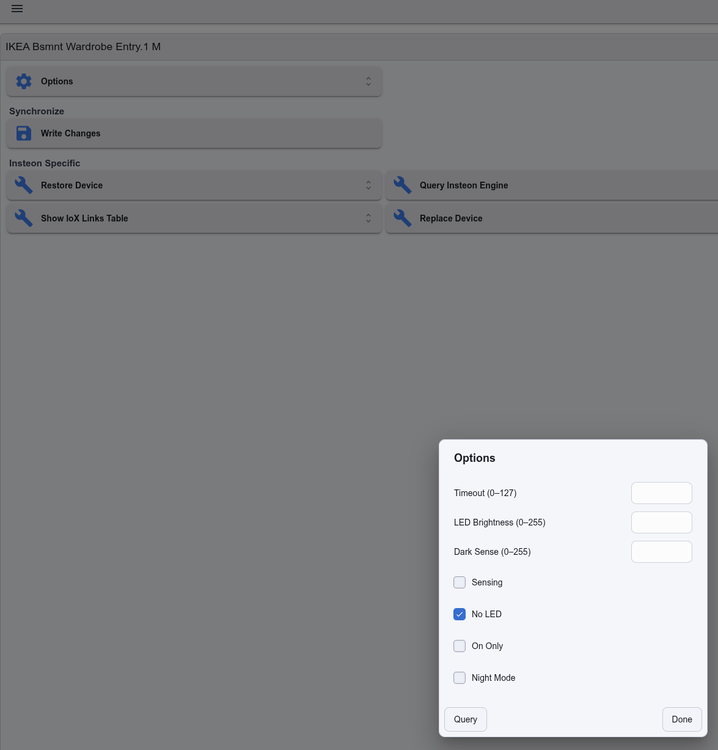
Yes, I notice the same. After I took the screenshots (above), I tried making adjustments to both my Motion Sensor (gen1) and Motion Sensor II. I cannot make any Motion Sensor changes to either generation. Essentially, my screenshots are perma-stuck as shown. @bmercier @Javi
-
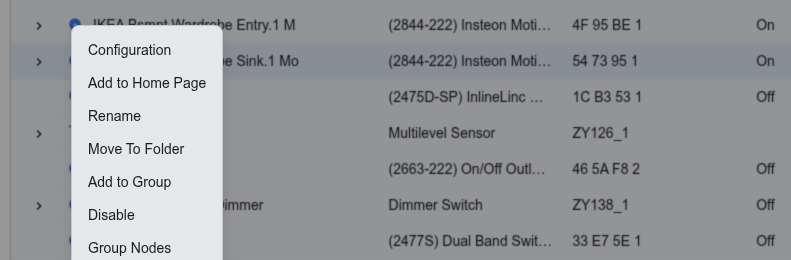
Following Techman's instructions - left click at the icon, select "Configuration": Then, right-click the "Options" gear-icon and for older 2842-222 type: Pretty much the same for newer Motion Sensor II (2844-222): HTH!
-
Some of us may never seen another time-change, as some jurisdictions move to Permanent Time in one form or another
-
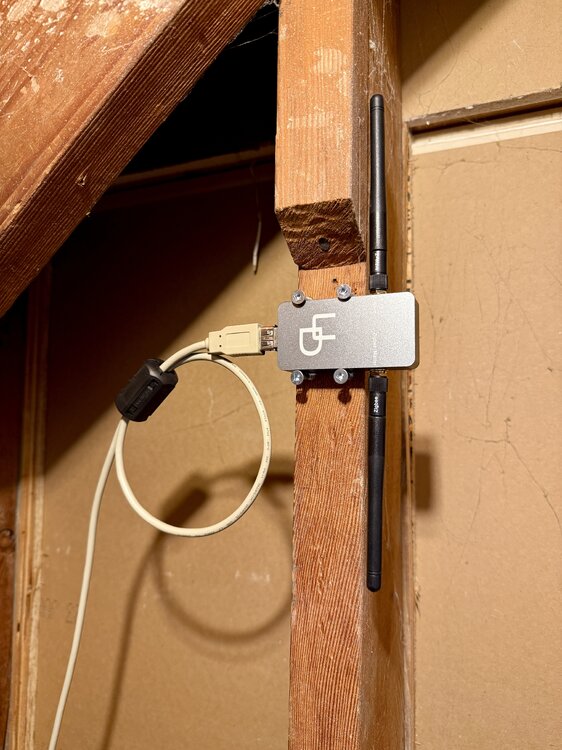
Straying off-topic here 😁 I wonder if your Z-Wave coverage would be improved if you remote your UD Dongle? I found that was the case: I used a USB-A male to USB-A female extension cable, about 5ft long, and it seems to work fine:
-
Quick note of commiseration: I've also had to set my Z-Wave interview timeout to 2min or 3min, NOT "default". In my case, I have some Z-Wave devices that partially-include, but may have had missing end-points or present-but-non-functioning endpoints. Implicated Z-Wave devices are: Zooz outdoor switched outlets Zooz motion-sensors Ecolink motion sensors Leviton plug-in outlet switches Leviton wired-in dimmer switches Even with this extended interview timeout, I've resigned myself to having to include - exclude - factory_reset - include a couple of times, for my Z-Wave stuff to work properly. But after all this, things seem solid. I am glad we both found that extending the interview timeout worked. And like Javi mentions - during my includes, once I see the device end-points appear, I must wait another several minutes for the actual inclusion to successfully complete. When the screen says something like "Timeout" and "Download Log" + "Skip", it's really not finished ... I go and make coffee or something, to give it an additional (5???) minutes to do whatever it's doing behind-the-scenes.
-
I am curious how this resolves, because I have the same experience. One Zooz motion-sensor and one Ecolink motion sensor, both Z-Wave. I have tried moving through their motion-areas and triggering these (outdoor) sensors, in the hope that when they're awake that they could satisfy these pop-ups. Alas, no. I even took one down and poked the backside button ("wake up" or "include/exclude" button), to no avail. Everything works, but these brief orange messages suggest a pending 'something'... ❓
-
This was my experience also, but with Alexa. Migrating from 994, to eisy and eisy-ui I had to delete and recreate each spoken, when it involved Z-Wave.
-
It would seem "No" you don't need the Serial PLM kit. You may already be using a USB-to-Serial adapter from elsewhere, and if it's working and your PLM is happy, that's fine. You state that you have a working system, and any upgrades from here on should be software-only for you. (it's hard to be completely certain from your photo and wiring, but it seems your translucent-blue USB plug and associated sliver-braided-clear cable at the top right of your photo is a USB-to-serial adapter. There are many such adapters floating around, and it's good if you have one that is working. From the blue DB-connector, you have what seems to be a beige DB-connector to RJ-45 adapter. If this is working, and provides your PLM with the needed signals, then it would seem you are good-to-go).
-
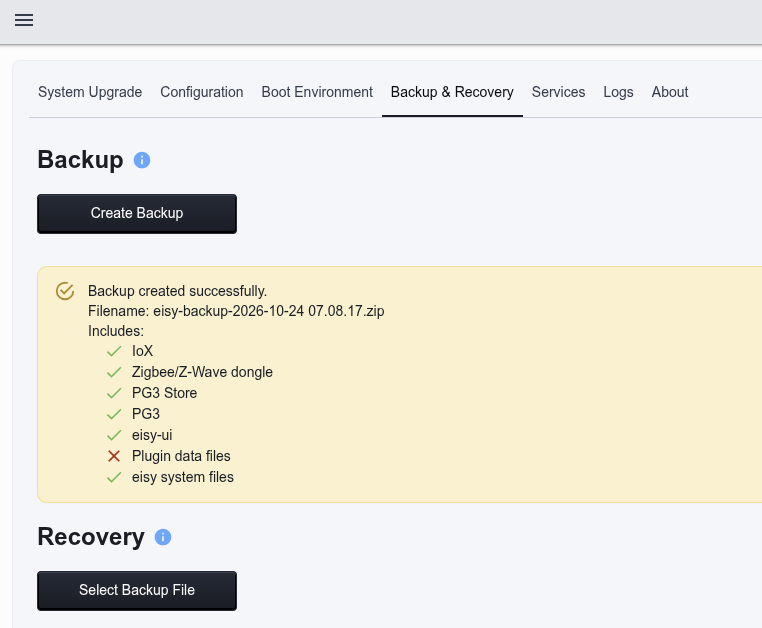
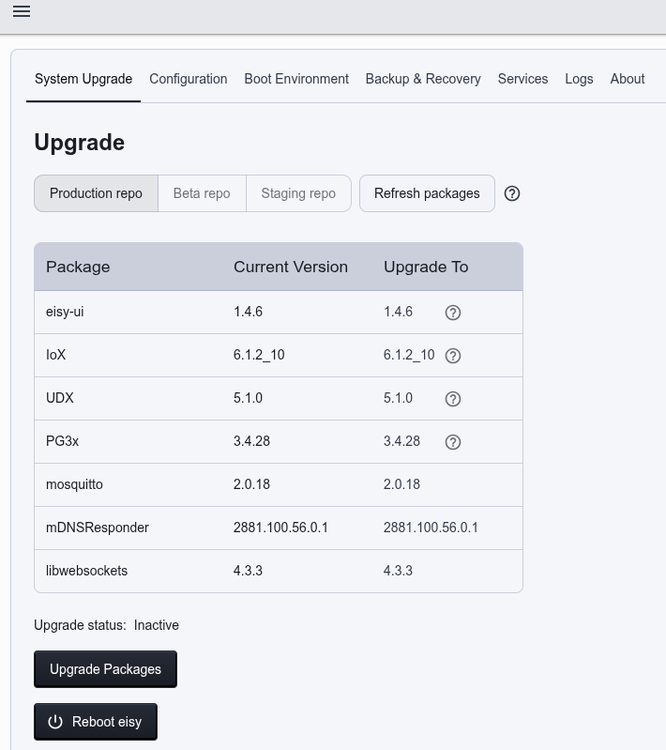
For me, I don't get that Error 500: Running versions appear the same as yours (I did reboot following each upgrade):
-
Just one comment from me (post-1966 🤣) I like, and use the Type / Address / Status fields quite a bit. For me, these 3 fields are helpful, especially when trying to debug and identify or find particular devices. However, I think a working Option menu to show/hide these fields would satisfy both you and I. But a day may arrive where I'd prefer to hide these columns, or view just a subset - thus, my added request that Options -> show/hide selector ought to work. And that's my only (helpful) comment.
-
I understand that this percentage applies to a Scene, and indicates the scene-members' aggregate status. For example, if a scene had 5 members, and one only was at 100% while the others were off, the "mean status" would be 20%. Perhaps that lone device was manually turned on... But, despite my understanding (which I hope is correct), I find minimal value too.
-
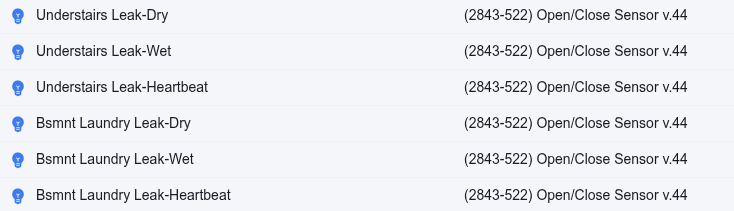
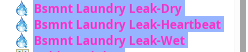
I see the same: versus:

-
To bring closure here, and for future Searchers: I did open a ticket. Big shout-out to @bmercier for his concise, quick suggestions. Over the course of 2 days, I made myself available, and we exchanged 20 messages, ultimately arriving at a solution: re-installation of IoX and reboot. Now, here is the expected view:
-
In my home-network, I must use the IP-address of my eisy, every time. My DHCP-server maintains a reservation for my eisy, so it always appears at the same address. My home-network uses Ubiquiti Dream Machine Pro, with DNS-massaging (ie Ad- and geo-)blocking. For me, it is no big deal to use IP-address.
-
Two helpful suggestions to Open a Ticket. So, I am pursuing this. Thank you, both!
-
Reboots - Many, many, many, many, many, many times. Perhaps 50 since Saturday. Many Soft reboots; Many power-cycle "hard" reboots I've also tried restoring my backups (I have two on-hand). Same result every time. Restore has been performed maybe 10 times. I've tried removing, and re-adding (select, non-critical) devices, also perhaps 50 times. In the Admin Console, everything works. In eisy-ui nothing works, but they are listed. In the UDI Portal, connecting these nodes to Alexa spokens works perfectly. Oh, and I didn't mention because it may only be very distantly related, but UD Mobile appears about the same as eisy-ui. That is, devices are show, but no Status, no Control. Since I use a completely up-to-date iPhone, I put this down to the anomoly listed by UDI as being an Apple-change to later be fixed. It used to work super-nicely. Considering the various aspects of what I've just written, and my long, LONG weekend of work, I wonder if there is a way to completely wipe my eisy (to the point of "out-of-box" fresh, no lingering crap such as incorrect folder 'r-w-x/s' attributes, nor incorrect ownerships, etc., nothing. I wonder if a completely clean slate may rectify this inconsistency? Lead me to SSH and I'll be happy 😁 IRIX, Solaris, BSD and 35yrs of Linux... FWIW, the Backups I have, from which I perform restores, were taken from my ISY994IZ running the "latest" 5.3.4 (for, literally, years!). It 2413S PLM remains the same between ISY994 and eisy, and I haven't messed with delete/restore links (because everything was working so smoothly for years). There are no indications of any communication issues with the PLM, neither toward the devices nor the controller. Again, Insteon devices are, in actual fact, all working. Scenes, Programs and Spokens are all working. The (cloud) Admin Console is working. I certainly appreciate any and all suggestions...
-
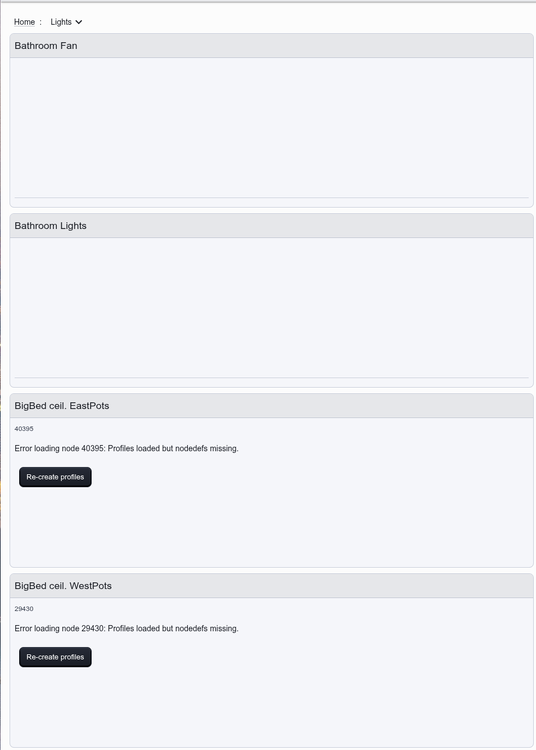
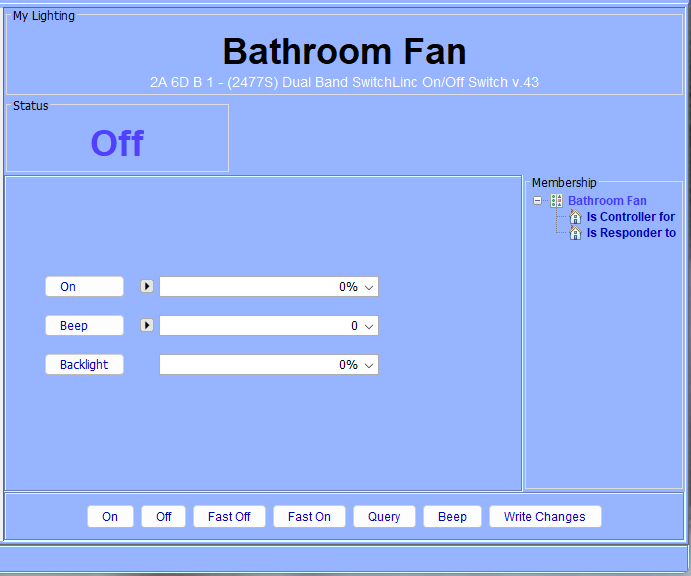
I use eisy-ui 1.4.2, IoX 6.1.2_7, eisy Home (r1). I wonder why I cannot see these Insteon Devices' Statuses or controls? Probably related, examining the Nodes list does show status correctly (ie 100% brightness), and it changes correctly, including Insteon Scenes So I know something is working properly, but clicking on any Device refuses to show the status I just saw in the listing, and there are no controls (such as ON or OFF): Yet, in the Admin Console (started with IoX Launcher, selecting Cloud Admin Console) I can see the status' of these Devices, and the Controls all appear and work! Insights and suggestions welcomed! I'm kinda stumped, and I suspect/wonder if the solution will lie with correcting that "Internal Server Error" within my eisy....?

-
Thanks, Javi - there it is! Weirdly, my PLM links shows empty! Even if I use Advanced -> Restore Modem (PLM). Always empty. But the Admin Console (Java) shows PLM links.
-
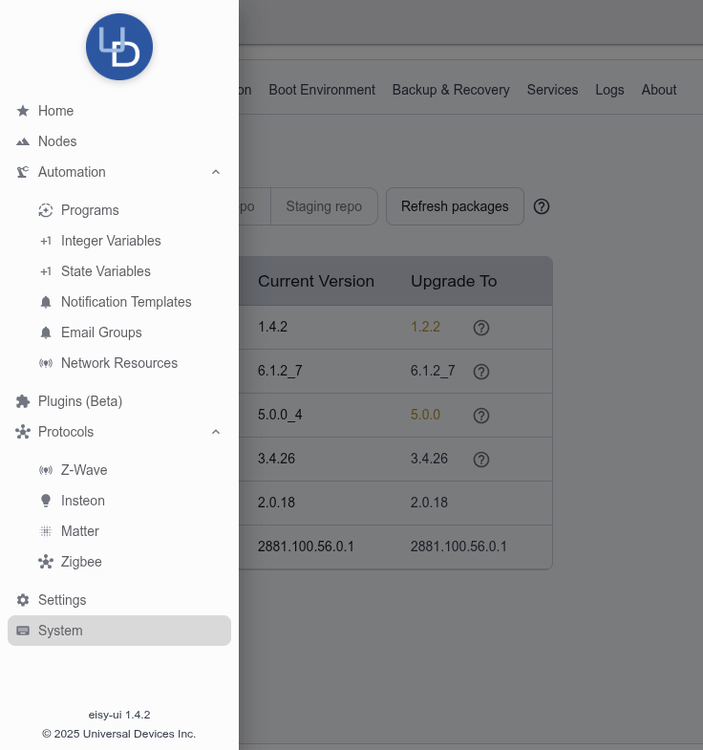
Where do you guys even see the options for PLM or Device links? I don't see anything in eisy-ui like I'm used-to in the java Admin Console:
-
Just for future info: bathroom fans are cheap-a** shaded-pole motors. They respond very well to dimmers - in fact, this is a common method of varying speed. That said - I agree an ON / OFF switch is a solid solution, and would also be my choice.
-
For $1, I simply replaced all the caps in my PLM. Then, drilled a lot of holes in the case for airflow to keep it cool. That was over a decade ago. I am glad I simply replaced everything for so little $$$, and didn't overthink it.


