


Javi
Employees
-
Joined
-
Last visited
Everything posted by Javi
-
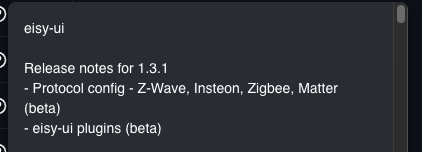
Coffee Needed! Yes, in the side menu will be Zwave/Zigbee/Insteon/Matter Protocol level settings (e.g. add device/ etc). the Nodes Context menu will now has a configuration option for the device level protocol settings. User Codes was missed. Working on this today for the next release.
-
Hi All, We are very close to feature parity in eisy-ui. We have staged release planed for the next couple of weeks. Currently in staging we added the ability to add all devices, awaiting a few bug fixes for beta release soon. + The our next planned release will add features such as Network Resources and a few other settings not included in todays beta release.
-
Was it the node server name or a node name? How was it changed?
-
They should reload automatically. Is something missing? How was the node created/removed?
-
Try changing to light mode Alt + t. (theme)
-
Fixed in 4.4.27 (might be a couple weeks until release).
-
If the app is working it is likely synchronization is required. Menu > Synchronize.
-
Yes. Also upgrades can (and should) be done from eisy-ui > Menu > System > System Upgrade. This shows available version and current versions + what is being upgraded (e.g. eisy-ui only)
-
Customizations > Emails/Notifications
-
The portal credentials are unified for both remote and local access using port 80 or 443 (default no need to enter). The local admin:admin defaults are for port 8080 and 8443 only
-
Basic local is http://<ipadress>:8080/rest/nodes or with creds: http://admin:admin@<ipadress>:8080/rest/nodes
-
The logs are informational only, no fix required. iOS app has been updated to ignore this log. Pushed an update to app store, however Apple's approval can be a few days.
-
eisy-ui 1.2.2 update available to fix issues with Program Status Conditions, Precision values, and invalid characters (ampersand, etc).
-
In Notification > Email, Wake On Lan names. We should have beta release with these bug fixed by end of day.
-
See known issues: https://forum.universal-devices.com/topic/46914-os-144-release-is-now-available/#findComment-406192
-
replicated, looking into the issue. Edit: fixed missing prec. 608642a, will try to push patch soon.
-
Node has pending device writes. Will show during adding nodes or as a brief notification on start when a device has pending writes. E.g. the controller needs to write something to the device but it has not been done either because it is waiting for another process to complete or it could not communicate with the device. A badge is also shown next to the device icon in on the Nodes Page.
-
The "&" in the resource name. The admin Console does not encode them, which causes issues in xml parsers.
-
Badges are mostly for mobile when the other columns are hidden. Will likely change the x and check to text in the future. For the badges (small icons) tooltip description on hover over, Bottom Running badge is run at startup, the top badge is disabled. Main icon Color: Green -> last evaluate true (then), Red -> last evaluated false (else). Main Icon image: document -> idle, Running -> Program is running then or else actions, based on green or red color)
-
Currently only mappings/selection in programs, no edits. Same for Wake on Lan and Email Recipients.It is a benign error, invalid parameter name mapping for i3Keypad. Will need to be fixed in the next firmware update.Added summary view toggle to programs page in next release to show all. This already exists in nodes, click the IOX Home Group (or whatever name given to the controller) this shows all Node Status values.Known Issues: Open: Flicker in Programs Data Grid when program status changes frequently. We will be moving away from Data Grid in the future for a virtualized grid. Closed: Ampersands in Resource (Email/Notification/Network) may cause program load to fail. As a work around remove ampersands then save in Admin Console. Records will be sanitized in the next release. Fixed in eisy-ui 1.2.2 iOS synchronization shows Family 1, Instance 1: Family: Insteon, Instance 1. could not match CMD paramName....... https://forum.universal-devices.com/topic/46927-ud-mobile-errors-after-updating-to-os-144/ Fixed in UD Mobile 4.4.26 Program Status Conditions (IF) are saved incorrectly: https://forum.universal-devices.com/topic/46915-iox-611-lets-discuss-it/page/5/#findComment-406323 Fixed in eisy-ui 1.2.2 Step values are not inferred from Precision step is undefined. Causes missing precision in values in value select popper. Fixed in eisy-ui 1.2.2 Precision is not used in calculating current value in some value selects. Causes values like 0.5 to appear as 5.0. Fixed in eisy-ui 1.2.2


